
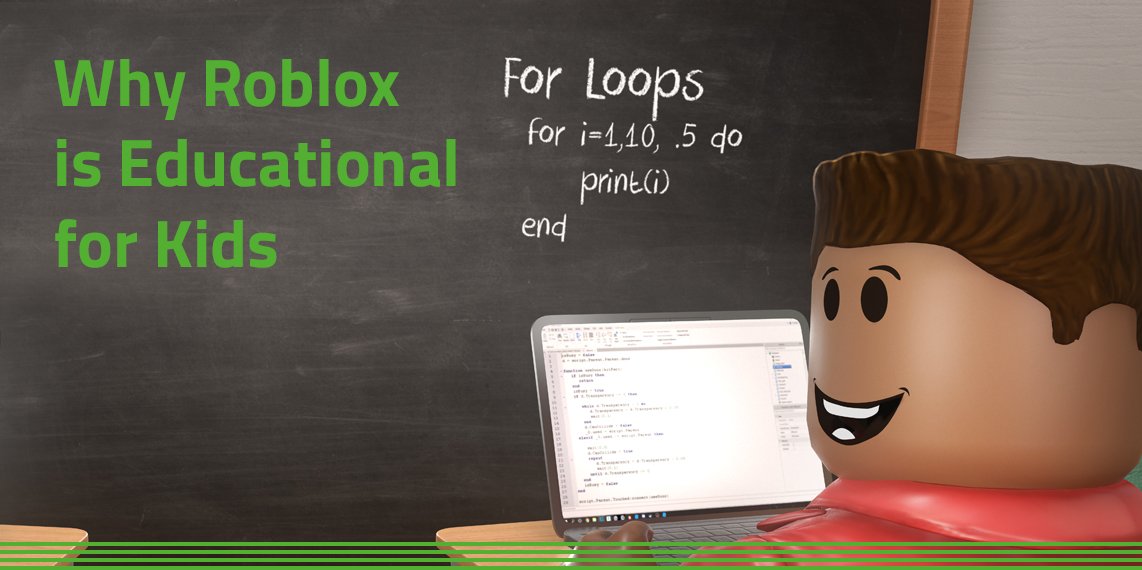
Here are some places where you can find Roblox teacher training resources: the Roblox Education website, online educational platforms like Edutopia, and various educator forums.
Have you ever considered using Roblox in your classroom? It’s a platform many students already love, and it presents a unique opportunity for engaging and interactive learning. Finding the right support is key; that’s why we are talking about Roblox teacher training resources. These materials can help you understand how to integrate the platform effectively and safely into your teaching methods. Many teachers find value in these readily available training tools.

Roblox Teacher Training Resources
Let’s dive deep into the world of Roblox and how it can be a fantastic tool for learning! We know that Roblox isn’t just a game; it’s a platform brimming with educational potential. But, like any tool, teachers need training to make the most of it. That’s where Roblox teacher training resources come in! These resources are designed to help educators understand how to integrate Roblox into their classrooms, making learning engaging and fun. Think of it as getting the keys to a new, exciting learning environment.
Why Use Roblox in Education?
You might be wondering, “Why Roblox, anyway?” Well, there are several compelling reasons why this platform is becoming popular in classrooms worldwide.
Engaging Learning: Roblox is, at its heart, a game. This makes learning more fun and less like a chore. Students are more likely to pay attention and participate when they’re actively engaged in a virtual world they enjoy. They often don’t even realize they are learning!
Creative Expression: Students can create their own games and experiences within Roblox. This provides an outlet for creativity and helps develop their problem-solving skills. They’re not just consuming content, they’re making it.
Collaboration: Roblox allows students to work together on projects in real-time. This fosters teamwork, communication, and the ability to learn from each other. It’s a social learning experience.
Real-World Skills: By learning to build in Roblox, students gain exposure to basic coding principles, game design concepts, and project management skills that can be useful in the future.
Adaptability: The versatility of Roblox means that you can integrate it into almost any subject, from history to science to math. The possibilities are pretty much endless.
Types of Roblox Teacher Training Resources
Okay, so we know why to use Roblox. Now, let’s look at the how. What kinds of training resources are out there for teachers? Here’s a breakdown of some useful ones.
Online Courses and Webinars
These are often the first stop for teachers looking to get started. They usually cover the basics of navigating Roblox, creating accounts, and exploring its educational features.
Introductory Courses: These courses are perfect for teachers who are new to Roblox. They walk you through the platform step-by-step, from setting up accounts to exploring different game types. Look for courses that offer video tutorials and downloadable guides.
Advanced Training: If you are already comfortable with the basics, look for advanced courses on topics like Lua scripting (the coding language used in Roblox), building complex games, or integrating Roblox into specific subject areas.
Live Webinars: Live webinars allow you to interact with experts in real time and ask questions. They are a great way to learn about new features and get support from the Roblox education community. Be on the lookout for upcoming webinars from educational organizations and Roblox itself.
Self-Paced Modules: These are courses that you can complete at your own speed. They typically have videos, quizzes, and assignments that you complete independently.
Curriculum and Lesson Plans
Teachers often don’t have the time to design their own lessons from scratch. Thankfully, many resources offer ready-made curriculum guides and lesson plans specifically designed for use in Roblox.
Subject-Specific Guides: Need help teaching fractions? Look for a curriculum guide that uses Roblox to teach math. You’ll find lesson plans for history, science, literature, and more. These are designed to make sure the learning objectives are clear and aligned with curriculum standards.
Project-Based Learning: Many lesson plans focus on project-based learning, allowing students to create their own games and experiences to demonstrate their understanding. These plans often include clear instructions, assessment tools, and grading rubrics.
Adaptable Templates: Curriculum resources often include templates that teachers can adapt for different grade levels or student needs. This means you don’t have to start from nothing – you have a structure in place to build from.
Roblox Education Website
Roblox has a specific website dedicated to education, it is a treasure trove of information and resources for educators.
Tutorials and Documentation: The site offers tons of detailed guides, tutorials, and documentation on how to use Roblox in the classroom. They cover everything from building a basic game to using coding in Roblox Studio.
Case Studies: Learn from other teachers by reading case studies. They detail how others have successfully incorporated Roblox in their teaching. You’ll find stories, best practices, and ideas for implementation that could spark inspiration for your own classroom.
Community Forum: The Roblox Education community forum is a place to connect with other educators, ask questions, and share tips. This is a fantastic way to learn from others’ experiences and build your support network.
Latest News and Updates: The website keeps you up-to-date on the latest features and updates to the platform. You’ll be among the first to know about new educational games or tools available to teachers.
Teacher Communities and Forums
Being able to connect with other teachers who are using Roblox can be incredibly valuable. They can offer support, advice, and new ideas.
Online Teacher Groups: There are numerous online groups dedicated to using Roblox in education. They offer teachers a safe space to ask questions, share resources, and discuss best practices.
Social Media Channels: Keep an eye out on social media for hashtags related to Roblox in education. You’ll often find teachers sharing resources and success stories. Look for relevant Facebook groups or Twitter chats.
Local Meetups: If possible, try to find or even start local meetups with other teachers. This is a great way to connect in person, share strategies, and collaborate on projects.
Professional Development Workshops
Many organizations offer specific training workshops for teachers who want to use Roblox.
Hands-On Training: These workshops typically involve hands-on activities, allowing you to practice using the platform in a supported setting. You’ll gain practical skills and get personalized feedback.
Expert Guidance: The workshops are often led by experienced educators who are experts in using Roblox in the classroom. You benefit from their experience and gain new insights.
Networking Opportunities: Workshops provide an opportunity to connect with other teachers who are interested in using Roblox. You can share ideas, make connections, and even develop a peer support system.
University Programs and Partnerships
Some universities and educational organizations are partnering with Roblox to offer courses and programs specifically focused on using the platform in education.
Degree Programs: You might find a master’s or doctoral program that allows you to specialize in educational technology and the use of Roblox. This is a great way to deepen your knowledge and develop expertise in the field.
Certificate Programs: Many universities offer shorter certificate programs focused on digital learning and gamification. These often include a module on Roblox, giving you a solid foundation in integrating the platform into education.
Research and Development: Some universities are engaged in research on the effectiveness of using Roblox for educational purposes. Keep an eye out for research findings and new insights.
Getting Started with Roblox Teacher Training
So, you’re ready to begin your Roblox teacher training journey? Here are a few steps to guide you.
1. Create a Teacher Account: The first step is to create a Roblox account specifically for educational use. Keep this separate from your personal account.
2. Explore the Roblox Education Website: Take some time to browse the official website and familiarize yourself with the available resources. You’ll find many articles, tutorials, and case studies that are useful.
3. Choose a Training Resource: Decide which type of training resource best meets your needs. Do you prefer an online course, curriculum guides, or a professional development workshop?
4. Start Small: Don’t feel like you need to be an expert right away. Start with the basics, and build your skills gradually.
5. Experiment and Play: Roblox is all about exploration and creation. Make sure you set aside time to play with the platform and explore its capabilities. This is how you will find fun new ways to integrate it into your teaching.
6. Join a Community: Connect with other educators who are using Roblox. This will provide you with a support network and allow you to share ideas and best practices.
7. Reflect and Iterate: As you begin to use Roblox in your classroom, take time to reflect on what’s working well and what needs to be improved. Keep adjusting your approach, based on your student feedback.
Tips for Effective Roblox Implementation
Even with the best training, it’s important to implement Roblox effectively. Here are some tips to help you succeed.
Set Clear Expectations: Before students start using Roblox, make sure they understand the learning objectives and expectations. These guidelines will help focus their engagement.
Integrate with Curriculum: Ensure that the use of Roblox is aligned with the curriculum. It should not be just for “fun”, but tied to specific learning goals.
Provide Structure and Guidance: While you want students to explore, it’s important to offer support and guidance. This includes teaching them how to navigate the platform and use its tools.
Monitor Student Activities: Keep an eye on what students are doing in Roblox. This will help ensure that they’re staying on task and not getting distracted.
Encourage Collaboration: Foster a collaborative environment where students can work together and learn from each other.
Celebrate Successes: Be sure to celebrate student achievements and recognize their creativity and efforts. This will motivate them and encourage them to continue learning.
Be Patient: Learning any new tool takes time. Be patient with yourself and your students as you begin to integrate Roblox into your teaching.
Ask for Feedback: Regularly ask students for feedback on their experience. This can give you great insights for improving the implementation.
Start with Simple Projects: Begin with smaller and less complex Roblox experiences before moving onto more challenging ones.
Challenges and How to Overcome Them
Of course, using any new technology in the classroom comes with challenges. Here are some common ones and ways to address them.
Access to Technology: Not all students have access to computers or internet at home. Explore options like in-school computer labs or providing loaner devices.
Time Constraints: Finding time to learn how to use Roblox and integrate it into the curriculum can be challenging. Prioritize planning and start with small steps.
Technical Issues: Technical problems are bound to happen. Plan ahead by having a backup plan and having basic troubleshooting strategies ready.
Behavior Management: Some students may need guidance on appropriate online behavior. Set clear expectations and have a system in place for dealing with issues.
Parental Concerns: Some parents may be skeptical about using games in education. Communicate with them clearly and share the educational benefits of using Roblox.
Student Engagement: You may find that some students are not interested in using Roblox. It is good to always keep other strategies ready and be adaptable in how you can deliver your lessons.
Semantic Keywords and Phrases
For search engine optimization, it’s important to sprinkle in certain keywords and phrases naturally throughout this article. Here are a few examples, which have been used throughout this article to be more effective:
Roblox teacher training resources
Roblox education
Roblox in the classroom
Educational games
Game-based learning
Roblox curriculum
Roblox lesson plans
Roblox Studio training
Lua scripting for educators
Digital learning
Virtual learning environments
Integrating Roblox in education
Roblox for teachers
Teacher professional development
Coding in education
Project based learning
Engaging learning experiences
Educational platform
Teacher resources
Roblox is not just for fun anymore. It’s an engaging and powerful tool that, when used effectively with proper training, can transform education. It allows students to learn by creating, collaborating, and exploring, making the learning experience much more engaging and memorable. The future of learning is definitely looking bright, with tools like Roblox at our disposal. Teachers who dedicate time for training will see the difference.
(ENGLISH) Education in Experiences by Roblox Education | Connect 2022
Final Thoughts
Comprehensive Roblox teacher training resources empower educators to effectively integrate the platform. These materials help teachers develop engaging lessons and understand the game’s educational potential.
Accessing these resources improves teaching techniques and student learning. Educators can build skills necessary for running exciting virtual classroom experiences with ease.
In conclusion, utilizing Roblox teacher training resources is key for implementing successful Roblox-based learning. They provide essential tools and knowledge to create an impactful environment.

