
Roblox team systems design focuses on creating effective in-game team mechanics, emphasizing roles, collaboration, and communication features to enhance the player experience.
Have you ever wondered how some Roblox games make teamwork so engaging and satisfying? It all boils down to smart design choices. The key to a great multiplayer experience is effective roblox team systems design, which dictates how players interact within a group.
We are going to explore some foundational concepts. By understanding these concepts, you can greatly improve collaboration and enjoyment for your own games.

Roblox Team Systems Design: Building Collaborative Experiences
Creating fun and engaging games on Roblox often means working together, and that’s where team systems come in. A good team system in your Roblox game can make all the difference between a chaotic free-for-all and a coordinated adventure. Think of it like organizing your toys into bins – instead of a jumbled mess, everything is where it should be, and everyone knows their role. This article dives deep into building effective team systems, from simple groups to complex alliances, all while ensuring a smooth and enjoyable experience for everyone.
The Importance of Teams in Roblox Games
Why are teams so crucial? Well, they offer several advantages. First off, teams naturally encourage cooperation. Players have a shared goal and must work together to achieve it. This can foster a sense of community and camaraderie. It’s not just about winning; it’s about the fun you have along the way. Imagine trying to build a massive castle in a Roblox game by yourself, then try building it with friends on the same team! Which one sounds better and faster? Exactly, with teams everything becomes better.
Second, teams can add structure to gameplay. By dividing players into different groups, you can create unique challenges and opportunities. Maybe one team is responsible for gathering resources, while another team defends their base. This adds layers of complexity and strategic thinking. It’s no longer a simple race to the finish; now, teamwork is the key.
Finally, a good team system makes games more accessible for different playstyles. Some players enjoy the challenge of leading a team, while others prefer to contribute from the sidelines. Teams provide a space for everyone to feel valued and contribute in a way that suits them. For example, in a team based shooter game, a player might enjoy sniping enemies from a safe distance, while their teammate might love going all in in the frontline. Having teams can help you cater to all of these playstyles.
Basic Team Creation
The simplest approach to making teams in your Roblox game involves using the built-in Teams service. This service makes it easy to create teams, assign players to them, and keep track of team scores. Let’s dive into the practical steps you can follow:
Using the Teams Service
The Teams service is your go-to for creating basic teams. Here’s a quick breakdown:
- Access the Teams Service: Open Roblox Studio, then in Explorer window you’ll see a service called Teams under the Game object. This is where you’ll create your teams.
- Create Teams: Right-click on Teams and select “Insert Object” then “Team”. Repeat for as many teams you want.
- Name Your Teams: Give each team a descriptive name, like “Red Team”, “Blue Team”, “Builders”, or “Defenders”. This helps players know where they belong.
- Set Team Colors: Choose a color for each team. This is important for making it easy for players to identify who is on their team. You can customize colors using the properties of each team object.
- Setting Team Automatic Assignment: Teams also have an option that can be set to true or false, it’s named “AutoAssignable”. This is an option which makes new players automatically joined the team once they join the game. It can be set to true or false, depending upon your preference.
Assigning Players to Teams
Once your teams are created, you need a way to assign players to them. Here are the common methods:
- Manual Assignment: This involves writing a script to move players to a team at the start of the game, or when the player interacts with something. It can be as simple as checking if the player’s name is on a list, then assigning them to the team.
- Automatic Team Balancing: This method distributes players evenly across the available teams. It requires a bit more scripting but leads to a more balanced gameplay experience. You can create a script that uses the number of players on each team to decide which team to assign the new player to, in order to make the teams balanced.
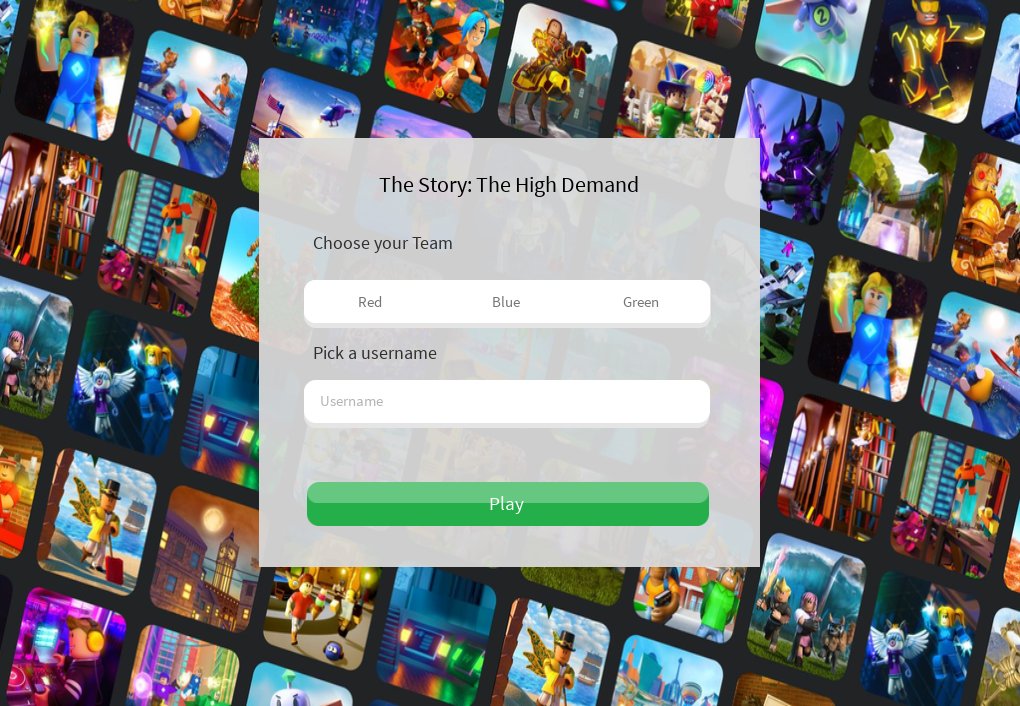
- Team Choice UI: Allow players to pick a team using a menu. This approach adds a sense of player agency. Players can choose their preferred role by joining a specific team.
Here’s a simple code example for manual assignment that moves all the players to the blue team, you can expand upon this code as per your need
local Teams = game:GetService("Teams")
local blueTeam = Teams:FindFirstChild("Blue Team") -- replace with your team name

local function onPlayerAdded(player)
	player.Team = blueTeam
end


game.Players.PlayerAdded:Connect(onPlayerAdded)
Remember to add your own team names and logic as per your game’s mechanics. You can implement team choice ui using roblox’s GUI system, which is a vast topic, so we won’t go much deep in that in this topic.
Advanced Team System Features
Once you’ve got the basic team structure down, you can start adding more advanced features to enhance the gameplay.
Team-Based Scoring and Objectives
Having teams is great, but giving them goals to pursue is what makes things truly engaging. Let’s explore how to make this happen:
- Points and Scores: Use variables to track each team’s score. Points can be awarded for actions like defeating other players, completing objectives, or collecting items.
- Objective-Based Gameplay: Assign different objectives to each team. This can be something simple, like capturing a flag, or something more complex, like controlling multiple points on a map.
- Team-Specific Powerups or Items: Offer unique items or abilities that only members of a particular team can use. This creates specialized roles within each team.
Here’s how you can implement a simple team scoring system:
local Teams = game:GetService("Teams")
local scores = {} -- a table to keep track of scores

local function onPlayerDefeated(defeatedPlayer, killerPlayer)
    local killerTeam = killerPlayer.Team
    if killerTeam then
        if not scores[killerTeam] then
            scores[killerTeam] = 0
        end
         scores[killerTeam] = scores[killerTeam] + 1 -- Award points for each defeated player
		print(killerTeam.Name .. " Score: " .. scores[killerTeam])
    end

end

-- Example of connecting this event with player defeat event which is commonly used by developers
-- you can replace the function named as "playerDefeated" with your own logic
local function playerDefeated(defeatedPlayer, killerPlayer)
    onPlayerDefeated(defeatedPlayer,killerPlayer)
end
This example script tracks the score of the team, that defeated an enemy player.
Team Chat and Communication
Effective communication is key to good teamwork. Here’s how you can set up in-game chat channels within teams:
- Filtering Chat: Make sure that messages sent in team chat only get seen by players in the same team. This keeps things organized.
- Chat Commands: Create custom chat commands that help teams quickly share info or strategize, like “/team message” to send a message only to teammates.
- Custom UI: Display who sent the message, and which team they belong to. This makes it easy to understand who is saying what.
Here’s a code snippet that can help you make team chat:
local Players = game:GetService("Players")

local function onPlayerChatted(player, message)
	local playerTeam = player.Team
	if playerTeam then
		for _, targetPlayer in ipairs(Players:GetPlayers()) do
			if targetPlayer.Team == playerTeam then
				targetPlayer:Chat(player.Name .. " (Team): " .. message)
			end
		end
	else
		player:Chat(message)
	end

end

Players.PlayerAdded:Connect(function(player)
	player.Chatted:Connect(function(message)
		onPlayerChatted(player,message)
	end)
end)
The above script filters the chat messages and makes it so that only your team members can see your message.
Team Alliances and Complex Relationships
Things can get very interesting when you introduce the idea of team alliances.
- Creating Alliances: Make it so teams can form temporary alliances, working together towards a common goal.
- Alliance-Based Scoring: Adjust your scoring systems so that teams working together can share rewards.
- Potential for Betrayal: Include elements of strategy where alliances might be broken, creating a dynamic and less predictable gameplay experience.
The coding for alliances would be very complex as it depends upon your game’s needs, but the underlying principle remains the same: keep track of the alliance of the teams and score them accordingly.
Best Practices for Designing Team Systems
Here are some tips to help you design good team systems:
Clear Communication
Make sure team communication is clear and simple. Players should be able to communicate effectively, so that teams can work together effectively. Consider the following:
- Team Chat: As shown earlier, use a team chat so that players can discuss strategies within the game.
- Visual Cues: Use visual cues to indicate who is on the same team. The most common method of doing this is making player’s in-game character have the same team color, and name tag.
- Objective Indicators: When assigning objectives, make sure it’s very clear for players. When a game makes it hard for a player to understand the objective, it makes it less fun to play.
Balancing Team Sizes
Try to keep teams balanced in size to prevent one team from gaining an unfair advantage. There are multiple ways of doing this:
- Automatic Team Balancing: as shown previously in the article you can implement team balancing systems that balance the team size by automatically assigning new players to the team with the less number of player.
- Player Limits: Set player limits to prevent single team from becoming too large. For example in the Roblox’s famous game “Doors”, the game has the max limit of 10 players per server.
Role Diversity
When you introduce teams, make sure the teams have variety of roles and each role is important to the team, it could be as simple as attacker and defender role, or support and damage roles. The important thing is, the players must feel important for their team. Here’s how you can accomplish role diversity:
- Special Abilities: Create characters with distinct skill sets that complement one another.
- Team Objectives: Make sure that the objectives that are assigned to the team, require different players to do different tasks.
Testing and Iteration
Lastly, make sure you extensively test the team system you’re implementing, and get feedback from the players. Remember, the goal is to create a fun and fair experience. Based on the feedback, you can change your system to further improve the game. There is always room for improvement, always. Testing and feedback is the key for making a successful team system, and a game.
Designing team systems in Roblox might seem like a big task, but by breaking it down step by step, you can create amazing experiences. Start with the basics, experiment with advanced features, and always prioritize clear communication and balance. Remember, great team systems make for even greater games! By using the Teams service and a bit of creative scripting, you can build engaging team experiences that will keep players coming back for more. Remember that the heart of any game is making sure your players have fun, and the team system is crucial part of making this happen.
Best Roblox Studio Plugins! #shorts
Final Thoughts
Roblox team systems design requires careful planning for effective collaboration. Well-structured teams increase productivity and improve game development. Therefore, understanding roles and responsibilities is crucial for success.
Effective communication channels within teams enhance overall workflow. This allows members to work together efficiently. Clear expectations for each team member must be established.
Roblox team systems design greatly influences the quality and speed of game creation. These systems need ongoing review and adjustment for best results. Good design ensures smooth team operations.

