
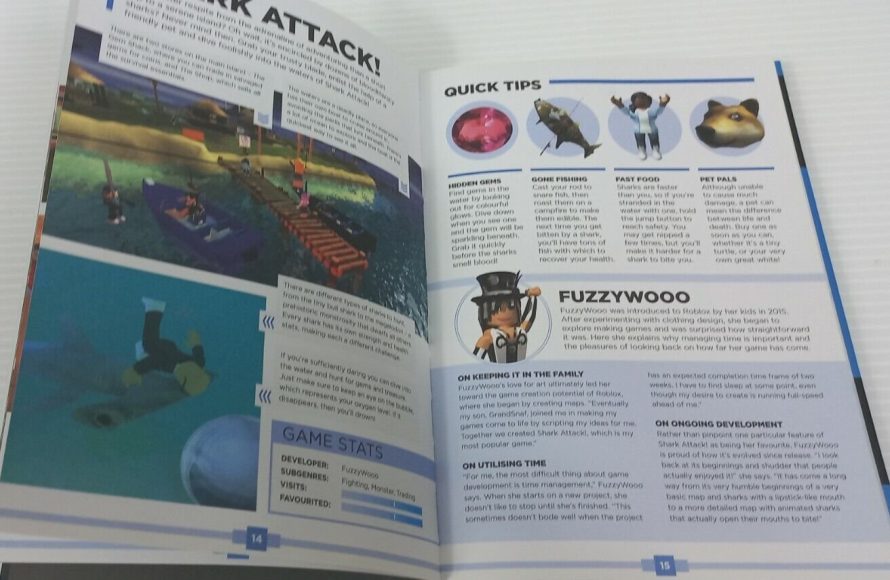
Effective Roblox time management in game development means planning development phases, setting realistic deadlines, and prioritizing tasks to avoid delays.
Creating games on Roblox can be exciting, but managing your time is key. Many developers find themselves lost in the details, letting deadlines slip away. Good roblox time management in game development, therefore, is crucial for finishing projects successfully.
Planning carefully and knowing what to focus on helps a lot. Break large tasks into smaller, manageable steps. This makes the development process less overwhelming and keeps you on track.

Roblox Time Management in Game Development
Okay, let’s talk about something super important if you’re making games on Roblox: time management. Imagine trying to build a giant LEGO castle without a plan. You’d probably end up with a messy pile of bricks and not much of a castle, right? Well, making Roblox games is kind of like that! If you don’t manage your time well, your awesome game ideas might never become a reality. It’s not enough to be creative; you also need to be clever about how you use your time.
Understanding the Scope of Your Roblox Project
Before you even open Roblox Studio, you need to figure out how big your game will be. Are you creating a tiny obstacle course, or a huge open-world adventure? Understanding the project’s scope is like reading the instructions for that LEGO castle before you start building. This will help you estimate how much time you’ll need. Let’s explore ways to figure out the size and complexity of your project.
Breaking Down Your Game Idea
Instead of thinking “I’m making a huge role-playing game,” try breaking it down into smaller, more manageable pieces. For instance, think about:
- The Core Mechanics: What will players actually do in your game? Will they jump? Fight? Solve puzzles? Start with the main actions.
- The Map Size: How big will your game world be? A small town, or a whole universe? Keep in mind map size directly impacts development time.
- The Number of Features: How many different systems will you have? Things like leaderboards, shops, or special abilities all add to the complexity.
- The Art Style: Are you aiming for a simple look, or detailed models and textures? Complex graphics take more time.
By breaking down your game idea, you can get a better estimate of how much time each section will take. This prevents the feeling of being overwhelmed.
Estimating Time for Each Component
Once you’ve broken down your game idea, you need to estimate how much time each component will take. Don’t worry, it doesn’t have to be perfect, but try to be as realistic as possible. For example:
- Creating a simple platforming level: 2 hours
- Building a basic character model: 3 hours
- Coding a simple jump script: 1 hour
- Adding a simple shop interface: 4 hours
Add up all the estimated times, and you get a rough idea of the total time needed for your project. Remember, it’s better to overestimate than underestimate.
Setting Realistic Goals and Deadlines
Now that you have an idea of how much time your project will take, it’s time to set some realistic goals. Think of these goals as checkpoints on your game development journey. Deadlines help you keep on schedule. They can seem like a drag at first, but they’re actually helpful!
Creating Weekly or Daily Goals
It’s much easier to manage your time if you set smaller goals. Instead of trying to finish a whole game in one week, try this:
- Weekly Goal: Finish level design for the first two levels, this week.
- Daily Goal: Today, I will work on the script for collecting coins.
Smaller goals are easier to achieve. This keeps you motivated and makes the whole project feel less overwhelming.
Avoiding Overambitious Deadlines
It’s exciting to think about finishing your game quickly, but rushing leads to mistakes. When setting deadlines, don’t forget to consider:
- School or other activities: Don’t plan to work on your game for 8 hours every day, especially if you have school. Be realistic.
- Potential Challenges: What happens if you run into a problem with a script? Leave some wiggle room in your plan.
- Your Energy Levels: Are you tired after school? Plan to work on your game when you feel most productive.
If you push too hard, you might get burned out. Instead, set deadlines that are challenging, but still possible. Remember, it’s a marathon, not a sprint!
Tools and Techniques for Efficient Workflow
Smart time management also means using tools and tricks to work efficiently. Think of them as special power-ups that can speed up the process. Let’s explore what these tools are and how they can help you.
Using Project Management Tools
Tools like Trello, Asana or even just a simple to-do list can really help you to stay organized. You can break your tasks into smaller pieces and assign deadlines to them, and if you want, even move them around as you work.
Planning using Kanban Boards
Kanban boards are visual project management tools that use boards with cards to represent the progress of a project. They are very helpful for visual learners, where columns can represent the stages of your task progress, from “to do,” to “in progress,” and then “done”.
Utilizing Roblox Studio Features Efficiently
Roblox Studio has some really cool features that can save you a lot of time if you know how to use them. Let’s look at a few:
- Plugins: There are many free plugins that can help you build faster, like plugins for creating terrain, or models, or even scripts.
- Templates: Instead of starting from scratch, use templates for common types of games like platformers or racing games. This can provide a helpful framework to build on.
- Asset Reuse: If you already created a cool door model, or a character, or even a script, don’t build it from scratch every single time. Use the copy/paste feature and create variations of already existing assets.
Spend some time learning about these features. They can save you hours in the long run.
Prioritizing Tasks Effectively
Not all tasks are created equal. Some are more important than others and knowing which tasks you should tackle first can dramatically impact your project’s success. Let’s talk about how to prioritize tasks effectively.
Identifying Essential Tasks
What are the core elements of your game? These are the things that make it what it is. For example:
- Core Gameplay: If your game is about platforming, the jumping and level design are essential.
- Basic Functionality: Before adding fancy extras, make sure the core game mechanics work properly.
Focus on the key elements of your game first. You can add extra features later on.
Using the Eisenhower Matrix
The Eisenhower Matrix is a tool that helps you to organize your tasks by urgency and importance. This tool splits tasks into four categories:
- Urgent and Important: Do these right away. These are the most critical tasks.
- Important but Not Urgent: Schedule these to work on later. These are tasks that help to achieve the larger goal.
- Urgent but Not Important: Delegate these tasks, if possible. These are tasks that might feel like a top priority, but don’t necessarily move you towards your goals.
- Not Urgent and Not Important: Drop these tasks. These tasks are typically time wasters.
By using this technique, you can focus your energy on the most vital aspects of your game.
Avoiding Common Time Wasters
Time wasters are like little gremlins that steal your time and slow you down. Being aware of these can really help with managing time more effectively.
Dealing With Procrastination
We all do it sometimes: Put off work until the last minute. Here are some tips to avoid procrastination:
- Break Tasks Down: As mentioned earlier, breaking tasks down into smaller, more manageable pieces makes them less intimidating.
- Set Start Time: Tell yourself you’ll work for 15-20 minutes. Often, just starting is the hardest part.
- Eliminate Distractions: Turn off notifications on your phone and close any unnecessary tabs on your computer.
When you find yourself procrastinating, try one of these techniques. They will really help you get back on track.
Resisting the Urge for Constant Tweaks
It’s fun to keep adding new ideas, but constantly tweaking and changing small details can eat up a lot of your time. Try this instead:
- Focus on Core Game: Concentrate on getting the main game working before you add more features.
- Have a Clear Idea: Have a clear idea of what you are trying to build before you actually try to build it, this may save time later.
- Limit the number of changes: Limit the amount of changes that you’re making to previous parts of your project. This will help save on time spent in the long run.
Small tweaks can quickly turn into big time wasters. It’s okay to improve things later, but start with a solid foundation first.
Balancing Playtesting and Development
Playtesting is important, but getting too caught up in playtesting before the core elements are done can be a time sink. Here are tips on balancing playtesting and development:
- Playtest at Milestone Points: Playtest after reaching significant points like, “I finished the main level” or, “I added all the essential features.”
- Focus on core first: Do not get caught up in playtesting before the core functionality of your game is complete.
- Use Feedback Wisely: Don’t make huge changes based on each playtest, prioritize what is most crucial.
It’s important to balance playtesting and development so that you’re still making progress.
Seeking Help and Collaboration
Making a Roblox game alone can be tough. Working with others can help you share the workload, and it can also speed things up. Let’s see how.
Learning From Others
Sometimes you might not know how to create a certain effect or build a specific system. Don’t hesitate to ask for help:
- Online Forums: Join communities where Roblox developers share their knowledge.
- Tutorials: Search on YouTube for tutorials, or other online resources for information on particular topics.
- Other Developers: Reach out to other developers in the community and ask for help.
You don’t have to figure everything out on your own. The community can be a great source of knowledge and help.
Working in Teams
Teamwork makes the dream work! Working with other developers can share the workload. Consider having a team of:
- Builders: People who create the maps and the models.
- Scripters: People who write the code for the game.
- Designers: People who come up with game ideas and level designs.
When you’re part of a team, each member can focus on what they do best. This can lead to a much faster and better game development process. Remember, communication is key. Make sure to have regular discussions with the team. Clear communication ensures that everyone is on the same page.
Time management is just as important as creativity when making a Roblox game. By understanding the scope of your project, setting realistic goals, using efficient techniques, prioritizing tasks effectively, and learning from others, you’ll find that your ideas can go from a dream to a real working game. Don’t be afraid to experiment and find what works best for you. With a little practice and smart planning, you’ll be developing amazing Roblox games in no time!
The DO's and DON'Ts of Growing a Game… (Roblox)
Final Thoughts
Effective roblox time management in game development is crucial for successful projects. Planning tasks and setting realistic deadlines helps developers avoid burnout. Prioritizing essential features and staying focused on goals improves workflow greatly.
Efficient developers use tools to track progress and adjust schedules as needed. Developers who actively manage their time produce better games faster. Therefore, proper roblox time management in game development provides a huge advantage.

