
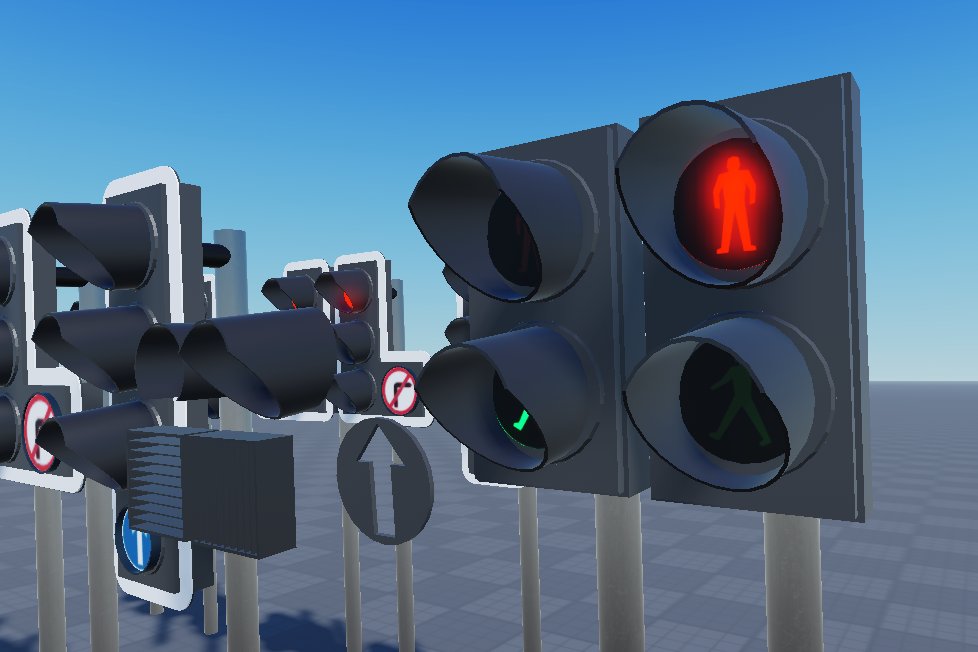
Roblox traffic management systems involve designing and implementing methods to control player flow within a game, preventing server overload and ensuring a smooth user experience.
Ever wondered how some Roblox games manage to host thousands of players without crashing? It’s all thanks to clever roblox traffic management systems! These systems ensure the game remains enjoyable. They prevent overcrowding in one area.
Games use various techniques to achieve this balance. Think of things like player limits per area and clever spawn locations. These mechanisms contribute to a seamless, fun experience for everyone.

Roblox Traffic Management Systems: Keeping Your Games Flowing
Ever played a Roblox game that felt like a crowded highway at rush hour? Cars bumping, players getting stuck, and general chaos? That’s where traffic management comes in! In Roblox, we’re not just talking about cars; we’re talking about managing the flow of players, Non-Player Characters (NPCs), and even items within your game. Good traffic management makes your game fun and easy to navigate, while bad traffic management can leave players frustrated and wanting to leave. This article will guide you through the essentials of building effective Roblox traffic systems.
Why is Traffic Management Important in Roblox Games?
Imagine a theme park without pathways, or a school with everyone trying to get through the same door. It would be a mess, right? That’s exactly what happens in Roblox games without proper traffic management. When things get congested, gameplay becomes unpleasant. Players can get frustrated with lag, collision issues, and difficulty moving through your game. Good traffic management isn’t just about making sure players don’t bump into each other—it also greatly contributes to the overall player experience. Let’s dig deeper into why managing traffic matters:
- Improved Gameplay: When players can move easily and predictably, they can focus on the game’s objectives. Smooth flow means less frustration and more enjoyment.
- Reduced Lag: Congestion often causes lag, slowing down the game for everyone. Efficient systems spread out the load and improve performance.
- Better Player Navigation: Well-defined paths, clear entrances, and proper spacing mean players always know where to go and how to get there.
- Realistic Environments: In games aiming for realism, such as city builders, logical traffic patterns boost immersion.
- Enhanced Engagement: When a game is well-optimized and easy to move through, players are more likely to play longer.
Ultimately, traffic management is about crafting a better playing experience for everyone. It’s a vital part of game design that directly impacts player satisfaction and engagement.
Key Concepts in Roblox Traffic Management
Before jumping into specific techniques, let’s clarify the main ideas behind Roblox traffic management. Think of it like planning a city – you need roads, sidewalks, and systems that keep things moving smoothly. Here are some core principles:
Pathfinding and Navigation
Pathfinding is how the game figures out the best way for players and NPCs to get from point A to point B. Imagine your player is in the living room of their house and they want to go to kitchen. Pathfinding system is the one, that will generate the best path for the player from their current location to destination point. It includes:
- Waypoints: Specific points that characters move between. Think of them like signposts on a path.
- Navigation Meshes: An area that defines where characters can walk. These are often invisible but tell the game the walkable areas.
- A Algorithm: The most popular pathfinding algorithm which calculates the shortest path from a start point to end point.
If the pathfinding is not done correctly, it can create issues in the gameplay. For example, character can go through the walls or some obstacle. So, make sure that your pathfinding is working as it is supposed to.
Collision Avoidance
Nobody wants to be stuck in a crowd! Collision avoidance makes sure characters don’t get jammed together. It is a process that helps prevent players or objects from colliding with each other. Some methods for implementing collision avoidance are:
- Spatial Partitioning: Divides the game world into smaller sections to make collision checks faster, this will greatly help the game engine to not check collisions of the far objects.
- Radius Checks: Checks the distance between characters. If they get too close, they move to avoid hitting each other. It can be used to make some characters stop moving, when other character is nearby.
Think about it, when a lot of players are in a small area, collision avoidance system makes sure to keep them separate from each other so that they don’t get stacked together. If there is no collision avoidance system, the players may get stuck on top of each other, which is really annoying, so collision avoidance system is essential for any game that has more than 1 player.
Traffic Flow Control
This involves planning out how your game should move, both the players and the NPCs. There are multiple ways to implement this in game. For example, by adding a direction indicator you are telling the players where to go. Here are some points of traffic flow controls:
- Chokepoints: Narrow areas where traffic can get congested. These should be carefully planned and well-monitored.
- One-Way Systems: Make the players move in a specific direction, helps to reduce congestion.
- Speed Limits: Control how fast characters move, either through code or through terrain.
Using these techniques you can create an environment in your game where the players move easily and don’t face any problems while moving around.
Implementing Traffic Management in Your Roblox Games
Now, let’s get into how to actually put these concepts to work in your games. We’ll cover some common techniques and provide examples of how they can be used effectively.
Using Roblox’s Built-In Pathfinding
Roblox provides a powerful built-in pathfinding system through the PathfindingService. Here’s how you can use it:
- Creating Waypoints: Place parts or attachments in the world to act as waypoints for your NPCs or AI characters to travel to.
- Setting Navigation Mesh: The
PathfindingServiceautomatically generates navigation meshes based on the walkable surfaces in your game. - Scripting: Write a script that uses
PathfindingService:FindPathAsync()to calculate the path between the start and end points, then make the character move along the path.
Example Code Snippet:
local PathfindingService = game:GetService("PathfindingService")
local character = script.Parent -- Assuming the script is inside the character
local destination = workspace.DestinationPart -- The part to move to
local humanoid = character:WaitForChild("Humanoid")

local function moveCharacter()
  local path = PathfindingService:FindPathAsync(character.PrimaryPart.Position, destination.Position)

  if path.Status == Enum.PathStatus.Success then
     local waypoints = path:GetWaypoints()
     for _, waypoint in ipairs(waypoints) do
         humanoid:MoveTo(waypoint.Position)
          humanoid.MoveToFinished:Wait()
     end
  else
    print("Path not found.")
  end
end
moveCharacter()
Custom Pathfinding Strategies
Sometimes, the basic Roblox pathfinding might not be enough. For instance, you might want characters to follow specific patterns or have more fine-grained control. In such cases, you can use custom pathfinding:
- Predefined Paths: Set up a series of waypoints and have characters follow them in sequence. This works well for repetitive movements, like NPCs on patrol.
- Using Mathematical Functions: Use trigonometric functions to make your character move in an interesting pattern.
- Behavior Trees: Create more complex decision-making logic for character movement, allowing them to react dynamically to game events.
Implementing Collision Avoidance
There are many way to implement collision avoidance, some of which are very simple, here are a few of them.
- Radius Checks: Periodically check the distance between characters. If they are too close, make them move away. You can use
Magnitudeproperty of vector3 to find the distance between two characters. - Using Steering Behaviors: Implement algorithms to steer characters away from obstacles and each other.
Example Code Snippet:
 local function avoidCollisions(character)
      local myPosition = character.PrimaryPart.Position
      local nearbyCharacters = {}
      for _, otherCharacter in ipairs(workspace:GetChildren()) do
            if otherCharacter:IsA("Model") and otherCharacter ~= character and otherCharacter:FindFirstChild("HumanoidRootPart") then
                table.insert(nearbyCharacters, otherCharacter)
             end
      end

      for _, nearbyCharacter in ipairs(nearbyCharacters) do
          local otherPosition = nearbyCharacter.PrimaryPart.Position
          local distance = (myPosition - otherPosition).Magnitude
          if distance < 5 then
              local direction = (myPosition - otherPosition).Unit
              character.PrimaryPart.CFrame = character.PrimaryPart.CFrame  CFrame.new(direction  -1)
          end
      end
 end

 while true do
    wait(0.1)
    for _, character in ipairs(workspace:GetChildren()) do
        if character:IsA("Model") and character:FindFirstChild("HumanoidRootPart") then
            avoidCollisions(character)
        end
    end
 end
Using Traffic Control Elements
You can design your game to direct players in the way that you want. Some methods are:
- One-Way Streets: Use clear visual cues, like arrows or signs, to show which way players should move.
- Barriers and Fences: Limit player movement and guide them along specific paths.
- Timed Access: Open or close gates to control the flow of players and NPCs.
Advanced Traffic Management Techniques
Once you have a handle on the basics, you can dive into some more advanced techniques to further refine the traffic in your games.
Dynamic Traffic Systems
Instead of relying on static paths, consider systems that can adapt to changes in the game, such as:
- Real-Time Pathing: Recalculate routes as game environments change or new obstacles appear.
- Traffic Lights and Signals: Use timed signals or sensors to control the movement of vehicles or other moving elements.
- Density-Based Movement: Adjust character behavior depending on how crowded an area is. If the area is crowded, reduce their speed.
Group Movement and Formation
When you have a group of NPCs or players that need to move together, it is better to make them move in a group, rather than in random manner. When they move together, there will be less collision and fewer traffic issues. Here are the ways you can implement it:
- Leader-Follower Dynamics: Have a designated leader character whose path everyone else follows.
- Formation Movement: Create a group that moves in a specific formation, such as a line or a circle.
- Flocking Behaviors: Use complex algorithms to simulate group movements similar to birds or fish.
Using AI to Manage Traffic
In more complex simulations, you might need a smarter way to control traffic using artificial intelligence (AI). For example, if a player character is detected in one area, we can change the behaviour of the NPCs to avoid that area. Here are some techniques you can try:
- Predictive Modeling: Use AI to predict potential bottlenecks and adjust traffic flow before they occur.
- Adaptive Behavior: Use AI to make characters react to each other and the environment in a natural way.
- Machine Learning: Train an AI model to learn optimal traffic patterns.
Optimizing Traffic Management for Performance
Even the best traffic management system can cause lag if it’s not optimized for performance. Here are some key optimization techniques:
Minimizing Calculations
The more calculations your game has to do, the more it will lag. Here are some ways to minimize it:
- Batch Processing: Process movement for multiple characters at once instead of individually.
- Caching Paths: Save calculated paths so that you don’t need to recalculate them every time.
- Limiting Update Frequency: Update the character position less frequently to reduce lag.
Using Efficient Data Structures
The way you store data can also affect performance. Using efficient data structures is important. Here are some techniques for efficient data management:
- Spatial Partitioning: Divide the game map into smaller areas to speed up collision checks and other operations.
- Quadtrees and Octrees: Use trees to organize and search through spatial data in a fast way.
Testing and Iteration
Good traffic management is not a one-time task. You’ll need to test it and make improvements. Testing is the most important step in making a robust traffic system.
- Playtesting: Observe how players move through your game and identify any congestion or navigation problems.
- Profiling: Use Roblox’s performance tools to see where your game is spending most of its time and how it can be optimized.
- Iterative Design: Be prepared to make changes and improvements to your traffic systems based on feedback and testing.
By focusing on these areas, you can make sure your traffic systems are both effective and perform well.
Designing effective traffic systems in your Roblox games can greatly enhance the player experience. By using the techniques and examples discussed above, you will be able to create more smooth and optimized experiences for your players. Remember, traffic management is not just about moving characters but also about creating a fun, engaging, and well-performing game. Start by creating a strong base and then gradually work your way towards more complex traffic systems, and with practice you will become a pro at traffic management systems.
[ROBLOX] How To Set Up Traffic Control
Final Thoughts
Effective Roblox traffic management systems are crucial for optimal player experiences. Developers improve gameplay through thoughtful design of player movement. Careful planning helps avoid congestion and lag. These systems ensure smooth and enjoyable navigation.
Ultimately, successful Roblox traffic management systems involve clear paths and efficient player flow. Developers should continuously test and refine these mechanics. This results in improved game performance and player satisfaction.

