
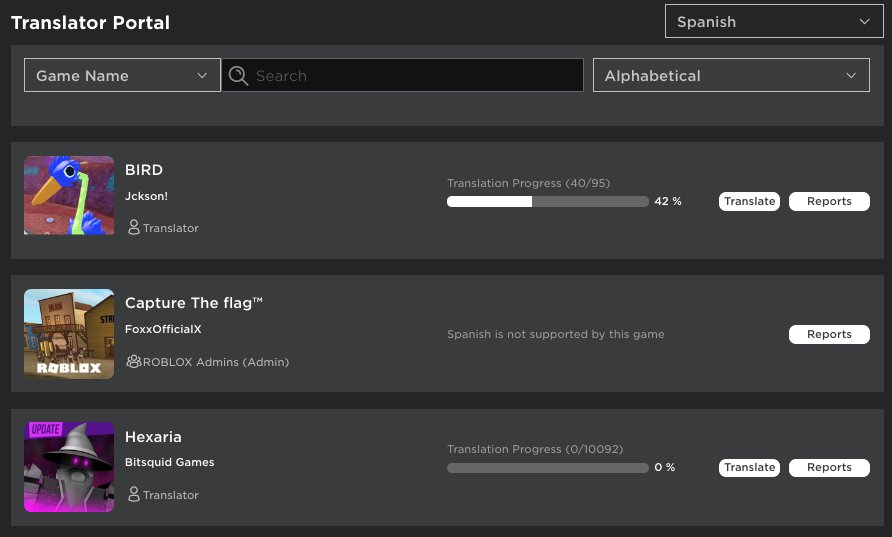
Roblox translation tools help you localize your game, allowing players worldwide to understand and enjoy your creations by automatically converting text.
Creating a game that connects with a global audience is now easier than ever, thanks to available resources. The roblox translation tools guide will show how to expand the reach of your experiences. These resources enable your game’s text to be available in various languages.
Using these tools carefully ensures all players have the best experience with your creation. You don’t need to be a developer, you can learn easily. This makes games accessible and more engaging for everyone.

Roblox Translation Tools Guide
Hey there, Roblox creators! Ever wanted your awesome game to reach players all around the world? That’s where translation tools come in super handy. Imagine someone in Spain, Japan, or even Brazil playing your game and understanding everything perfectly – that’s the power of translation! This guide will walk you through everything you need to know about making your Roblox game speak many languages.
Why Translate Your Roblox Game?
Let’s start with why you should even bother translating your game. It’s not just about being nice to people who speak other languages; it’s a smart move for your game’s success. Think of it like this: the more players you can reach, the more popular and successful your game becomes! Here are some main reasons why you should consider using Roblox translation tools:
- Wider Audience: The world is huge! By translating your game, you’re opening it up to a much bigger audience than just English speakers. More players mean more fun and potentially more in-game sales or purchases.
- Increased Engagement: When players can understand the instructions, story, and dialogues in their own language, they’re more likely to get invested and spend more time in your game. It feels more personal and welcoming.
- More Positive Reviews: Players appreciate the effort you put into making your game accessible. When they don’t struggle with language barriers, they’re more likely to leave positive reviews and recommend your game to their friends.
- Growing Your Game Community: Translation helps build a more diverse and inclusive community around your game. Players from different cultures and backgrounds can come together and enjoy your creation.
- Competitive Advantage: If other games aren’t translated in your game genre, your game gets a significant advantage by offering a local experience in many languages.
Understanding Roblox’s Built-In Translation System
Good news! Roblox has built a great translation system right into the platform, making it fairly simple to handle game translations. You don’t need to be a coding wizard or purchase external programs to handle this. It’s all there for you within Roblox Studio.
Key Components of Roblox’s Translation System
Let’s break down the main parts you’ll be working with:
- The Localization Table: This is like the central hub for all your game’s text. It’s a table that lists the original text (usually in English) along with its translations in other languages. You will store each of the game’s text into this table and it’ll handle the rest.
- Language Codes: Each language has a specific code, like “es” for Spanish or “ja” for Japanese. Roblox uses these codes to keep track of which translations belong to which language. Using the correct language codes are necessary to making it work.
- Automatic Translation Services: Roblox can use automatic translation for some of your content, which is useful for getting your initial translations, however you should always proofread these translation, because these are not perfect and can have some errors.
- Manual Translations: You can provide your own translations to ensure accuracy and cultural appropriateness. This is ideal to make sure the translated texts make sense.
- Translation Updates: The system is designed to easily allow you to update existing translations, and add new ones.
Setting Up Your Game for Translations
Now, let’s get our hands dirty and start setting things up. Here’s how to prepare your Roblox game for translation:
Enabling Localization
Before anything else, you need to activate localization. Follow these steps:
- Open your game in Roblox Studio.
- Go to the “View” tab at the top.
- Click on “Game Explorer.”
- In the Game Explorer window, look for “LocalizationService.”
- You will see a “Enable” property on right side, set the checkbox to enable.
Now, your game is ready to store the texts for your translations!
Accessing the Localization Table
Now that localization is enabled, you need to access the localization table where all of your translations are going to be stored. Here are the steps:
- Go to “View” tab.
- Click on “Localization”
- A new window called “Localization Table” will open
This “Localization Table” window is where you’ll add, edit, and manage all your game’s translations.
Adding Text for Translation
Before you can translate anything, you need to identify and add all the text in your game that you want to translate. This includes everything from button labels and game instructions to character dialogue.
Using Get Text to be Translated
There is an option in the “Localization Table” window to get the text to be translated, this makes it simple to import all the text into the table. Here is how to use it:
- Click on “Get Text to be Translated” button in the “Localization Table” window.
- Now, it will load the texts and shows them in the “Localization Table”.
- You can now select these texts and add them to the table for translating.
Adding Custom Text Entries
Sometimes you might need to add text entries manually, that was not included in “Get Text to be Translated”. Here is how to do it:
- In “Localization Table” window, click the “Add Entry” button.
- A new row will appear. Under the “Key” column, enter a unique identifier for your text. For example, if it’s the text on a play button, call it “PlayButtonText”. The key should be easy for you to remember.
- In the “Source” column, enter the original text you want to translate. This is usually your English text. For example, “Play”.
- After adding your text to the “Localization Table”, you can now start translating it.
Translating Your Game
Now comes the fun part – adding translations! You can use Roblox’s automated services or manually translate the text yourself. Let’s look at both ways.
Using Automatic Translation
Roblox offers a built-in automatic translation option that can get you started quickly. Here is how you can do it:
- In the “Localization Table”, select the text entries that you want to automatically translate.
- Click the “Auto Translate” button.
- Select the languages you want to translate the selected entries to.
- Roblox will then automatically translate all of your selected entries in your chosen languages.
Automatic translations are a great way to get a first version of translations. However, they are not perfect, so you need to proofread them for errors.
Manual Translation
To provide your own manual translation, you have to follow these simple steps:
- Click on the “Localization Table” in the “View” tab, then in the “Localization Table” window.
- Click on the language header that you want to provide translation for.
- Now, click on each of the text entry, and provide your translation for each entry.
Manual translation is important to make sure that the translation is perfect. Sometimes, you might need to be creative with the translation, for the translation to make sense and for the translation to sound natural.
Testing Your Translations
It’s crucial to test your translations to make sure everything looks and sounds right. Here’s how:
Testing Inside Roblox Studio
Roblox Studio offers a way to test your translations before publishing your game. Here’s what you do:
- In Roblox Studio, go to the “Test” tab.
- Click on “Play” button to start the testing.
- Go to “Settings” in your game.
- Change the game language in the settings.
- Now all the texts should be in the language that you have chosen.
Testing it inside Roblox Studio, helps you to make sure if the language is displayed correctly in your game, without publishing the game. This way, you can catch the translation errors beforehand.
Testing Through Roblox Website
To test the translation using Roblox website, you have to publish your game first. Here are the steps after publishing:
- Go to the game page on the Roblox Website.
- Change the Website language to the same language you want to test in.
- Start the game, now the game text should be in your chosen language.
This method of testing can help you to catch translation errors that might not be visible inside the Roblox Studio.
Best Practices for Game Translation
Here are some helpful tips to make your game translation as successful as possible:
- Plan Ahead: Think about translation early in your game’s development. This can make the process much smoother later.
- Use Clear and Simple Language: The simpler your original English text, the easier it is to translate accurately. Avoid complex idioms and slang.
- Be Aware of Cultural Differences: Some words or phrases might have different meanings or connotations in different cultures. A good translator will consider these factors.
- Test Thoroughly: Always test your translations in the game to catch any errors. You need to check every screen, every button and every dialogue.
- Involve Native Speakers: If possible, have native speakers proofread your translations to make sure they are accurate and natural-sounding. This is crucial for accurate and natural translation.
- Use Proper Localization Tools: Use the Roblox translation system properly. Do not try to create your own translation system.
- Keep Your Translations Up-To-Date: If you add new text to your game, remember to add translations for all the relevant languages.
Advanced Tips
If you really want to take your translation to the next level, here are some more advanced ideas:
Using Placeholders
Placeholders are very useful if you need to insert a variable within the text. Here’s an example:
Let’s say you have a sentence like “You have collected 5 coins.”. If you use direct translation, it won’t work when the value “5” changes. For this, you will need to use placeholders. Here is how to use placeholders:
- When adding a new “Key” entry, add text like “You have collected %s coins”, the “%s” here is a placeholder.
- In the script, when you’re adding a translated text, use the function, string.format(“You have collected %s coins”, numberOfCoins), you will get a translation like: “You have collected 5 coins” if your numberOfCoins variable is equal to 5.
This way, the translation always make sense and you can use your variable within your translated text.
Using Scripting to Change Language
You can write a script to change language of the game. For example, if a player clicks a flag icon, the language of the game changes. This can help players quickly change the game language, without leaving the game.
Community Translations
You can invite your community to help translate your game. This can make the translation process more fun and efficient. Make sure that the translations are accurate and proper though.
By making your game accessible to a global audience, you’re not just improving your game, but you’re also helping to make the Roblox community more vibrant and inclusive.
Remember, translation is not just about changing words – it’s about connecting with people from all over the world.
How To Auto Translate Chat In Roblox
Final Thoughts
This Roblox translation tools guide helps you reach a global audience. Effectively utilizing these tools expands your game’s player base. Proper translation ensures players fully enjoy your creations.
You will find various options for translating text within Roblox. Consider the official localization system or community-made plugins. Remember that accuracy and cultural relevance remain crucial.
Choosing the right tool improves translation quality. This guide provides valuable insights for your global reach. Use this Roblox translation tools guide to connect with players around the world.

