
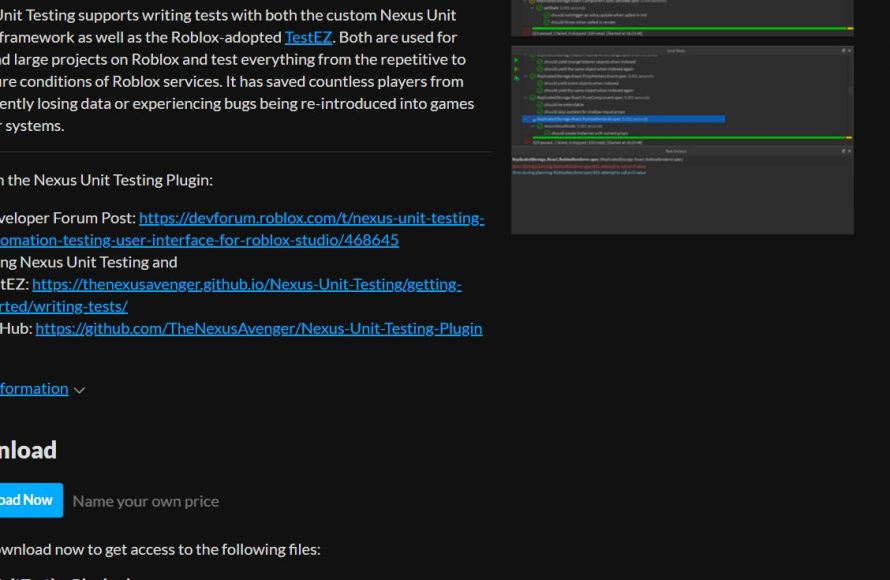
Unit testing in Roblox games involves writing automated tests to verify individual components or functions of your game code, ensuring they behave as expected.
Ever felt like a tiny bug in your Roblox game can snowball into a disaster? It’s a common challenge for developers, and that’s where strategic planning comes into play. We often focus on features, but what about the foundational pieces that make your game work right? These individual pieces are where you should apply Roblox unit testing in games.
By implementing unit testing, you catch errors early. This also helps you prevent bigger problems down the road. Essentially, you are putting your code through a set of rigorous checks which is a great way to improve your development process.

Roblox Unit Testing in Games: A Deep Dive
Let’s talk about something super important for making awesome Roblox games: unit testing. Imagine building a giant Lego castle. You wouldn’t just slap all the bricks together and hope it works, right? You’d test each part, like the tower, the gate, and the walls, to make sure they’re strong and fit perfectly. Unit testing in Roblox is similar – it’s about checking the small pieces of your game’s code to make sure they work the way you want them to. It helps you find and fix problems early, making your game much better and much less buggy.
What Exactly is Unit Testing?
Okay, so what are these “units” we keep talking about? In coding, a unit is just a small piece of code, like a single function or a small part of a script. Unit testing means writing special code that checks if those small pieces of code do exactly what they’re supposed to do. Think of it like a teacher giving you a mini-quiz on one specific topic to see if you understood it. For instance, if you have a function in your game that adds two numbers, a unit test would give that function different numbers and check if the answer is always correct. This helps find errors very early, before they cause big problems later on.
Why is Unit Testing Important for Roblox Games?
You might be wondering, “Why do I need unit testing? Can’t I just make my game and see if it works?” Well, you can, but that’s like building your Lego castle with your eyes closed and then being surprised when it falls apart. Here are some big reasons why unit testing is so helpful:
- Finds Bugs Early: It’s much easier to fix a small problem than a huge one! Unit tests help you find issues right away, before they become big headaches.
- Makes Code Less Buggy: When you test each part carefully, your game will have fewer bugs and run more smoothly.
- Gives You Confidence: Knowing that all the little parts of your code are working makes it much easier to build bigger and cooler things.
- Easier to Update and Change: If you need to change something in your game later, it’s safer to change code that has been tested.
- Saves Time: It might seem like unit testing takes time, but it actually saves you lots of time in the long run by finding and fixing problems before they get out of hand.
- Better Collaboration: If you are working on a team, tests provide clear documentation of each piece of code, so everyone can easily understand how it’s supposed to work.
These are some of the reasons why unit tests become very important when it comes to making your game better.
Getting Started with Unit Testing in Roblox
Now that we know why unit testing is awesome, let’s talk about how to actually do it in Roblox. First, you will need to understand about the testing frameworks available.
Understanding Testing Frameworks
Luckily, there are special tools called testing frameworks that make unit testing easier. These frameworks give you the structure to write and run your tests. One popular testing framework in Roblox is called “Roact Test Suite.” Although this framework mainly focuses on unit testing for Roact components, you can still use it to test your general code logic, just with a bit of customization.
Another popular choice is a library called “LuaUnit”. LuaUnit provides a simple and robust way to create tests, especially for code written in the Lua programming language, which is what Roblox uses.
Setting Up Your Testing Environment
Before you start writing tests, you need to set up your testing environment. Here are the general steps:
- Choose a Testing Framework: Decide which testing framework you want to use (e.g., Roact Test Suite, LuaUnit).
- Install the Framework: Follow the instructions for your chosen framework to install it in your Roblox game. This usually involves copying the code for the framework into your game.
- Create a Test Script: Add a new script in your game specifically for writing tests, typically under a “Tests” folder.
Writing Your First Unit Test
Let’s look at a basic example. Suppose you have a simple function in your Roblox game that adds two numbers:
-- Function to add two numbers
local function addNumbers(num1, num2)
    return num1 + num2
end
Here’s how you might write a unit test for that using a conceptual example (this is simplified, you’ll need to refer to the chosen framework documentation):
-- Assuming a test framework with some structure is set up
local testSuite = {}
-- Function to run the tests
function testSuite:runTests()
    print("Starting tests...")
    self:testAddNumbersPositive()
    self:testAddNumbersZero()
    self:testAddNumbersNegative()
    print("Tests completed!")
end

-- Test case for adding positive numbers
function testSuite:testAddNumbersPositive()
    local result = addNumbers(5, 3)
    if result == 8 then
        print("Test: Add Positive Numbers - Passed!")
    else
         print("Test: Add Positive Numbers - Failed!")
    end
end

-- Test case for adding zero with other number
function testSuite:testAddNumbersZero()
    local result = addNumbers(0, 10)
    if result == 10 then
       print("Test: Add Zero - Passed!")
    else
        print("Test: Add Zero - Failed!")
    end
end

-- Test case for adding negative numbers
function testSuite:testAddNumbersNegative()
    local result = addNumbers(-5, -3)
    if result == -8 then
       print("Test: Add Negative Numbers - Passed!")
    else
        print("Test: Add Negative Numbers - Failed!")
    end
end

testSuite:runTests()
In this conceptual example:
- We have a testSuite table which has the function runTests to run the tests.
- We have made tests called testAddNumbersPositive(), testAddNumbersZero(), and testAddNumbersNegative() which use the function addNumbers() function.
- Each test case calls the function and then checks whether the answer matches with what we want.
- If it matches the test passes otherwise it fails.
Understanding Assertions
In real testing frameworks, instead of using if statements, you’ll use special tools called assertions. Assertions check if something is true or false, and they tell you if a test fails. Common assertions include:
- assertEquals(expected, actual): Checks if the actual value is equal to the expected value.
- assertNotEquals(expected, actual): Checks if the actual value is not equal to the expected value.
- assertTrue(value): Checks if a value is true.
- assertFalse(value): Checks if a value is false.
- assertNil(value): Checks if a value is nil.
- assertNotNil(value): Checks if a value is not nil.
Using assertions gives you a more organized and clear way to test your code.
Advanced Unit Testing Concepts
Once you are comfortable with the basics, you can start exploring more advanced unit testing concepts.
Mocking and Stubbing
Sometimes, your unit might depend on other parts of your game or external services, like data stores. When you test a unit, you want to test only that unit, not the external dependencies. This is where mocking and stubbing come in.
- Mocking: Creating fake objects or functions that act like the real ones. This allows you to control exactly what those fake objects return during the test.
- Stubbing: Overriding a function to return a specific value instead of running the real code.
These techniques can isolate your unit and make your tests much more reliable.
Test-Driven Development (TDD)
TDD is a way of coding where you write your tests before you write your actual code. This might seem backward, but it’s a really powerful way to make sure your code is well-tested and meets the requirements. The basic steps of TDD are:
- Write a Test: First, write a test that defines what the new code should do. This test should fail initially because the code does not exist yet.
- Write the Code: Next, write the minimum amount of code needed to make the test pass.
- Refactor: Finally, improve your code and your tests while making sure that the code still passes all of your tests.
Test Coverage
Test coverage is a way to measure how much of your code is being tested. It’s important to have good test coverage, meaning that most of your code is covered by tests. Tools can help you calculate coverage, such as which functions and branches have been executed by your unit tests. This is helpful for making sure you haven’t missed testing important parts of your game. There are different types of test coverage like :
- Statement Coverage: Tests that execute each line of code in your program.
- Branch Coverage: Tests that execute all possible paths of conditional statements such as if-else or switch case.
Continuous Integration
Continuous integration (CI) is the practice of automatically building and testing your code whenever you make changes. You can set up your Roblox game in a CI system, so that the game runs your unit tests automatically whenever you update your game. This provides a fast feedback loop, and you can know immediately if your code changes break any functionality.
Best Practices for Roblox Unit Testing
Here are some good rules to follow when writing unit tests:
- Write small and simple tests: Test a single small piece of code at a time.
- Keep tests independent: Each test should not depend on other tests.
- Use descriptive test names: Give your tests names that clearly describe what they are checking.
- Test edge cases: Think about all the different kinds of inputs your code might receive, including unusual cases.
- Keep tests up-to-date: When you change your code, update your tests so they are still relevant.
- Don’t test the impossible: Don’t write test for the things that cannot occur in your code, like assuming one variable to be number and then writing a test case for if that number is a string.
Real-World Examples of Unit Testing in Roblox Games
Okay, let’s see some real-world examples of how you could use unit testing in your Roblox game.
- Inventory System: If you have an inventory system, you could write tests to make sure items are added and removed correctly, and that the inventory count is accurate.
- Combat System: If you have combat mechanics, you could write tests to check if damage is calculated properly, and if health and mana are updating correctly.
- NPC AI: If you have NPCs with complex AI, you can write tests to check if the movement, behaviors and reactions are as you expect.
- User Interfaces: Test the layout, appearance and interactions of your UIs to ensure that they behave correctly.
These examples will give you some inspiration on how you can unit test your own code.
Tools and Resources
Here are some resources you can use to help you with unit testing in Roblox :
- LuaUnit: A library for writing unit tests in Lua, the language that Roblox uses.
- Roact Test Suite: A framework designed specifically for Roact components, but useful for testing general code too.
- Roblox Documentation: The official Roblox developer website has many articles and tutorials about best coding practices.
- Community Forums: The Roblox developer forums are a great place to ask questions and get help from other developers.
These resources should assist you with your journey to start unit testing your code in Roblox.
Unit testing might seem complicated at first, but it’s a super useful skill for making better Roblox games. It’s like a safety net for your code. When you have your safety net in place, you can be more confident that your code is working and you can build bigger and better things in your game. So, give unit testing a try and see how it improves your game!
i Can't believe this is ROBLOX …. #shorts
Final Thoughts
Implementing unit tests significantly improves your Roblox game’s quality. Testing individual components catches bugs early and reduces debugging time. This approach leads to more stable and enjoyable player experiences.
Therefore, embracing roblox unit testing in games is crucial for efficient development. It allows you to build confidence in your code and deliver polished game updates. Adopting testing practices ultimately makes you a better developer.

