
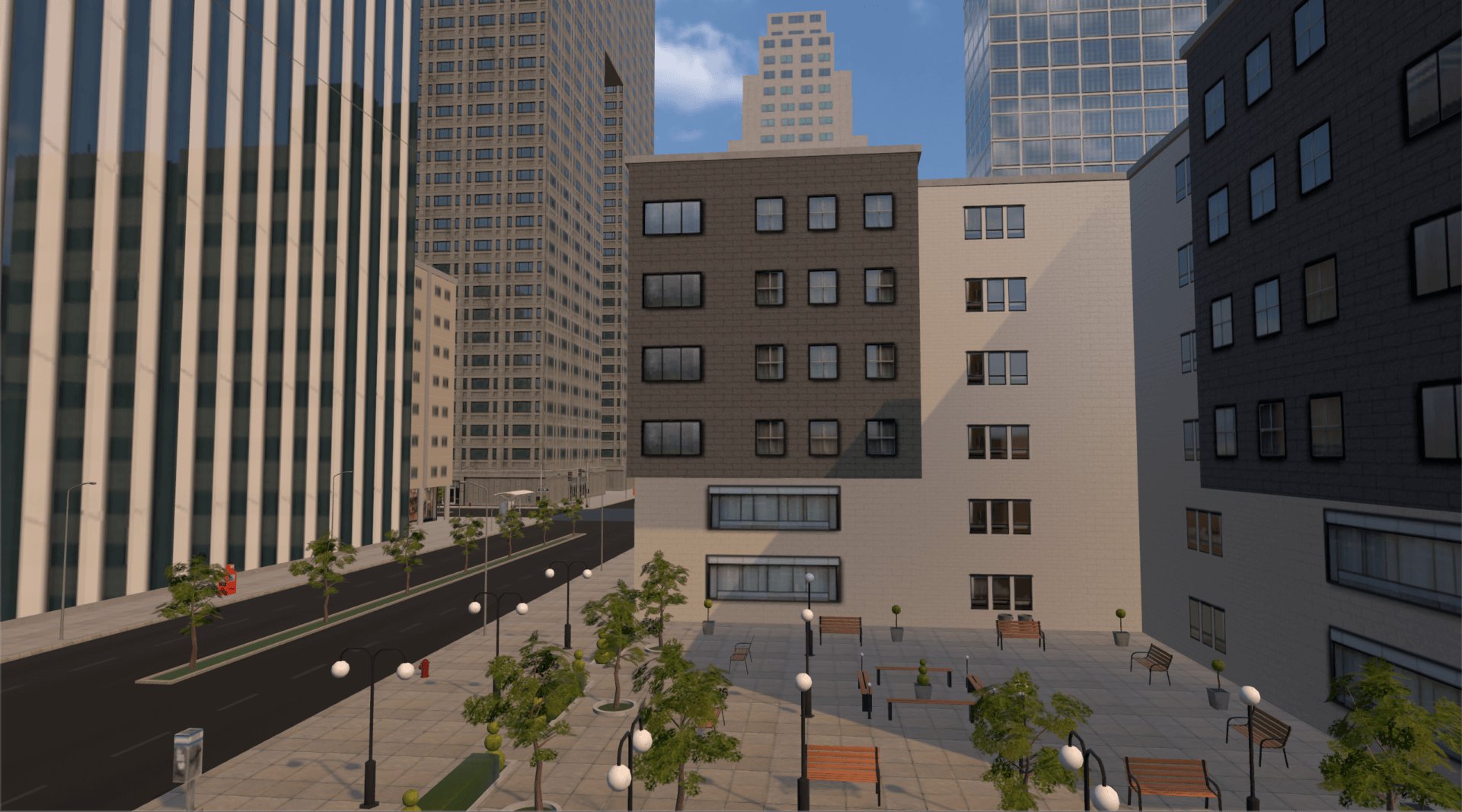
Roblox urban planning in virtual worlds involves using the game’s building tools and scripting capabilities to design and create functional and aesthetically pleasing virtual cities.
Have you ever imagined designing your own city from the ground up? Well, Roblox provides the perfect platform for that. It allows creators to explore the concepts of roblox urban planning in virtual worlds, letting them build everything from cozy neighborhoods to sprawling metropolises.
Users apply real-world planning principles within the game. They consider traffic flow, zoning, and resource allocation, similar to real city planners, yet entirely in this digital space. This creative process engages minds and introduces basic urban concepts in an accessible format.

Roblox Urban Planning in Virtual Worlds
Have you ever played a game and thought, “I could build a better city than this!” Well, in Roblox, you actually can! Roblox isn’t just about playing games; it’s also a powerful platform where players can become virtual city planners. Imagine designing roads, placing buildings, and creating entire communities all within a digital world. This is what we call urban planning in Roblox, and it’s a lot more interesting (and educational!) than you might think.
Why is Urban Planning Important in Roblox?
Just like in the real world, good urban planning is crucial for making a virtual space fun and functional. Without it, your Roblox world could end up feeling chaotic and difficult to navigate. Here’s why planning matters:
- Improved Gameplay: A well-planned world is easier to explore and use. Think about how frustrating it is to get lost in a game! Good planning prevents this and makes the game more enjoyable.
- Community Building: Just like in real-world cities, the layout and design of your Roblox world can encourage interaction between players. Things like gathering spots and clearly defined pathways can help players connect and form a community.
- Enhanced Aesthetics: A thoughtfully planned city or town looks much better than one that’s thrown together. Careful placement of buildings, roads, and parks makes the virtual world look more realistic and appealing.
- Efficiency: Effective planning can make it easier for players to get around and accomplish tasks within the game. This could mean making sure resources are easily accessible or that quest locations are conveniently located.
- Problem Solving: Urban planning in Roblox is more than just placing pretty buildings; it involves solving problems. How can you ensure traffic flows smoothly? Where should parks be placed for maximum enjoyment? How can you make the town feel accessible to everyone? These are the kind of questions good city planners address.
Understanding the Basics of Virtual Urban Design
Before diving into building, it’s important to get a grasp of the basic concepts of urban planning. It’s like learning the rules of a game before you play it! These concepts work in Roblox just like they do in the real world.
Zones and Land Use
Think of your Roblox world like a pie, and you’re deciding how to divide up the slices. Different areas can serve different purposes. These areas are called “zones,” and the purpose of each zone is called its “land use”. Here are the types of zones you’d typically see:
- Residential Zones: These are areas for houses and apartments where players “live” or set up their bases.
- Commercial Zones: These are areas for shops, restaurants, and markets where players can buy and sell items.
- Industrial Zones: These areas are where factories, workshops, and other industrial buildings are placed (if needed in your game).
- Recreational Zones: These areas are for fun! Think parks, playgrounds, sports fields, and other places where players can relax and play games.
- Civic Zones: These areas include buildings that are important for the community, like police stations, fire stations, hospitals, or town halls.
Transportation Networks
Roads are like the veins of your Roblox world. They allow players to move around easily. But just like in the real world, poorly planned roads can cause traffic jams. Here are some things to consider:
- Road Types: You can use different types of roads for different purposes, like highways for long trips and smaller streets for local traffic.
- Intersections: Designing safe and efficient intersections is important for preventing traffic bottlenecks.
- Public Transportation: Adding buses, trains, or even subway systems can provide alternative ways for players to travel.
- Walkable Areas: Make sure that players can also get around on foot safely and enjoyably, using sidewalks and pedestrian-friendly areas.
Density and Spacing
Density refers to how close buildings are to each other. Spacing is the amount of space between different things in your world. Here’s why this is important:
- High Density: In high-density areas, buildings are close together, often seen in a city center. This is ideal for commercial and residential spaces where you want to pack a lot into a smaller area.
- Low Density: In low-density areas, buildings are spread out, like in suburban areas or parks. This is good for residential zones where you want more privacy, or for recreational spaces that need a lot of open area.
- Spacing for Flow: Make sure that there is enough space between buildings for roads, sidewalks, and green areas.
Tools for Roblox Urban Planning
Roblox gives you a lot of tools to build your virtual world. Here’s how you can use them effectively:
Roblox Studio
Roblox Studio is the main tool you’ll use for building. It’s like the architect’s workbench. Here’s what you can do with it:
- Placing Parts: You can add different shapes like blocks, spheres, and cylinders to create buildings, roads, and more.
- Resizing and Rotating: Change the size and orientation of your parts to build exactly what you need.
- Coloring and Texturing: Add colors and textures to make your creations look more realistic and visually appealing.
- Using Models: Roblox has a huge library of pre-made models that you can use in your world. This can save you time and effort when building things like buildings or vehicles.
- Scripting: If you want to add functionality to your world, such as animated doors or moving cars, you can use Lua scripting.
Plugins
Plugins are like special tools that can add extra features to Roblox Studio. Here are some plugins that can be helpful for city planning:
- Building Tools: These plugins can make it easier to align, copy, and manipulate parts, which is very useful when building complex structures.
- Terrain Editing Tools: If you are working on a landscape with hills and valleys, terrain editing plugins can make it easier to shape your landscape and create natural-looking environments.
- Road Creation Tools: These plugins can generate roads automatically, saving you the time of placing individual parts for roads.
- Material and Color Plugins: These plugins make it easier to manage your materials, colors, and texture, making your builds look more cohesive.
Steps to Building Your Roblox City
Okay, let’s go through a step-by-step process of creating a Roblox city. Think of it like building a real city, just on a smaller scale.
1. Planning Your City Layout
Before you start building, you need a plan. Ask yourself:
- What is the purpose of my game? Is it a role-playing game, a building game, or something else? Your game’s purpose will affect the design of your world.
- What kind of city do I want to build? Do you want a sprawling metropolis or a small, cozy town?
- Where do I want the different zones? Sketch out a simple map of where you want your residential, commercial, recreational, and other zones.
- How will players move around? Plan the layout of your roads and other transportation methods
2. Building the Infrastructure
Now that you have a plan, it’s time to build the basic infrastructure that every city needs:
- Start with roads: Lay out your roads first, making sure they connect your different zones.
- Add sidewalks and pedestrian areas: Make sure that players can also walk around in your city.
- Place any crucial infrastructure: If there’s need for it in your game, add train tracks, water pipes, or power lines.
3. Constructing Buildings
After creating the roads, you can start constructing buildings. This is the most time-consuming part, so be patient and have fun with it!
- Start with the core buildings: Add important buildings first, such as the town hall, the police station, fire station, hospitals, and other civic areas.
- Add residential areas: Start with simple homes, then move on to building apartment buildings.
- Add commercial buildings: Add shops and restaurants to your commercial zones, consider making them of different sizes.
- Don’t forget recreational spaces: Add parks, playgrounds, sports fields, and other recreational areas.
4. Adding Details
Now, it’s time to add details to make your Roblox city more lively and engaging:
- Street lights and signs: Add street lights and signs to make your city feel more realistic and easier to navigate.
- Trees and plants: Adding greenery makes the virtual world feel more vibrant and alive.
- Decorations and props: Add decorations and props to make your city unique and visually appealing.
- Animations: Add some life to your city with the help of animations.
5. Testing and Feedback
After you finish building, test your city and ask for feedback from other players. Here are some things to consider:
- Navigation: Is it easy for players to get around? Are there enough signs?
- Gameplay: Does the city’s layout enhance the game experience?
- Aesthetics: Does the city look good? Are there any changes you can make to make it more appealing?
- Suggestions: Ask for feedback from other players and implement their suggestions for improvements.
Advanced Techniques in Roblox Urban Planning
Once you have the basics down, you can start exploring more advanced techniques. These techniques can bring your Roblox urban design to another level. Here are some areas to focus on:
Creating Organic Growth
Instead of creating a city all at once, you can make it look like it grew over time. This can add realism and charm to your virtual world.
- Phases of Development: You can introduce different areas that look like they were built in different time periods. You can show how your town grew slowly into a city, by starting with small, old areas and then adding newer and modern ones.
- Adaptability: Leave space for new additions to your city. This allows you to expand your city as your game evolves.
Using Height and Elevation
Instead of making everything flat, consider adding hills, valleys, and different levels to your city. This adds visual appeal and can make the game more interesting to play.
- Build on hills: Add a challenge to the players, create a path up the hills to reach the buildings.
- Build elevated pathways: Create elevated pathways or bridges for players to move between buildings.
- Use underground spaces: If your game requires it, consider adding underground areas like basements and subways.
Themed City Designs
You can design your city around a specific theme, such as a medieval town, a futuristic city, or a fantasy world. This can give your game a unique identity and make it stand out.
- Building Styles: Change the style of your buildings according to your chosen theme.
- Color Palettes: Use a consistent color palette to make your city visually cohesive and consistent with your theme.
- Props and Decoration: Use props and decoration that match your theme, so that they complement each other.
Integrating Game Mechanics
You can design your city around specific game mechanics. Make sure the city layout goes with how the players will actually play the game, so it enhances the gameplay and doesn’t hinder it.
- Quest Locations: Place buildings and quest areas so that they are easily reachable for the players.
- Resources: Make sure that the layout supports the game mechanics and that resources are easily accessible.
- Challenges: Add in-game challenges that involve the urban environment, like timed races, treasure hunts, or puzzles that utilize the urban layout.
Creating a well-planned Roblox city involves more than just placing down blocks; it’s about creating a space that’s both functional and visually engaging. By thinking about things like zoning, transportation, and density, and utilizing the powerful tools of Roblox Studio, you can design virtual worlds that players will enjoy exploring and interacting with. The process takes time and patience, but the result of building a complete city can be very rewarding. Just remember to plan, build, and test, and most importantly, have fun with the process!
Roblox Studio Developing Tips Part 3 – Roads
Final Thoughts
Roblox urban planning in virtual worlds presents exciting opportunities for creative building. Players actively shape digital spaces, learning valuable design concepts. These virtual cities demonstrate the power of community-driven development.
Careful planning improves gameplay and user experience. Players can build diverse environments reflecting real-world principles. The experience of practicing urban planning in Roblox allows for innovative design solutions.

