
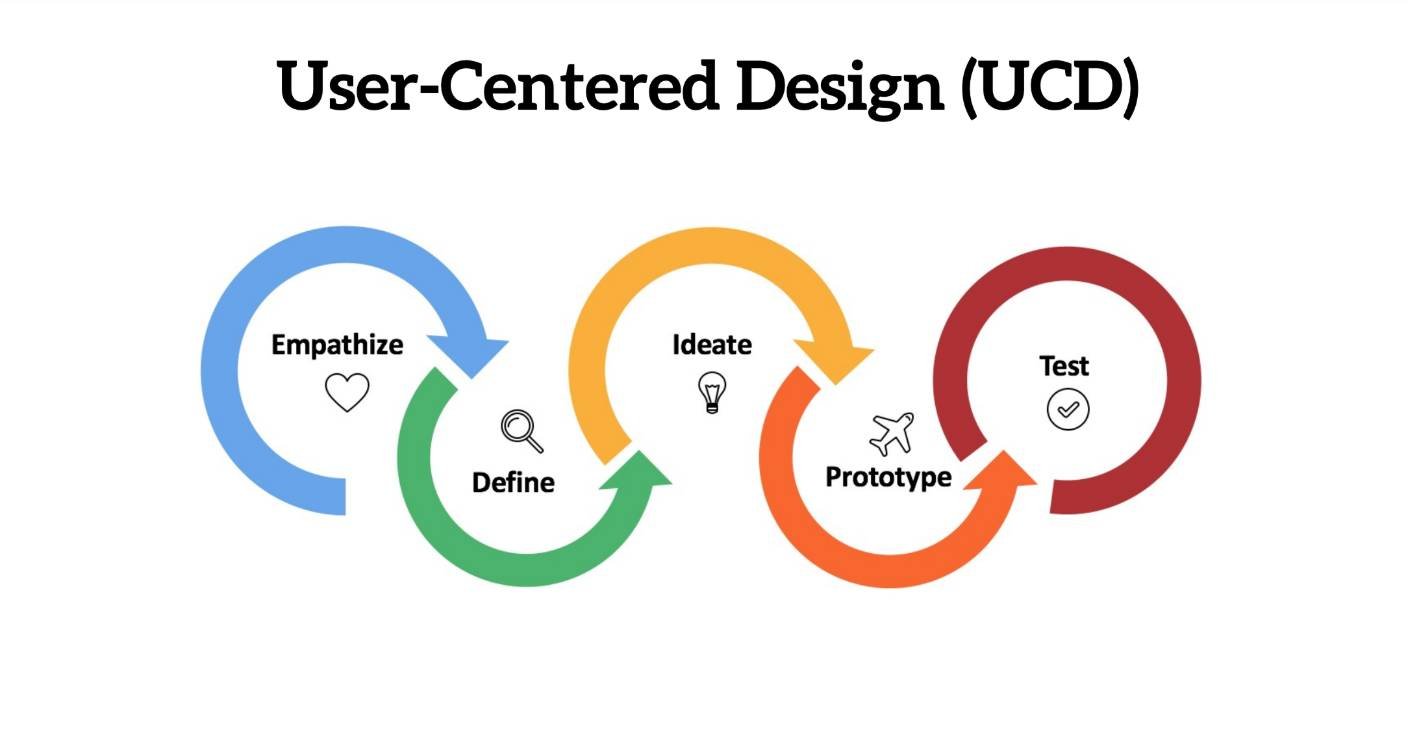
The Roblox user centered design process prioritizes understanding player needs and preferences to create engaging and enjoyable game experiences through iterative design and testing.
Ever wondered how some Roblox games feel so perfectly tailored to what you enjoy? It’s not just luck; it’s often the result of a thoughtful approach called the Roblox user centered design process. Developers using this method place you, the player, at the heart of every decision, from initial concept to final polish.
They actively seek feedback and analyze player behavior to refine their games, making sure they build experiences that truly resonate. This iterative cycle of designing, testing and implementing improvements leads to higher player satisfaction. This helps to understand and create the game players love to play and enjoy.

Roblox User-Centered Design Process: Making Games Players Love
Creating awesome Roblox games isn’t just about coding and building cool stuff. It’s also about understanding who your players are and what they want. That’s where the user-centered design process comes in. It’s a fancy way of saying we focus on the player at every step. Think of it like building a LEGO castle – you don’t just randomly put bricks together, you plan it out, thinking about how someone will play with it. In Roblox, we do the same thing, but for our games!
Understanding Your Players: The First Step
Before you even think about designing levels or adding special abilities, you need to know your audience. Who are they? What do they like? What makes them happy or frustrated? This is like doing research before you start any project. Let’s explore how we can understand our Roblox players.
Identifying Target Audience
Imagine you’re making a racing game. Are you making it for little kids, teenagers, or adults? Each group will want something different. Little kids might prefer simple controls and bright colors, while older players might enjoy more challenging races and customization options. When you start, think about who you are making the game for. Maybe it’s for people who like to explore, for players who love competition, or for people who are great at making friends. Identifying your target audience will help you make decisions about every part of your game.
- Age: Are your players kids, teenagers, or adults?
- Interests: What types of games do they already play? What are their hobbies outside of Roblox?
- Playstyle: Are they competitive or collaborative? Do they like fast-paced action or relaxing exploration?
Player Research Techniques
Okay, so how do you find out about these things? There are a few good ways! You can look at the games that are popular and see what makes them successful. You can also look at your own game and ask your players for their ideas. Think of this like being a detective, gathering clues that help you make a fantastic game.
- Looking at Similar Games: Check out popular games in the same genre as yours. What do players like and dislike? Look at comments, reviews, and player behavior.
- Direct Feedback: Ask your players directly! Use polls, surveys, or even just talk to them in the game’s chat.
- Observational Studies: Watch players as they play your game. Where do they get stuck? What makes them smile?
Planning Your Game: Putting Player Needs First
Now that you have an idea of who you are making the game for, it’s time to plan! User-centered design helps you make sure the game is not only fun but also easy to use and understand. You don’t want your players to get confused, and you want them to have the best time when they play!
Defining Core Mechanics and Goals
What’s the heart of your game? Is it racing, building, fighting, or something else? These are your core mechanics. Make sure these are clear, easy to learn, and fun to use. The goals are what players are trying to achieve in the game. It could be winning a race, finding hidden treasure, or building the best base. Good core mechanics and clear goals make your game fun to play again and again.
- Simplicity: Can new players easily grasp the basic mechanics of your game?
- Engagement: Are the core mechanics enjoyable and will they keep players wanting to play more?
- Clear Goals: Do players know what they are supposed to do in the game? Are the goals understandable and engaging?
Creating User Flows
A user flow is like a map of how a player will move through your game. It shows each step they will take from starting the game until they reach their goal. This helps you identify places where players might have problems. For example, is it easy for a new player to start a match or join their friends? Do they understand all the controls? By mapping out these flows, we can make sure the path through our game is smooth and enjoyable.
Here’s an example user flow for a racing game:
- Player opens the game.
- Player sees the main menu.
- Player selects “Play.”
- Player chooses their race car.
- Player starts the race.
- Player races, wins, or loses.
- Player returns to the menu to play again.
Each step is important to consider to ensure a player enjoys the process.
Designing the User Interface: Making it Easy to Use
The user interface (UI) is everything the player sees on the screen—buttons, menus, health bars, and more. It’s important that the UI is well-designed and easy to use. A confusing or cluttered UI can make players feel lost and can affect how much they enjoy the game. It needs to be visually appealing and super functional.
Intuitive Navigation
Imagine trying to find something in a messy room – it can be frustrating, right? The same goes for your game’s menus. Keep things simple, and make it super easy for the player to find what they need. Don’t hide important buttons behind a bunch of other menus. Make sure it is clean and intuitive, leading the player right to where they need to go.
- Clear Labels: Use simple words that everyone can understand.
- Consistent Design: Make sure buttons and menus look the same throughout your game.
- Organized Layout: Put important buttons where players expect them.
Accessibility Considerations
It is important to make sure your game is available for everyone. That includes making considerations for people with certain disabilities. Think about things like text size, color contrast, and support for different input devices. Small adjustments can make a big difference to people with different needs.
- Text Size and Clarity: Make text big enough to read comfortably. Use fonts that are easy to see.
- Color Contrast: Make sure there is enough difference between the colors of text and the background to be readable.
- Keyboard and Controller Support: Ensure that the game is playable with different input devices.
Testing and Iteration: Always Improving
Creating a game isn’t a one-time thing. After you design and develop, it is important to test and improve your game based on what the players do and what they say. This process of testing, getting feedback, and then changing is called iteration. It is where you keep trying to make the game even better. It is a crucial part of the user-centered design process.
Playtesting and Feedback Collection
Before you release your game to the public, invite some players to test it out. This could be your friends, family, or a small group of Roblox users. Watch them play, ask them questions, and get their opinions. This helps you identify issues you might have overlooked. Be open to all types of feedback, even if it is critical. It can help you spot problems and make your game better!
- Record Playtesting Sessions: Record the testing sessions. This way you can look back at all the details.
- Ask Specific Questions: Don’t just ask “Did you like it?” Ask specific questions like “Was it easy to use the controls?” or “Did you understand the main objective?”
- Encourage Honest Feedback: Make players feel comfortable sharing their thoughts, even if they are negative.
Data Analysis and Implementation
As your game gets played, keep an eye on how players are actually using it. Look for places where they get stuck, give up, or just seem confused. Use analytics to track how they move through your game. Look for spots where you can improve. Then make changes to the game based on what you learned. This is the cycle of user-centered design—testing, feedback, improvement, and repeat!
- Track Player Behavior: Where do players spend the most time? Which levels do they find the most difficult?
- Analyze Feedback: Look for common themes in the feedback you receive.
- Prioritize Changes: Focus on the issues that will make the biggest impact on the player experience.
Tools and Resources for User-Centered Design on Roblox
Making sure that players are at the center of your game design is not difficult if you use the right tools and resources. Luckily, Roblox and the Roblox community provide many things to help you with the process.
Roblox Studio and Analytics
Roblox Studio is the place where you create your game, and it has many things to help you make a user-centered game. Use the built-in tools to try out your designs and to check how the player will move through your game. The analytics dashboard can also give you important info, like what parts of the game players visit the most.
Community Feedback Channels
Make sure to connect with your players to gather feedback. Use the Roblox forums, Discord servers, or social media to communicate and learn from the players. Creating an open space for discussion where players can give feedback is important for your games. You can use what you learn to help improve your game!
External Design Resources
There are many resources outside Roblox that can help with user-centered design. These things can help you design your game from start to finish. You could look into web articles, videos, and courses that help you learn more about the design process. By educating yourself more, you can ensure that you are creating the best possible experience for your players.
By using all of these tools and tips, you can create an amazing game with players at the heart of it! Remember that the most successful games are the ones that listen to the players and make the playing experience amazing!
Remember, focusing on the player from the beginning will help you create a game that is not only fun but also easy to play and enjoy. This user-centered approach is the secret sauce for making games that people love and want to play again and again. Keep your players in mind, and you’ll be on your way to making great Roblox games!
Exploring Roblox and Design Technology with Kyle Li
Final Thoughts
By consistently prioritizing user feedback, iterative testing, and empathy, developers can create truly engaging Roblox experiences. This approach allows creators to understand player needs and tailor game design accordingly. The entire process revolves around the roblox user centered design process.
Ultimately, focusing on players ensures games are more fun and appealing. Iterating based on their experience leads to improved gameplay and greater overall satisfaction. It helps refine and perfect the experience.

