
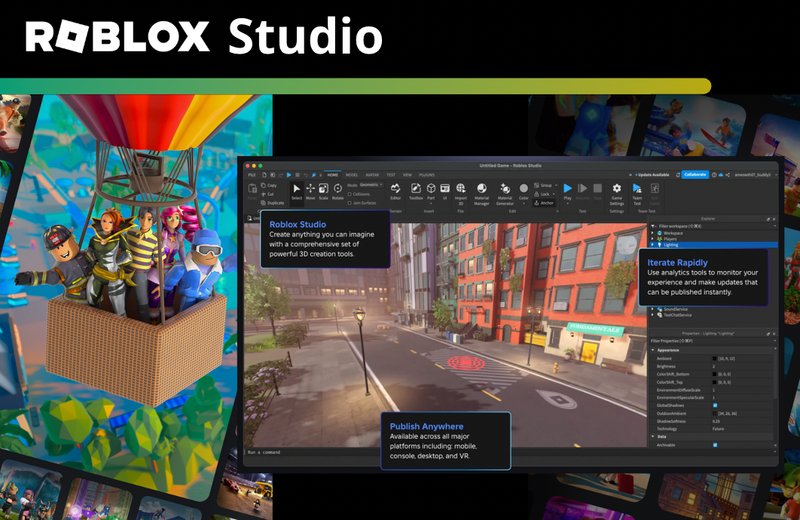
Roblox user interface design in virtual worlds prioritizes clear navigation, intuitive interaction, and efficient access to game features, enhancing player engagement and enjoyment.
Stepping into a Roblox world, how do you seamlessly interact with its elements? It’s all about the thoughtful roblox user interface design in virtual worlds. A well-crafted UI is crucial for a positive gaming experience.
Effective interfaces guide players naturally through the game’s offerings. They minimize confusion and maximize enjoyment. This allows for easy access to important information and controls.

Roblox User Interface Design in Virtual Worlds
Have you ever played a Roblox game and felt like you knew exactly what to do and where to go? That’s often thanks to good user interface (UI) design! Think of the UI as the control panel for the game – it’s all the buttons, menus, and information that help you play. In Roblox, where you can create all sorts of different worlds, UI design is super important. It can make a game fun and easy to understand, or confusing and frustrating. Let’s explore how Roblox UI design works in virtual worlds.
The Importance of Clear and Intuitive UI
Imagine trying to play a game with no instructions and buttons that make no sense. That wouldn’t be very fun, would it? That’s where good UI design comes in. In Roblox, clear UI helps players:
- Understand the Goal: Players need to know what they are supposed to do in the game, whether it’s building a house, completing quests, or battling other players. The UI can present this information.
- Navigate Easily: UI elements like menus, maps, and inventories should be simple to use so players don’t get lost or stuck.
- Track Progress: Scoreboards, health bars, and resource counters help players see how they are doing in the game.
- Interact Effectively: Buttons and other controls allow players to perform actions, like jumping, using items, and chatting with friends.
When the UI is clear and intuitive, players can focus on having fun instead of trying to figure out how to play. Let’s dig deeper into some of the key elements of UI design in Roblox.
Key UI Elements in Roblox
Roblox games can have many types of UI elements. Here are some of the most common ones you’ll find:
Menus
Menus are like the main hub of a game. They help players access various parts of the experience. Menus can be used for things like:
- Starting a Game: The main menu lets players begin a new game or load an existing one.
- Changing Settings: Menus allow players to customize graphics, audio, and controls.
- Viewing Inventory: Players can see all the items they have collected in the game.
- Accessing Shops: Menus provide access to stores where players can buy or sell items.
Menus need to be organized logically and easy to navigate. Buttons should have clear labels and be placed in a way that makes sense. Also, too many options on one screen can overwhelm a player, so keeping menus concise is important.
Heads-Up Display (HUD)
The HUD is the information you see directly on the screen while playing. It includes things like:
- Health Bars: Shows how much health a player has left.
- Energy or Stamina Bars: Indicates how much a player can run, jump, or use special abilities.
- Scoreboards: Displays points, kills, or other achievements.
- Minimaps: Helps players see where they are and where they can go in the game world.
- Crosshairs: A visual aid used when aiming weapons or tools.
A good HUD provides players with important information without cluttering the screen. It should be unobtrusive and not cover up too much of the game world, so players can see the action. The information should also be easily readable and understandable. Imagine if your health bar was too small to see, that wouldn’t help much!
Buttons and Input Controls
Buttons and controls allow players to interact with the game. In Roblox, these can be anything from buttons on the screen to keyboard keys or gamepad inputs. They must be:
- Clear: Players need to know what each button does. Use clear icons and labels.
- Responsive: Buttons should respond quickly when pressed, so players don’t experience delays.
- Accessible: Buttons should be easy to reach and use, especially for players with different types of devices and screen sizes.
- Contextual: Buttons should appear and disappear depending on the situation in the game, for example, an interact button only appears when near an object.
Designing easy-to-use and understandable buttons and controls is vital for a smooth and enjoyable gameplay experience. Think about how a player interacts with the game, and make controls as natural as possible.
Tooltips and Pop-Ups
Tooltips and pop-ups provide additional information. They can be used for things like:
- Item Descriptions: When a player selects or hovers over an item, a tooltip can show what it does.
- Tutorials: Pop-ups can give players instructions and guidance at the start of the game.
- Notifications: Pop-ups can inform players of important events, like completing a quest or reaching a new level.
- Warnings and Alerts: Pop-ups can alert players to dangers or errors in the game.
These types of UI elements must be designed carefully. They should give enough information without distracting players or blocking the view. They should appear only when needed, and be clear and easy to understand. No one likes a pop-up that is hard to read or gets in the way!
Best Practices for Roblox UI Design
Now that we’ve covered the key elements, let’s talk about some best practices for effective UI design in Roblox. Keeping these in mind will help you create games that are user-friendly and enjoyable.
Simplicity and Consistency
A good UI is simple and easy to understand. It should not overwhelm players with too many elements or complex instructions. Here’s why simplicity matters:
- Reduces Confusion: A simple UI prevents players from feeling lost or confused. They can quickly understand what to do.
- Improves Accessibility: A clear UI makes games more accessible to players of all ages and skill levels.
- Enhances Focus: A streamlined UI allows players to focus on the game itself, not on figuring out how to play.
In addition, all UI elements in your game should use the same style and design principles. Consistency helps players get comfortable with how the UI works, so they can quickly learn and play the game. For example, if you use a certain font for the menu titles, use that font for all your menu titles. Avoid using too many different colors or font styles.
Clear Visual Hierarchy
Visual hierarchy means that important elements should stand out more than less important ones. Here’s how you can achieve this:
- Size and Scale: Make more important elements larger and more visible.
- Color and Contrast: Use colors and contrast to draw attention to specific elements. For example, a bright color can make a key button stand out.
- Placement: Position important elements in the player’s natural line of sight. Common areas are the top or center of the screen.
- Grouping: Put related elements together to make it easier for players to understand them.
A well-defined visual hierarchy ensures players can quickly identify the most important information. Think of it like reading a book. The title is usually the largest and boldest text, followed by the chapter headings, which are slightly smaller, and then the paragraphs. Each piece of text leads you to the information you need.
Responsive Design
Roblox games are played on different devices, like computers, phones, and tablets. A good UI needs to work well on all of these different screen sizes. Responsive design ensures that the layout adjusts depending on the player’s device. This means that:
- Buttons should be large enough to tap on smaller screens.
- Text should be readable at different resolutions.
- UI elements should not overlap or get cut off on different devices.
It’s a good idea to test your UI on different devices to make sure it works correctly and feels comfortable to use on each one. You don’t want players on their phones to have a much harder time than players on their computer.
Using Color and Contrast Effectively
Color and contrast are important tools in UI design. Using them correctly can make your UI more appealing and easier to use. Consider these points:
- Brand Colors: Pick a consistent color palette that matches the theme of your game. For example, a space-themed game might use blues and purples, while a nature game might use greens and browns.
- High Contrast: Make sure that text and other elements stand out clearly from the background. Dark text on a light background, or light text on a dark background is best for readability.
- Color Coding: Use colors to indicate different states or types of information. For example, red for danger, green for health, or yellow for progress.
Avoid using too many different colors, and make sure that your colors are accessible for players with color vision differences. Using color effectively can guide the player’s eye and improve their experience.
User Testing and Feedback
No matter how good you think your UI is, always test it with actual players. Getting feedback early and often is very important. You can do this by:
- Letting Friends Test: Ask friends or other developers to try your game and give you feedback on your UI.
- Watching Player Sessions: Observe how players interact with your game. Where do they struggle? Where do they do well?
- Asking for Comments: Ask players to write down their thoughts and suggestions. This is very useful to find things that could be improved.
User testing will help you identify any issues or areas where you can make improvements. Be open to the comments you get and be ready to make changes to make your UI the best it can be.
Common Mistakes in Roblox UI Design
Even the best developers sometimes make mistakes. Let’s look at some common UI design mistakes in Roblox games.
Cluttered Interfaces
A very busy screen can be overwhelming. It makes it hard for players to figure out what to do and can lead to confusion and frustration. Avoid putting too many elements on the screen at once. Use menus to organize the screen. Group similar items together, and prioritize information.
Inconsistent Styling
Using different styles, fonts, or colors can make your UI look messy and confusing. Consistency helps players feel comfortable using your UI. Make sure all elements use a consistent design approach. This includes the colors, fonts, layout, and sizes of buttons and other interactive elements.
Unresponsive Buttons
Buttons that lag or don’t respond quickly can be a major pain for players. Make sure your buttons respond immediately when a player clicks or taps on them. This means testing all your buttons and elements to make sure that the game runs smoothly.
Text That’s Hard to Read
Tiny text or text that doesn’t contrast well with the background is very difficult to read. Players should be able to read all text without any trouble. Choose fonts and colors carefully and consider players with different screen sizes and resolutions.
Forgetting Mobile Players
If you focus solely on making a good PC experience and then your game is impossible to play on a phone or a tablet. Remember that many people play on mobile devices, so be sure to make your game enjoyable for mobile players, including all the UI elements and text.
Not Seeking Feedback
Relying solely on your personal opinion is not enough. Always test your game with different people. They might notice things you missed, or they might have ideas for making the game even better. Be open to any advice you get.
Advanced Techniques in Roblox UI Design
As you become more experienced with UI design, you can start experimenting with more advanced techniques to take your games to the next level. Here are a few to consider:
Animations and Transitions
Adding animations and transitions can make your UI feel more responsive and engaging. Here’s how you can use them:
- Smooth Transitions: Use animations when menus slide in and out or when elements appear or disappear.
- Button Feedback: Animate buttons when players hover over them or click them to show they are interactive.
- Loading Screens: Add visual interest and feedback to loading screens so players can see something is happening.
Animations and transitions add a polished feel to your game. But make sure the animations are not too long and don’t disrupt the gameplay.
Custom UI Elements
Instead of using only basic Roblox UI elements, you can create your own custom ones. This allows you to achieve a unique look and feel for your game. Here are some ideas:
- Custom Buttons: Create buttons with unique shapes and styles.
- Themed Menus: Design menus that match the game’s theme.
- Unique Icons: Develop custom icons for items, abilities, and more.
Creating custom elements will help your game stand out. Just remember that the UI should still be easy to use, even with custom designs. Don’t sacrifice usability for unique looks.
Dynamic UI
Dynamic UI elements change depending on what is happening in the game. This helps players feel more involved in the game. For example:
- Contextual Buttons: Only show certain buttons when they are needed. For example, show an “interact” button only when a player is near an object they can interact with.
- Adaptive HUD: Change the information shown on the HUD based on the situation, such as showing specific tools only when they’re active.
- Event Notifications: Display pop-ups for important in-game events, such as receiving an item or leveling up.
With dynamic UI elements, you create a more interactive and engaging gameplay experience. Players feel like the UI is a living part of the game, not just a static set of controls.
Accessibility Considerations
It is important to remember that players have different needs, so always make your game as accessible as possible.
- Text Size Options: Let players change the size of the text so they can read it more easily.
- Color Blindness Support: Use colors that are accessible for all types of color blindness. Also add other ways to show information, not just colors.
- Keyboard Navigation: Allow players to navigate all menus and options using only a keyboard. This is useful for people who can’t use a mouse.
- Screen Reader Compatibility: Try to make elements accessible to screen readers for players with vision impairments.
Keeping these accessibility things in mind makes your game more enjoyable for everyone. Try to make your game available to everyone who wants to play.
Roblox UI design is a vital part of creating successful and enjoyable games. By focusing on clarity, simplicity, and user feedback, you can build intuitive user interfaces that contribute to a great player experience. So next time you’re building a game on Roblox, make sure to spend some extra time perfecting your UI!
Can We All Become "ROBLOX DEVELOPERS" Now?!?
Final Thoughts
Effective roblox user interface design in virtual worlds enhances player engagement. Clear menus and intuitive controls allow users to navigate seamlessly. Good UI minimizes frustration and maximizes enjoyment within the game.
Consider context when designing elements. A well-placed health bar or objective display improves the overall experience. Ultimately, roblox user interface design in virtual worlds is crucial to a game’s success.

