
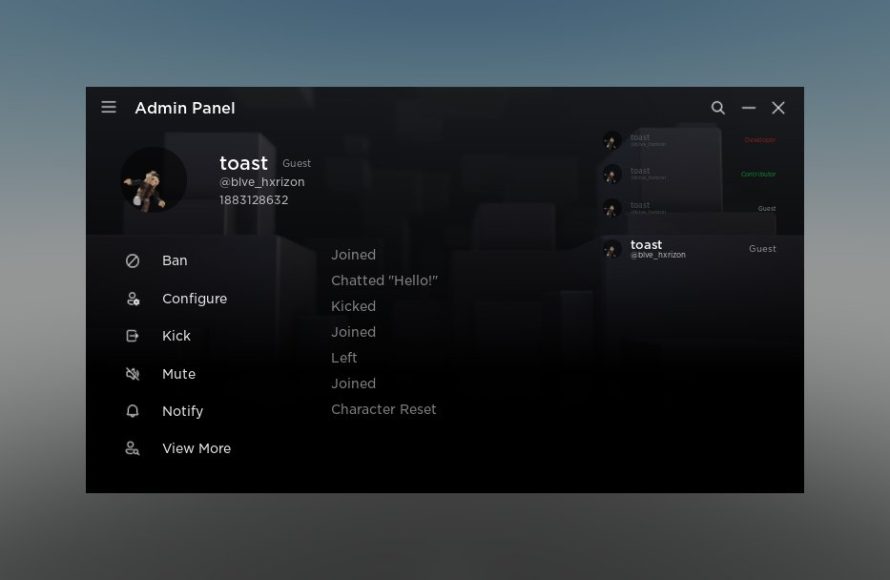
Implementing Roblox version control in design requires saving iterations of your work as separate files or using plugins that provide version history, enabling you to revert to previous states when needed.
Ever felt the pain of accidentally deleting a crucial element in your Roblox game? Or maybe you’ve experimented with a design that went completely wrong and wished you could undo it easily? That’s where understanding Roblox version control in design becomes invaluable. It’s not just for coding; visual design needs it too.
Having a system in place lets you safely explore different creative paths without the worry of losing progress. This approach allows you to iterate and refine your work more efficiently. You could see how your game design evolved over time and easily revert back to the previous version.

Roblox Version Control in Design
Have you ever spent hours building an amazing castle in Roblox, only to accidentally delete a whole wall or, even worse, the entire thing? It’s happened to the best of us! This is where version control comes in. It’s like having a magical ‘undo’ button that remembers every change you make, allowing you to go back to a previous version of your creation. In the world of Roblox design, it’s more than just handy; it’s a super important tool for building better and bigger games and experiences.
Why Version Control Matters for Roblox Creators
Imagine a team of friends working on a huge Roblox game. Without version control, it would be total chaos. Everyone would be building on the same map at the same time, likely causing conflicts and losing work. Version control lets multiple people collaborate smoothly without stepping on each other’s toes. Here’s why it’s crucial for your Roblox adventures:
- Collaboration: Multiple creators can work on the same project simultaneously without fear of overwriting each other’s changes. This is a huge help for team projects.
- Tracking Progress: Version control lets you see exactly when and what changes were made, making it easy to figure out what went wrong or who made a specific change.
- Restoring Previous Work: If you make a mistake, or decide you don’t like a recent change, you can go back to an earlier saved version. This is a lifesaver!
- Organized Development: You keep your work organized in a structured way. This makes development easier and more efficient.
- Experimentation: You can try out risky changes knowing that you can easily revert to an older version if things don’t work out.
Understanding Basic Version Control Concepts
Before diving into specific tools, let’s understand some fundamental ideas. Version control systems use concepts like ‘commits,’ ‘branches,’ and ‘repositories.’ Let’s break these down:
Commits
Think of a commit as a snapshot of your game at a particular moment in time. When you make changes you are happy with, you ‘commit’ those changes. Each commit saves your work with a message, describing what changed. Like saving a level in a game, but saving all the changes together. These messages become important so you can recall when a change was made.
Branches
A branch is like a separate timeline for your project. Imagine you are adding a new feature, you would create a branch to make changes to that feature while the original game is unchanged. This lets you work on a new feature without affecting the existing stable game. When the new feature is ready, you merge it back into the main branch, adding all the changes. This is a fantastic way to not mess up your original design. It helps you keep your changes separate.
Repositories
A repository, or ‘repo’ for short, is like the main folder where all your files, project information, and saved version history are kept. It stores everything you need for your game, and usually lives on an online platform. Everyone working on the project can share the repository to work on the game together, each making their own changes or branching to change one area without impacting another.
Version Control Tools for Roblox
Now that we understand the basic concepts, let’s explore some tools you can use with Roblox. While Roblox Studio does not have built-in version control for scripts and models, you can still use other options.
Roblox Studio’s Built-In Autosave
While it’s not full version control, Roblox Studio does have an automatic save feature that’s important for the design process. It automatically saves your progress every few minutes. This is a good basic safety net to prevent loss of work in case of unexpected issues. However, it is not ideal for true version control, as it is difficult to revert to specific older versions if the changes happened a few minutes or hours ago.
Git and GitHub (or GitLab/Bitbucket)
Git is the most popular version control system used by programmers all around the world, and is the basis for many online services like GitHub, GitLab, and Bitbucket. Though Git is mainly for text files, you can use it to store Roblox files like scripts and module scripts. While you can’t use Git directly for your places, you can use it to manage your code. Here’s how you can use them:
Setting Up Git for Roblox
First, you need to install Git on your computer. You can find it at git-scm.com. Next, sign up to a git hosting site like github.com, gitlab.com or bitbucket.org. It’s free for most basic uses!
- Initialization: Inside your project folder, open Git Bash and use “git init” to create a new Git repository.
- Adding files: Use “git add .” to add all files to be committed.
- Commit changes: Use “git commit -m ‘Your commit message’” to save your changes.
- Push to remote: Use “git push origin main” to send the changes to your online repo. You’ll need to connect your local repository to the remote repository, which the web interfaces will guide you through.
While these may appear daunting, it’s important to remember to learn one thing at a time and look up what you are unsure about. There are plenty of tutorials on the internet to guide you through this process.
Workflow with Git
With Git set up, you can now manage your code. The usual workflow goes like this:
- Make changes: Edit your scripts and modules in Roblox Studio.
- Stage changes: In your terminal, use “git add .” to stage new changes for commitment.
- Commit changes: Create a commit with “git commit -m ‘Your message’.”
- Push changes: Upload your commits to your online repository using “git push origin main”.
When others update the code, or when you are on another computer, you can get the updated changes by using “git pull origin main”. This will update your local repository with all the latest changes.
Benefits of Git for Roblox
- Robust Versioning: Git provides very detailed control over every change you make. You have complete control over your code.
- Branching and Merging: Allows for creating branches for experiments and safe merging when you complete them.
- Team Collaboration: Every team member can contribute to the same project in an organized way.
External File Management
This method focuses on keeping separate files on your computer or in cloud storage. This means that files are not stored in the Roblox Studio project directly. While not as robust as git, this method is much more simple. Here is how it works:
Manual Saving
This is the easiest method to learn. In this method you should simply create different versions of your Roblox projects. For example, you can create folders like ‘Castle_V1’, ‘Castle_V2’, and so on. Each folder represents a specific version of your creation. Every time you have a design you are happy with, save it in a folder with the version number.
You can also use a more detailed naming convention. For example, “Game_Design_2024-07-26_BigUpdate” will give you a clearer idea of when the specific design was created and what was updated.
Cloud Storage Integration
Services like Google Drive, Dropbox, or OneDrive can be used as backups and versioning tools. Save your Roblox project files into a folder that is synced to your cloud account. These services can automatically keep track of different versions of your files and can also automatically create backup copies.
Best Practices for Roblox Version Control in Design
Using version control tools is only one half of the solution. The other half is using them correctly. Here are a few things to keep in mind for better version control in your Roblox projects:
Frequent Commits
Commit your changes often. Don’t wait until you’ve made lots of changes to commit them all at once. This makes it easier to revert to a specific point and avoids losing too much work if something goes wrong. When you commit frequently it also makes it easier to review your commits later.
Descriptive Commit Messages
Write clear and descriptive commit messages. Instead of writing “changes,” write things like “Added the castle entrance,” or “Fixed collision issues on the tower.” This helps you and your team understand what has changed at each step, making it easier to find a specific version of your project later.
Branching Strategy
Use branches for new features or risky experiments. This ensures that the main branch stays stable. Once a feature is complete and tested, it can be merged into the main branch. This makes your project more structured.
Regular Backups
Make regular backups of your project. Even with version control, having a backup just in case is a good habit. This way, you are protected if the online platform goes down, or if your local computer breaks. Backups can be saved on an external hard drive or on another computer.
Collaborate Carefully
Communicate with your team before making big changes. Coordinate on what each member is working on so you don’t accidentally make changes in the same areas as others. Keep your team informed of which branches each of you are working on.
Testing
Test changes in a branch before merging into the main branch. This makes sure that any new features don’t cause a problem with the rest of the project. It will also help identify errors before they get released to other teammates.
Examples of Version Control in Action
Let’s look at some specific cases:
Scenario 1: Building a New Feature
Suppose your team wants to add a new level to your game. Create a new branch called “new_level.” You can work on the new level without affecting the main game. When the level is ready, test it thoroughly. If you like it, merge it to the main branch.
Scenario 2: Fixing a Bug
A player discovers a bug in the game. To fix this create a new branch “bug_fix_1.” Test the change thoroughly and when it is fixed, merge it into the main branch. This allows you to quickly correct an issue while your main game remains unchanged.
Scenario 3: Trying Out Ideas
You have an idea for a big change. Create a branch, “new_game_system.” Test out the new game system and gather feedback. If you and your team agree it is a good fit, you can merge it into the main game. If you don’t, just delete the branch, the main game will remain unchanged.
Making Version Control Work for You
Version control might seem complicated, but it is not as difficult as it first appears. Start with the basics. Use simple methods such as manual backups and simple git commits. As you become more comfortable you can expand to more advanced methods, like branches and collaboration. Over time version control will become an invaluable skill that will be part of your design process.
Version control isn’t just for big projects. Even if you’re making a small game by yourself, it’s still a good idea to use version control, it will prevent mistakes and let you revert back if you accidentally make a bad change. Start practicing it early and you’ll avoid many future headaches.
Remember, consistent use of version control will make your Roblox development journey smoother, more organized, and enjoyable!
Best Roblox Studio Plugins! #shorts
Final Thoughts
Effective Roblox development demands careful management of changes. Implementing ‘roblox version control in design’ is crucial for collaboration. Teams can work efficiently when they can track iterations and revert mistakes.
Proper version control reduces conflicts. It ensures that everyone works with the correct version. This prevents loss of progress and promotes organized workflows.
Ultimately, effective ‘roblox version control in design’ is essential for any serious Roblox project. It makes managing complex design processes much easier and efficient. It ensures that every project will have a successful journey.

