
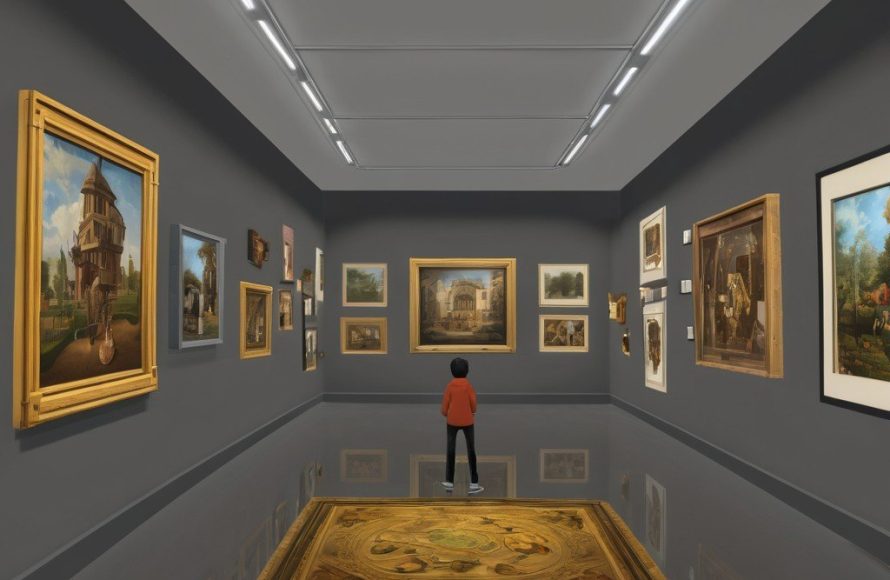
Roblox virtual art gallery design involves creating a compelling digital space using the platform’s building tools, scripting, and assets to showcase artwork in an engaging and interactive manner.
Have you ever thought about displaying your art in a unique way? Now you can create digital galleries using Roblox. It’s a creative and immersive way to present your pieces.
Roblox virtual art gallery design allows you to build interactive spaces. Players can explore art at their own pace. You can add fun features such as audio descriptions or even mini-games related to the art pieces.

Roblox Virtual Art Gallery Design: Creating Immersive Digital Spaces
Creating a virtual art gallery in Roblox is like building your own special museum, but in a video game! It’s super cool because you can show off art in ways you can’t in real life. You can make the gallery as big as you want, fill it with all kinds of amazing art, and let people from all over the world visit. We’ll talk about how you can design a virtual art gallery that’s fun, looks great, and is easy for everyone to explore.
Planning Your Virtual Gallery
Before you start building, it’s a good idea to plan. Think about what kind of art you want to show and how you want visitors to feel when they enter your gallery. This planning will help you make a space that really shows off the art.
Choosing Your Theme
What kind of feeling do you want your gallery to have? Do you want it to be futuristic and shiny, or maybe cozy and old-fashioned? Your theme will affect everything, from the colors you use to the types of walls and floors. For instance:
- Modern Theme: This can include clean lines, lots of white space, and maybe some metal or glass. Think of museums you see in big cities.
- Nature Theme: Use natural colors like greens and browns, and maybe add some plants or trees inside your gallery. Imagine a beautiful garden with art hidden among the flowers.
- Fantasy Theme: Let your imagination run wild! Make floating islands, giant crystals, or anything you can think of. Your gallery could look like a scene from a storybook.
Deciding on the Layout
The way you arrange your gallery is really important. You want people to easily move from one piece of art to another without feeling lost or crowded. Here are some ideas:
- Long Hallways: These are great for showing a series of art pieces, like a timeline.
- Open Rooms: Use big, open areas for sculptures or large paintings.
- Connected Chambers: Make smaller rooms that lead into each other. This can create a more intimate viewing experience.
Think about creating paths that guide visitors through your gallery, kind of like how a maze guides you. Use arrows or floor patterns to show the best way to see all the art. Don’t make hallways too narrow. Make sure people can move around comfortably without bumping into each other.
Designing the Gallery Structure
Now, let’s start building! This is where you get to use Roblox’s tools to create your gallery’s walls, floors, and ceilings. It’s like being an architect, but in a game!
Building Walls and Ceilings
You can use different types of blocks in Roblox to build your walls. Some blocks are smooth, some are textured, and some are even see-through! Here are some tips:
- Use the “Part” tool to create basic walls. You can change the size, color, and material.
- Experiment with different textures to make your walls look interesting. You could add brick, wood, or smooth concrete.
- Don’t be afraid to make walls that aren’t straight. Curved walls or walls at angles can make your gallery feel more unique.
- Think about the height of your ceiling. A high ceiling can make a gallery feel grand, while a low ceiling can feel more cozy.
Make sure the walls are high enough so that they don’t feel short. Consider adding a unique design to the ceiling that fits your gallery theme. Maybe add some interesting lights or patterns.
Flooring
The floor of your gallery is as important as the walls. Here’s how to make it great:
- Choose a material that matches your theme. A wooden floor can be great for a nature theme, while a tiled floor can work well for a modern gallery.
- Use different colors or patterns to divide your gallery into different sections.
- Make sure the floor is flat and easy to walk on. No one wants to trip over uneven surfaces while admiring art!
Adding carpets or rugs can also add a nice touch and guide the visitors’ paths. Just make sure the textures complement the art pieces and the gallery theme.
Adding the Art
Now for the fun part—adding the art! In Roblox, you can upload images or even build 3D models to show off your creations.
Displaying Images and Paintings
To display images, you can use the “Decal” feature on a Part. Simply upload your image and place it on a wall. Here are some tips to make your images look great:
- Make sure your images are high quality. Low-resolution pictures will not look good.
- Use the same size for all your images so that the gallery looks neat.
- Consider adding frames around your images. You can create frames with blocks and use different colors and materials.
Showing off Sculptures and 3D Art
If you have 3D models, you can place them directly in your gallery as separate objects. Here are some ideas:
- Give sculptures some space. Don’t make them too close to each other or the walls.
- Use platforms or stands to display your sculptures. Different heights can make the artwork more interesting.
- Think about the lighting. Make sure your sculptures are well-lit so people can see all the details.
For 3D models, consider making them interactive. Maybe a visitor can touch a button to rotate the sculpture or make it change color.
Lighting and Atmosphere
Lighting can make a huge difference in how your gallery feels. The right lighting can show off the art perfectly and make the whole experience more enjoyable.
Using Different Light Types
Roblox has several light options you can use. Here’s how to use them effectively:
- Point Lights: Use these to highlight specific pieces of art. You can make the light soft or bright, depending on what you need.
- Spot Lights: These are great for focusing on a specific object or area. You can adjust the angle and intensity to create shadows and highlights.
- Ambient Light: This is like the overall light in the room. You can adjust the color to change the feel of your gallery.
Experiment with different light colors to see how they affect the art pieces. Blue light might make the gallery feel cooler, while yellow light can make it feel warmer.
Creating a Mood
Lighting can help you create a specific mood or feeling in your gallery. Here are some ideas:
- For a spooky feel, use dim lights and shadows.
- For a calm feel, use soft, warm light.
- For an exciting feel, use bright, colorful lights.
Consider adding some special effects, such as flickering lights or colored light beams, to make the gallery feel even more interesting. Just don’t overdo it, otherwise, the visitors may feel uncomfortable.
Adding Interactive Elements
Making your gallery interactive can make it even more fun for visitors. You can add buttons, sounds, and other elements that people can use and play with.
Buttons and Triggers
You can add buttons that visitors can click to make things happen. Here are some ideas:
- A button to learn more about an art piece. This could open a panel with text or images.
- A button to turn on or off lights. This could let visitors change how they experience the art.
- A button to play a sound or music related to the art.
Using scripting, you can make these buttons activate complex processes, like opening doors or moving objects.
Adding Sound Effects and Music
Sounds can make your gallery feel more alive. Consider adding:
- Background music that fits your theme.
- Sound effects when visitors interact with certain objects.
- Spoken descriptions of the art.
Make sure the sounds aren’t too loud or annoying. The goal is to enhance the experience, not to distract from the art.
Testing and Getting Feedback
Before you open your gallery to the public, it’s a good idea to test it out and get some feedback.
Inviting Friends
Ask your friends to visit your gallery and tell you what they think. Ask them questions like:
- Is the gallery easy to navigate?
- Is the art well-displayed?
- What do they like most and least?
Getting different opinions can help you improve your gallery.
Making Improvements
Based on the feedback, make changes to your gallery. Here are some things you might need to fix:
- Adjust the lighting.
- Change the layout or design.
- Fix any glitches or bugs.
Don’t be afraid to make changes. Even small improvements can make a big difference.
Sharing Your Gallery
Once you are happy with your gallery, it’s time to share it with the world! Here’s how to do it:
Making it Public
In Roblox Studio, you can set your game to “Public”. This will allow anyone to visit your gallery.
Promoting Your Gallery
Tell your friends, your family, and the Roblox community about your amazing gallery. Here are a few methods:
- Post about it on social media.
- Share it in Roblox groups and forums.
- Make a video about it and post it on YouTube.
The more people you tell, the more visitors you will get!
Advanced Techniques
Once you have the basics down, you can explore some more advanced techniques to make your gallery even more impressive.
Scripting
Scripting is using code to make things in Roblox happen. Here are some things you can do with scripts:
- Make doors that open and close automatically.
- Create special effects, like falling rain or moving stars.
- Make parts move or change colors when someone touches them.
Even if you don’t know how to write code, you can use existing scripts and adapt them to your needs. There are lots of helpful tutorials and resources online.
Using Models and Plugins
Roblox has a huge library of models and plugins that can help you create your gallery. Models are pre-made objects, and plugins are tools that make it easier to build. Here are some ideas:
- Use pre-made furniture to add a realistic touch to your gallery.
- Use plugins to quickly align and position objects.
- Use models to add things like plants, lights, or decorative items.
These resources can save you a lot of time and effort.
Collaborating with others
Making a gallery with friends can be a fun experience. Everyone can work together on different parts of the gallery and make a creative masterpiece.
With planning, creativity, and a bit of practice, you can make an amazing virtual art gallery in Roblox. Remember to have fun and let your imagination run wild!
Sneak peak at the Virtual Art Gallery
Final Thoughts
Effective roblox virtual art gallery design merges creativity with user experience. Consider layout, lighting, and artwork presentation to engage visitors. A well-planned gallery enhances appreciation for digital art.
Think about interactive elements and social features within the space. This can significantly improve user engagement and create community. Careful design choices make roblox virtual art gallery design a success.

