
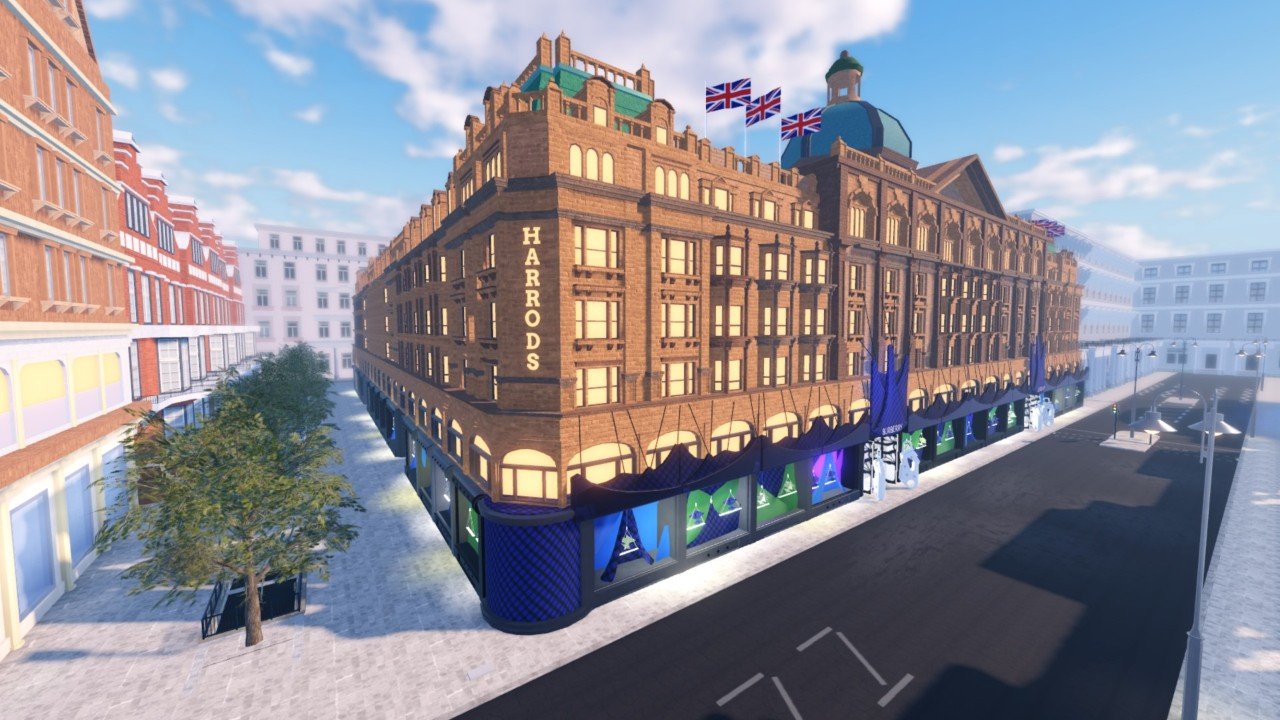
Creating engaging and thriving Roblox communities requires careful planning of in-game spaces, clear communication channels, and fostering positive interactions among players within the virtual world.
Ever wondered how some Roblox experiences build such strong player bases? It’s all about intentional design. The secret lies in thoughtful planning of environments and how players interact within them, that’s what Roblox virtual community design is about. We can see some communities are so engaging and welcoming because creators focus on these elements.
Think about the layout of your game; does it encourage connection or isolation? Good communication tools are crucial, too. A well-designed experience is really an exercise in community building.

Roblox Virtual Community Design: Building Engaging Worlds
Creating a great Roblox game isn’t just about cool coding and graphics. It’s also about building a thriving virtual community where players feel connected, engaged, and want to keep coming back. This is where virtual community design comes in, and it’s super important for your game’s success. Think of it like designing a real-life town, but online! You need places for people to gather, ways for them to talk, and things for them to do together. Let’s explore how you can create an awesome Roblox community.
Understanding Your Target Audience
Before you start building, you need to know who you’re building for! Just like you wouldn’t plan a birthday party without knowing who’s coming, you can’t design a game without knowing your target audience. Who do you want playing your game? Are they mostly kids, teens, or even adults? What kinds of things do they like? Answering these questions is a good starting point.
Age and Demographics
Knowing the age of your players helps you design age-appropriate content. A game for younger kids will be very different from a game for teenagers. Think about what they find fun, what they understand easily, and what they expect from a game. A very young audience might like simple tasks, bright colors, and very clear instructions, while teens might enjoy more complex challenges, role-playing, or competitive elements.
Player Interests and Preferences
Try to get a sense of what your players are interested in. Do they like adventure, building, role-playing, or competing? Look at other popular Roblox games in the genres you’re interested in and see what attracts players. This research gives you important information about what types of gameplay, game mechanics, and themes to incorporate. You can even look at other platforms outside of Roblox to see what’s trending to find inspiration.
Key Elements of a Thriving Roblox Community
Now that we have an idea about who we are designing for, let’s dig into some key components you need to have in your Roblox game to encourage community.
Spaces for Social Interaction
Players need places where they can naturally interact. These spaces shouldn’t be just a big open area; they should have a purpose that encourages people to hang out. Here are a few good ideas:
- Central Hubs: Think of a main town square or lobby. This place can be a starting point for players and a place where they can see other users.
- Hangout Zones: Design areas just for relaxing and chatting, maybe with some fun decorations or mini games. Think parks, beaches, cafes – places that aren’t directly part of the core gameplay, but enjoyable places to spend time.
- Community Events Locations: If you’re planning special events or meet-ups, provide a clear location. This makes sure that everybody knows where to go and makes the event more visible.
Communication Channels
Players need ways to talk to each other, so make sure to incorporate communication tools.
- Text Chat: A simple text chat box is a must. This allows players to easily communicate. Make sure you have good moderation settings for any text, that keeps everyone safe and secure.
- Voice Chat: If your target audience is older and you are able to provide voice chat feature, it enables even more natural interaction. However, it’s crucial to have strict moderation policies to ensure that voice chat is safe and respectful.
- In-Game Messaging: You could also add in-game messaging systems for players to send private messages, especially to their friends.
Incentives for Community Engagement
Why should players want to be part of your community? It’s your job to encourage them to participate. Here are some things to encourage user engagement:
- Team Play: Design quests, challenges, or mini-games that require team work. This is a great way to encourage interaction and cooperation. Make sure the tasks and objectives are well-defined, and easily understandable.
- Leaderboards and Competitions: A friendly competition can be very engaging. Create a leaderboard or organize regular contests to inspire community participation. This can foster a sense of community around shared accomplishments.
- Community Feedback System: Create a feedback system to get player ideas about what they like and don’t like about your game, that way players feel heard and valued. You could use surveys or other ways to gather feedback regularly. This shows that you care about what your players think.
Designing Meaningful Gameplay Experiences
Good community design is not just about locations; it’s also about the gameplay that brings people together. Players will be more likely to interact when they are working towards a common objective. Here’s how to ensure you provide this.
Shared Goals and Objectives
Think about what kind of gameplay will encourage players to collaborate. For example, a quest or building project that takes multiple players is a great idea. If players need to depend on each other to succeed, they’ll be forced to interact. Be clear and precise when describing the objective, make sure to provide instructions to encourage them.
Roles and Specializations
Let players choose unique roles in the game. This makes the community more balanced as players realize that they need other players who chose different roles to succeed. This can lead to some interesting relationships between players.
Regular Updates and Events
Keeping your game fresh is a very important part of a virtual community design. Regular updates make sure players have new things to look forward to. Regular updates also mean new things for players to discuss and explore together. Schedule in-game events, and celebrations to give the community something to look forward to and give them a reason to come back regularly.
Implementing Safety and Moderation
A safe space is a must for any virtual community. You have to ensure that your Roblox game has moderation tools in place to protect your players.
Reporting and Blocking Systems
Provide ways for players to report inappropriate behavior and block others who they don’t want to communicate with. These types of systems help the community be safe, so people feel comfortable interacting with each other.
Content Filtering
Make sure to have tools that filter out bad or inappropriate words, or content. This can help keep chat and other public interactions safe for all players. The content filter should be sensitive to many different languages and contexts.
Community Guidelines
Establish clear community guidelines. Make sure every player understands the rules and expectations for respectful behavior. Make sure these guidelines are very accessible and easy to find.
Iterative Design: Listening to Your Community
Designing a virtual community isn’t a one-time thing. It’s something you’ll need to keep working on as your game develops.
Collecting Player Feedback
Pay attention to what your players are saying. Are they enjoying the community aspects of the game? What could be improved? Actively ask for player comments and suggestions through different means including in-game surveys or forums. Remember, your game and community are for them.
Analyzing Game Data
Use game analytics to see how players are behaving. Are they using the hangout spaces? Are they participating in team play? This will give you a very clear understanding about what features are being used and which ones are not. You can then use this information to make any changes.
Adapting and Improving
Be willing to make changes based on what you learn from your players and the game data. A good virtual community is one that keeps adapting to its members’ needs. Don’t hesitate to try new things to improve your community.
Examples of Great Roblox Community Design
Let’s take a look at some Roblox games that have built a fantastic community:
Adopt Me!
The Adoption center and other social areas make this a fun space for players to meet and hang out. The pet trading systems encourages players to interact to achieve their goal of collecting their favorite pets. The regular updates also keep players engaged and excited.
Brookhaven
This game has an open ended roleplay element. The game lets players create their own stories and scenarios. This freedom leads to creative community interactions. The different buildings and interactive locations offer many places for players to hangout together.
Welcome to Bloxburg
This is another roleplay game that encourages players to design their houses, and engage with their neighborhood. The game focuses on player creativity and lets players share their designs and invite other players to visit. The game provides a shared world for players to experience together.
Tools and Resources for Building Communities
Roblox provides many built-in tools and resources to help you create a better community.
Roblox Studio
Use Roblox Studio to build your game world, create interactive elements, and set up your communication systems. Familiarize yourself with all the tools to have maximum freedom.
Roblox Developer Forum
The Roblox Developer Forum is a great place to get help, find answers to your questions, and connect with other developers. Take some time to explore the community and get inspiration from other creators.
Community Plugins
Use some available plugins to simplify your process and implement pre-made systems. Using these types of plugins can make the building process more efficient.
Building a strong Roblox virtual community takes time and effort. But with careful planning, attention to your players’ needs, and a little creativity, you can design a space where players love to come back to. Remember, it’s not just about the game itself; it’s about creating a place where players feel connected and enjoy spending time together.
What If NUKES In Fisch Were Realistic😭 #roblox #robloxfisch #fisch
Final Thoughts
Effective Roblox virtual community design requires thoughtful planning of spaces and interactions. Creators should prioritize clear navigation, engaging activities, and inclusive environments. This fosters a sense of belonging.
Good design considers the diverse needs of players. Building intuitive interfaces and varied game modes creates an enjoyable place for everyone. Remember, user experience is key.
Ultimately, strong Roblox virtual community design depends on balance. Combining functionality with creativity builds lasting player engagement. It’s about crafting memorable online experiences.

