
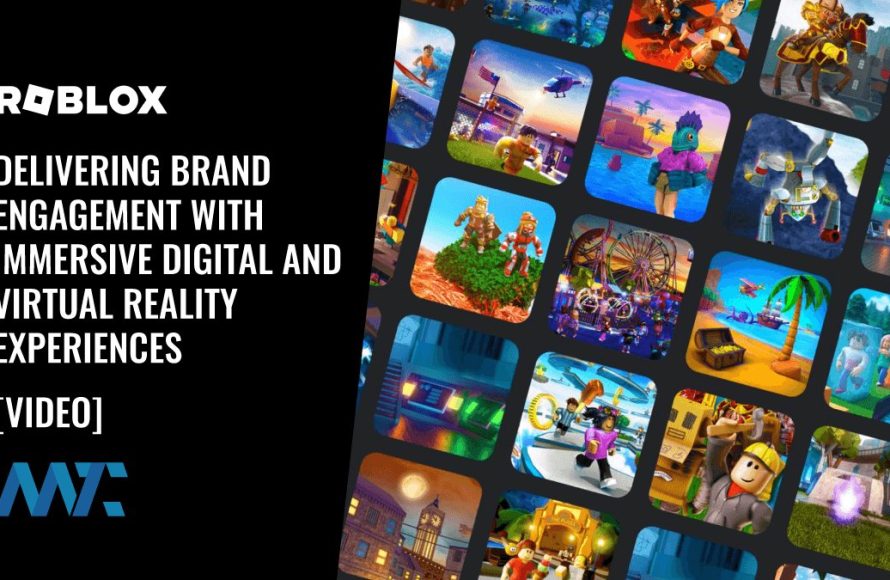
Roblox virtual reality experiences offer immersive gameplay using VR headsets, allowing players to interact with Roblox worlds in a completely new dimension.
Have you ever imagined stepping inside your favorite Roblox game? It is no longer a far-fetched dream. Roblox virtual reality experiences are quickly gaining popularity, and for good reason. They provide a unique way to engage with the platform.
The feeling of actually being present in the game, looking around and interacting with objects adds so much to the fun. This is a significant jump from simply controlling an avatar on a screen. It’s a whole new way to play.

Roblox Virtual Reality Experiences: Diving into Immersive Worlds
Have you ever dreamed of stepping inside your favorite Roblox game? Well, with virtual reality (VR), you can! Roblox VR takes everything you love about the platform and makes it even more exciting. Instead of looking at the screen, you put on a headset and feel like you’re actually in the game. Let’s explore what makes Roblox VR so cool and how you can jump into these amazing virtual worlds.
What is Roblox VR?
Imagine playing a game where you can look around in all directions, like you’re really there. That’s Roblox VR! It’s a way to play Roblox using a special headset that puts a screen right in front of your eyes. This makes the game world feel real and lets you interact with it in a totally new way. When you move your head, your view in the game changes too, giving you a sense of being truly present in the Roblox environment.
How Does it Work?
Roblox VR works by connecting a VR headset to your computer or compatible device. The headset has two small screens, one for each eye, creating the 3D effect that makes it seem like you’re in the game. As you turn your head, sensors in the headset track your movement, and the game changes its view accordingly. This technology lets you explore, interact, and play in the Roblox world using your head and hand movements. You usually use hand controllers to move and interact with the environment as well. It’s much more involved than playing on a regular computer, phone, or tablet because you are inside the game.
Types of Roblox VR Experiences
There’s a wide range of Roblox VR experiences, offering something for everyone. Here are a few of the common types that you can expect to encounter:
Adventure and Exploration Games
These games let you go on epic quests, explore mysterious lands, and solve challenging puzzles. In VR, exploring becomes so much more captivating! Imagine walking through ancient ruins or climbing up a mountain, feeling like you are actually present in that environment. These types of experiences benefit greatly from VR, as they become so much more interactive and impressive.
- Examples: Games where you explore hidden caves, search for treasure, or journey through fantasy lands.
- Why they’re great in VR: The enhanced sense of presence lets you feel like a real explorer in the game world.
Social Interaction and Roleplay
Roblox is famous for its social aspect, and VR takes that to another level. You can meet up with friends, chat, and play games together in a 3D space. Roleplaying becomes more engaging when you feel like you’re really interacting with other characters. You can wave, give a high-five, or even do funny dances together! It’s like stepping into a different world with your friends.
- Examples: Roleplay games where you can pretend to be anything, from a superhero to a chef, or games where you can hang out and chat with others.
- Why they’re great in VR: Meeting and interacting with people in the game feels more real, almost like they’re standing right there with you.
Action and Combat Games
Get ready for intense battles and thrilling action! Whether you are dodging attacks, firing a weapon, or driving a fast car, VR puts you right in the middle of the excitement. The 3D environment makes combat much more intense and realistic. You can duck behind cover, swing your virtual sword, or race around a track like you never have before.
- Examples: Games where you fight monsters, engage in shooting battles, or compete in races.
- Why they’re great in VR: The action feels more immersive and your body movements become a part of the game.
Puzzle and Strategy Games
If you like a good brain challenge, VR can offer a new way to experience puzzles and strategy games. The puzzles often have physical elements that involve the player in a completely different way than when played on a flat screen. You can move objects around, manipulate levers, or explore a space to find the solution. It makes puzzles more than just a visual challenge; it becomes a physical one, too.
- Examples: Escape rooms, mystery games, or games where you need to build and plan strategically.
- Why they’re great in VR: Interacting with the puzzles becomes more physical and immersive, making them feel more engaging.
Creative and Building Games
Do you love building and designing? In VR, you can create your own worlds, structures, and art with even more freedom. Imagine crafting and building by physically moving the building blocks or drawing shapes directly in front of you. This type of game really benefits from the freedom that VR offers the player.
- Examples: Games where you can construct houses, create sculptures, or make your own virtual landscapes.
- Why they’re great in VR: You can feel like you’re physically building with your hands, which makes it more creative and fun.
Getting Started with Roblox VR
Want to jump into the world of Roblox VR? Here’s a breakdown of what you’ll need and how to set it up:
What You Will Need
Here’s the list of items you’ll need to get started:
- A VR Headset: You’ll need a compatible VR headset, such as an Oculus Rift, HTC Vive, or Windows Mixed Reality headset. Make sure your headset is supported by Roblox.
- A Compatible Device: Your computer needs to meet the minimum requirements for VR gaming. Usually, this includes a good graphics card, a fast processor, and enough RAM.
- Roblox Account: You’ll need an active Roblox account to play.
- Roblox Application: Make sure you have the Roblox application installed on your computer.
Setting Up Roblox for VR
Follow these simple steps to get your Roblox VR set up and ready:
- Connect Your Headset: Plug in your VR headset to your computer and install any necessary drivers or software.
- Launch Roblox: Open the Roblox application on your computer.
- Enable VR Mode: Look for a VR option in the Roblox settings. You should find this in the “Settings” menu, under the “VR” tab. Make sure to turn it on.
- Join a VR-Enabled Game: Look for games that are specifically designed to work with VR. They often have a special icon to show they support VR. Choose one you like and click play.
- Put on Your Headset: Once the game starts, put on your VR headset and you should be immersed in the virtual world!
Tips for a Great VR Experience
Once you’re set up, here are some tips to help you get the most out of Roblox VR:
- Start Slowly: If it’s your first time, start with experiences that are less intense. Some games have a ‘beginner’ or ‘tutorial’ mode to help you get used to playing with the headset.
- Take Breaks: Playing in VR can be intense, so make sure you take breaks. Step away from the headset every now and then to rest your eyes and get some fresh air.
- Adjust Settings: Find the settings that work best for you. You might want to adjust the graphics, volume, or motion options to make your experience comfortable.
- Explore Different Games: Try lots of different games to see what kinds of VR experiences you enjoy the most. There’s a huge variety available on Roblox, so don’t be afraid to try new things.
- Play with Friends: Invite your friends to play in VR. It’s always more fun to experience new worlds together!
- Make Sure Your Play Area is Clear: Before playing, check your surroundings. You don’t want to bump into furniture, trip over any wires, or accidently hit anything. A clear area is important to make sure you are safe.
Benefits of Playing Roblox in VR
There are lots of advantages to playing Roblox in VR. Here are just a few of the reasons why people love it:
Enhanced Immersion
VR makes you feel like you’re really in the game world. The 3D environment makes everything look and feel much more real. You aren’t just watching the game; you’re a part of it.
Improved Interaction
With hand controllers, you can interact with the game world in a more natural way. You can pick up objects, wave to other players, and use tools with your virtual hands. This hands-on approach adds a new level of engagement to the gameplay.
More Engaging Social Interaction
Meeting other players in VR makes interactions more authentic. The ability to use your hands and even see their movements in the game space creates a sense of being together, even if you’re not in the same physical place. You’ll find that conversations and interactions feel more personal.
A New Level of Fun
VR makes playing Roblox a completely new experience. It’s like taking your favorite game and adding a whole new dimension of excitement. Whether you like building, exploring, or battling it out, everything is more fun in VR. The novelty of being inside a virtual world adds to the overall experience.
Potential Challenges and How to Overcome Them
Like any new technology, Roblox VR can sometimes have challenges. Here’s what you should look out for and how to deal with them:
Motion Sickness
Some people might feel a bit dizzy or nauseous when using VR for the first time. It’s often called “motion sickness” and it can be caused when your eyes tell your brain one thing while your body feels something different. Here are some tips:
- Take it Slow: Start with shorter VR sessions and work your way up as you get more comfortable.
- Play Stationary Games: If you’re sensitive, start with games where you don’t move around too much.
- Adjust Settings: Sometimes, tweaking the settings can help reduce motion sickness. Try adjusting movement speed or turning on specific options for motion.
- Take Breaks: If you start to feel unwell, stop playing and take a break. It’s important to listen to your body.
Technical Issues
Sometimes, you might have problems with your headset or software not working properly. There are a few common issues and ways to fix them:
- Check Your Connections: Make sure all the cables for your headset are plugged in properly.
- Update Drivers: Make sure your headset drivers and Roblox application are up to date.
- Restart Your System: Sometimes simply restarting your computer can fix small glitches.
- Check Device Compatibility: Make sure your computer is able to run Roblox VR. Older computers can struggle to run these games, so you may need to upgrade your hardware.
Comfort Issues
Wearing a VR headset for a long time can sometimes feel uncomfortable. Here are a few things you can do to make sure you’re comfortable:
- Adjust the Fit: Make sure your headset fits comfortably. It should be snug but not too tight.
- Take Breaks: It’s always a good idea to take short breaks from playing, to give your head a rest from wearing the headset.
- Use a Headset Cover: If your headset feels sweaty, consider using a clean headset cover. This can help make things more comfortable.
The Future of Roblox VR
Roblox VR is always getting better! Game developers are creating new and more exciting experiences all the time. As VR technology improves, Roblox VR will become even more immersive and interactive. We can expect to see games with better graphics, more creative gameplay, and even more ways to connect with other players. The future looks bright for Roblox VR, and there’s always something new to explore.
Roblox virtual reality experiences open a whole new dimension of fun and engagement. By allowing players to step directly into their favorite games, VR transforms the platform from a screen-based pastime into a fully immersive adventure. The ability to explore, build, and socialize in virtual spaces makes it a very unique and exciting experience. While there are some initial steps to take and things to keep in mind to ensure the best and most comfortable experience, the benefits of playing Roblox in VR are compelling for any fan of the platform. So, if you get the chance to try it out, definitely give it a go – you may find yourself diving into a world that is so much more than a simple computer game.
I Spent 50 Hours in Roblox VR
Final Thoughts
Ultimately, the future of Roblox involves a strong push into immersive gameplay. We see developers crafting more detailed and engaging environments for virtual reality.
These creations enable players to interact with the Roblox world in ways previously only imagined. Roblox virtual reality experiences offer a compelling and rapidly evolving facet to this gaming platform.

