
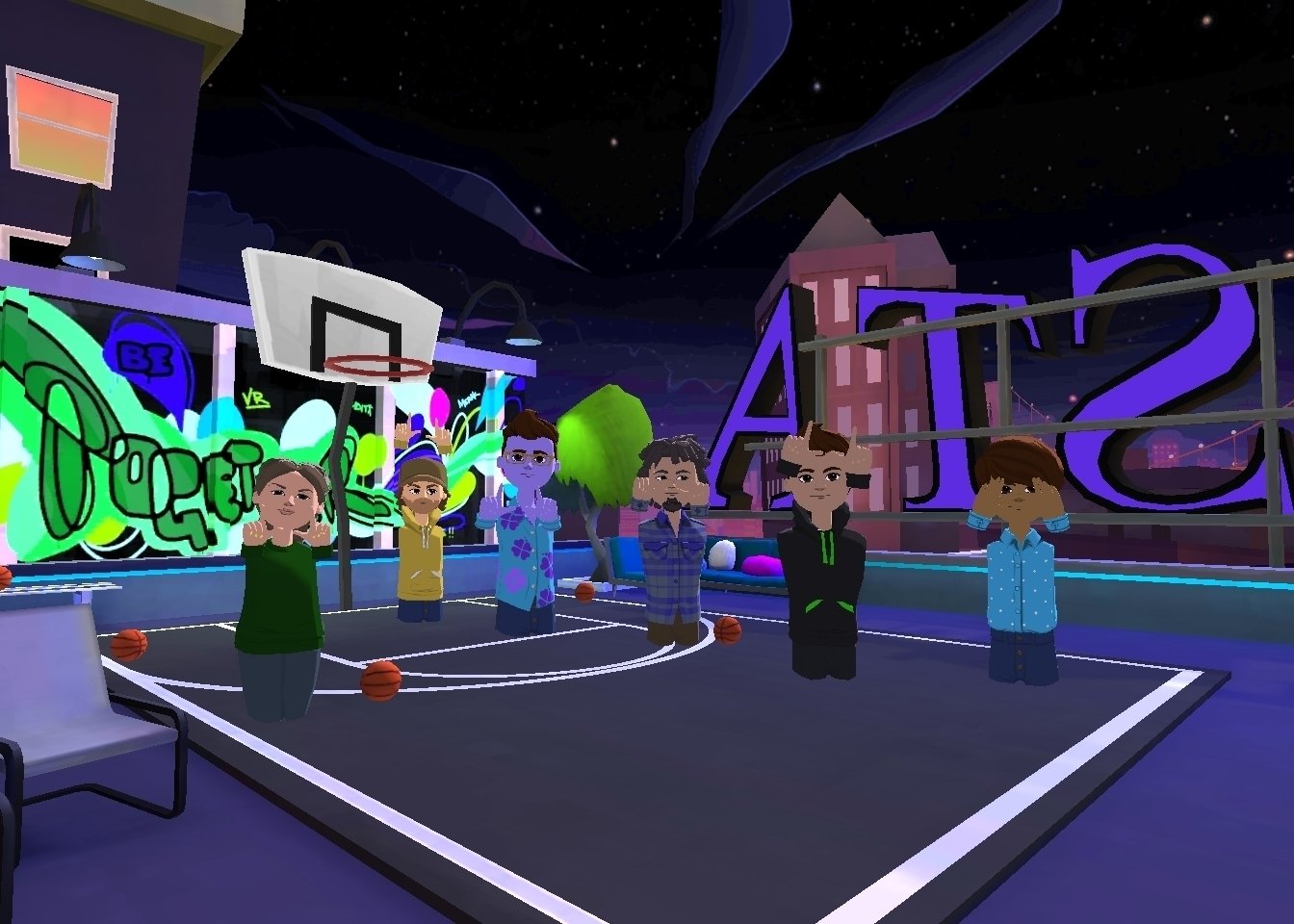
The Roblox virtual reality user experience often involves intuitive interactions, spatial awareness challenges, and varying levels of comfort across different game modes.
Stepping into a Roblox world using a VR headset offers a completely different feel than playing on a monitor. The scale feels immense, and simple actions become more engaging with motion controls. How do these unique features affect the overall Roblox virtual reality user experience?
Players experience varying levels of immersion. Some find it fantastic, while others struggle with motion sickness or the complex controls. Developers are still experimenting with the best ways to create comfortable and engaging experiences for VR players.

Roblox Virtual Reality User Experience
Stepping into Roblox in virtual reality (VR) is like entering a whole new world – literally! It’s not just about seeing the game on a screen anymore; you’re actually inside the game. Imagine walking around a vibrant, colorful world, looking up at giant buildings, and high-fiving your friends who are also there with you. That’s the magic of the Roblox virtual reality experience. But what makes this experience so cool? Let’s dive in and explore all the exciting parts of playing Roblox in VR!
The Immersion Factor: Feeling Like You’re Really There
One of the biggest things that makes VR so amazing is how immersive it feels. Immersion is like being completely surrounded by the game. Instead of just looking at a monitor, you’re using a VR headset, which is like wearing special goggles that show you a 3D world. When you turn your head, you actually look around the game world, which makes it feel like you’re really there. It’s like stepping into a movie or a book. You see the environment around you, you hear the sounds all around you, and you feel like you are part of the action. This level of involvement makes playing Roblox so much more exciting and engaging.
How VR Headsets Make the Difference
The magic begins with the VR headset itself. Think of it like a tiny personal movie theatre you wear on your face. These headsets have special screens and lenses that create the 3D effect that allows you to perceive depth and distance, crucial to feeling present in the virtual world. The headset also contains sensors that track your head movements. When you look left, right, up, or down, your view changes in the game, making the virtual world feel interactive. Many headsets also come with controllers that let you interact with your hands in the game world, making the interactions more natural. Imagine building a structure and seeing it appear right in front of you, as if you are really putting the blocks together.
Some of the popular headsets that work with Roblox VR include:
- Oculus (Meta) Quest series: These are wireless and provide great quality visuals.
- HTC Vive: Known for its accurate tracking and high performance.
- Valve Index: Offers a wider field of view and excellent audio.
- PlayStation VR: A good choice for PlayStation users.
Moving Around and Interacting in VR Roblox
Moving around in VR is a bit different than using a keyboard and mouse. Instead of pressing arrow keys, you might use the controllers to walk, jump, or even teleport to different locations. The way you interact with the environment also changes. You can use your hands to grab objects, push buttons, or wave to your friends. This adds a whole new dimension of fun and makes the game feel much more real. It’s like you’re not just playing the game; you are in the game.
Different Methods of Movement
The most popular method to move around is through smooth movement, where you push on the joystick to move forward, back, or sideways. However, since this kind of movement might cause motion sickness for some people, other options exist. Teleportation lets you point to a location, and then you instantly move to that spot. This method helps people who feel sick from smooth movement. Also, some experiences include a combination of both. You might walk or run around some areas and teleport in other areas to help you navigate the environment faster. It’s fun to figure out how to move best in different games.
Hand Tracking and Controller Usage
Many VR games make use of hand tracking to give a realistic feel. Hand tracking means you can move your actual hands and see them reflected in the game. It allows for you to reach out and touch objects or press buttons without using the controllers. But, sometimes controllers are still the better option. Controllers are usually much better for precise actions, like picking up small things or using tools. When it comes to movement, the controllers provide more precise and natural options. Controllers can feel very natural for tasks like holding a sword or using a paint brush. These different input methods help create a more intuitive and fun gaming experience in VR.
The Social Aspect of VR Roblox: Playing with Friends
Playing Roblox with friends is one of the most fun things about the platform, and this is even more true in VR. When you’re in VR, you don’t just see your friends as avatars on a screen. They feel like they’re actually standing next to you. You can look them in the eye, give them a high-five, or even have a virtual dance-off. This makes the social interactions feel much more personal and meaningful.
Communication and Collaboration in VR
Talking to your friends in VR feels way more real, thanks to spatial audio. It means if they are on your left, the audio will come from your left side. It’s much easier to know who’s talking, making the experience more engaging and less confusing. Instead of just reading chat messages, you can use your voice to talk directly to your friends. This really helps when you’re working together on building something, playing a game, or trying to complete a quest. The experience turns from solo play into collaborative and interactive adventures.
Making New Friends in VR Environments
VR can be a great way to meet new people. When you join a popular game, you will meet other players from all over the world who are just as excited about VR as you are. You can work together on building projects, play games as a team, or simply hang out and chat. It’s like going to a virtual playground where you can find people with similar interests. These interactions can lead to lasting friendships, proving the social potential of VR gaming.
Challenges and Solutions in Roblox VR
Of course, playing Roblox in VR isn’t always perfect. There are some challenges that can arise, but luckily, there are solutions to help make the experience better. Let’s talk about some of the common issues and how you can deal with them.
Motion Sickness: Why It Happens and How to Deal With It
Motion sickness is probably the biggest problem people face when they first start using VR. It’s that yucky feeling of dizziness, nausea, and sometimes even headaches. This is because your eyes are seeing movement in the game, but your body isn’t physically moving the same way. To avoid or minimize motion sickness, here are some things you can try:
- Start slow: Don’t jump straight into a game with lots of fast movements. Start with games that have little movement.
- Take breaks: If you feel sick, stop playing and take a break. Rest for 10 to 15 minutes and try again later.
- Use teleportation: Teleporting is a better movement option for people prone to motion sickness than smooth movement.
- Play in a ventilated room: Make sure you have fresh air. Sometimes, feeling hot and stuffy can increase motion sickness.
Performance Issues: Lag and Frame Rate Problems
Sometimes, the game might not run as smoothly as you would like, especially if you have an older computer or a less powerful VR headset. Lag (delays) and lower frame rates can make the game look jerky or delayed. To make your game run smoother:
- Lower game settings: In the Roblox settings menu, you can reduce the graphics quality and resolution.
- Close background programs: Close unnecessary programs that might be running in the background on your computer.
- Update your drivers: Make sure your graphics card drivers are up-to-date.
- Use a wired connection: If possible, try connecting to the internet using an ethernet cable instead of Wi-Fi. This can help reduce lag.
User Interface Challenges
Navigating through game menus and interacting with different elements can be tricky in VR. Everything is in 3D which can feel overwhelming at first. It takes time to get used to selecting icons and moving through the menus using your controllers. Developers are continuing to make the interfaces simpler for a better user experience. As technology improves, so will the navigation and interaction within the VR menus.
Tips and Tricks to Enhance Your Roblox VR Experience
Now that we have covered some of the problems you might have, lets talk about a few simple things you can do to make your VR experience even better:
Optimizing Your VR Setup
Before you jump into a game, take a moment to set up your VR equipment properly. Make sure all the cables are securely connected and your headset is comfortable. Also, ensure you have enough space around you, so you don’t accidentally bump into things while playing. This simple step will help prevent accidents and help you be more engaged with the game.
Choosing the Right Games for VR
Not all Roblox games are equal in VR. Some games are designed to work better with VR than others. Try a few different games to find which ones you enjoy most. Look for games that are specifically designed for VR or have VR support. Some good games are often adventure games, puzzle games, and those where you get to explore and create. Games that have many fast-paced actions or complicated interfaces are harder to enjoy in VR.
Personalizing Your Avatar in VR
Customizing your avatar is a lot of fun in Roblox, and VR gives you the chance to really see your avatar. You can dress it in all sorts of clothes, add cool accessories, and express your unique style. Experiment with different looks, and show off your creations to your friends in the virtual world. It adds an extra level of personality to your in-game presence.
The Future of Roblox VR
The future of Roblox in VR is very bright. As VR technology gets better and more affordable, even more people will be able to play in virtual reality. We are likely to see better graphics, more intuitive controls, and new and exciting ways to play. Roblox continues to grow as a platform so the new advancements are going to improve VR experiences for everyone.
Technological Advancements on the Horizon
New technology is going to keep advancing, and it will become more realistic with improved visuals, faster processing, and more accurate tracking. This means that the experience will become even more immersive and engaging. Haptic technology will help you to feel things in the virtual world, such as holding a sword or feeling a gust of wind. The VR devices will likely become lighter and easier to use as technology gets better and better.
Expanding the Scope of VR Experiences
Developers are creating even more exciting and complex experiences specifically for VR. Instead of just porting flat-screen games to VR, they are building experiences made with VR in mind. The possibilities are endless, from exploring fantastical worlds to creating interactive narratives where you are the main character. These new experiences will help to push the boundaries of VR gaming and offer a whole new way for people to play.
In short, the Roblox virtual reality user experience is an exciting and rapidly growing area. It provides a new way to play, connect with friends, and explore limitless creative possibilities. While there are a few challenges, they are constantly being addressed, making the VR experience more and more seamless. As technology progresses, the virtual world will only become more engaging and more immersive. So, gear up and get ready to jump into a fun new way to play Roblox!
The TOP Quest 2 ROBLOX VR Games Part 3!! 😱 #shorts #robloxvr
Final Thoughts
Ultimately, Roblox in VR provides an immersive, yet sometimes challenging, experience. Players navigate familiar game worlds in a new dimension. The interactions feel significantly different compared to standard gameplay.
Developers continue to optimize controls and graphics for virtual reality. The evolution greatly impacts the overall roblox virtual reality user experience. We see a future with even smoother and more compelling VR adventures.

