
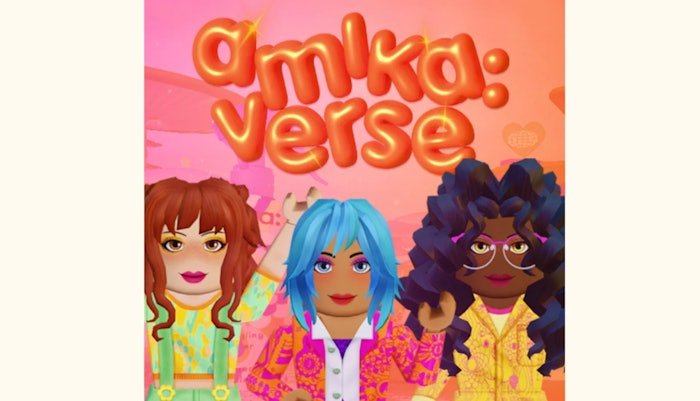
The Roblox wearables user experience hinges on intuitive navigation and customization options that let users easily find, try on, and personalize their avatars with various clothing and accessories.
Have you ever felt frustrated trying to find the perfect hat in Roblox? The way users interact with items to dress up their avatars is essential. This entire process affects how much we enjoy the platform. Good design makes it fun; poor design makes it a chore.
The focus should be on ease of use when it comes to the Roblox wearables user experience. Imagine quickly browsing through a wide variety of cool items, and then instantly seeing how they look on your avatar – that’s what we’re aiming for. We will go through how this process works.

Roblox Wearables User Experience: Dressing Up Your Avatar the Right Way
Ever felt the thrill of picking out the perfect outfit? That’s the feeling Roblox wants you to have every time you customize your avatar! Roblox wearables are the clothes, accessories, and even body parts that you can use to make your character totally unique. But a good user experience, or UX, is super important. It’s not just about having cool stuff, but making it easy and fun to find, try on, and show off your style. Let’s dive into what makes a great Roblox wearable user experience, and how it impacts your fun!
Finding the Perfect Fit: Navigating the Roblox Catalog
The Roblox catalog is like a giant online store filled with tons of goodies. Finding what you want can sometimes feel like searching for a specific toy in a huge toy store! A good user experience here is all about making the search easy and quick. Think of it like having a well-organized closet versus a pile of clothes on the floor – one is much easier to work with! Here are some important things Roblox does (or should do!) to make finding wearables smoother:
Categories and Filtering
Imagine trying to find a specific red hat when all the items are just randomly thrown together! That’s why categories and filters are super useful. Roblox groups wearables into categories like “Hats,” “Shirts,” “Pants,” and “Accessories.” But it goes deeper than that. We can also filter by:
- Price: Find free items or stick to your budget.
- Creator: Search for items made by your favorite designer.
- Genre: Look for clothes that fit a specific theme, like “sci-fi” or “fantasy.”
- Recently Created: See the newest stuff first!
Good filtering and categories really help to quickly narrow your search, making the experience way less time-consuming.
Search Functionality
Sometimes you know exactly what you want, like a “blue dragon backpack.” The search bar on Roblox needs to be good at finding stuff. When you type in keywords, the system should show you relevant items quickly. It should also handle spelling mistakes well! Imagine if you accidentally typed “blu dragin backpack” – a good search would still know what you meant.
Visual Previews and Item Information
Before you “buy” anything, you want to see what it looks like, right? Roblox gives previews of wearables. Ideally, these previews are clear, from different angles, and show how the wearable fits on different body types. Also, providing clear information such as the item name, creator, cost, and user reviews is useful. It helps you make smart shopping decisions!
Trying Before You Buy: The Avatar Editor Experience
Once you’ve found some cool wearables, it’s time to try them on! The Avatar Editor is where you mix and match items to create your unique look. The user experience in the editor is key to making this part enjoyable.
Ease of Use and Navigation
The editor should be easy to navigate. You don’t want to feel lost or confused when trying to change your outfit. That’s why a clear layout with well-labeled buttons is a must. It should be quick to switch between categories (like hats, shirts, and pants) and to equip or unequip items.
Visual Clarity and Feedback
When you try on a new hat, you want to see it on your avatar right away. The editor needs to update in real-time, so there are no surprises when you go back to playing the game. It also should show when the item has been added, or if there are any loading issues with it. For instance, if the hat doesn’t quite fit on your avatar’s head shape, a visual indicator or suggestion could be very useful. Feedback is king in creating a user-friendly experience.
Layering and Compatibility
Sometimes, you want to wear a shirt under a jacket, or a hat with some hair. The avatar editor should handle the layering of clothes well, without any weird glitches. It should understand that some items fit together better than others. Compatibility issues can be super frustrating, so clear communication is essential – for example, stating that a specific item might not work well with a chosen avatar body type. This lets players know what to expect before they buy something.
Customization Options
Good wearable experience allows for some customization. Can you recolor items? Can you rotate them? Can you adjust the position of an accessory a little bit? These types of options let users be more creative and make their avatars even more unique. The more personalization possible, the more enjoyable the experience is!
Showing Off Your Style: The In-Game Experience
After you’ve crafted the perfect look, it’s time to show it off in-game! How your avatar and wearables appear in the Roblox world is part of the overall user experience. Here are some factors that matter:
Visual Fidelity
Your avatar needs to look good in the game! The quality of the wearables should match what you see in the editor. Details, colors, and textures shouldn’t look blurry or pixelated. When items maintain the quality from the preview into the actual game, it improves the user experience and the satisfaction of a great look.
Performance and Lag
Imagine that every time you move, your character freezes for a second because of the outfit. That’s no fun! Wearables should not cause too much lag or slow down your game. Roblox needs to optimize how items render and make sure that having more items on your avatar doesn’t ruin the gaming experience.
Social Interaction
The best part about having a cool avatar is showing it off to your friends! The way others see your avatar can also influence your wearable experience. Do the wearables look the same for everyone? Is there a way to easily see what others are wearing? Some of the most joyful player experiences stem from showing off cool items and interacting with other players based on style.
Accessibility
Roblox needs to ensure that all players, regardless of physical limitations, can experience the fun of customizing their avatars. This means that the user interface of the catalog, editor, and in-game character selection are accessible to as many users as possible. For example, consider keyboard and screen reader compatibility to help users with various needs. The goal is that everyone can easily navigate, find, and equip wearables in a manner that is comfortable for them.
User Feedback and Iteration
A user-centered approach means that the design is based on the feedback from real players. Roblox has a great potential to improve the wearable experience. They can collect data from players through reviews, bug reports, social media, and in-game surveys to learn more about what works and what doesn’t. Here are some ways Roblox can get better based on user input:
Addressing Bugs and Glitches
Bugs are annoying! If a wearable glitches, Roblox should fix it quickly. It’s important to have reliable systems for finding, reporting, and fixing problems. When issues are addressed quickly, players see that Roblox cares about their experience.
Gathering and Implementing User Suggestions
Players have great ideas! Roblox should listen to what players want – new categories, better search filters, more customization options, or even completely new kinds of wearables. Implementing user suggestions helps players to feel like they are part of the development of the game. They get a sense of ownership, and the community becomes more loyal and engaged. This constant cycle of listening and improving is a key part of creating a good user experience.
Regular Updates
The best experiences are never truly “finished.” Roblox should continue to release new features, items, and updates to the wearable systems based on feedback. Staying current with technology and trends ensures that the platform remains modern and exciting. New updates also mean new opportunities for players to express their style and creativity, which in turn creates a positive and engaging experience.
Future of Roblox Wearables UX
The world of Roblox wearables is always growing! In the future, we could see even more advanced customization options, like being able to design your own patterns or change the way clothes move. We might even see more ways for wearables to interact with each other or with the in-game environment. The possibilities are endless! As the platform grows, there will be more focus on user-friendly designs and experiences.
The focus should be on making the entire process – from searching to trying on to showing off – as fun and simple as possible. This means that the tools and interfaces will need to evolve to meet the needs of all users, and the systems will need to be designed with usability and flexibility in mind. Improved visual clarity, responsiveness, and social features will be very beneficial to the overall user experience. The future of wearables on Roblox is bright!
All this means making it easier to find items, using better search tools, filtering efficiently, and getting great previews. It’s also about the details – the ability to layer clothes, to customize colors and placements, and make sure that wearables work smoothly in-game. And it’s about listening to the player base and working to correct bugs and improve the system with every update. When all of these aspects work well together, it makes a big impact on player experience.
Things you can do with 5 ROBUX! 😳🤑
Final Thoughts
Ultimately, the effectiveness of Roblox wearables hinges on user experience. Developers should prioritize intuitive design and smooth functionality. This ensures players can easily express themselves through their avatars.
Poorly implemented wearables create frustration and detract from the fun. Successful implementation improves player engagement and creativity. Therefore, a positive roblox wearables user experience is paramount for success.

