
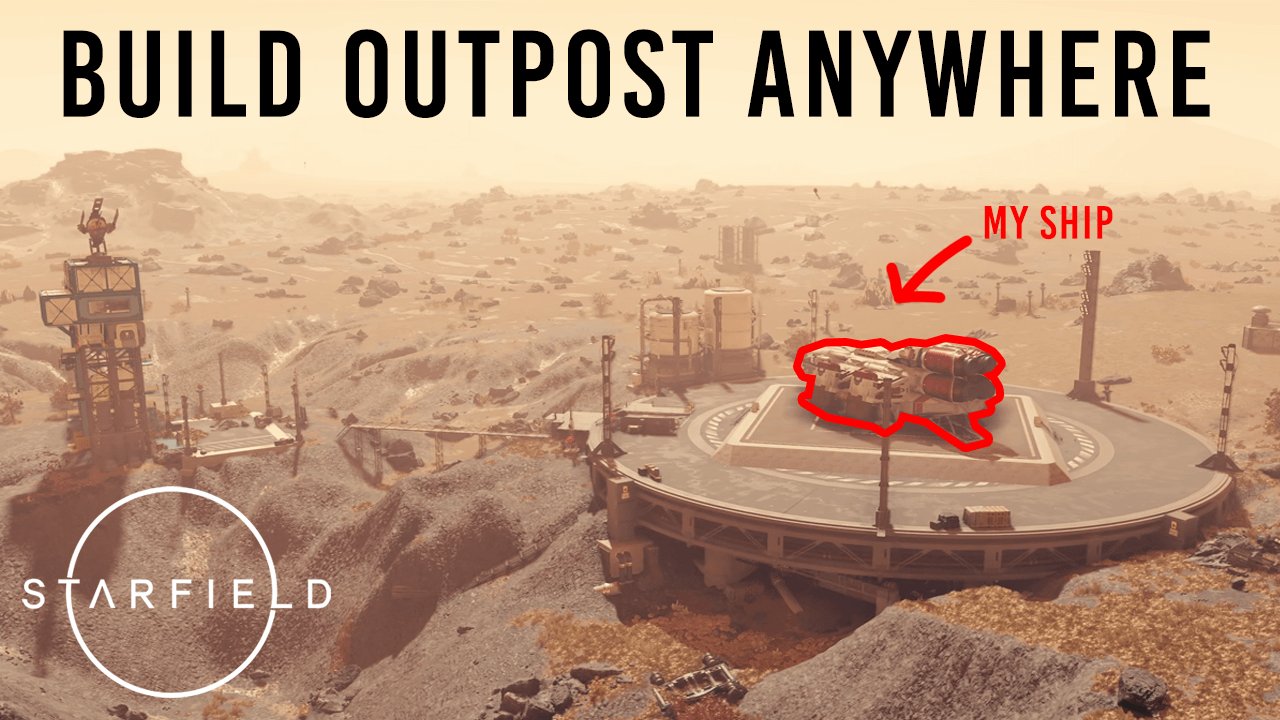
To build a functional outpost in Starfield, you must first establish a landing zone, then place structures like extractors, storage, and habs, ensuring power connectivity and resource management are in place.
Want to establish a presence among the stars? Figuring out Starfield how to build a functional outpost can be tricky at first. Many players jump into building without understanding the core mechanics.
Setting up a thriving base requires a strategic approach. We are here to guide you through the essential components. From resource extraction to crew management, you’ll learn what it takes.

Starfield how to build a functional outpost
So, you’re ready to plant your flag on a distant planet in Starfield? Great! Building an outpost can seem a bit tricky at first, but with the right know-how, it can become your very own home base, a resource hub, or even a place to show off to your spacefaring buddies. Let’s break down how to make your outpost not just a collection of buildings, but a truly functional part of your Starfield adventure.
Choosing the Perfect Spot
Before you even think about placing a landing pad, you need to pick a great location. This is one of the most important steps for creating an outpost that works for you. Not all planets are created equal! Here’s what to look for:
Resource Rich Areas
The main goal for many players is to mine resources automatically. When you scan a planet from your ship, look for areas with overlapping resource deposits. These will be marked with small icons showing the minerals available. Finding areas with a combination of iron, aluminum, and helium-3 is often a great starting point. Why these resources? Iron and aluminum are essential for building most structures, and helium-3 is a crucial fuel source for your ship and outposts. Imagine having a steady flow of these resources without having to constantly hunt them down – that’s the power of a strategically placed outpost! You can use your scanner on the ground to refine the exact spots of the resources. Look for the colorful outlines that show the deposit locations.
Planetary Conditions
While resources are key, so are the planet’s conditions. Some planets have harsh weather like extreme heat or radiation, which will require more advanced modules to protect your settlers and equipment. Planets with Earth-like conditions (moderate temperature, breathable atmosphere, gravity) are ideal to start. Keep an eye out for flora and fauna that can be a nuisance or pose a threat. A planet teeming with aggressive wildlife, especially in the beginning, may become a hassle to manage.
Terrain
Flat areas are your friends! Trying to build on a steep mountainside or rocky terrain is a recipe for frustration. Look for wide, open spaces where you can easily place modules and run power lines. Keep in mind that sometimes, small variations in terrain are unavoidable but can sometimes be used to your advantage. Make sure you look before you leap, and if you realize a spot is not perfect, feel free to relocate.
Understanding Outpost Modules
Once you’ve picked your spot, it’s time to get building! Let’s explore the different modules available and what they do:
Habitation Modules
These are your basic living quarters for crew and settlers. There are multiple kinds of Habitation Modules. Some are smaller, while others are much bigger. It’s important to build a couple of Habitation Modules as early as possible. This is so that you can have some crew or settlers assigned to your base to manage all the production.
Storage Modules
Storage is crucial for keeping all those mined resources. There are different types, including:
- Solid Storage: For storing raw materials like iron, copper, and aluminum.
- Liquid Storage: For storing liquids like water and other chemicals.
- Gas Storage: For storing gasses like helium-3.
Think about how much of each resource you plan to collect and place storage modules accordingly. It’s always better to have a bit more than not enough to prevent constantly having to deal with full containers. A useful tip is to use the storage containers near each miner or extractor and connect them, this way they will be automatically linked and the resources will move from the extractor to the container itself.
Extraction Modules
This is where the resource gathering happens! There are different extractors for each type of resource (Iron Extractor, Aluminum Extractor, etc.). Place them directly over the resource deposits you identified on your scan. Also remember to place a generator close by so that it can actually work and generate resources.
Power Modules
Outposts need power! Start with solar arrays and wind turbines, but you might need more robust reactors as your base grows or if you have very energy intensive equipment to operate. Remember that, solar and wind power rely on external conditions such as having a visible sun or wind. For example, it’s likely that if you build on a planet that has storms very often, you will not generate enough power with wind turbines.
Manufacturing Modules
These modules are like mini-factories that turn raw resources into more advanced materials. They unlock a lot later in the game, but they are extremely useful if you want to craft all of the items that you need without going to a station.
Defensive Modules
Don’t forget that some planets may have hostile creatures or pirates. Defensive turrets will help to protect your outpost. These are not needed on most low-difficulty planets, but it’s always good to have them. They also have to be connected to the power modules so that they can function.
Landing Pad
This one is self-explanatory! You’ll need a landing pad for your ship. This is important because it allows you to visit, carry materials, and it will allow you to assign the crew to the outpost itself.
Link Systems
The link systems are extremely important in order to create a functional outpost. The link systems allow you to connect all of your modules together and move resources from one place to the other. With this system you can move mined resources from your extractors to the containers, to the manufacturers, or even to other outposts. The link system can seem confusing at first, but it becomes much simpler after a little bit of practice. The basic premise is that you will have to select a source, and a target, and connect these together.
Building Your Outpost: Step-by-Step
Okay, time to put this all together. Here’s a basic outline for building a functional outpost:
Step 1: Survey and Select a Good Spot
Use your ship scanner and then your hand scanner to find an area with multiple resource deposits. Make sure it’s a flat area with favorable climate conditions.
Step 2: Place the Basic Structures
Start with a landing pad, habitation module and a couple of storage containers. This gives you a basic base to work from.
Step 3: Set Up Resource Extraction
Place extractors over your resource deposits. Then connect these extractors to your storage units by using the link system. This will ensure that the mined resources will actually reach your containers. Remember to place a power generator or solar array nearby and connect it to the extractors.
Step 4: Expand Your Base
Add more habitation modules, more extractors, and more storage as needed. Link all of these modules with power and link systems. Also add any defense modules that you see necessary. At this point, you can also start to add more advanced modules such as manufacturers and labs.
Step 5: Maintain and Adjust
Regularly check your extractors and storage for issues, re-adjust the position of your modules if you think is needed, and don’t forget to add more crew members. As you unlock new modules, make sure to integrate them into your existing outpost to increase productivity. If you create more than one outpost, you can connect these outposts together through the cargo link module. With this module you can start transferring resources between multiple outposts creating a huge production machine.
Tips for a Thriving Outpost
Here are some extra tips to help you create a successful outpost:
- Focus on One Goal: Don’t try to do everything at once. Decide what your outpost is for. For example, is it a mining base, a manufacturing hub, or a place to refine materials? Focus on the most important modules for that purpose first.
- Go Big, but Smart: Build small in the beginning to learn the ropes and get used to the systems. Once you feel comfortable, start creating more complex layouts.
- Experiment: Don’t be afraid to try different layouts and combinations of modules. You can always delete and rebuild if something doesn’t work.
- Keep it Tidy: Group your modules logically. For instance, keep extractors near their respective storage and power sources. This helps with efficiency and will make it less confusing to manage all of the different parts of your base.
- Regular Maintenance: Regularly visit your outposts to resolve any problems, make adjustments, and upgrade it with better and more advanced modules.
- Assign Crew: Assign crew members with the necessary skills to your outpost. Crew members will help with production, defense and management of your outpost.
Troubleshooting Common Issues
Sometimes, things might go wrong. Here’s how to solve some common outpost problems:
Not enough power
Double-check that your power modules are correctly placed and connected. Try adding more solar arrays, wind turbines or reactors. The power consumption of each extractor, manufacturer or other module is visible, make sure that you are creating enough power.
Resources not extracting
Make sure that the extractors are placed directly over the resource deposits and that they are linked to a storage container. Check also that the extractors are connected to power.
Crew not assigned
Make sure that you have enough habitation modules to support your crew, and that these are connected to the landing pad. Try selecting the crew members manually in the crew menu, or visit your outpost and assign your crew there.
Containers full
Check to see if the storage containers are full and start transferring the resources to your ship, or create more storage containers. You can also connect the storage containers to your manufacturing module to keep the resources flowing. Another solution is to add more outposts and connect all of them with the cargo link module.
Building a functional outpost is a rewarding part of Starfield. It takes a bit of planning and tweaking, but once you get the hang of it, you’ll have a base that not only provides resources but also a sense of accomplishment. You’ll be able to build your own custom network of bases. Remember to experiment, refine, and keep your needs in mind.
Starfield – The Beginner's Guide to Building Outposts
Final Thoughts
To build a functional outpost in Starfield, prioritize resource gathering, power generation, and habitat modules. Connect extractors to storage and link them to your habs for efficient processing. Properly managing power grids ensures all components work correctly, and linking storage is essential.
Consider the terrain and resource nodes when selecting outpost locations, placement and strategic connectivity is key. These elements contribute to an efficient resource chain. Starfield how to build a functional outpost requires careful planning.

