
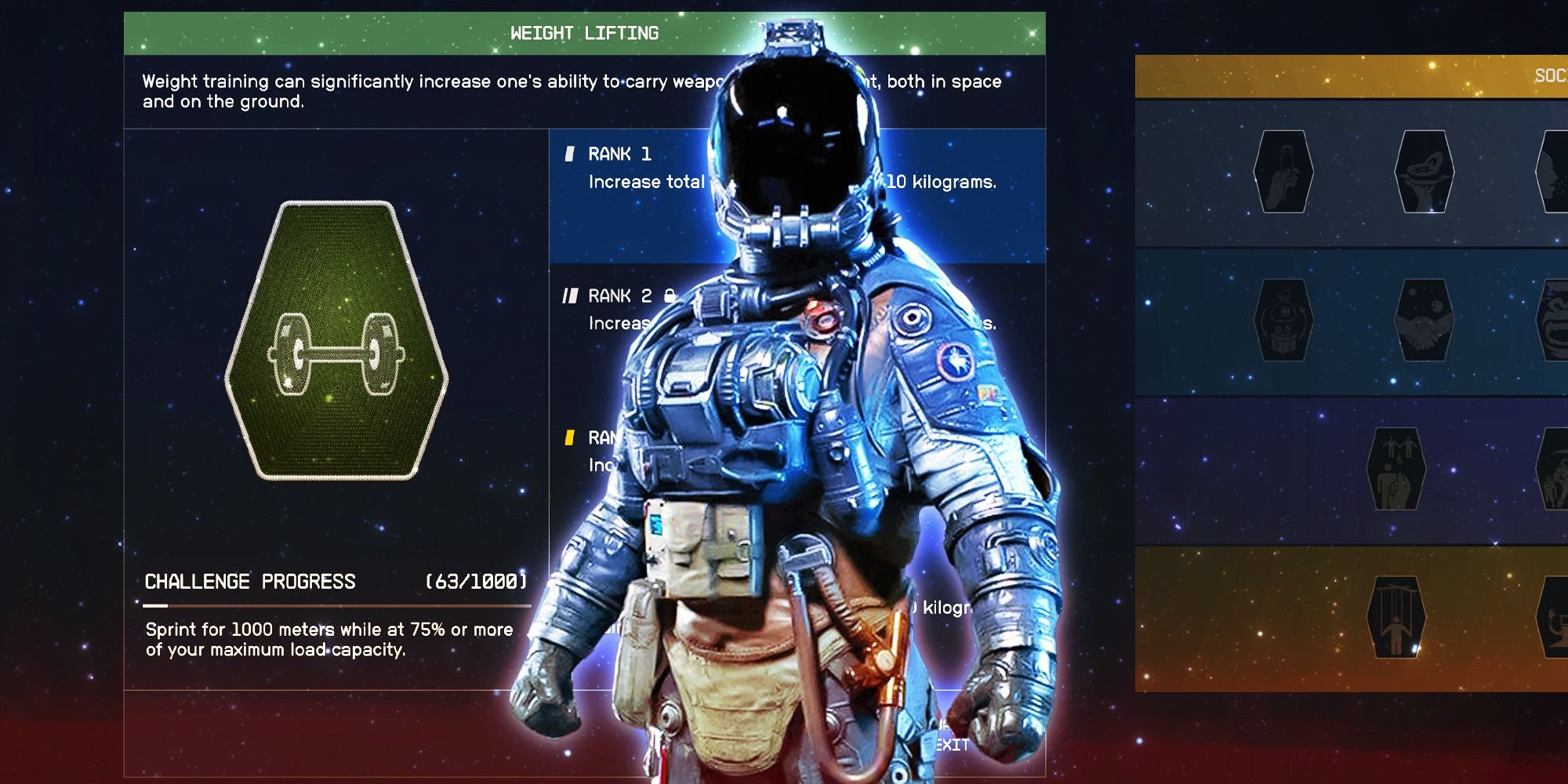
To increase carrying capacity in Starfield, use the Weight Lifting skill, equip gear with carry capacity bonuses, and manage inventory wisely by storing items on your ship.
Is your Starfield inventory constantly overflowing? Feeling weighed down by all that loot? You are not alone! Many players struggle with managing their carrying capacity in the game.
We’ll help you get around that encumbrance problem. This guide will provide straightforward methods on how to increase carrying capacity in Starfield, getting you back to exploring without being bogged down.

Starfield: How to Increase Carrying Capacity
Venturing into the vast universe of Starfield is an amazing experience. You’ll be collecting all sorts of things, from resources to weapons to cool spacesuits. But there’s a catch – your character can only carry so much at once. This limit is your “carrying capacity,” and it can quickly become a real problem when you’re exploring. Luckily, there are many ways to boost the amount of stuff you can haul around. Let’s dive into all the different methods to become a true pack mule in Starfield!
Understanding Encumbrance in Starfield
Before we get into how to carry more, it’s helpful to know how the game tracks how much you’re lugging around. It’s not just a simple weight number. Starfield uses something called “encumbrance.” When you’re carrying more than your maximum weight, you become “encumbered.” This means you’ll move much slower, you can’t sprint, and you can’t fast travel. This can make getting around a real drag. The weight limit is shown in the game’s inventory menu. It’s important to pay attention to the weight of each item, not just the total weight you’re carrying.
The Base Carrying Capacity
Every character starts with a base carrying capacity. This is the amount you can carry right off the bat. It’s not very high, so you’ll quickly feel the need to increase it. The base amount varies slightly based on some starting choices, but most players will find it a bit limiting. Luckily, the game offers many ways to improve this starting point.
How Encumbrance Affects You
When you’re carrying too much, you are “encumbered.” This status means:
- Reduced Movement Speed: You will walk much slower.
- Inability to Sprint: Forget running away from enemies or quickly covering ground.
- No Fast Travel: You can’t warp to other places.
Being encumbered can make everything harder and take more time. Therefore, increasing your carry weight is important to enjoy the game.
Skills that Boost Carrying Capacity
Starfield’s skill system plays a huge role in how much you can carry. By investing skill points, you can significantly improve your character’s carrying capacity. Here are the key skills to focus on:
Weight Lifting Skill
The Weight Lifting skill is located in the Physical skill tree, and it is very important for any aspiring space explorer who wants to bring everything they find on their travels. Each rank of this skill increases your maximum carrying capacity. This skill has 4 ranks:
- Rank 1: Increases carrying capacity by 10kg.
- Rank 2: Increases carrying capacity by 25kg.
- Rank 3: Increases carrying capacity by 50kg.
- Rank 4: Increases carrying capacity by 100kg, and also gives you a temporary carry weight increase when you use up oxygen.
Getting the Weight Lifting skill is one of the most direct and effective ways to carry more in Starfield. As you level up and gain more skill points, remember to invest in this skill as early as possible.
Other Useful Physical Skills
While Weight Lifting is the main skill, some other skills can indirectly help you manage weight or improve your mobility while carrying heavy items. Here are a few good ones to consider:
- Fitness: Increases your maximum oxygen. While it doesn’t directly affect carry weight, having more oxygen means you can sprint for longer, helping you move quicker when slightly encumbered, before you get to the point where your speed is greatly reduced.
- Stealth: While not directly related to carry weight, stealth can help you avoid conflicts, which reduces the amount of heavy loot you may need to carry away from battle.
It’s a good strategy to combine these skills with Weight Lifting to manage your inventory more effectively.
Gear and Equipment for More Carrying Capacity
Besides skills, some items in Starfield will increase your carry capacity. These can come in the form of apparel, spacesuits, and other unique items. Here’s how they work:
Spacesuits with Carry Capacity Bonuses
Many spacesuits come with special stats that can help you carry more. These bonuses are randomly generated, so you’ll want to be on the lookout for suits with the “Carry Capacity” stat listed. Here’s what to look for:
- Suit Mods: Some spacesuits have mods that increase your carry capacity directly. These can stack, making a good suit even better. Look out for a mod that increase your carrying capacity with up to 20 kg.
- Legendary Effects: Some high-level spacesuits will have legendary effects that provide a massive carry capacity. Keep a watchful eye on any loot you get.
You should compare different pieces of armor to see if they have carry weight boosts. These are normally identified with green text on the item’s details, along with a +kg number.
Other Gear and Items
Keep an eye out for any gear or items with carry capacity bonuses. These can include backpacks, outfits, and other things you find around the world. These can make a smaller difference, but every little bit helps. Here are some examples:
- Boostpacks with special stats: Some boostpacks, may have a special stat or effect that will increase your maximum carry capacity.
- Consumables: Some consumable items may give you temporary carry weight bonuses, this can be a life saver in the heat of battle, or when you have to make a long trek to your ship.
Finding Gear with Bonuses
Here are some tips to find gear with better carry capacity:
- Exploring: Search every container, from chests to lockers, as every piece of loot could have what you need.
- Vendors: Check shops and vendors regularly. Their inventory changes all the time, and you may get lucky with some very rare gear.
- Crafting: Some crafting options may be available on specific workbenches.
Using Companions to Carry Items
Companions are a great way to carry even more items. They can carry a lot, and you can equip them with different items. Here’s how to use them effectively:
How to Manage Companion Inventory
You can access your companions inventory through the trade menu. Once you have your companions inventory in front of you, you can freely transfer items between your inventory and theirs. This is really helpful when you need to offload heavy loot that you don’t want to just abandon.
Best Companions for Carrying
All companions can carry items, but some may have slightly higher base carrying capacity than others. Also, some have perks that can be helpful in general. It is worth testing each companion to find out who works best for you:
- Vasco: Vasco is a robot and can carry a significant amount of weight due to its large size and frame.
- Andreja: Andreja can be a good companion to carry your items, although her ability is not specifically built for carrying weight.
- Sarah Morgan: A good all-rounder, Sarah Morgan can hold her own in a fight while also carrying a good amount of gear.
Experiment with different companions to find the one that best fits your gameplay and carrying needs.
Ship Storage to Hold More
Your ship is basically your home in space and it can also be your very large storage locker. Your ship has a cargo hold where you can store a lot of items. Here’s how to use it effectively:
Accessing the Ship Cargo Hold
To access the ship’s cargo hold, simply go to the cockpit and find the cargo access panel, or interact with the cargo hold on the outside of your ship. From there, you can store and retrieve items as needed. You will find your cargo hold on the side of your ship.
Upgrading Ship Cargo Capacity
You can improve your ship’s cargo hold by upgrading your ship. This requires visiting a ship services technician on any major planet and asking them to upgrade your ship or buy a new one. You will find technicians at major landing zones. These upgrades can significantly increase how much you can store, allowing you to haul far more than what you could just carry on your person.
Ship Cargo Tips
- Organize your cargo hold: It’s important to organize your ship’s cargo hold, so that you can easily find the items you need.
- Offload often: You should regularly offload heavy items to your ship, especially when you are planning on visiting more locations or going on a large trip.
- Consider dedicated cargo ships: If you find yourself carrying a lot of items, consider upgrading to a ship with more cargo space, or building a ship specifically for cargo.
Other Useful Strategies
There are some other smart things you can do to manage your inventory and carry more:
Prioritize Essential Items
Try to think ahead and only carry the items you really need. Leave those extra resources and weapons behind until you really need them. Prioritize the following items:
- Ammo: Carry enough ammo for your weapons.
- Med Packs: Keep a good amount of healing items.
- Key Resources: Have some basic crafting resources.
By keeping only the essentials, you can reduce how much you are carrying, and be more flexible when looting.
Selling Unnecessary Loot
Regularly sell items you don’t need. Vendors around the galaxy are waiting to buy the extra weapons and resources you have. This can be a good way to free up space, and earn credits.
Using Storage Containers
On the surface of planets, you may come across a variety of storage containers that you can use to store your items. This can be very useful if you are establishing an outpost.
Temporary Buffs and Effects
Some temporary buffs from consumables can increase your carry capacity. Keep an eye out for items that offer these temporary weight bonuses. These can be very useful when you need to carry a lot of loot.
By combining these techniques, you can significantly increase your carrying capacity in Starfield. This will make exploring the vast galaxy much more enjoyable and less of a burden.
Increasing your carrying capacity is a big deal when playing Starfield. By focusing on the right skills, gear, companions, and your ship, you can become a real space hauler. Remember to always prioritize the items you really need and to make regular visits to vendors or your ship to offload your extra loot. With a little practice, you’ll be exploring the galaxy with everything you need and nothing weighing you down!
How To Increase Your Carry Capacity In Starfield
Final Thoughts
To effectively increase your Starfield carrying capacity, focus on leveling up the Weight Lifting skill. This skill directly adds carry weight. Gear with “+carry weight” effects also significantly helps.
Using aid items such as consumable drugs can give temporary boosts for carrying more. Make good use of your companion; they can hold extra items.
‘Starfield how to increase carrying capacity’ requires strategic choices regarding skill points and equipment. You must manage your inventory smartly by selling what you don’t need.

