
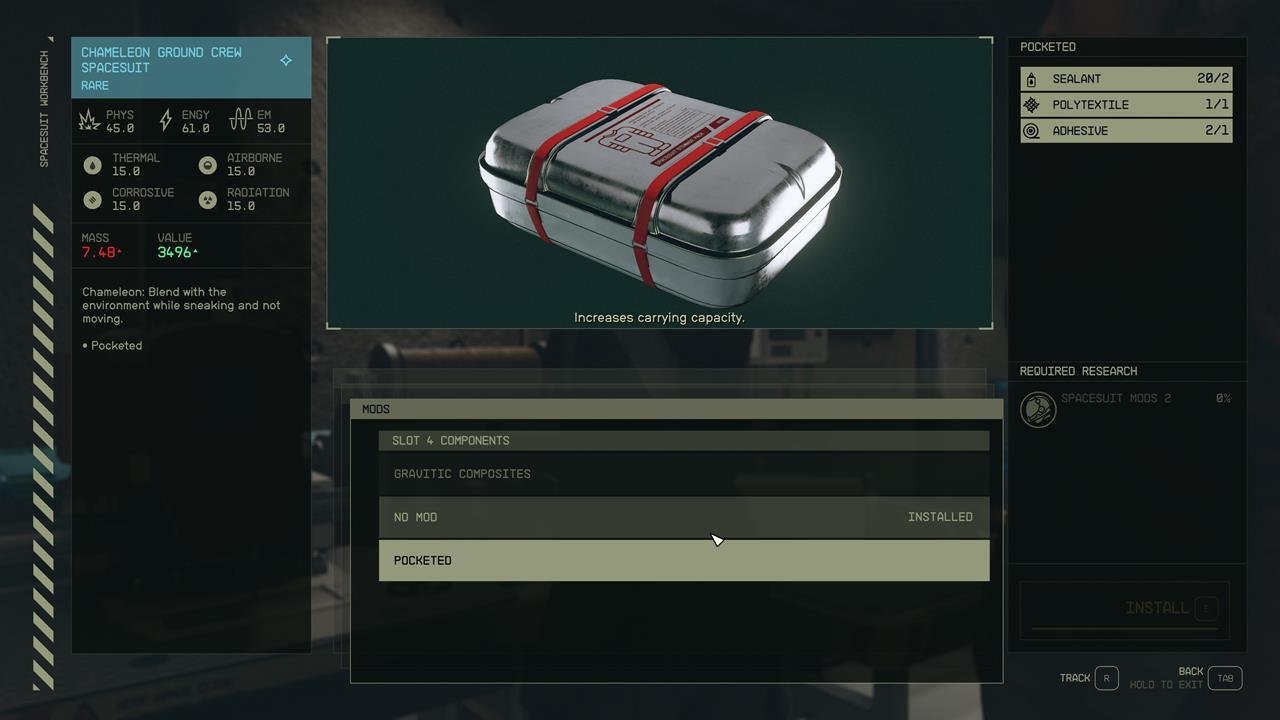
To manage inventory space in Starfield, regularly sell unwanted items at vendors, use your ship’s cargo hold for bulk storage, and invest in skills that increase carrying capacity.
Venturing into the vastness of space in Starfield means encountering a multitude of items. Quickly you might realize your pockets are overflowing and you need a plan. Learning effective methods for Starfield how to manage inventory space is crucial for smooth gameplay. Overburdening yourself will slow you down, and no one wants to trudge through planets when they could be exploring.

Starfield: How to Manage Inventory Space Like a Pro
Okay, space explorers, let’s talk about something that can make or break your adventure in Starfield: inventory management. You’ve got your awesome spacesuit, your trusty laser rifle, and a whole bunch of alien rocks, but, oh no, you’re full! Sound familiar? We’ve all been there. It’s like trying to fit a giant robot into a tiny backpack. So, let’s dive into how you can get a grip on all that loot and keep your journey smooth.
Understanding the Inventory System
First things first, let’s get familiar with how Starfield handles your stuff. Your inventory isn’t just a single list. It’s broken down into a few key areas that you need to understand.
Your Personal Inventory
This is where you carry all your gear, weapons, aid items, resources, and everything else you pick up. It has a weight limit, which is indicated by numbers on the bottom of the screen. You have limited capacity and every item has a weight, from a single round of ammo to a bulky spacesuit. Going over that limit is a big no-no. When you get overloaded, you’ll move slower and won’t be able to fast travel – which can be a real bummer when you’re trying to get away from some grumpy aliens. Keeping your personal inventory light and tidy is key to quick movement around the world of Starfield.
- Weight Limit: This is the maximum amount of stuff you can carry. Keep an eye on it!
- Item Weight: Every object has its own weight, from tiny resources to bulky spacesuits.
- Overencumbered: If you go over your weight limit, you move very slowly and cannot fast travel.
Ship Cargo Hold
Your ship isn’t just a way to get from planet to planet; it’s also your mobile storage unit. The cargo hold is a separate inventory space where you can dump the things you aren’t using right now, or that you want to keep for later use. Think of it like a giant trunk in your space car. However, there is also weight limitation in ship’s cargo hold, so it is very important to manage and organize cargo hold properly. Remember that there is also a cargo hold on Outposts. If you think of it, you will get the idea about inventory space in Starfield and how to manage items in it.
- Separate Storage: Your ship’s cargo hold has its own weight limit, so you can store many items here.
- Transferring Items: You can easily move items between your personal inventory and your ship’s cargo hold when you are near your ship.
- Outpost Storage: You can also build storage containers in your Outposts to increase the storage.
Transfer Container
In the main cities and some space stations, you’ll often find transfer containers. These are places where you can drop off stuff and pick up items later in other transfer containers of similar type. It can be considered as a kind of storage sharing network, which is very useful when you have so many items and want to organize items separately. Transfer containers can be very useful if you are planning a long voyage into space and do not want to overload your ship or personal inventory.
- Shared Storage: Transfer containers are accessible at multiple locations and are useful for storing items for later use.
- Item Exchange: Transfer containers allow you to transfer items from one place to another.
Tips and Tricks for Managing Inventory Effectively
Now that you understand how inventory works, let’s get into the good stuff – how to manage it like a pro. These tips will help you stop feeling like you’re lugging around a space station and start moving like an agile space ranger.
Assess and Prioritize Loot
Not every item you find in Starfield is a treasure. Some are worth keeping; others are best left behind. Here is how you should prioritize:
Resource Prioritization
You’ll find a lot of resources as you explore, like iron, copper, and even exotic things you’ve never heard of. Some of them are used for crafting and outpost building, while others are less useful.
- High-Value Resources: Prioritize resources you often use, and they have good value to sell.
- Low-Value Resources: Consider dropping or selling resources you don’t need often.
Weapon Prioritization
You’ll find a lot of weapons, but not all of them are awesome. Sometimes, they are even worse than your starter weapon. Therefore, you should always prioritize and keep your best weapons.
- Stat Comparison: Take a look at weapons’ stats like damage, accuracy, fire rate, and other relevant stats.
- Weapon Type: Keep a variety of weapon types, so that you always have an edge in various situations.
- Weapon Condition: Make sure you are always keeping the best conditioned weapons.
Apparel Prioritization
Similar to weapons, you can also find a lot of apparel items as you explore. It is wise to keep the ones that best suit you.
- Stat Comparison: Look for the apparel items that improve your stats and make your character stronger.
- Item Condition: Always keep an eye on the condition of your armor and apparel.
Aid Items Prioritization
Aid items such as food, drinks and medicine can help you in combat and increase your overall health. You can get many aid items, but you should prioritize the best of the bunch.
- Effectiveness: Prioritize aid items based on how quickly and efficiently they restore your health or boost your stats.
- Quantity: Keep a reasonable amount of each type of aid item.
Regularly Offload Your Inventory
Don’t wait until you’re staggering under the weight of 100 alien space rocks to start sorting out your inventory. Get in the habit of offloading items regularly:
- Visit Your Ship: After exploring, head back to your ship and transfer all the unnecessary items you do not use.
- Use Transfer Containers: When available, utilize transfer containers to quickly store items if you are in city or space station.
- Sell Items: Head over to vendors in major cities or settlements, sell your excess resources, weapons, and other items for credits.
Use the Quick Transfer Feature
Starfield has a super handy quick transfer feature that will save you a lot of time. You can quickly transfer resources with the Quick Transfer option by using the Transfer button on your controller or keyboard. It will make your item transfer smoother.
Invest in Skills That Help
Some skills can significantly improve your carrying capacity and make your life easier. Consider getting following skills to manage your inventory effectively.
- Weightlifting Skill: The Weightlifting skill in the physical skill tree increases your carrying capacity. This is a must-have for anyone who likes to collect everything.
- Commerce Skill: The Commerce skill in the social skill tree improves the prices you get when selling items. This makes it worthwhile to sell your loot.
Upgrade Your Ship
Upgrading your ship will not only make it better at combat and faster; some parts of the ship can also improve the cargo space. This will make you carry more items in your ship, and this is a great way to manage your inventory.
- Cargo Modules: Add cargo modules to your ship to increase its cargo capacity.
- Choose Ships Carefully: Pick ships that have a large cargo capacity when purchasing them.
Use Outposts for Storage and Resource Management
Building outposts is a great way to manage resources and items. When you start the game, you should establish an outpost that has resource mining, and build storage containers there. This will help you keep your main ship and personal inventory free.
- Storage Containers: Build storage containers at your outposts to keep all the loot and resources.
- Resource Gathering: Outposts can mine and store resources automatically, which reduces the need to carry them around.
Be Strategic About Building
When you are building an Outpost, remember to build storage containers, so that you can easily store items. Don’t just build randomly. Build structures that help you organize items and resources.
Modding Weapons and Apparel
When you mod your weapons and apparel, it can reduce the weight of them. Therefore, consider modding, so that you can keep more weapons and armor in less weight.
Use Your Companion
Companions can also carry items, just like in most RPGs. This will help you manage the loot, and make your space life more convenient.
- Item Transfer: You can transfer items to companion to carry some of the load.
- Choose Wisely: Choose companions that suit your playstyle.
Avoid Hoarding
It can be tempting to keep everything you find, but this can quickly turn into a clutter mess. Be mindful of what you collect, and don’t just pick up items mindlessly. If you need something, you can always buy from vendors or find it again.
Use Item Filters
Starfield offers a filter option for inventory items, such as type, weight, or value. Using this filter will make it easy for you to find items that you are looking for. This will ultimately speed up your item management process.
Keep an Eye on the Mass
Always keep an eye on the mass of your inventory. If the mass is near the limit, you should prioritize items you want to keep or sell. It is better to get used to the inventory interface, so that you can track the weight of the items.
Utilize the Item Sort Option
Starfield has different ways of sorting your items. Sort items by category, value, weight, and quantity to find what you are looking for. This will also help you organize your items.
Practice Makes Perfect
Like anything else, managing inventory in Starfield becomes easier with practice. The more you play, the better you’ll get at quickly deciding what to keep, sell, or transfer. With experience, you will also learn to prioritize item management according to your play style.
By using these techniques, your inventory will be managed effectively and you will be ready for all the challenges the space has to offer. Remember to take the time to organize your inventory after each exploration session. If you do that, then you will never feel overwhelmed by inventory management. Always remember to keep your items organized and do not let clutter define your Starfield gameplay experience.
Starfield – How To Stop Being Encumbered: Inventory Tips and Infinite Storage
Final Thoughts
Effectively managing your limited inventory space in Starfield is crucial for smooth gameplay. Utilize ship storage, upgrade carry capacity, and sell excess items frequently. These methods prevent encumbrance and improve resource management.
Prioritize necessary loot and be selective about what you keep. Remember, ‘Starfield how to manage inventory space’ is about efficiency. Proper planning enables more exploration and less tedious trips back to base.

