
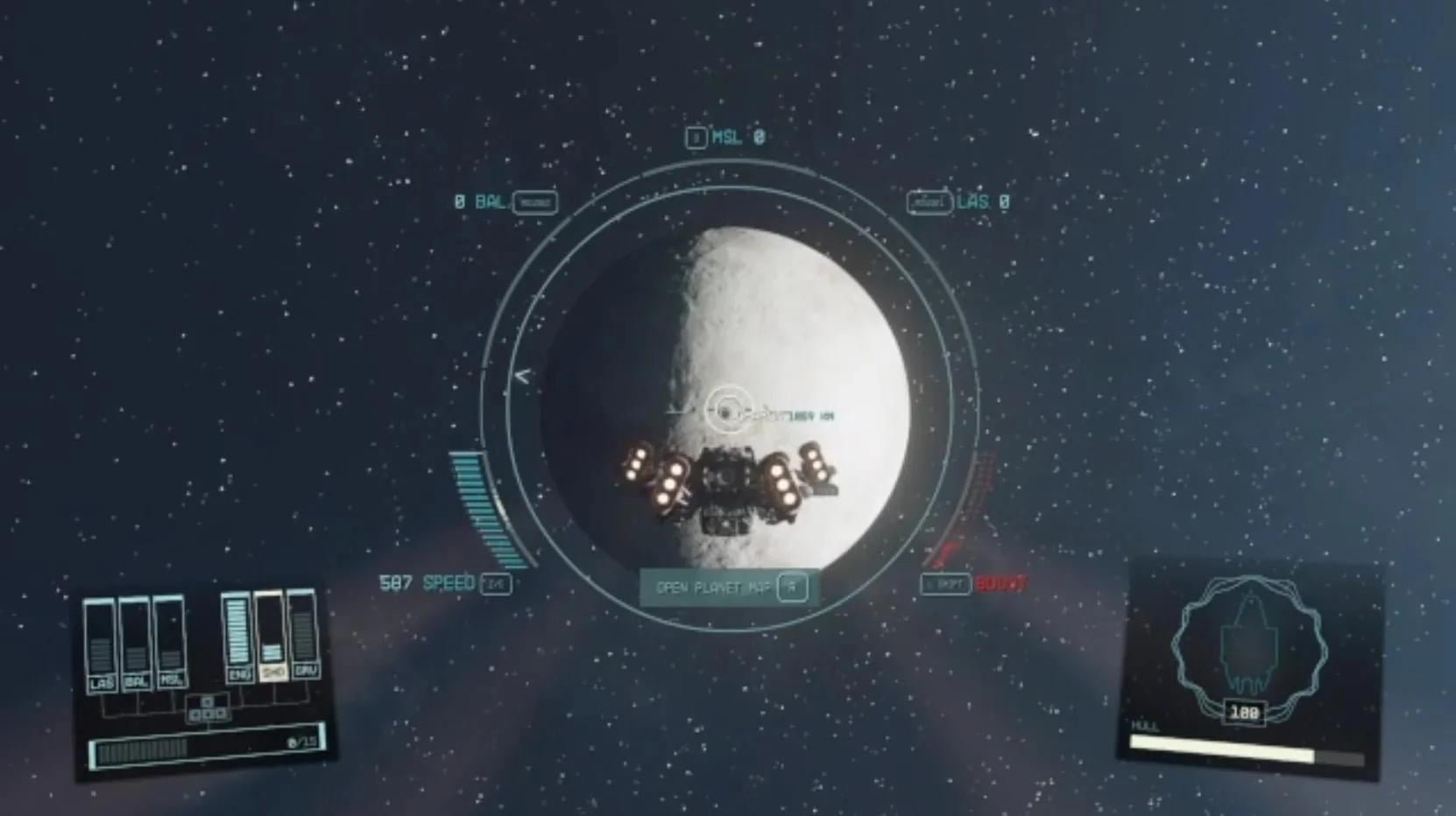
To navigate in space easily in Starfield, use the starmap to plot your course, then follow the markers during travel. Engaging your ship’s grav drive initiates the jump to your destination, simplifying space travel.
Ever felt lost among the stars? Many players ask, “Starfield how to navigate in space easily?” It’s understandable; the vastness of space can feel overwhelming at first.
But fear not, navigating the cosmos becomes straightforward with a bit of practice using the game’s starmap and travel markers. The key is to learn how to plot courses and utilize your ship’s grav drive.

Starfield How to Navigate in Space Easily
Space exploration in Starfield is a big part of the game, but it can feel a bit tricky at first. Don’t worry, it gets easier! This guide will help you learn how to move around in space without getting lost or confused. We’ll cover everything from the basics of using your ship’s systems to understanding the star map. Think of this as your pilot’s manual to having fun in the vastness of space!
Understanding Your Ship’s Systems
Before you zoom off into the unknown, it’s good to know what all those buttons and readouts mean in your cockpit. Your ship in Starfield isn’t just a pretty face; it’s got a lot of tech that helps you navigate safely and effectively. Let’s break down the important parts:
The Thrusters
These are like your car’s gas pedal, but for space! You use the thrusters to move forward, backward, left, and right. Think of it as your main way to move around. They’re usually controlled with the WASD keys (or the left stick on a controller). Here are some essential thruster actions:
- Forward Thrust: Makes your ship speed ahead.
- Backward Thrust: Slows you down or moves you backward.
- Lateral Thrust: Moves you left or right, useful for dodging obstacles.
- Vertical Thrust: Moves you up or down, essential for aligning with docks.
The Boost
Need to get somewhere in a hurry? That’s where your boost comes in. This gives you a short burst of speed, great for escaping pirates or catching up to your objective. Be careful, though! You need to wait for it to recharge before you can use it again. It’s like a sprint rather than a marathon. Think of it as your afterburner for a quick speed boost. It’s usually activated by a specific key or button.
The Scanner
The scanner is your best friend in space. It helps you find places, resources, and even enemies. When you use it, you’ll see markers that point to interesting things nearby. Here’s why the scanner is so useful:
- Locating Objectives: The scanner will mark your quest goals, making it easier to follow your missions.
- Spotting Resources: Want to mine some materials? The scanner helps you find planets and areas with resources.
- Identifying Enemies: See where those pesky pirates are coming from before they get too close.
Targeting System
Locking on to targets, whether they are friendly ships, resource deposits, or hostile foes, is a necessary skill. The targeting system enables you to focus on a specific object in space so that your weapons can track and hit more accurately and precisely. The targeting information that is shown allows you to view the ship’s health and any other important information. Here is a list of common actions related to the targeting system:
- Target Lock: Select a ship or object for targeting.
- Tracking: Maintain focus on the target even when you move.
- Target Information: Access details about your target.
The Grav Drive
This is a special part of your ship that helps you travel between different star systems. It’s like a warp drive or a hyperdrive in other space stories. You can’t use the grav drive all the time; you need to plan your jump by setting a destination on the star map. This prevents you from simply appearing on the other side of the universe. More importantly, the grav drive needs to charge up before a jump. During that time, you can’t do anything and other ships can target you. Keep this in mind if you want to travel around the galaxy safely.
Navigating the Star Map
The star map is where you plan your trips and see all the different places you can go. It can look a bit overwhelming at first, but once you get the hang of it, you’ll be zipping around in no time.
Understanding the Star Systems
The Star map consists of different star systems, and each has different planets and places to explore. Here’s how to make sense of it:
- Star Systems: Each system is centered around a single star and has its own collection of planets and moons.
- Planets and Moons: These are the places you can visit, explore, and sometimes land on.
- Stations and Spaceports: These are places in space where you can dock, buy goods, and get quests.
- Points of Interest: The star map will highlight interesting locations within each system. These could be resource rich areas, or story related.
Setting a Course
To move to a different star system, you need to set a course. It’s like planning your trip on a map. Here’s the basic process:
- Open the Star Map: Find the menu option to access your star map.
- Choose a Star System: Click on the star system you want to travel to.
- Select a Destination: Within the system, you can choose a planet or station to travel to.
- Engage Grav Jump: Once you’ve set a destination, activate your ship’s grav drive.
Following Your Quest Markers
Your main quests will be clearly marked on the star map, making it easier to move between places to continue your journey. If you find yourself not knowing where to go next, consult your mission objective screen to see what area of the galaxy you need to travel towards. It makes following the story a whole lot easier, as well as helps you not get lost and wander aimlessly.
Tips for Smooth Space Travel
Now that you know the basics, here are a few tips to make your space travels even easier and more enjoyable. These tips can go a long way in helping you have a more comfortable experience playing Starfield.
Practice Makes Perfect
Don’t be afraid to spend time just flying around in space. The more you practice, the more comfortable you’ll become with your ship’s controls. Try different maneuvers, practice using your scanner, and see how everything feels.
Keep an Eye on Your Fuel
Your ship uses fuel for travel, especially for grav jumps. Keep track of how much fuel you have left, and if you run out, you need to find a station with fuel or buy some to get back on your journey.
Manage Ship Power
Your ship has limited power, and you can redistribute it to different systems like weapons, shields and engine power. Experiment with this to enhance different areas of your spaceship to better fit your style of play and particular situation.
Use Fast Travel Wisely
You can fast travel to any known location. This can save you time and fuel. But, keep in mind that sometimes the fastest way isn’t the most fun way. Exploring new planets and discovering new locations are big aspects of Starfield. So don’t just fast travel between locations all the time.
Avoid Dangerous Areas
Some areas of space are more dangerous than others, like zones controlled by pirates. If you’re not ready for a fight, it’s best to avoid these areas or prepare your ship for combat.
Upgrade Your Ship
As you play Starfield you will find a multitude of different parts for your ship that can enhance its performance and allow you to explore the world easier. Make sure to keep an eye out for better engines, weapons, shields, grav drives, and more. This is a crucial part of progressing in the game.
Dealing with Space Encounters
Space in Starfield isn’t always peaceful. You’ll encounter various situations, like random encounters with other ships. Here’s what to expect and how to handle them:
Friendly Encounters
Sometimes you’ll meet other ships that just want to trade or chat. This can be a great way to get new resources or quests. Be open to friendly encounters as they are usually very beneficial.
Pirate Attacks
Pirates will try to attack you. Prepare your weapons and shield to get ready for a battle. Using the boost to dodge attacks, and knowing how to target an enemy ship, is a huge part of ship combat. So, practice those techniques and upgrade your weapons to make taking down pirate ships easier.
Scanning Unknown Ships
When you see an unknown ship, use your scanner to see if it’s friendly or hostile. This can help you avoid unwanted fights. Scanning will give you all the information you need about the ships to make the most informed decision on whether you should engage with it or fly away.
Navigating in space in Starfield might seem difficult at the beginning, but with some practice and understanding of your ship and the star map, you’ll be flying like a pro in no time. Remember to explore, experiment, and most of all, have fun traveling through the stars!
Starfield: 15 Essential Tips and Tricks
Final Thoughts
In short, utilizing the scanner and setting course markers are key for quick travel. Remember to pay attention to fuel gauges and plan jumps efficiently, allowing for refueling when needed. Employing these tips helps ensure smooth movement between locations.
Following these simple steps makes space exploration much easier. ‘Starfield how to navigate in space easily’ becomes a manageable task with practice and patience. Remember that space travel in this game is straightforward when you get the basics.

