
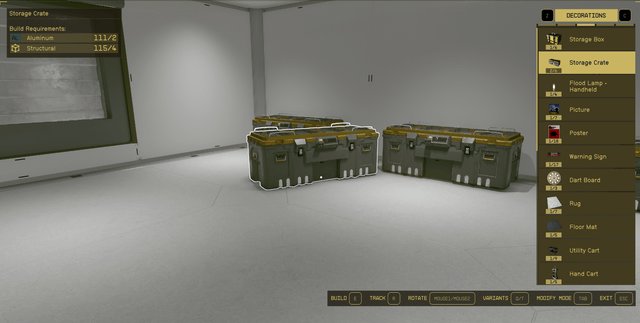
Crafting in Starfield effectively requires you to gather resources, research projects, and then use workbenches to create modifications, weapons, and items.
Navigating the vast expanse of space in Starfield is made much easier with the game’s crafting mechanics. If you are looking to understand Starfield how to use crafting system properly, you’re in the right place. It’s not just about finding loot; it’s about building and modifying what you need.
The crafting system lets players create everything from weapon mods to aid items. This detailed approach to gear management means a better experience when you explore and battle. This article will help you use these tools for maximum effectiveness.

Starfield How to Use Crafting System Properly
The vast world of Starfield is full of adventure, but sometimes, you need more than just your trusty weapons. That’s where crafting comes in! It lets you create amazing tools, upgrades, and resources that can really help you survive and thrive. But with so many options, it can seem a bit tricky at first. Don’t worry, we’re here to help you understand everything about Starfield’s crafting system so you can become a true crafting master.
Understanding the Basics of Starfield Crafting
Before we dive into making powerful weapons and awesome spacesuits, let’s talk about the basics. Starfield’s crafting revolves around two main things: Resources and Workstations. Think of it like cooking; you need ingredients (resources) and a place to prepare them (workstations).
Resources: Your Building Blocks
Resources are like the Lego bricks of Starfield. They are raw materials that you collect throughout the galaxy. These can be anything from common minerals like Iron and Aluminum, to organic compounds gathered from plants, to more unusual things like unique alloys and gas. You find them by:
- Mining: Use your cutter on resource veins found on planet surfaces.
- Looting: Search containers, fallen enemies, and abandoned outposts.
- Buying: Purchase resources from vendors at spaceports and cities.
- Scanning: Look at plants and animals to see what they will produce, and then harvest them.
- Outpost Creation: If you create an outpost, you can automate resource harvesting.
You can tell what a resource is by looking at its icon and name in your inventory. Each resource also has a weight, so remember to manage your inventory properly. You can store resources on your ship or in containers at your outposts. Always try to keep a good variety of resources on you and in storage to prepare for any crafting need.
Workstations: Your Crafting Hubs
Workstations are the places where you actually make things. Think of them as the crafting tables you use in other games. Different workstations are used for different kinds of crafting, so it’s important to know the use of each one. Here’s a breakdown:
- Industrial Workbench: This workbench is your go-to for making crafting components, manufactured parts, and even some basic resources from raw materials. It’s also useful for building outpost structures.
- Spacesuit Workbench: You can modify, repair, and even create new space suits using this workbench. Spacesuits are vital for exploration as they offer specific resistance and protection so always have a spare one with you.
- Weapon Workbench: Want a better damage output? This is where you go to improve and change your weapons. Increase fire rate, range, and damage output, or make weapons that shoot more effectively or shoot different types of ammo.
- Research Lab: This is not exactly a crafting workbench. You need to research new technology before crafting it. This is where you use your resources to unlock new projects which you can make using the different workbenches. You also need skill points in specific areas to get access to specific tech.
- Cooking Station: You can use this to create food and drinks that will give you temporary buffs, like enhanced health, quicker healing, and more oxygen.
You’ll usually find these workstations at major spaceports, settlements, and sometimes inside ships. You also can build them at your own outposts which allows you to craft from anywhere.
Navigating the Crafting Interface
Now that you know about resources and workstations, it’s time to talk about how you actually use the crafting interface. When you interact with a workbench, you’ll see a screen that shows you all the things you can craft at that specific workstation. The interface is divided into several parts. Let’s understand them:
The Recipe List
On the left side, you’ll find a list of all the recipes you can make at this workstation. The list changes depending on the workstation. It also changes according to your research level. You need to have completed certain research projects to unlock new recipes. Each recipe will have a name, and sometimes a description. If you don’t have the proper research or resources, it will tell you.
The Resource Requirements
When you select a recipe, the middle part of the screen will show you the list of resources you’ll need to make it. The number next to each resource is how much of it you need. If you don’t have enough of a resource, it will be highlighted in red. You can tell how many you have in your inventory by looking at the inventory display at the bottom of the screen, which shows all the resources you have, and how much of each you have.
Crafting Buttons
At the bottom of the screen, you’ll see crafting buttons. These buttons allow you to craft your selected item. You will see an option to make one, or to make the maximum you can with the number of resources you have available.
Skill Bonuses
Some crafting skills give you an advantage. For example, you can get a skill that lets you make more items with the same resources, or that decreases how many resources you need to make something. You can invest points into the specific skill tree for this.
Crafting Specific Items: A Detailed Look
Let’s go into specific details on the types of items you can craft. We will discuss them by the type of workbench, and what kind of items you will make there.
Industrial Workbench
This workbench is your main crafting station for base resources. Here you will make components that you will use in making other things. Here are a few things you will craft here:
- Manufactured Components: These are essential for building outposts, modding equipment, and creating some types of ammunition. You’ll need these components to improve just about everything.
- Structural Parts: These components are needed for building structures at your outposts. You’ll need different types for different structures, so don’t forget to stock up.
- Resource Conversion: Some recipes at the industrial workbench let you change one type of resource into another. For example, you may need to refine raw resources into a useable material for use in other crafting recipes.
- Weapon Parts: This is where you make weapon parts, that are then used in the weapon workbench to improve your guns.
- Aid items: You can make a few simple first-aid items here to help with healing during exploration and combat.
Spacesuit Workbench
The space suit is one of your most important pieces of equipment. So it is vital you keep this up to date, and optimized. At the space suit workbench, you can do the following:
- Suit Mods: This is the primary function of the spacesuit workbench. These modifications will improve your suit’s resistance, weight, and the buffs that they offer you.
- Helmet Mods: Much like suit mods, helmet mods allow you to further improve the helmet you are wearing. Some of the helmet mods will add new visual displays to your screen, and other buffs like faster healing.
- Backpack Mods: Your backpack is an integral part of your space suit. You can improve the capacity of your backpack, as well as improve the protection it offers.
- Spacesuit Repair: Sometimes your spacesuits and equipment get damaged. This is where you can fix them up.
Weapon Workbench
This is where you turn your ordinary guns into powerhouses. Always look for ways to improve your weapons, and don’t be afraid to make different combinations to suit your playstyle. You can make many kinds of changes to your weapons at the workbench, here are some of them:
- Barrel Modifications: Change the type of barrel on your gun to improve accuracy, range, or damage.
- Magazine Modifications: Increase the size of your magazine, or change the rate of fire on your weapon.
- Grip Modifications: Improve the handling of your weapons, as well as the recoil.
- Sight Modifications: Change the sights on your weapon to improve accuracy or give your gun special targeting abilities.
- Ammunition Type Modifications: Change the type of ammo your gun uses to suit the enemies you will be fighting.
Cooking Station
The cooking station is your place to make helpful food and drinks. Cooking is often overlooked, but it provides useful buffs for the exploration process. Here are some things you can make:
- Food: Make a variety of food items that will improve your health, reduce damage, or improve how much you can carry.
- Drinks: Create drinks that can help with oxygen levels, or give you an increase in healing.
- Resource Conversion: Much like the industrial workbench, some food and drink recipes will convert a raw resource into something that can be used in another recipe.
Research Lab
Although the research lab is not technically a crafting station, it’s incredibly important. Before you can craft many of the more complicated upgrades, items, and weapons, you must first research them at the research lab. Here’s how it works:
- Research Projects: You can find various projects that unlock better technology for crafting.
- Resource Requirements: Each project requires specific resources, so be sure you have enough.
- Skill Requirements: Some projects require you to have certain skills, so make sure you have the right ones.
Tips for Efficient Crafting
Crafting can seem complex, but it’s actually quite simple once you get the hang of it. Here are some tips for making the most of the crafting system in Starfield:
- Always Collect Resources: Pick up every resource you come across. You never know when you’ll need them.
- Research Often: Use your resources in the research lab to access more advanced recipes and gear.
- Build Outposts: Set up outposts with resource extractors to create a consistent supply of crafting materials.
- Check Vendor Stock: Check with vendors regularly to see what kinds of resources they are selling.
- Skill Up: Invest skill points into crafting skills to improve efficiency and unlock new abilities.
- Experiment: Try out different recipes and weapon combinations to see what works best for your play style.
- Manage Your Inventory: Keep resources organized, and transfer them to your ship or outpost when you get full.
- Don’t Hoard: Don’t be afraid to use your resources! It’s better to make something useful rather than letting them sit in storage.
Crafting is a central part of the Starfield experience. When you properly use the crafting system, it will make your journey easier and more interesting. Take your time to experiment with the various crafting options, and don’t forget to gather lots of resources. You will soon be crafting the best gear available in the galaxy.
You're Crafting WRONG! – Starfield Crafting and Resource Guide (Research, Resource Farming & More)
Final Thoughts
To use Starfield’s crafting well, always gather resources. Invest skill points in crafting perks early. You should make sure to visit workbenches frequently and research new projects.
Carefully manage your inventory because crafting requires space. Pay close attention to the resources you need. This also prevents having to backtrack.
Starfield how to use crafting system properly involves gathering, investing, and managing. Following these tips, you’ll greatly improve your gear and progression.

