
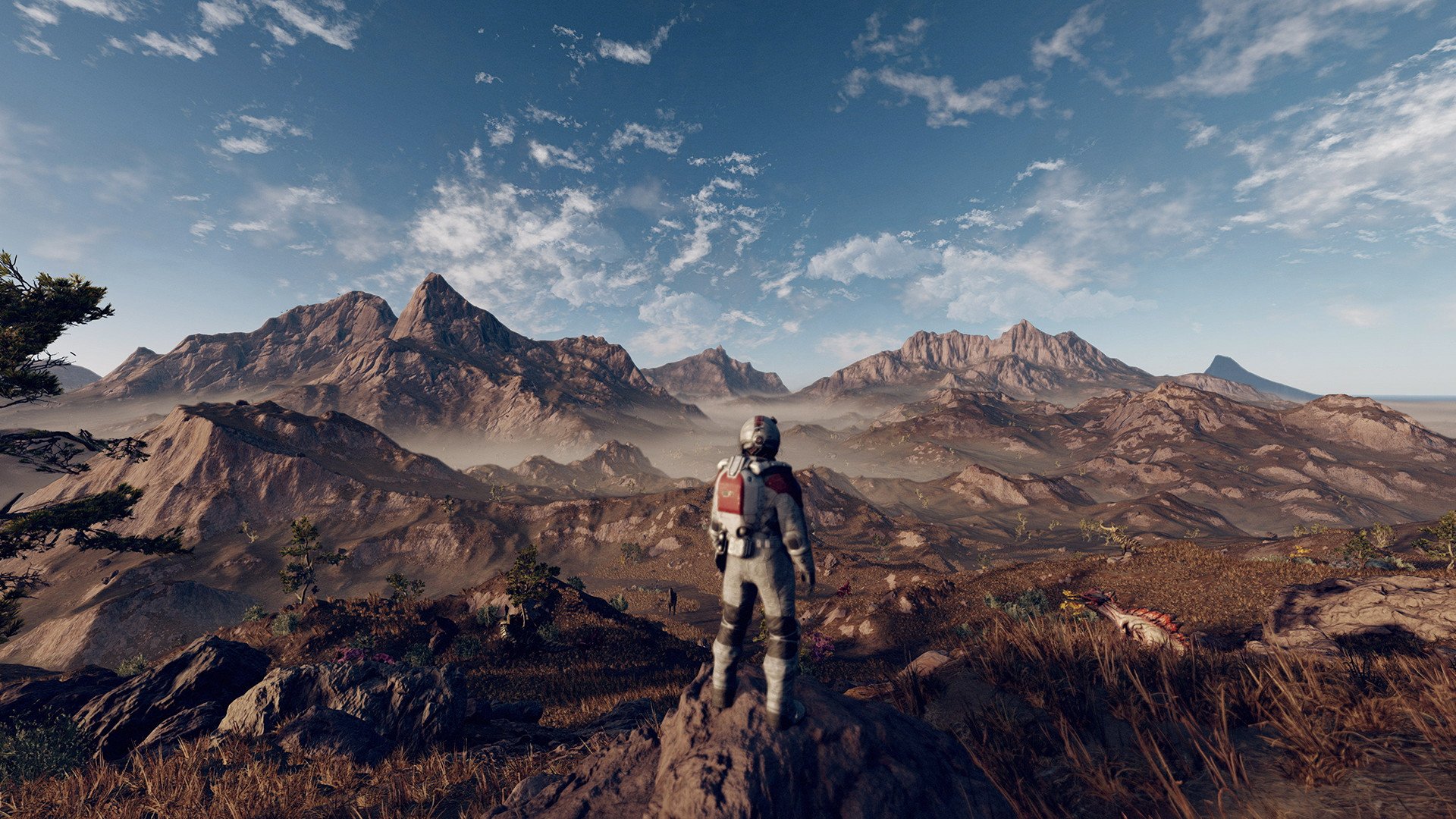
The Starfield planetary exploration guide emphasizes scanning flora, fauna, and geological features using your scanner, landing in diverse biomes, and utilizing outposts for resource gathering.
Venturing into the vast expanse of Starfield, one often wonders how to make the most of the numerous planets. This Starfield planetary exploration guide aims to clarify the process. It helps you navigate the varied landscapes, focusing on gathering essential resources.
Scanning is key to planetary understanding. Make sure to scan everything you encounter. This action helps you learn about the planet’s unique qualities and resource locations.
Building outposts also plays a big role. You can extract valuable resources. This enhances your progress through Starfield’s story.

Starfield Planetary Exploration Guide
Welcome, space explorers! Starfield throws you into a vast galaxy filled with thousands of planets, each with its own secrets, resources, and dangers. Knowing how to navigate and explore these worlds is key to success. This guide is your handbook to becoming a master planetary explorer in Starfield. We will go through everything from understanding planetary data to setting up outposts and facing those strange space creatures.
Understanding Planetary Data
Before you even land on a planet, you should always check its data. This is like reading a map before going on a hike. You can see this information in the Star Map. Here’s what you need to pay attention to:
Planet Type
Is it a rocky world, a gas giant, or something else? This tells you a lot about what to expect on the surface. Rocky planets are the most common and allow you to land on the surface. Gas giants are huge balls of gas and you can not land on those.
Atmosphere
The atmosphere of a planet is very important. Some planets have thick, breathable air (like Earth), while others have thin, toxic, or no air at all. Planets with no air will require you to always wear your spacesuit. If it has a harmful atmosphere, then wearing your spacesuit becomes essential and you may also require additional suit upgrades to protect against hazards like radiation, extreme heat or cold.
Temperature
Is the planet scorching hot or freezing cold? Temperature will directly affect your suit’s power and your overall health. You will need to make sure that your suit can handle the temperatures on the surface of the planets.
Gravity
Planets with low gravity will make your jumps really high and your falls slow. High gravity planets will make you feel heavier and your jumps shorter. You will be able to find many different levels of gravity in the different planets.
Resources
What kind of materials can you find on the surface? This is key for crafting and building. Look for planets that have resources you want, such as iron, aluminum, or helium. This is also important for building outposts.
Fauna and Flora
Are there any living things on the planet? Fauna means animals, and flora means plants. Some planets may be home to dangerous creatures, while others have plants that could be useful for crafting or research. Keep an eye out for any aggressive creatures.
Scanning a Planet
After selecting a planet, you’ll need to scan it. Scanning will reveal all of the resources available. A well-scanned planet is a safer and more rewarding planet. The more you scan, the more you will know about a planet. Here is a step-by-step approach to scanning a planet effectively:
- Use your Scanner: Point your scanner to different areas of the planet from your ship.
- Identify Points of Interest: Look for markers that appear on your scanner. These points can include resources, outposts, or even unique locations.
- Land and Explore: Once you have scanned some points of interest, land your ship and start exploring.
- Scan Flora and Fauna: Use your handheld scanner to scan any plants or animals you find on the surface. This will help you fully scan the planet and get all the details.
Scanning planets is also essential for progressing in the game and for crafting. As you scan, you’ll learn new recipes and unlock new features.
Landing and Getting Around
Landing on a planet is the beginning of your ground adventure. Once you have your destination selected, its time to land, but it is not always just simply clicking and landing, there are factors to consider:
Choosing a Landing Spot
Don’t just land anywhere! Look at your scanner. Check to see if you want to land by a resource, a point of interest, or a good place for an outpost. Landing near resources will allow you to gain them easier. Landing near points of interest will allow you to experience special locations quicker.
Navigating on Foot
After you have landed your ship, navigating on foot is quite easy. Your suit has a navigation system, which you can follow to reach your desired location. You can also use your scanner to find your way around.
Using Your Boost Pack
Your boost pack is very handy! You can use it to jump higher, move faster, or avoid danger. Practice using your boost pack to make your traversal quicker and more effective. You also can upgrade the boost pack later in the game, allowing you to move even faster and higher.
Vehicles
Unfortunately, there are no vehicles in the game. The only way to travel in the game is using your feet or your boost pack. While not as fast as a vehicle, it still makes it enjoyable and the planets aren’t too big.
Gathering Resources
Resources are the heart of crafting, building, and research. Here’s what you need to know about collecting them:
Types of Resources
There are many resources in the game. Some common ones are: Iron, Aluminum, Copper, Nickel, Helium-3, and Water. Some resources are very common and easy to find, while some are very rare and only found on certain planets. Each resource has its own use, so always be looking for what you need.
How to Mine
To mine resources, you’ll need your mining laser. Aim at the resource deposit and start the mining process. You’ll be able to collect resources that you’ll need. The higher the mining skill level is, the more resources you will collect at a time.
Containers and Storage
The resources you collect will go into your inventory or your ship’s cargo hold. Manage your inventory carefully and if your ship’s storage fills up you should transfer them to your outposts.
Dealing with Hostile Environments and Creatures
Not every planet is a picnic. Some planets have dangers you need to be prepared for:
Suit Upgrades
You can modify your suit to protect against things like extreme temperatures, radiation, and other hazards. Check your suit often for upgrades and improvements. You can find suit upgrades by exploring planets, completing missions, or purchasing them from shops.
Dangerous Creatures
Some planets have hostile creatures that will try to attack you. Keep an eye on your surroundings and be ready for a fight. Different creatures will have different attack types, so make sure you are ready for a variety of combat encounters.
Combat Tactics
Using your weapons, boost pack, and the environment can be very beneficial. Try to find high ground to take cover, or use your boost pack to move around enemies quickly. Don’t just go in guns blazing, be smart and use the environment around you.
Setting up Outposts
Outposts are your base of operations on a planet. They allow you to extract resources, craft items, and rest. Building an outpost takes some effort, but the rewards are well worth it. Here’s a breakdown of how to set up and manage an outpost.
Choosing a Location
First, you need to select a good location. You will want a place with lots of resources, a flat area, and is easily accessible from your ship. A bad location can lead to difficulties extracting resources. Good locations can increase your productivity and resource gathering efficiency.
Building Basics
After selecting a location, you can use your building menu to construct basic modules. These include storage containers, harvesters, and power generators. Each module requires certain resources, so make sure you have the necessary items to build.
Connecting Modules
You will want to use the connecting module to link all of your outposts together. This allows you to move resources around and transfer from one to another. It is a good idea to have several outposts built across many different planets.
Staffing and Defense
You can hire people to work at your outposts, which can increase production. Also, make sure you set up defenses to protect your outposts from creatures and pirates. If you neglect to do this, your outpost may be destroyed or raided by pirates, causing a great loss to your resources.
Advanced Exploration Tips
Once you’ve mastered the basics, it’s time to go even deeper into planet exploration.
Completing Surveys
Scanning and fully exploring a planet gives you valuable data. This data can be sold or used for research. Planets that are completely surveyed will yield more rewards. Make sure you get them all.
Seeking out Unique Locations
Some planets have unique locations, like abandoned labs or ancient ruins. Exploring these locations often leads to unique items, secrets, and stories. Don’t just focus on resources, take time to see the wonders this game has to offer.
Using Skills
Some skills make exploration easier and more rewarding. Invest skill points to improve your scanning, crafting, or combat skills. Skills will increase your productivity and make it easier for you to explore any location you want.
Exploration and Story
As you travel the galaxy, you will find yourself in all kinds of different situations. Exploring planets can be more than just about resources. It can be about finding a place to settle down, or uncovering some big mysteries. You will find many interesting characters as you travel around and many of them will give you side quests.
The variety and unique content within each planet makes the exploration very rewarding. You will often be rewarded with valuable loot, equipment, and resources. You may also come across rare items or powerful weapons. Sometimes exploration will allow you to encounter new quests, and these quests usually lead to some awesome stories.
The story of Starfield is tied to the exploration of planets. As you explore more planets you will find new information about the world. This will lead you to understand the story of Starfield and the mystery surrounding the main story. This is very rewarding for those who love stories.
Starfield offers a vast and intricate universe for you to explore. The information in this guide should help you set out on your path to discovery. It will aid you in your ability to survive in the harshest environments. And remember, every planet is different and holds some type of surprise. The key to success in Starfield is to be curious, adaptable, and always ready for adventure. So, gear up, and explore the many planets and locations that are available in Starfield.
By following the information in this guide you will become a true master of planetary exploration. You will be able to find resources, build outposts, and defend yourself in dangerous areas. Enjoy your adventure and be sure to always be on the lookout for new discoveries. The galaxy is waiting for you!
Ultimate Guide to 100% Planet Survey & Exploration in Starfield
Final Thoughts
Planetary exploration in Starfield requires careful resource management, detailed scanning, and attention to environmental hazards. Focus on upgrading your suit and ship for increased survivability. You should aim to establish outposts for resource gathering.
Remember to utilize the scanner effectively to locate points of interest and gather needed data. This process greatly improves the efficiency of your journey.
This Starfield planetary exploration guide will help you successfully traverse the vast reaches of the galaxy. Employ these tips to maximize your experience.

