
Here’s how to ensure a smooth beginning in Starfield: focus on completing early story missions, gathering resources frequently, and engaging with the crafting system.
Jumping into the vast universe of Starfield can feel overwhelming, but it doesn’t need to be! Many players struggle at the start. This article aims to offer guidance on Starfield tips for a smooth beginning.
By focusing on core gameplay elements, like main story missions, your initial hours will be more enjoyable and efficient. Prioritizing resource collection allows for crafting, which is essential for upgrades and progression early in the game.

Starfield Tips for a Smooth Beginning
Starting a new adventure in a vast game like Starfield can feel a little overwhelming at first. There’s so much to see, so many places to visit, and so many things to learn! But don’t worry, we’re here to help. This guide will give you some helpful tips to make your first few hours in Starfield easier and more fun. Think of it as your personal guide to become a space explorer. Let’s jump right in!
Choosing Your Background and Traits
Before you even take your first steps, Starfield asks you to choose a background and some traits for your character. This is an important decision because these choices influence how your character plays. It affects starting skills, dialog options, and even how some quests play out. Let’s break it down:
Backgrounds
Backgrounds are like your character’s past life. Each background provides you with three starting skills. For example, if you pick “Bounty Hunter”, you might start with skills in piloting, combat, and technology. Don’t overthink this too much because you will grow your skills. However, the starting skills are like a boost to get you started in a specific area. Here are a few backgrounds to consider for beginners:
- Explorer: If you plan to explore the game, this is a very good choice. It gets you started with skills in Surveying, Astrophysics, and Lasers.
- Combat Medic: This is a solid all-arounder that gives you some starting advantage with combat and healing. This background starts you with skills in Medicine, Pistol Certification, and Wellness.
- Diplomat: If you prefer talking your way out of problems over fighting, this background is perfect. It gives you skills in Persuasion, Commerce, and Wellness.
Traits
Traits are another way to customize your character. You can choose up to three traits. Each trait has both a benefit and a drawback. Here are some recommended traits for beginner players:
- Introvert: You are more effective alone. You get a boost to your stamina when you’re solo. However, you are less effective when you’re with a human companion.
- Extrovert: This is the opposite of the Introvert trait. You are more effective when you are with a companion, but less effective when you are alone.
- Taskmaster: This trait gives a boost to physical skills. It increases physical skill gain and recovery. But be aware that physical skills take more oxygen.
- Spaced: Increases oxygen capacity in space. But it also reduces it on a planet.
Important Tip: Don’t be afraid to experiment! You can change your traits later in the game for a bit of money, so don’t worry too much about making the “perfect” choice right away. Choose what sounds fun to you!
Understanding the User Interface
Starfield has a lot of information on your screen. Understanding the interface helps in quick decisions. Here are a few important things to remember:
The HUD
The HUD (Heads-Up Display) shows you the most important information during gameplay. Pay attention to:
- Health Bar: Located at the bottom left, this shows your current health. When it gets low, you need to heal up.
- Oxygen Meter: Right next to the health bar, it tells you how much oxygen you have. Running or using heavy objects will drain your oxygen faster. When it is completely drained, your character will lose health.
- Compass: At the top, it shows you the direction of your current objective, locations and enemies.
- Weapon Quick Slots: Located at the bottom right, it shows you what you have equipped.
Menus
There are many menus to navigate. Be sure to explore the menus to find the following:
- Inventory: This is where you can find the items you pick up. Weapons, armor, materials, and everything else will be here.
- Skills: Shows you what skills you have and how far you have progressed in each skill tree.
- Quests: Tracks all the quests you have accepted in your journey.
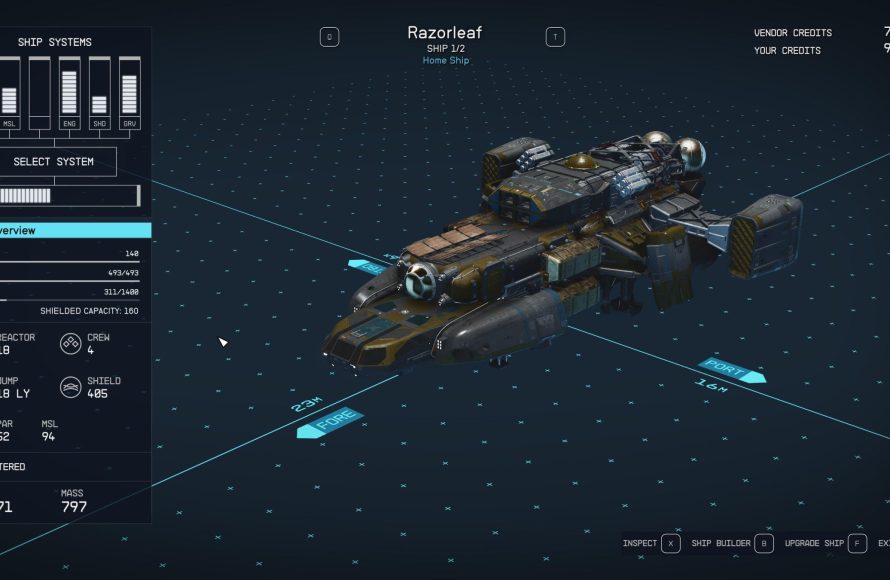
- Ship: Allows you to customize your ship.
- Map: This is where you can plan your journey and explore the galaxy.
Ship Combat Basics
Space battles are a big part of Starfield. Here’s what you need to know about ship combat:
Ship Controls
Getting used to controlling your ship is the first step to mastering combat:
- Accelerate: Increases your speed.
- Brakes: Slows you down.
- Boost: Gives you a burst of speed but consumes your engine power.
- Targeting: Use the target system to lock on to enemies.
Weapons and Systems
Your ship has a set of weapons and systems. Familiarize yourself with these.
- Lasers: Good for shooting shields.
- Ballistic Weapons: Effective against hull.
- Missiles: Useful for bigger targets and do a lot of damage.
- Shields: Protect you from damage. When your shield is down, your ship will take damage on hull.
Combat Strategies
- Use your Boost: It allows you to quickly evade enemies or quickly attack.
- Manage your power: Balance power between your engines, weapons and shields.
- Aim for weak points: Target enemy shields first and then their hull.
Exploring Planets and Scanning
Starfield is full of planets to explore. Here’s a basic plan for planet exploration:
Scanning
Scanning helps you to learn about planets and their resources. Here’s how:
- Scanner: The scanner highlights points of interest.
- Resources: Scan plants and rocks to find materials.
- Creatures: Scan alien creatures for experience.
Landing and Exploration
When you land on a planet:
- Look for resources: Gather resources with your cutter.
- Follow markers: Quest markers will help guide you through the planet.
- Watch out for enemies: Be careful of dangerous creatures.
Resource Gathering
Resources are essential for crafting items, building outposts, and upgrading ships. Here’s what you need to know:
Mining
You can mine for resources on planets:
- Use your cutter: Equip your cutter and use it to extract minerals from rocks.
- Look for veins: Scan for mineral veins on the planet’s surface.
Looting
You can also find resources by looting:
- Search containers: Check all containers for valuable items.
- Defeat enemies: Many enemies drop useful items.
Resource Management
- Don’t over-encumber: If you carry too much, you will slow down and drain your oxygen faster.
- Store in ship: Keep resources in your ship’s cargo hold for later use.
The Importance of Early Quests
Quests are not just about finishing goals. They help you learn the game. Early quests will give you:
- Experience: Completing quests gives you experience points.
- Money: You can get credits which you can use to buy new weapons or ship upgrades.
- New gear: Some quests provide weapons and armor as rewards.
- Story: You will understand the story of the Starfield universe.
- Exploration: Many quests will encourage you to see new places.
Making Money Early On
Credits are important in Starfield. Here are a few ways to get credits at the beginning:
- Complete Quests: Early quests offer great ways to make credits.
- Sell Resources: Sell extra resources you gather during your exploration.
- Sell Loot: Sell unneeded weapons and armor to vendors.
- Exploration: You might come across valuable items during your exploration.
Outpost Building Basics
Setting up outposts is a great way to gather resources and create a home base. Here’s what you should know:
Finding a Good Spot
- Resource Deposits: Look for planets with the resources you need.
- Flat Terrain: Choose a flat area that is easy to build on.
Outpost Setup
- Build a Hab Module: This is where your character can rest and recover.
- Build Mining Structures: Set up resource collectors to extract minerals.
- Build Storage: Store all of the resources in containers.
Leveling Up and Skills
Leveling up in Starfield allows you to improve your character. Here’s the key to leveling up and skill improvement:
Gaining Experience
- Completing Quests: A major way to gain experience is completing quests.
- Killing Enemies: Combat will give you experience.
- Exploration: Scanning and discovering new things will give you experience.
Spending Skill Points
- Invest wisely: Choose skills that suit your play style.
- Start with basics: Don’t invest into difficult skills first. Focus on the basics first and then unlock further skills.
- Read descriptions: Read about the skills to understand what they do.
Understanding the Faction System
Starfield has several factions you can join. Here’s an introduction to factions.
Benefits of Joining Factions
- New Quests: Factions have unique questlines.
- Unique Gear: Factions offer unique weapons and equipment.
- Story elements: Learn more about the Starfield universe.
Early Factions to Consider
- Constellation: This is the main story faction. It will introduce you to the Starfield universe.
- United Colonies: This is a police faction that focuses on order and law.
- Freestar Collective: This faction represents freedom.
These tips will help you get a good start in Starfield. Remember, it is okay to make mistakes. The most important thing is to have fun exploring and enjoying the game!
Starfield's BEST Settings WITHOUT DLSS | Smooth FPS & Great Visuals
Final Thoughts
Focus on early skills, completing introductory missions, and careful resource management. Spend skill points wisely and use the scanner often. These simple actions help a lot.
Exploration and side quests provide great early gear. Prioritize a good ship and weapon. These decisions improve gameplay. This helps with Starfield tips for a smooth beginning.
Remember consistent saving and take advantage of fast travel. Doing all these things makes the initial experience in Starfield much smoother and enjoyable.

