
To manage inventory efficiently in Starfield, regularly sell excess items, utilize ship storage, and upgrade your carrying capacity perks.
Juggling countless resources in Starfield can quickly become a burden if you’re not careful. It is extremely easy to become overencumbered during your galactic adventures. These Starfield tips to manage inventory efficiently will help you stay agile while exploring the many planets. You’ll find these techniques are quite helpful for your travels.
Managing your loot effectively is a crucial skill for any space explorer. No one wants to be stuck with a mountain of junk, slowing you down. Therefore, employ these helpful hints from the beginning.

Starfield Tips to Manage Inventory Efficiently
Okay, space explorers! Let’s talk about something super important in Starfield: your inventory. It can get crazy fast, right? You’re collecting all sorts of cool stuff, from alien artifacts to old space helmets. But if you don’t keep it organized, you’ll be slower than a space snail. So, how do we get a handle on all that gear? Let’s dive into some easy-to-use tips that will make you an inventory master.
Understanding Encumbrance and Carry Weight
First things first, we need to talk about the weight limit. Starfield has a system where every item you carry has a weight. If you carry too much, you’ll become “encumbered,” which means you’ll move like a turtle and won’t be able to fast travel. Nobody wants that! Think of it like carrying too many school books – it slows you down. Keep an eye on the weight meter at the bottom of your inventory screen. It shows your current weight and the maximum you can carry. When you’re near the limit, the color turns red to warn you.
Factors Affecting Carry Weight
Several things affect how much you can carry. Your character’s base strength is one thing. You can boost it by leveling up and investing in the “Weight Lifting” skill in the Physical skill tree. Also, certain gear and consumables temporarily increase your carry capacity. For example, some armor pieces have weight-lifting bonuses, and certain food and drinks can give you a short strength boost. Keep an eye out for those! Another important factor is your companion, certain companions can also increase your weight capacity.
Skills That Help
The most important skill for inventory management is weight lifting under physical skill tree. The weight lifting skill is very important for increasing your overall weight capacity. This is because weight is one of the main reasons that slows down your exploration. Another skill that is great is the stealth skill, since it provides a bonus to your carry weight when you are hidden. It also helps to sneak around, so it’s definitely a skill that will help.
Sorting Your Stuff
Now, let’s talk about sorting! Your inventory can become a mess if you don’t organize it. Thankfully, Starfield has some helpful features. You can sort your inventory by:
- Weight: This puts the heaviest items at the top, so you know what’s weighing you down.
- Value: Items with the highest value are listed first, making selling easier.
- Name: Everything is alphabetized.
- Type: Groups similar items, like weapons, spacesuits, and resources.
Use these sorting options to quickly find what you need. For instance, if you are trying to sell stuff, sort by the value of your items. If you are trying to get rid of heavy items, sort by weight.
The Power of Stash Boxes
Stash boxes are your best friends for getting stuff off your back. They can be found in your ship, your outposts, and most major cities. Anything you put in a stash box won’t add to your carry weight. It’s like having a personal space locker! If you have a bunch of resources, you don’t need for now, move them to your stash box. Then, whenever you need that specific resource, you can easily take it out.
Ship Storage
Your ship has storage! You can upgrade your ship to have a larger storage capacity. Go to a ship services technician to do this. Ship storage is very handy for keeping things you don’t immediately need but might need in the future. If you know you will use certain resources in the future, keep them in ship storage.
Outpost Storage
Outposts also have storage. You can craft storage crates at your outpost and use them to hold all of your resources and other stuff. Keep your outpost storage close to your crafting stations and vendors for easy access. Outpost storage is great for storing all of the resources you find when you are exploring.
Breaking Down Items
Many items in Starfield can be broken down into raw resources at workbenches. This is called “modding” or “crafting”. For example, you can break down weapons into materials, or old spacesuits into armor plates. When you do this, you often get rid of heavy items and create a bunch of lighter ones, allowing you to carry more. Instead of carrying around all those space helmets that you will not use, break them down into raw resources. This is important to do since you can also use those raw resources to craft new items.
What to Break Down
Generally, you will want to break down items that have very low value and are very heavy. The main resources you will want to gather are: iron, aluminum, and copper. These resources are extremely common and are needed in most crafting recipes. So when you are doing your crafting, break down anything you don’t need that you have gathered on your travels.
Selling Your Loot
Of course, one of the best ways to get rid of extra stuff is to sell it! Visit vendors in towns and cities, or at space stations. Look for the yellow symbols on the map to find them. Each vendor will buy certain kinds of items, like weapons, armor, or resources. Selling items for credits is another way to reduce weight and get some cash. Before you get rid of any item, check it’s value. Some of the items can be sold for a high price.
Vendors and Their Specialities
Vendors have specialities, so you will need to visit different vendors depending on what you want to sell. For example, if you want to sell a bunch of weapons, a gun vendor is the way to go. If you want to sell apparel, an apparel vendor is the way to go. If you want to sell resources, a general store vendor is the best option. If you are looking for specific vendors, they will have a label over their name, telling you exactly what kind of vendor they are. If you don’t sell to the right kind of vendor, you will not get maximum value for your loot.
Knowing What to Sell
It can sometimes be difficult to know what to sell. If you are struggling to know what to sell, it’s important to look at the value-to-weight ratio of the item. If the item has low value but weighs a lot, it is important to sell that item right away. If you have an item that has high value but does not weigh much, you might want to hold on to that item. This is especially true for weapons and apparel. Another good tip is to just sell the items you know you will not use.
Using Your Ship’s Cargo Hold
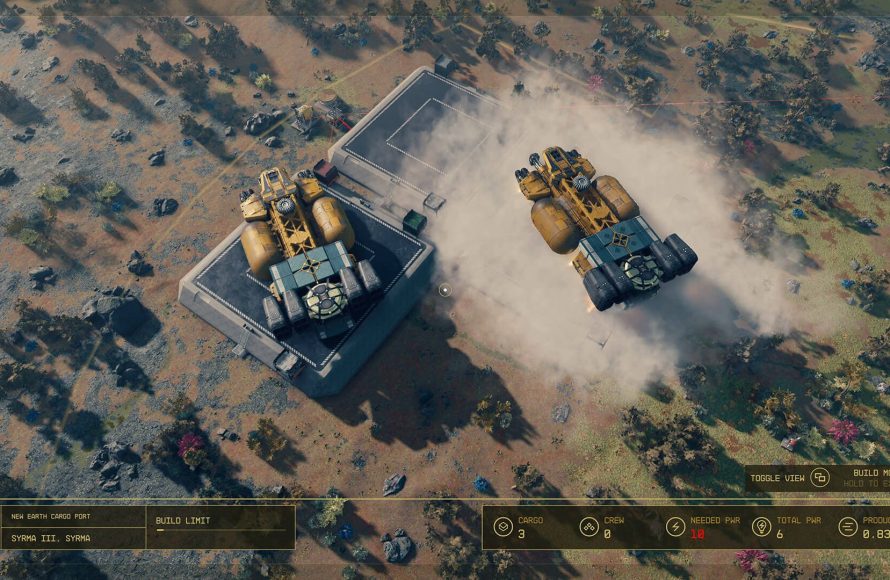
Your ship’s cargo hold is like a mobile stash box. It’s great for holding loot you find on planets that you might not need to carry back and forth. Think of it as a big trunk for all your space goodies. It has a weight capacity, too, so keep an eye on it, but it’s way better than trying to carry everything yourself. Always use your ship’s cargo to help you out.
Expanding Your Cargo Hold
If you are constantly getting encumbered, or you are not able to carry as much loot as you would like, you need to upgrade your cargo hold. You can do this by visiting any ship technician. When you visit the ship technician, you can modify your ship and upgrade your ship’s cargo capacity. By upgrading your cargo capacity, you are essentially expanding your stash box, allowing you to move more loot around.
Utilizing Companions
Companions are helpful in Starfield, but not only for combat, they can also help you carry items. If you have a companion with you, you can ask them to hold some of your inventory. They have a weight limit too, but this can free you up to move a lot more loot. It is important to note, that some companions can carry more than others. Experiment with different companions, and see which one works best for your play style.
Managing Companion Inventory
When you give an item to your companion, it will take that item out of your inventory and put it into your companion’s inventory. If you want that item back, you will need to transfer it back to yourself. Just like your inventory screen, your companion also has an inventory screen that shows you what they are holding. Make sure to use your companion in your inventory management strategy.
Consumables and Their Weight
Consumables like food, drinks, and chems can be very helpful but also can add weight. Before you use them, be sure you really need them. Check your weight, and if you are trying to carry lots of loot, maybe it’s better to leave some of those chems and consumables at home. Only use them if you really need them and if you have some weight to spare.
Modding Your Gear
Modding or upgrading your gear can also affect inventory management. Upgrading items may increase their stats, but it can also increase or decrease their weight. So when you mod, always check if it makes the item heavier or lighter. Modding can also free up space because you will be using the modded item more often than the unmodded one.
Habits for Inventory Management
Make inventory management a habit. Regularly check your inventory, put away stuff in stash boxes, sell what you don’t need, and break down what you can. If you do this constantly, your inventory will be clean and easy to manage. Don’t let your inventory get out of control.
Regular Clear Outs
Make it a rule to clear out your inventory often. I recommend at least once per game day. Head to a main city, store your resources, break down your extra armor and weapons, and sell your other loot to the correct vendors. If you make this a habit, your travels will be much easier. A good strategy to follow is to do a full inventory clear out every single time you are in a main city.
Plan Your Trips
Before you head out on a big adventure, think about what you’ll need. Do you need a bunch of extra resources? Will you need a lot of medpacks? Knowing what you need to carry beforehand will help you avoid carrying unnecessary junk. The biggest problem with inventory management, is carrying a bunch of items that you will never use. If you make a plan before you go, this is a problem you can easily avoid.
Using the Scan Feature
Starfield’s scan feature can help when deciding what to pick up. Scan the loot before you pick it up. If the item has low value, or is an item you have no use for, don’t pick it up. The scan function can help you identify the best loot, and avoid wasting weight on low value items. Especially if you are not using the scan function, and are just picking up items at random, you could be filling up your weight unnecessarily.
A note on Resources
Resources are an important part of Starfield’s crafting system. When you find resources, keep them. You will eventually use these resources for building outposts, researching, and modding. It is very easy to pick up resources, as they are all around. When you are going through your inventory, resources are a priority to keep. If you find you are hoarding too many resources, use them to upgrade your gear, or build outposts. Don’t throw away your resources!
By using all of these tips, your inventory will be organized, you will be able to carry more loot, and you will avoid encumbrance. These tips should make your journey in Starfield a lot easier and more enjoyable. Have fun exploring!
Starfield – How To Stop Being Encumbered: Inventory Tips and Infinite Storage
Final Thoughts
Properly utilizing storage containers on your ship and outposts is vital for carrying loot. Remember to frequently sell unwanted items to vendors. Consider skills that increase your carrying capacity to help with overall inventory management. These simple actions will help you reduce frustration with encumbrance.
‘Starfield tips to manage inventory efficiently’ include focusing on what you really need while exploring. Don’t just hoard everything, and prioritize weapon and suit mods. This focused approach is key for smooth space exploration.

