Starship Crafter launches on Friday, November 27, 2026, on PC via Steam. Steam has not listed a price yet, so this guide prints no price. You play a starship mechanic who must pay off a huge debt before a deadline, and a free Prologue has been live on Steam since July 31, 2026.
This Starship Crafter beginner guide covers only what is confirmed before launch: the launch facts, the free Prologue, your first ship build, and the salvage and crafting loop. There is no full ship part list here, because the full game is not out yet, and we will update this page once real play time with the launch version exists.
Release Date
Friday, November 27, 2026
Price
Not listed on Steam yet
Developer and Publisher
Rysesoft and PlayWay S.A.
Free Prologue
Live on Steam since July 31, 2026
What Starship Crafter is
Starship Crafter is a first-person simulation and management game about building starships. You inherit your father’s run-down workshop after he disappears, along with the huge debt he left behind. Your job is to fix ships, take contracts, and pay that debt off before the deadline.
The loop is simple to say and busy to live. You salvage broken items for parts, craft those parts into basic components, unlock more advanced components and new starship blueprints, and then build ships of your own. Each contract builds your reputation, pays toward the debt, and pulls you into the story of whoever hired you.
The galaxy keeps moving while you work. Elections, races, and conflicts play out in the news whether you take part or not. Your choices also matter: earning the trust of rival factions shapes how your story ends.
Launch facts: date, price and platforms
The launch facts are short, because Steam has published very little beyond the date. Rysesoft develops the game and PlayWay publishes it. Steam lists a release event starting at 6:00 AM PST on November 27, and the store page still shows the game as coming soon until it unlocks.
| Detail | What is confirmed |
|---|---|
| Launch date | Friday, November 27, 2026 |
| Platforms | PC via Steam |
| Price | Not listed on Steam yet |
| Developer | Rysesoft |
| Publisher | PlayWay S.A. |
| Mode | Single-player, with Steam Achievements, Steam Cloud and Family Sharing |
| Languages | 15, including English |
| Free Prologue | Live on Steam since July 31, 2026 |
The price point matters most here. We checked the Steam API, the Steam search suggestions, and the store page itself, and none of them lists a price. Do not trust any price you see on another site until Steam shows one, and check the store page again on launch day.
One honest note from the store page: Rysesoft says generative AI tools made base images for some 2D art, which its artist then reworked, and generated voices for some lines. That is the developer’s own disclosure, printed here so you know before you buy.
PC system requirements
The game asks for a modest PC, and it needs only 5 GB of storage. The table below lists the minimum and recommended specs from the Steam page.
| Requirement | Minimum | Recommended |
|---|---|---|
| OS | Windows 10 64-bit | Windows 10 64-bit |
| Processor | Intel Core i7-6700 / Ryzen 5 2600 | Intel Core i5-10400 / AMD Ryzen 5 3600 |
| Memory | 8 GB RAM | 16 GB RAM |
| Graphics | GeForce GTX 1060 6GB / Radeon RX 580 8GB | GeForce RTX 2060 6GB / AMD RX 5700 |
| Storage | 5 GB available space | 5 GB available space |
Play the free Prologue first
The best way to prepare is to play the free Prologue, live on Steam since July 31, 2026. It runs the same core loop as the full game: salvage, craft, take contracts, and pay down the debt. Steam players rate it Very Positive, with 80 percent of 50 user reviews positive.
The Prologue is still being updated. A November 3, 2026 update added adjustable day length and bug fixes, after an earlier update overhauled the drone raid system. Those updates tell you two useful things: the clock can be slowed down, and hostile drones will attack your workshop while you work.
One thing we do not know yet: whether Prologue progress carries into the full game. Rysesoft has not confirmed a transfer, so treat the Prologue as practice, not as a head start. Learn the loop in it, and expect to start fresh on November 27.
Your first session, step by step
Your first session has one goal: finish a simple job and learn the loop. Follow these six steps in order, and do not rush into a big contract before you understand the workshop.
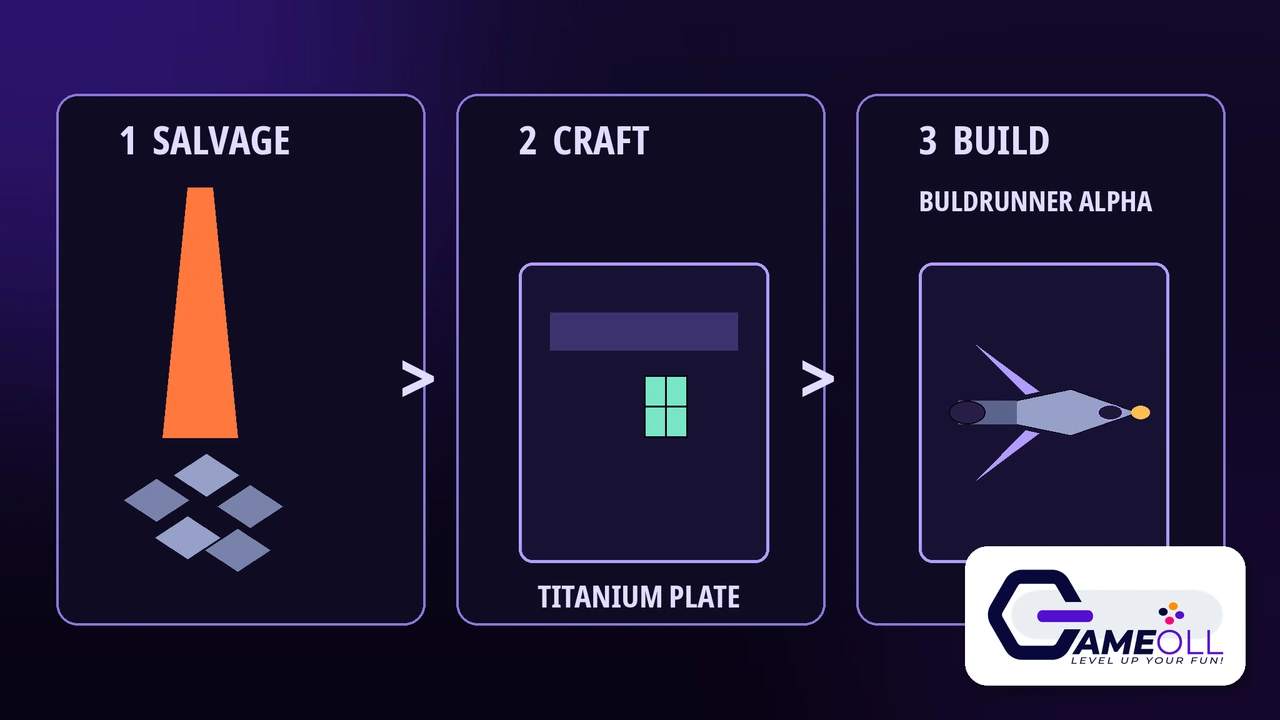
- Salvage broken items first. The store page says to start by salvaging broken items for parts, so feed the salvage machine before you spend a single credit in the market.
- Craft basic components from those parts. A Titanium Plate is the early example shown in the official trailer, and it is the kind of simple part your first repair jobs will need.
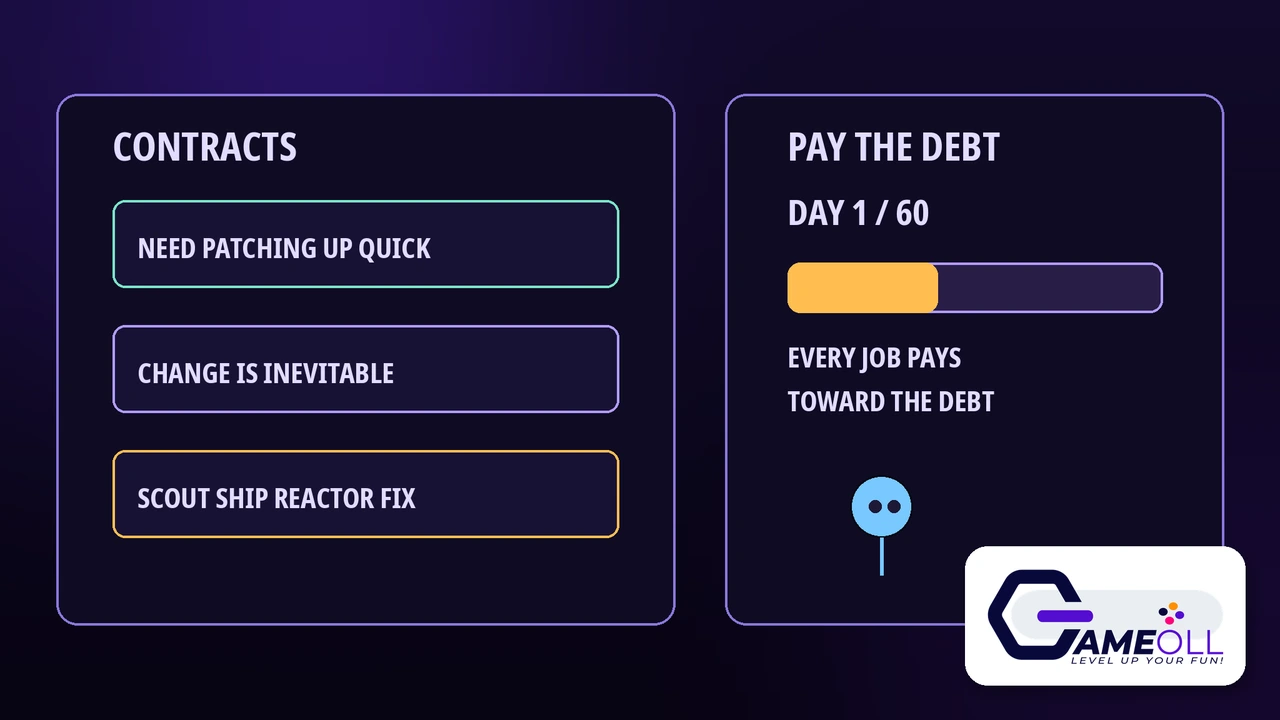
- Take a simple repair contract. The trailer shows early jobs with plain names like Need Patching Up Quick, and those are the right first pick. Leave the bigger faction jobs until your workstations improve.
- Scan the ship, find the broken part, and fix it. Gameplay footage shows a scanner that marks hull damage, then a Titanium Plate welded over the hole. One early job asks for a Fuel Unit, built from a Titanium Plate, an Advanced Cooler, and an Ion Tube.
- Spend your first earnings on the workbench, not on the debt alone. Each payday is a choice between paying the debt down and buying better tools, and better tools unlock bigger paying jobs.
- Open the Ship Builder Panel and build your first ship. The trailer shows a Buldrunner Alpha assembled in the panel, and that is the moment the game shifts from repair work to shipbuilding.
That is the whole first session. You will have salvaged, crafted, repaired, earned, upgraded, and built, and you will understand every system the game asks you to manage.
The debt and the deadline
The debt is the pressure behind everything. The store page calls it immense and says you must pay it before the deadline, but it names no number and no date. The launch trailer fills in the numbers: it puts the debt at 3,000,000 credits and shows a 60-day countdown on screen.
Treat those trailer numbers as trailer numbers, not store facts. They come from the launch trailer, and the store page itself stays silent on both. What is certain is the shape of the pressure: every day that passes brings the deadline closer, and every job is a choice between debt and workshop.
Factions add a second pressure. Contracts come from rival factions, racing pilots, desperate strangers, and big shots across the galaxy. Each job builds your reputation with whoever hired you, and earning the trust of one faction can cost you standing with another, so read who is hiring before you accept.
First-session habits: seven tips that hold up
- Play the Prologue before launch day. It is free, it teaches the loop, and it costs you nothing. Just remember that progress may not carry over.
- Salvage before you buy. Broken items turn into free parts, and the market charges for the same materials. Buy only what you cannot salvage.
- Take the easiest contract on the board first. A quick patch job teaches the repair flow with no risk, and it still pays toward the debt.
- Keep some credits in hand after every job. Parts, market buys, and workstation upgrades all cost money, and an empty wallet stalls the loop.
- Upgrade the workbench before chasing big jobs. The trailer shows a workbench upgrade enabling more complex repairs, like rebuilding reactors, and bigger repairs pay more than patch jobs.
- Use your droid helpers once you have them. The trailer shows small droids assisting in the workshop, and they keep the work moving while you focus on the ship.
- Check the day length setting if the clock feels fast. The Prologue added adjustable day length on November 3, so look for the option before your first session, and slow it down if you need room to learn.
What this guide does not cover yet
This guide stays honest about what launch day has not answered. There is no full ship part or system list here, because the full game is not out and no complete list is published. There is also no walkthrough, because the story beats and faction missions are still unplayed.
Three things will change after launch, and we will update this page when they do. The price will appear on Steam, real players will confirm the deadline and the debt numbers in the live game, and hands-on time will show which first ship build actually works best. Check back after November 27 for those answers.
Starship Crafter questions
How much does Starship Crafter cost?
Steam has not listed a price yet. We checked the Steam API, the Steam search suggestions, and the store page itself, and none of them shows a price, so this guide prints no price. Check the store page on launch day, November 27, 2026.
Is there a free Starship Crafter demo?
There is no demo of the full game, but the free Starship Crafter Prologue has been live on Steam since July 31, 2026. It runs the same salvage, craft, and contract loop as the full game, and Steam players rate it Very Positive.
How long do you have to pay the debt in Starship Crafter?
The store page says you must pay the debt before a deadline, but it names no number of days. The launch trailer shows a 60-day countdown and puts the debt at 3,000,000 credits, so treat those as trailer numbers until the live game confirms them.
Final verdict
Starship Crafter is an easy launch to prepare for. The Prologue is free, the loop is clear, and the launch date is set for Friday, November 27, 2026. Download the Prologue today, learn the salvage and repair flow, and start fresh with everyone else at launch, with no price to pay until Steam lists one.
📖 See Starship Crafter on Steam 🎮 See All Free Games