
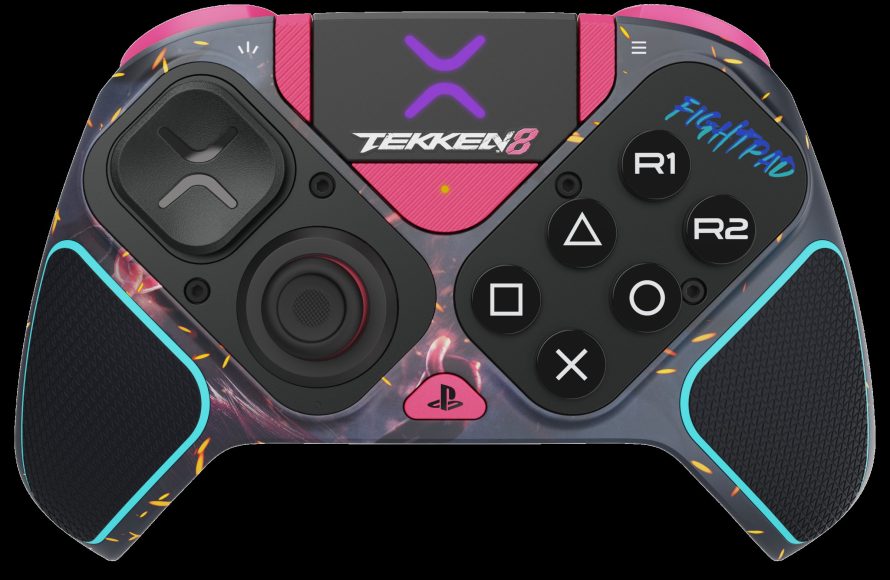
For optimal Tekken 8 gameplay, prioritize mapping crucial moves like Heat Engagers and Rage Arts to easily accessible face buttons or triggers, depending on your controller preference.
The right control setup makes a huge difference in fighting games. Many players struggle with input accuracy and swift execution. That’s why many want to learn about Tekken 8 how to optimize controller layout. This game’s demands require fast and precise commands.
Finding a controller layout that is comfortable and efficient is vital. We’ll explore the best button mappings for improved performance. This will help you pull off combos with less difficulty.

Tekken 8: How to Optimize Your Controller Layout
Getting your controller setup just right in Tekken 8 can make a huge difference in how well you play. It’s not just about having fast fingers, it’s about having a setup that feels natural and allows you to do what you want, when you want. We’re going to dive deep into the best ways to configure your controller, whether you’re using a standard gamepad, an arcade stick, or something else entirely.
Understanding Tekken 8’s Controls
Before we start moving buttons around, let’s make sure everyone understands what each button does in Tekken 8. The game uses a four-button system, along with the directional pad (or analog stick) for movement. Here’s a quick breakdown:
- Left Punch (LP): Usually mapped to the ‘Square’ button on PlayStation controllers or the ‘X’ button on Xbox controllers.
- Right Punch (RP): Usually mapped to the ‘Triangle’ button on PlayStation controllers or the ‘Y’ button on Xbox controllers.
- Left Kick (LK): Usually mapped to the ‘Cross’ button on PlayStation controllers or the ‘A’ button on Xbox controllers.
- Right Kick (RK): Usually mapped to the ‘Circle’ button on PlayStation controllers or the ‘B’ button on Xbox controllers.
- Directional Buttons (D-Pad/Analog Stick): Used for movement and special inputs.
These four buttons are the foundation of all your attacks, throws, and combos. Mastering them is key, and having them in a comfortable location on your controller is very important.
Why Button Layout Matters
Why should you even think about changing the default layout? Well, think of it like this: If you’re reaching for buttons awkwardly, you’re losing precious time. That split second it takes to move your finger could mean the difference between landing a crucial combo or getting punished by your opponent. A good layout lets you react faster and execute complex moves more easily. A great control scheme allows for quick access to frequently used button combinations, like throws and sidesteps.
Common Controller Types and Their Implications
Standard Gamepads
Most people start with the gamepad that came with their console. These are great for beginners and offer a solid starting point. The main thing to consider here is finger placement. The standard button arrangement often requires some adjustments for optimal Tekken play. Think about which fingers you use most and which are fastest to move. For example, some players find it more comfortable to use their index and middle fingers for the face buttons (LP, RP, LK, RK) instead of just their thumb.
Arcade Sticks
Arcade sticks are a popular choice for fighting game enthusiasts. They provide a different level of precision and control compared to a gamepad. The larger buttons and stick allow for a more deliberate feel, which some people prefer. With arcade sticks, button placement is usually consistent (usually in an arcade style layout), but the spacing between the buttons can affect comfort and accuracy. Also, arcade sticks usually have a much wider range of customizability.
Hitboxes
Hitboxes use buttons instead of a stick for movement. This might sound strange, but it allows for incredibly precise inputs, especially for complex movement commands. If you use a hitbox or are thinking about it, think carefully about how you will map the directional commands for most effectiveness. Think of this control type as less traditional and require some real thought on its optimal configuration.
Essential Button Mapping Strategies
Now, let’s get into the nitty-gritty of optimizing that layout. We’ll explore a few specific strategies to try based on common needs and player preferences.
The Importance of Shoulder Buttons and Triggers
The shoulder buttons (L1/R1, LB/RB) and triggers (L2/R2, LT/RT) are perfect for things you need to do quickly and frequently in Tekken 8. These buttons allow you to do actions such as:
- All Punches (1+2): This allows you to press one button instead of two. Great for throws and certain quick attacks.
- All Kicks (3+4): Similar to all punches, this makes some moves faster to perform.
- Left Punch + Left Kick (1+3): This combination is often used for sidesteps and other defensive maneuvers.
- Right Punch + Right Kick (2+4): Same as above, but for different character movements.
- Heat Engager: A very important mechanic that you will use often.
Setting these actions to shoulder buttons or triggers can free up your face buttons for other actions. Consider the following setups:
- L1/LB: All Punches (1+2)
- R1/RB: All Kicks (3+4)
- L2/LT: Left Punch + Left Kick (1+3)
- R2/RT: Right Punch + Right Kick (2+4)
Or you could also configure:
- L1/LB: Heat Engager
- R1/RB: All Punches (1+2)
- L2/LT: All Kicks (3+4)
- R2/RT: Left Punch + Left Kick (1+3)
Think carefully about what combinations you use the most. It is very character dependent as well.
Optimizing Face Buttons for Movement and Attacks
The face buttons are your main source of attacks, but they can also work for other functions. If you aren’t using the shoulder buttons for the combination moves mentioned above, you can configure face buttons for those. Some players find it comfortable to group attacks by hand and leg. Experiment to find what you like best. Also consider which fingers you use on which buttons. Having your fast fingers on your most important buttons is very important.
Movement Configuration
Movement in Tekken 8 is crucial. Whether you prefer using the D-Pad or the analog stick is a personal preference. D-Pads are generally considered to be more precise for inputs, but some people simply prefer the analog stick. Try both and see which feels more natural. If you’re using a hitbox, you should practice your directional inputs quite a bit. Make sure your inputs are as smooth as possible. This type of controller is a bit of a deviation from the norm.
Customizing Button Layouts in Tekken 8
Tekken 8 gives you the ability to customize your controller layout in the game’s settings menu. You can reassign almost any command to any button. Here’s a quick guide to do this:
- Pause the game and navigate to the settings menu.
- Find the “Controller Settings” or “Button Configuration” section.
- Select the button you want to remap.
- Choose the new action for that button.
- Repeat for all the buttons you want to change.
- Save your new configuration.
Always spend time practicing with your new layout. You might not be comfortable right away, but it will become more natural with time.
Advanced Button Mapping Techniques
Consider “Claw Grip”
Claw grip, which uses the index finger on the face buttons, can allow for more complex simultaneous button inputs on a standard gamepad. This is very popular among some Tekken players. It takes some time to get used to, but it is very popular at a high level of play.
Using the Touchpad or Share Button (If Applicable)
On PlayStation controllers, you can map the touchpad button. This is often a good place to put less frequent commands, like taunts or specific character actions, as you would not want these buttons to be too easily pressed in a fight. Experiment to see if it helps you.
Saving and Loading Controller Profiles
Tekken 8 allows you to save different controller profiles. This is a useful feature if you like to switch characters often, or if you have more than one controller that requires different configurations. Having profiles for multiple characters can make your life easier.
Practice and Patience
No matter what controller setup you use, it will always take some practice and patience to really master it. Even if you have the most “optimized” layout in the world, if you aren’t used to it you are going to have problems. If you are changing your controller configuration, give it a few days to allow yourself time to adjust.
Analyzing and Adapting
It’s important to analyze your gameplay and see how your layout is working for you. Are you having trouble with certain moves or combos? If so, you might need to tweak your layout some more. Pay attention to which buttons you reach for naturally and which combinations feel slow or awkward. Over time, you will find the optimal layout that works best for you. This process might take weeks or even months, so stick with it.
Sample Controller Configurations
Here are a couple of sample controller configurations to get you started. Remember, these are just suggestions and the best layout for you will be different depending on your unique play style.
Sample Configuration 1: Focus on Shoulder Buttons
| Button | Action |
|---|---|
| Square/X | Left Punch (LP) |
| Triangle/Y | Right Punch (RP) |
| Cross/A | Left Kick (LK) |
| Circle/B | Right Kick (RK) |
| L1/LB | All Punches (1+2) |
| R1/RB | All Kicks (3+4) |
| L2/LT | Left Punch + Left Kick (1+3) |
| R2/RT | Right Punch + Right Kick (2+4) |
Sample Configuration 2: Focus on Triggers for Heat
| Button | Action |
|---|---|
| Square/X | Left Punch (LP) |
| Triangle/Y | Right Punch (RP) |
| Cross/A | Left Kick (LK) |
| Circle/B | Right Kick (RK) |
| L1/LB | All Punches (1+2) |
| R1/RB | All Kicks (3+4) |
| L2/LT | Heat Engager |
| R2/RT | Left Punch + Left Kick (1+3) |
The best controller layout is the one that feels the most comfortable and natural to you. Don’t be afraid to experiment and find what works best. Remember that changing your controls will require practice, but the benefits will be worth it in the long run.
How To Master PEWGF in Tekken 8 (WITH CONTROLLER DISPLAY INPUTS)
Final Thoughts
Fine-tuning your controller significantly improves your Tekken 8 experience. Experiment with button mapping; find what feels comfortable and efficient for your specific playstyle.
Consider placing important moves or inputs on easily accessible buttons. A well-thought-out controller setup enhances reaction time and execution.
Ultimately, finding the optimal layout for Tekken 8 how to optimize controller layout is a personal journey. Try different configurations and adjust as you progress.

