
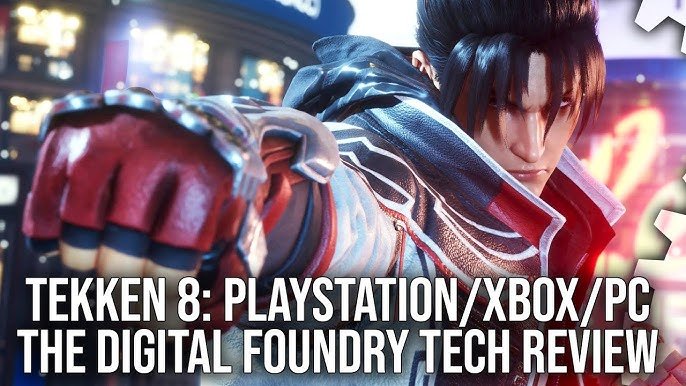
Tekken 8 demonstrates strong technical performance overall, with smooth gameplay and impressive visuals, though some minor frame rate dips occur in specific scenarios.
The anticipation surrounding Tekken 8 was immense, and now it’s finally here, begging the question: how does it actually perform? This Tekken 8 technical performance review aims to provide clarity on that very topic. We delve into the game’s performance across different platforms.
We will explore frame rates, visual fidelity, and any potential issues players may encounter. Expect a breakdown of what makes this fighting game tick, from the character models to the environmental effects. This review provides a useful perspective for anyone considering purchasing the game.

Tekken 8 Technical Performance Review
Alright, let’s dive deep into how Tekken 8 performs. This isn’t just about whether it looks pretty (though, spoiler alert, it really does!). We’re talking about the nuts and bolts, the gears and cogs, the stuff that makes the game run smoothly and feel fantastic. We’ll explore everything from frame rates and resolution to how it handles online matches and the different ways you can tweak the game on PC. We’ll break down all the techy talk so everyone can understand, even if you’re not a computer whiz.
Visual Fidelity and Graphics
First up, let’s talk about how Tekken 8 looks. The game uses Unreal Engine 5, and boy, does it show! The character models are super detailed – you can see the stitching on their clothes and even the tiny beads of sweat when they’re in a heated fight. The environments are also packed with detail, from the bustling city streets to ancient temples. This leap in graphical quality from previous Tekken titles is really something special, contributing heavily to the game’s immersive experience.
Character Model Detail
The developers put a lot of work into making each fighter look unique and realistic. This means that even the most subtle facial expressions are visible, adding a lot to the emotional impact of each match. Seeing the characters wince after taking a hard blow or their determined scowl before delivering a powerful strike adds depth to the gameplay.
Environment Art and Design
Environments in Tekken 8 aren’t just pretty backdrops; they’re dynamic. There are breakable walls, shifting platforms and some stages even have weather effects. This dynamism keeps fights interesting. It’s not just about how pretty they look, but how they affect the gameplay.
- Stages are diverse, with each having its own unique feel.
- Destructible elements add to the chaos and strategy of fights.
- Dynamic weather or time-of-day changes create an immersive experience.
Frame Rates and Performance
How the game feels is crucial, and this is where frame rates come in. A smooth, consistent frame rate makes a huge difference in fighting games, where split-second reactions are vital. When your frame rate is consistent and high, your inputs register faster, and this makes for a satisfying gameplay experience.
Targeted Frame Rates
Tekken 8 aims for a solid 60 frames per second (FPS). That’s the sweet spot for fighting games, ensuring that the action is responsive. The game mostly hits this target on consoles, however, there can be occasional hiccups when the screen is filled with effects. On powerful PCs, users can experience frame rates above 60 FPS (if they have a monitor to support those frame rates).
Frame Rate Consistency
Frame rate consistency is important. Even if you get high frame rates sometimes, having dips can throw you off. The game performs very well here, ensuring that most matches stay nice and smooth without sudden changes in the frame rate. Any dips are rare, and usually happen when things get extra intense.
Here is a table showcasing the general performance targets for the major platforms:
| Platform | Target Resolution | Target Frame Rate |
|---|---|---|
| PlayStation 5 | 4K (with dynamic scaling) | 60 FPS |
| Xbox Series X | 4K (with dynamic scaling) | 60 FPS |
| Xbox Series S | 1080p to 1440p (with dynamic scaling) | 60 FPS |
| PC (Variable) | Up to 8K (depending on hardware) | 60+ FPS (depending on hardware) |
Resolution and Display Settings
Resolution is how clear the game looks. Higher resolution means sharper images and more detail. Tekken 8 lets you adjust the resolution in the settings if you are playing on a PC, but on consoles it is automatically adjusted so you see the best possible image based on the type of monitor or TV you have. On most platforms, this is at 4K.
Resolution on Consoles
PlayStation 5 and Xbox Series X users will see a 4K resolution, this means that everything will look sharp and clear on a big 4K screen. The resolution scales dynamically to maintain the target frame rate. Xbox Series S generally outputs a resolution between 1080p and 1440p.
PC Resolution and Options
PC players have a lot more freedom. You can choose from different resolutions to fit your monitor. If you have a very powerful gaming PC, you might even be able to play at 8K or higher. In addition to that, players can adjust the graphics settings to tweak the quality and performance, these adjustments can be helpful if you have a mid-range computer.
Online Performance and Netcode
Online gaming is a huge part of Tekken, and a poor online experience can ruin the fun. Tekken 8 uses a very good online system called “rollback netcode.” This helps to make sure the game feels smooth even when you are playing against someone far away.
Rollback Netcode Explained
Rollback netcode is like a magic trick that makes online games feel more responsive. When you make a move, the game predicts what will happen on your opponent’s screen. If the prediction is correct, the game feels perfectly smooth. If it is incorrect, the game corrects itself but you usually do not see it, and this is why it makes the online feel so smooth.
Stability and Connection Quality
The stability of the online matches is very good in Tekken 8. You are unlikely to have problems with disconnections during the game if you have a stable internet connection. However, the quality of your internet connection will have a big impact on the smoothness of the game when playing online. A faster and more stable internet will allow you to have smoother and lag free matches.
Input Lag and Responsiveness
Input lag is the delay between when you press a button and when the action happens on the screen. In fighting games, every tiny delay counts. Tekken 8 does a good job keeping input lag to a minimum, making it feel like your commands are instantly recognized.
Low Latency Gameplay
Low latency is important because in a high level match even milliseconds make a huge difference. The game prioritizes responsiveness, so it is extremely crucial to keeping the fighting experience smooth and competitive.
Controller and Peripheral Support
Tekken 8 is designed to work with different kinds of controllers and fight sticks. On consoles you can use the standard controllers. PC players will have much more flexibility and will be able to use a controller or even a fight stick if they prefer. The game is optimized so any inputs are registered well from all sorts of different input devices.
PC Specific Performance Analysis
Playing Tekken 8 on PC brings extra considerations because of the wide variety of hardware setups. The game is well-optimized for different types of PC, but players should check the requirements to make sure that their computer can run the game smoothly.
System Requirements
The game has recommended system requirements, and its important for PC players to make sure their computer can run the game smoothly before buying. It is always better if your computer exceeds the recommended specifications, because this will give you a better gaming experience.
- Minimum Specifications: These are the bare minimum components you need to run the game, and will give you the lowest possible graphic settings.
- Recommended Specifications: These are what the developers recommend for the best balance between visual quality and performance.
Customization of Graphics Settings
Tekken 8 on PC has various graphic settings you can tweak. You can change settings such as the texture quality, the shadows, and the amount of special effects that are shown on screen. This allows you to get the best gaming experience on your specific PC. Lowering the graphics quality can be very helpful if you want to make the game run smoothly. But if you have a powerful computer you can crank all these settings up to their maximum, and enjoy the maximum visual quality.
Performance Across Different Platforms
Tekken 8 is available on multiple platforms, and it’s good to understand how it performs on each. While the core experience remains the same, there are some differences when comparing the different platforms that the game is available on.
PlayStation 5 Performance
The PlayStation 5 delivers a very good experience with the game, and runs at a target of 60FPS at a 4K resolution. The game looks great and feels very smooth on the PlayStation 5 console. The game rarely experiences framerate drops, even in graphically intensive scenes.
Xbox Series X/S Performance
The Xbox Series X version performs almost identically to the PS5, with consistent 60 FPS and a dynamic 4K resolution. The Xbox Series S, however, runs at a lower resolution (usually between 1080p and 1440p) to maintain the same target frame rate, though it still provides a solid gaming experience.
PC Performance Variability
The experience on PC can vary dramatically, as PC gaming has so many hardware configurations. It will perform according to how powerful the PC is that it’s being played on. Users with high end PC’s will enjoy a very smooth gaming experience, with very high frame rates, and higher resolution than on console. Low to mid range PC owners might need to lower some graphical settings to make the game playable at 60FPS.
Accessibility and Options
Tekken 8 offers many options for players of all abilities. The game includes various settings that make the game more friendly to beginners and seasoned players alike.
Control Customization
The game allows for extensive customization of control schemes, you can map different moves and actions to specific buttons on your controller or fight stick, and that allows players to tailor the controls to their preferred playstyle. This is a great option for both beginners and more experienced players.
Visual Options
Tekken 8 includes many options to customize the visuals, things such as brightness and contrast to make the game easier to see and play. The developers have added these settings with players of all abilities in mind.
In conclusion, Tekken 8 sets a new benchmark for fighting games. With its amazing graphics and smooth performance, it is an excellent experience across the different platforms that it is available on. It has very responsive controls, a stable online system, and lots of settings so that you can tailor it to your gaming preferences. Whether you are a long time fan of the series or a new player, the game will provide you with a deep and fun gaming experience.
Tekken 8 Performance Review – PS5 vs Xbox Series X|S vs Steam Deck
Final Thoughts
Tekken 8’s performance is generally good across platforms, but some PC players experience occasional frame drops. The game mostly maintains its target framerate on consoles. Visuals are impressive, showcasing detailed character models and environments.
However, some might notice minor graphical inconsistencies. Ultimately, the Tekken 8 technical performance review reveals a polished, engaging fighting game experience. Overall the performance is very solid on most systems.

