
Trafficity launches today, Monday, November 16, 2026, on PC (Windows) and Mac via Steam. Onramp Games develops and publishes it. It is a city builder about one job only: building roads and fixing traffic. You draw the road network, place roundabouts and traffic lights, and watch a living traffic simulation stress test every choice you make. This guide covers your first city only: the first roads, the first junctions, and the habits that keep traffic moving.
There is no full building list, no vehicle list, and no walkthrough here, because the game only just launched. What follows is what the Steam page confirms, plus the first-session habits that follow from those facts.
Launch Date
Monday, November 16, 2026
Price
Not listed on Steam yet
Platform
Windows and macOS via Steam
Simulation
Agent-based microscopic traffic

What Trafficity is, and what it is not
Trafficity is a traffic-focused city builder. The fun part, in the words of the Steam page, is building roads and solving traffic problems. You design the road network, and the cars do the rest. Each car is an agent in a microscopic traffic simulation. Cars prefer the fastest route, and they factor traffic into that choice. They pull into slip lanes to avoid queues, and they try to get into the right lane in time to turn. A good layout emerges from how the simulation behaves, not from a fixed recipe.
It is not a civic budget game. Trafficity keeps only a simple city economy, just enough to create real traffic problems. Residents need access to shops and workplaces, and they hate industrial pollution and road noise. Factories need workers and raw materials. Shops need customers and things to sell. Your job is the traffic that all of this creates.
Two things are not in the game at launch: no pedestrian system and no public transit system. The simulation is strictly focused on car, truck and freight road management. If you came looking for buses, trains or walking crowds, this is not that game. The launch package is four biomes, three difficulty levels including a sandboxy Chill Mode, and a procedural map generator. That is plenty for a first city.
Your first city: the simple setup
Start on Chill Mode. It is the sandboxy difficulty level, and it lets you learn the road tools without heavy traffic pressure. Pick any biome for your first city. Each of the four biomes has its own playstyle, but none of them is the wrong choice for learning. The procedural map generator means a fresh map is always one click away, so do not spend your first session hunting for a perfect map.
Your first roads matter more than your first buildings. The road tools let you place road grids at any angle in three clicks, so draw a simple grid first and leave room to widen it later. Keep homes close to shops and workplaces, because short trips mean light traffic. Keep factories and their truck routes away from homes, because residents hate the noise and the pollution.
| First step | What to do | Why it matters |
|---|---|---|
| Pick Chill Mode | Choose the sandboxy difficulty for your first city | You learn the road tools without heavy traffic pressure |
| Pick a map and biome | Take any of the four biomes and start, or generate a fresh map | Every biome works for learning, so do not hunt for a perfect map |
| Draw a simple road grid | Place road grids at any angle in three clicks, and leave room to widen them | Roads set the shape of the whole city, and widening is easier than rebuilding |
| Place homes near shops and work | Keep residents close to shops and workplaces | Short trips mean light traffic on your roads |
| Keep industry away from homes | Put factories and truck routes far from residential streets | Residents hate industrial pollution and road noise |
| Watch before you expand | Let the first cars move, then place your next batch of buildings | Each city level adds buildings, and the roads must grow with them |
Road basics: grids, lanes and overpasses
The road tools are gridless. You are not locked to rigid right angles, so a road can run at any angle across the map. The three-click grid tool drops a whole road grid in three clicks: first corner, opposite corner, and road width. It is the fastest way to lay out a new district. Use it for the bones of your city, then shape the details by hand.
Lanes are the fine tool. You can add individual lanes along the side of an existing road, which is how you build turning bays, slip lanes and rest stops without upgrading the whole street. Slip lanes matter because cars use them to pull out of the main flow and avoid queues into junctions. When one turning movement keeps blocking a road, add a lane for it instead of rebuilding the road.
Overpasses are the big tool. Roads can stack in layers, so you can lift one road over another and build highway interchanges when two busy routes cross. Save overpasses for real crossings. A flat junction with a light or a roundabout is easier to fix, and an overpass only earns its place when the traffic below it is already heavy.
Traffic lights and roundabouts: when to use each
Traffic lights give you control. You can adjust traffic light phases, set protected left turns, and tweak lane connections at a junction. Protected left turns stop left-turning cars from fighting oncoming traffic, which is the classic cause of a jam at a busy crossroads. Use lights where two busy roads meet and you need to decide who goes first, and in what order.
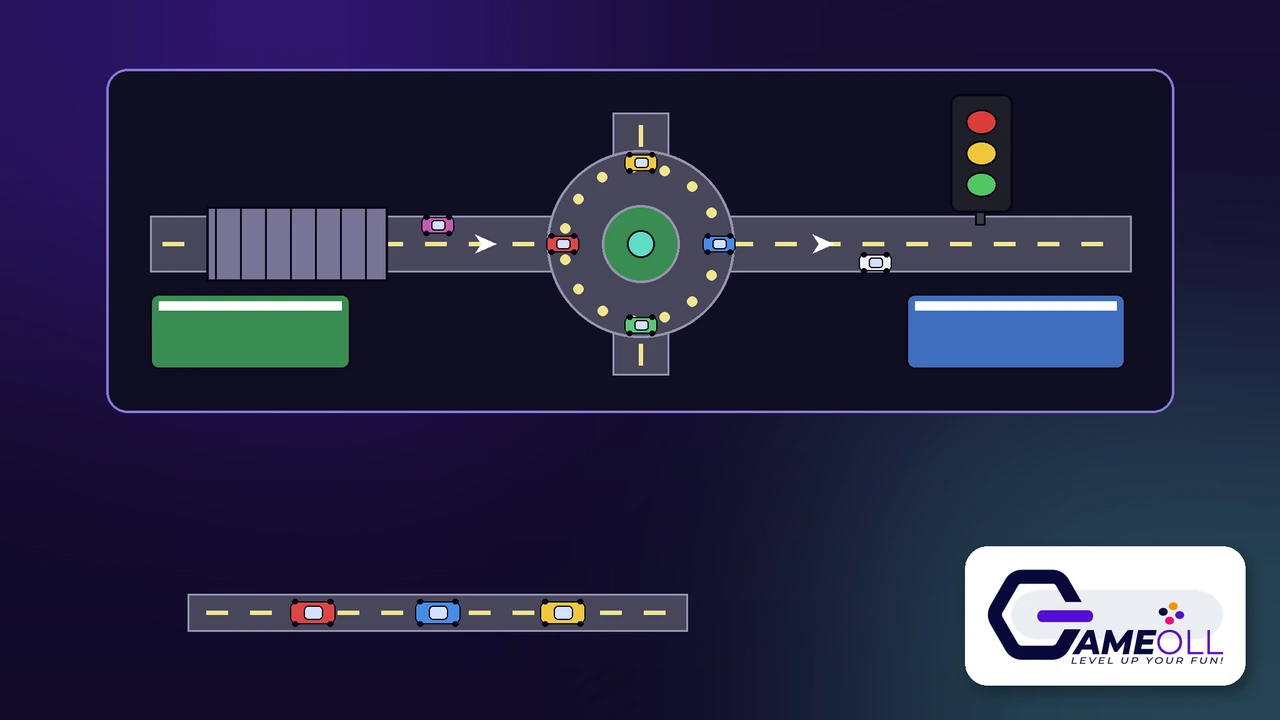
Roundabouts give you flow. You can place a roundabout directly or build one from curved road segments. Cars circle the central ring and yield before they enter, which keeps medium-density junctions moving without a red light stopping everyone. Use roundabouts where traffic is steady but not heavy, and where a light would spend half its time stopping cars that have nobody to wait for.
Lane connections are the hidden third tool. At any intersection you can map individual lanes to specific target lanes across the junction, so two lanes can go straight while one turns. Do this before you rebuild a junction. Many jams are not a capacity problem at all. They are a lane problem, with cars crossing each other to reach the lane they need.
One more setting is worth knowing. The game supports both right-hand traffic and left-hand traffic, so you can build cities that drive on either side of the road. Pick the side you are used to for your first city.
Fix your first traffic jam
Every first city gets a jam, and that is the point of the game. Do not panic and do not rebuild the whole city. Find the queue first. Watch where cars stop, and follow the queue back to the junction that causes it. The cause is almost always one junction, not the whole network.
Start with the cheapest fix. Check the lane connections at that junction, and give turning cars their own lane. If a left turn blocks the cars behind it, add a turning bay or a slip lane so through traffic can pass. If the light phases starve one approach, lengthen its green phase. Small changes first, then watch the cars again.
If the junction is still stuck, change its type. Swap a light for a roundabout when traffic is steady but the light keeps stopping empty lanes. Swap a roundabout for a light when traffic is so heavy that nobody can find a gap to enter. If trucks are the problem, give them their own route, away from residential streets. And if nothing at the junction works, look at distance: homes far from shops and work create long trips on every road between them, so bring the trip ends closer together.
Can your PC or Mac run it
Trafficity is light on hardware. The Steam page lists modest minimum specs, so most modern machines should run it without trouble. Check the table below against your own machine before you buy.
| Minimum spec | Windows | macOS |
|---|---|---|
| Operating system | Windows 10 | macOS 13 Ventura |
| Processor | 4-core 2GHz CPU | Apple M1, or 4-core 2GHz Intel |
| Memory | 4 GB RAM | 4 GB RAM |
| Graphics | Dedicated graphics with at least 2GB VRAM | Apple Silicon, or Intel Mac with dedicated graphics (2GB VRAM) |
| Storage | 2 GB available space | 2 GB available space |
Seven first-session habits
- Start on Chill Mode and learn the tools first. The sandboxy difficulty keeps traffic light while you practise grids, lanes and lights.
- Draw the road grid before you place buildings. A clean grid is easier to widen than a tangled one.
- Keep homes close to shops and workplaces. Short trips are the cheapest traffic fix in the game.
- Keep factories and truck routes away from homes. Residents hate the noise and the pollution.
- Fix one junction at a time. Find the queue, change one thing, and watch the cars before you touch the next junction.
- Use lane connections before you rebuild. A turning bay or a slip lane often fixes a jam that a wider road never would.
- Save your first city and try another map. The procedural generator and the four biomes give you a fresh layout to practise on.
What this guide does not cover yet
No full building list and no full vehicle list live here. The launch build only just opened, and listing every building and vehicle without played time would be a copy of someone else’s database, not a guide.
No walkthrough and no best layout. A real walkthrough needs a played city, and a best layout needs more than one city tested against the same traffic. Biome and difficulty advice beyond Chill Mode will follow once those have been played too.
And no price. At the time of writing, the Steam page lists no price, and the $15 to $17 figures seen in social media comments are only guesses from commenters. We will add the real price the moment Steam shows one. Until then, check the Steam page before you buy.
Trafficity questions
When does Trafficity launch?
Trafficity launches on Monday, November 16, 2026, on PC (Windows) and Mac via Steam. Onramp Games develops and publishes the game.
How much does Trafficity cost?
Steam lists no price yet at the time of writing. The store page shows no price, and the $15 to $17 figures seen in social media comments are only guesses, so check the Steam page before you buy.
Does Trafficity have pedestrians or public transit?
No. The simulation is strictly focused on car, truck and freight road management, so there is no pedestrian or public transit system to manage.
Final verdict
Trafficity is a simple idea done well: one job, roads and traffic, with a simulation that punishes lazy layouts and rewards clean ones. Start on Chill Mode, draw a simple grid, keep homes close to shops and work, keep trucks away from homes, and fix one junction at a time. The price is not listed on Steam yet, so check the store page, then build your first city and let the traffic tell you what to fix next.
🎮 See Trafficity on Steam 🎮 See All Free Games