
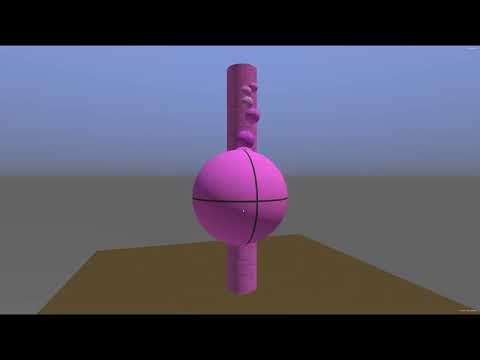
Understanding Roblox physics engine means comprehending how objects interact with forces like gravity, collisions, and friction within the game environment.
Ever wondered how those dynamic builds move and respond in Roblox? It all comes down to understanding Roblox physics engine. This system dictates the behavior of your game’s elements, from falling blocks to speeding cars.
It’s a critical aspect that impacts the feel and playability of your Roblox experiences. By grasping this concept, developers can create more immersive and engaging games.

Understanding Roblox Physics Engine
Have you ever wondered how things move and interact in Roblox games? It’s all thanks to the Roblox physics engine! This powerful system is like the invisible puppeteer that controls how objects fall, bounce, collide, and behave realistically.
Let’s explore this exciting part of Roblox development and see how it brings our virtual worlds to life.
What is a Physics Engine?
Imagine you are playing with building blocks. When you let go, they fall to the floor. A physics engine is like a computer program that does that same thing, but in the game. It calculates how objects move, speed up, slow down, and react to each other.
It’s the brain behind all the realistic interactions we see in Roblox, making games feel much more immersive and fun.
How does it Work?
The physics engine uses math and algorithms to decide how things move and interact. These mathematical calculations define concepts like gravity, friction, and collision.
When you build a game in Roblox, the physics engine takes care of these calculations automatically. You don’t have to write complex math equations; the engine does it all for you.
- Gravity: This is what makes things fall down. It’s like the earth is pulling everything toward its center.
- Friction: This is what slows things down when they rub against each other. Think of a toy car slowing down as it rolls on carpet.
- Collision: This determines what happens when two objects touch. They might bounce, stop, or go through each other, depending on the game settings.
By controlling these elements, we can create very different feeling games. A slippery ice level will have very different settings from a gritty dirt road level.
Key Concepts in Roblox Physics
Several key concepts are important when thinking about Roblox physics. Understanding these will let you make your games better.
Parts and Assemblies
Parts are the basic building blocks in Roblox. Think of them as the Lego bricks that make up everything in your game. A part can be a block, a sphere, or any custom shape you create.
Assemblies are groups of parts that are combined together. They are useful for complex structures, or models that move and act together.
Anchoring Parts
Anchoring is like sticking a part to the ground. An anchored part will not move, even when gravity or other forces affect it. This is useful for things that need to stay in place, like buildings or platforms.
If you do not anchor a part, the physics engine will make it subject to forces like gravity. This means the part will fall to the ground if it is in the air.
Unanchored Parts
Unanchored parts move when acted upon by forces. They will respond to gravity, collisions, and other game-related actions. For example, a ball that is unanchored will roll around if you push it.
Understanding the difference between anchored and unanchored parts is important for creating functional and realistic games.
Collisions and Hitboxes
Collisions happen when two parts touch each other. The physics engine is responsible for figuring out what happens during these collisions.
Hitboxes are invisible shapes around a part that the engine uses to detect collisions. These shapes can be simple or complex.
For example, a block might have a simple cube hitbox, but a detailed character might have multiple hitboxes to detect when different parts of the character are hit.
Collision Groups
Collision groups allow you to control which parts will collide with each other. This is useful to create things like walls that the player cannot walk through but other game elements can pass through.
You could set it up so players can walk through their teammates but collide with the opposing team.
Forces and Impulses
Forces and impulses make objects move. Forces continuously push or pull an object, and impulses are like a quick, powerful push.
For example, gravity is a constant force pulling all unanchored parts down. Impulses are used for jumping, shooting, or hitting things.
Think of forces like an engine and impulses like a kick!
Velocity
Velocity is the speed of an object in a certain direction. The physics engine calculates the velocity of all moving parts.
You can use velocity to see how fast something is moving or even change the direction or speed of an object.
Angular Velocity
Angular velocity is how fast an object is rotating. A spinning top, for example, has a high angular velocity.
This property allows you to create rotating doors, spinning platforms, or other types of rotating elements.
Working with Roblox Physics
Now that we understand some core ideas behind the physics engine, let’s see how you can use them to create your own games!
Basic Physics Interactions
The simplest interaction is an unanchored part that falls due to gravity. When you drop a part that isn’t anchored, the physics engine takes over and will make it fall.
You can experiment with different shapes and sizes of parts to see how they behave when they fall.
Bouncing
Bouncing happens when two parts collide. You can adjust the “bounciness” of parts to make them bounce more or less. A rubber ball will bounce a lot, but a heavy bowling ball will not.
The ability to control bouncing is essential for creating sports-type games, or games that include elements such as pinball machines.
Sliding
Friction causes parts to slide. Surfaces with less friction, like ice, will allow parts to slide more easily.
You can use a script to adjust the friction of different areas of your game to create slippery or sticky surfaces.
Scripting Physics
While the physics engine does much of the work, you can use scripts to control it. This gives you more control and lets you create unique effects.
You can write scripts to apply forces and impulses to objects, change their velocity, or even make them rotate. This allows you to customize exactly how your game behaves.
Applying Forces
You can use the ApplyForce function in scripts to apply a constant force to a part. For example, this could make a rocket continue to fly.
You need to define the direction and strength of the force. Think of this like your constant “push” on a part.
Applying Impulses
Use the ApplyImpulse function to apply a short, strong burst of force to an object. This is useful for things like jumping or shooting.
For example, you can set up a jump function that gives the player an upwards “kick” to make them jump into the air.
Advanced Techniques
Once you understand the basics, you can move on to more advanced physics techniques.
Constraints
Constraints are like joints that connect two parts and limit how they can move. Some common constraints include hinges, springs, and ropes.
You can make complex mechanisms with constraints, like swinging doors, working car suspensions, or even elaborate drawbridges.
Custom Physics
Roblox also lets you create custom physics behaviors. You can write scripts that override the default physics engine for your own unique systems. This will allow you to make incredibly unique games.
You can also change the properties of physics elements in real time, allowing you to make elements dynamically react to player actions.
Optimization for Performance
When working with physics, it’s important to remember to optimize performance. Physics calculations use up your computer’s resources, so too many parts being calculated can make the game run slow.
Here are some tips to keep your game running smoothly.
Limit Unnecessary Physics
Limit the number of unanchored parts in your game. Use anchored parts where you can and only use unanchored parts when they are needed.
For example, a city background doesn’t need to have the buildings fall down, so it’s best to keep them anchored.
Use Simple Shapes
Simple shapes like blocks and spheres are faster for the physics engine to calculate than complex shapes. If you can, try to use simple shapes when the details are not necessary.
Remember that the more detailed the shape, the more calculations the physics engine will have to do. This will slow down your game.
Collision Groups Wisely
Use collision groups to prevent unnecessary collisions. If you know two sets of parts should never collide, you can exclude them from each other.
Using these groups will save processing power and give you better performance.
Avoid Overlapping Parts
Avoid having parts overlap each other if it’s not necessary. Overlapping parts can cause issues with the physics engine and slow the game down.
When possible, keep parts separate and make sure they all have enough space around them.
Testing and Iteration
Always test your game and optimize your physics settings as needed. Games rarely work perfectly the first time!
Start with small tests and gradually add more complexity. This method allows for easier bug fixing and makes optimization simpler.
Troubleshooting Physics Problems
Sometimes, things don’t work exactly as planned in Roblox. Here are some common problems and how you can fix them.
Parts Falling Through the Floor
If parts are falling through the floor, make sure that the floor is anchored. If it is not, then gravity will make it move and fall.
If the floor is anchored, check that the hitbox of your floor completely covers the area you want to be solid. Sometimes, hitboxes can be smaller than the visible floor.
Parts Behaving Erratically
Erratic behaviors can be caused by overlapping parts or issues with forces. Double check your parts and scripts.
Try simplifying the setup to see if it works. Gradually add more complexity, one piece at a time, to make bug finding easier.
Incorrect Collisions
If collisions aren’t happening the way you expect, check your collision groups. Make sure parts are in the correct groups to collide.
Remember to test each part to verify it is interacting the way that you expect. This helps isolate and fix any problems with collisions.
Script Errors
If your physics scripts aren’t working correctly, review your code and check for any errors. If necessary, ask for help or seek out online tutorials that will show you how to code these mechanics.
Many helpful tutorials on the web can demonstrate ways to do different actions and provide you with sample code.
The Roblox physics engine is a wonderful tool for creating realistic and interactive game worlds. By learning the basic ideas behind the system, you can bring your creative game ideas to life. Remember that learning and practicing will improve your skills and make your future games even better. Experiment, test, and have fun creating amazing experiences!
Current Roblox Physics vs Experimental Engine
Final Thoughts
Ultimately, comprehending how forces and collisions interact within the system proves crucial. Effective game design hinges on understanding Roblox physics engine.
This understanding enables creators to build more engaging and predictable experiences. It’s the foundation for creating compelling and interactive environments, and controlling the game effectively.

