
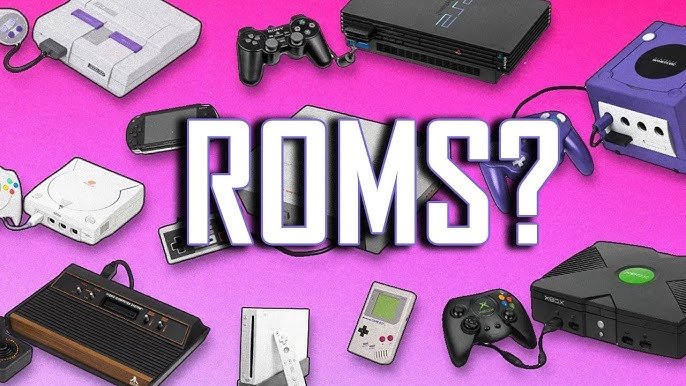
Game ROMs are digital copies of a video game’s data, typically extracted from a physical cartridge or disc.
Ever wondered how people play those classic games on their computers or phones? It all comes down to understanding what are game ROMs. They essentially function as the complete data package of a game.
Think of it like having a virtual copy of the game cartridge, allowing devices other than the original console to run the game. These files make gaming history accessible to everyone.

What Are Game ROMs?
Ever wondered how people play old video games on their computers or phones? A big part of that magic comes from something called a game ROM. Think of a ROM like a digital copy of a video game cartridge or disc. It’s not the physical thing, but it contains all the information needed to play that game.
The Basics of ROMs
The word “ROM” stands for “Read-Only Memory.” In the old days, video game data was stored on chips inside cartridges. These chips had information that the game console could only read, not change. This is why it was called “read-only.” Now, we use the term ROM to describe the file that contains this game data.
How ROMs Work
Imagine your favorite game, like Super Mario Bros. On the original Nintendo Entertainment System (NES), that game came on a cartridge. Inside the cartridge, there was a ROM chip storing everything about the game: the levels, the characters, the music, and all the rules. A game ROM is basically that chip’s information stored as a computer file. When you want to play an old game on your computer, you need a ROM file containing all that data.
- ROM files are like digital blueprints of a game.
- They contain everything the game needs to run correctly.
- You can’t change the data inside a ROM file; it’s “read-only.”
Emulators: The Key to Playing ROMs
A ROM file by itself isn’t enough to play a game. You need a special program called an emulator. An emulator acts like a virtual game console on your computer, phone, or other device. It reads the information in the ROM file and makes it work like it would on the original game console.
What Emulators Do
Think of an emulator as a translator. It takes the data from the ROM, which is written in the language the original console understands, and translates it into a language your computer can understand. So, the emulator basically tricks your device into thinking it is an old console. This allows you to experience games that were originally made for systems like the Atari, Game Boy, or PlayStation on modern devices.
Emulators come in many different forms, with each one designed to mimic specific consoles. There are emulators for nearly every classic system, ranging from ancient computers like the Commodore 64 to modern handheld devices like the Nintendo DS.
- Emulators act like the original game console on your computer.
- They read the ROM data and make the game playable.
- Different emulators are needed for different game consoles.
Finding Game ROMs
You won’t find ROM files in your local store, as most classic consoles and their original games are no longer commercially sold. Instead, ROM files exist on the internet. Finding them can sometimes be a bit tricky. The internet is full of websites offering ROM files for download. However, it is important to understand the legal implications of downloading and playing ROMs, which are explained later.
Where to Look
Many websites host ROM files. These sites often have collections of ROMs from various consoles. For example, you might find a website with a section for NES games, another for SNES games, and so on. Be very careful to only download files from reliable and trusted sources, as some files may contain malicious software or viruses that could harm your devices. Always do a check before clicking on any download links.
The Importance of Safe Downloads
Downloading ROMs can sometimes be risky. Some websites might offer ROMs that aren’t what they seem, or they may have viruses attached to them. To keep your computer safe, make sure you have good antivirus software installed. Also, stick to websites that are known to be safe and reliable, and don’t click on suspicious ads that ask you to install things.
- ROMs are often found on websites dedicated to classic gaming.
- Be very careful when downloading, as some files may contain viruses.
- Always use good antivirus software to scan downloaded files.
Types of ROMs
Not all ROMs are created equal. There are different types depending on which game console they came from. A ROM for a Nintendo Entertainment System game is going to be very different from a ROM for a PlayStation game, for example. These differences come from the way the original consoles were designed to work and store information.
ROMs by Console
Here are some of the more common types of game ROMs you might encounter:
- NES ROMs: These are for games from the original Nintendo Entertainment System (like Super Mario Bros. or The Legend of Zelda).
- SNES ROMs: These are for games from the Super Nintendo Entertainment System (like Super Metroid or Street Fighter II).
- Genesis ROMs: These are for games from the Sega Genesis (like Sonic the Hedgehog or Streets of Rage).
- Game Boy ROMs: These are for games from the original Game Boy (like Pokémon Red or Tetris).
- Game Boy Advance ROMs: These are for games from the Game Boy Advance (like Pokémon Ruby or Fire Emblem).
- Nintendo 64 ROMs: These are for games from the Nintendo 64 (like Super Mario 64 or The Legend of Zelda: Ocarina of Time).
- PlayStation ROMs: These are for games from the original PlayStation (like Final Fantasy VII or Crash Bandicoot).
- PlayStation 2 ROMs: These are for games from the PlayStation 2 (like Grand Theft Auto: San Andreas or Kingdom Hearts).
Each of these different consoles needed specific ROM formats, and you need a specific emulator to use each ROM. It would not work to try to play a PlayStation ROM file with a Game Boy emulator, for example.
Each of these types of ROM files are created with a specific format, that contains the game data in a structured way. The format is determined by the architecture and the way that each console was designed to access and use that data.
ROM File Extensions
You can often tell what type of ROM file you have by looking at its file extension. File extensions are the last three or four letters that appear after the file name. For example, the file named “supermario.nes” has a “.nes” extension.
- .nes – Nintendo Entertainment System
- .sfc or .smc – Super Nintendo Entertainment System
- .gen or .md – Sega Genesis/Mega Drive
- .gb – Game Boy
- .gba – Game Boy Advance
- .z64 or .n64 – Nintendo 64
- .iso or .bin – PlayStation and PlayStation 2
Legal Aspects of ROMs
Understanding the legal side of using game ROMs is very important. While playing old games can be fun, there are certain legal rules you should know and follow. The laws about game ROMs can sometimes be confusing, and may vary from country to country.
Copyright Laws and ROMs
Video games, like music and movies, are protected by copyright laws. This means that the companies who made those games have the exclusive right to copy them and make money from them. This is often referred to as intellectual property, and applies to all the game’s components including the music, art and code.
Therefore, making copies of game ROMs and distributing them without the permission of the copyright holders is considered copyright infringement, and may lead to legal problems. It is important to respect these rights and make sure you are not violating these rules.
When is ROM Usage Legal?
Generally, it is only considered legal to use a ROM if you already own the original physical copy of the game and if you use the ROM for personal purposes on your personal devices, which might include computer or smartphone.
It is not legal to download a ROM of a game that you don’t own, or to share these ROM files with other people. Furthermore, downloading and distributing game ROMs from internet sites is often done without permission from the copyright holders, and so is also not legal.
To avoid legal problems, you should only download ROMs of games that you already own and only use them for your own personal enjoyment. It is never permitted to sell or share ROMs to other people.
- Copyright laws protect game developers’ rights.
- Downloading ROMs of games you don’t own is usually illegal.
- Using ROMs of games you own for personal use may be legal, but always check the local laws of your country.
The Appeal of Game ROMs
Even with the legal considerations, many people love using ROMs for several reasons. One of the biggest is the nostalgia factor. Many people have strong memories of playing classic games when they were younger, and ROMs help recreate those experiences.
Nostalgia and Classic Games
ROMs allow you to replay classic games that you might not be able to easily access otherwise. Old consoles and cartridges can be hard to find or expensive to buy. ROMs provide a way to play those games without requiring old hardware. This makes it very convenient to revisit your favorite classic titles anytime you want to play them.
Many video game enthusiasts also like to preserve classic games, and they often view ROMs as a way to save classic games and to make them available for others to play and enjoy in the future. It’s also a way to learn about the history of video games.
Convenience and Portability
Another big draw is the convenience of playing games on modern devices. Instead of having to set up an old console and find an old TV, you can just use your phone or computer and play those same old games with a few clicks. This makes gaming on the go very easy.
Furthermore, emulators offer features that were not present in the original consoles, such as the option to save and load at any point in the game, speed up or slow down the gameplay, use custom screen filters and much more. This enhanced experience is also a reason why game ROMs and emulators are very popular with many fans.
- ROMs let you relive old gaming memories.
- They provide an easy way to play classic games on modern devices.
- Emulators often offer features that were not available on the original consoles.
Common Misconceptions About ROMs
There are a few misunderstandings about ROMs that often crop up, so it’s good to clarify them. First, many people confuse ROMs with full “free” games. ROMs are not the full game. They are just the data that can run on an emulator. You still need the right software to make use of a ROM, and you are not getting a free game in a sense that the original developers get no compensation when you play their games this way.
ROMs and Free Games
As described previously, game ROMs are often digital representations of a game, but they do not come with a legal right to play the game for free. If you never purchased the game, and you download a ROM file, you are not legally permitted to play it, regardless if you downloaded the ROM from the internet. It’s important to see ROMs as a tool for playing games that you already have the rights to enjoy, as part of a game you legally purchased at one time.
ROMs and Console Damage
Another misconception is that using a ROM can damage your game console. This is not true, because the ROM is a data file that runs on a computer, not on the original console. You could damage your computer by downloading a file containing a virus, but that has nothing to do with the ROM itself, and can be avoided by making sure you use a good antivirus and are downloading from a reputable site.
- ROMs aren’t full games but data files that need an emulator.
- ROMs do not cause any damage to consoles, but downloading malicious ROMs could harm your computer.
- It’s illegal to use ROMs if you don’t own the original game.
So, game ROMs are like digital copies of classic games that you can play on your computer or phone. You need an emulator to use them, and it’s essential to be aware of the legal rules and to stay safe when downloading. With some care and understanding, they let you enjoy your favorite old games and revisit a piece of gaming history.
How to Find Retro Game ROMS
Final Thoughts
Game ROMs are essentially digital copies of video game cartridges or discs. They contain all the data needed for a game to run on an emulator. People often use these files to play retro titles.
Essentially, what are game roms are files extracted from original media that are used in emulation. This allows you to enjoy classic games on different devices. Remember to respect copyright and only use ROMs of games you own physically.

