
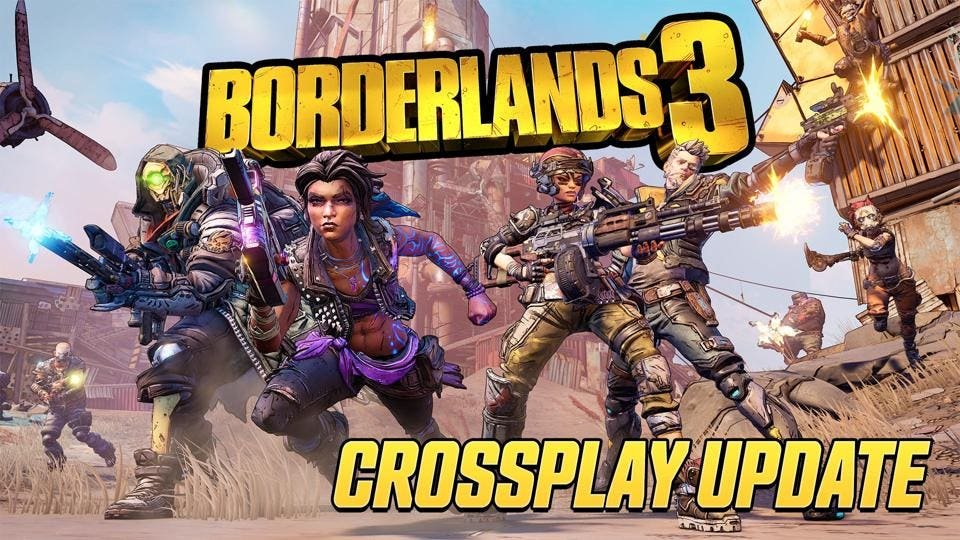
Only Borderlands 3 offers crossplay functionality.
So you’re wondering what borderlands games are crossplay, right? It’s a valid question for any Vault Hunter eager to team up with friends across different platforms. We all want to play with our buddies, no matter their console.
The good news is that you can experience crossplay in one of the games. Only Borderlands 3 allows you to team up across PlayStation, Xbox, and PC.

What Borderlands Games Are Crossplay?
Alright Vault Hunters, let’s talk crossplay in the Borderlands universe! It’s a question many of you have, and for good reason. Imagine teaming up with your friends, regardless of which gaming system they use. That’s the magic of crossplay! But, which Borderlands games actually let you play together across different platforms? Let’s dive in and break it all down so you can get to looting and shooting with your pals.
Borderlands 3: The Crossplay Pioneer
When you think about crossplay in the Borderlands series, the game that most often pops up is Borderlands 3. This game took a big step forward for the franchise, finally bringing crossplay functionality to the forefront. However, it’s not quite as simple as just jumping in. Here’s a closer look at how crossplay works in Borderlands 3.
Platform Availability for Crossplay in Borderlands 3
Borderlands 3 allows crossplay between specific platforms. This means not every platform can play with every other platform. Here’s the breakdown:
- PlayStation 4 & PlayStation 5: Players on these two PlayStation consoles can play together, which is great news for anyone who has upgraded.
- Xbox One & Xbox Series X/S: Similar to PlayStation, Xbox players on both the older and newer generations of consoles can team up for some co-op action.
- PC (Steam, Epic Games Store) & Xbox Consoles: This is where things get interesting. PC players can play with Xbox players, meaning there is a broader base of players that can connect.
- PC (Steam, Epic Games Store) & PlayStation Consoles: Unfortunately, at the moment, PlayStation and PC players cannot directly connect via crossplay. This is a big point many players are eager to see changed.
How to Enable Crossplay in Borderlands 3
Getting crossplay set up in Borderlands 3 is fairly easy, but you will need to do a few steps. First, make sure your game is fully updated with all the latest patches. After you have done this, you will need to enable crossplay in the game menu by following these steps:
- Go to the Main Menu: Boot up Borderlands 3 and navigate to the main menu screen.
- Select Options: Look for the “Options” button and select it.
- Find Network & Social: In the Options menu, find the “Network & Social” section.
- Enable Crossplay: Within this section, you’ll see an option to enable or disable crossplay. Make sure it’s enabled. If it’s disabled, change the setting to enabled and confirm your choice.
Once crossplay is enabled, you can start inviting players from other platforms to join your game or accept their invites. Keep an eye out for crossplay player icons next to player names.
Challenges and Limitations of Crossplay in Borderlands 3
While crossplay in Borderlands 3 is a fantastic feature, it does have some minor challenges. One of the biggest is the inability for PlayStation players to play with PC players directly. This is something players often wish was available, but for now, the limitation remains. Other limitations include some menu layouts appearing slightly different to players on different platforms. Despite some of these minor issues, the crossplay functionality largely works as intended and is great when you have friends on different devices.
It is also important to note that crossplay progress is not always synced, but this is less of a crossplay issue, and more of a general progress saving issue. You may notice progress not being saved across platforms at times. However, these are very minor and mostly do not impact play.
Borderlands 2 and Borderlands: The Pre-Sequel – Crossplay Absence
Now let’s move back in time a bit and talk about Borderlands 2 and Borderlands: The Pre-Sequel. These games are classics in the Borderlands franchise and they still have very active communities. Unfortunately, neither of these titles offer crossplay capabilities. If you and your friends are on different systems, you won’t be able to play co-op together in these games.
Why No Crossplay in Older Borderlands Games?
You might wonder why these games don’t have crossplay, especially when they are still so popular. There are some good reasons for this. The technology that allows for crossplay has significantly improved over time. When Borderlands 2 and The Pre-Sequel were developed, crossplay wasn’t as common and not typically included. It requires significant alterations to the game’s architecture, and retrofitting it into older titles is not a simple undertaking. Also, the focus has shifted to developing and supporting the most recent entries, like Borderlands 3 and now Tiny Tina’s Wonderlands.
Future Possibilities for Borderlands 2 and The Pre-Sequel
While there is no official word from Gearbox Software about bringing crossplay to Borderlands 2 or The Pre-Sequel, it’s not entirely impossible. If a huge amount of players request this feature, it might be something Gearbox would consider. However, for the time being, players will need to rely on playing on the same platforms to enjoy co-op in these classic titles. The reality is that it is unlikely to occur, as resources are likely to be spent on more recent and future titles.
Tiny Tina’s Wonderlands: Expanding Crossplay
After Borderlands 3, the spin-off title, Tiny Tina’s Wonderlands, also included crossplay features. This game takes the Borderlands formula and gives it a fantastical twist. Let’s see how crossplay functions in this game.
Platform Availability for Crossplay in Tiny Tina’s Wonderlands
Tiny Tina’s Wonderlands offers a more comprehensive approach to crossplay compared to Borderlands 3. Here’s how it works:
- PlayStation 4 & PlayStation 5: Players on both generations of PlayStation can enjoy co-op together.
- Xbox One & Xbox Series X/S: Similarly, Xbox players across generations can team up.
- PC (Steam, Epic Games Store): PC players can join the fun as well.
- Crossplay Across All Platforms: That’s right, unlike the limitations in Borderlands 3, Tiny Tina’s Wonderlands allows for play between PlayStation, Xbox, and PC platforms. This is the most complete crossplay implementation in the series to date.
How to Enable Crossplay in Tiny Tina’s Wonderlands
Enabling crossplay in Tiny Tina’s Wonderlands is quite similar to Borderlands 3. Here are the general steps:
- Start the Game: Launch Tiny Tina’s Wonderlands.
- Go to the Options Menu: Navigate to the “Options” menu on the main screen.
- Access Network & Social: Look for the “Network & Social” settings.
- Enable Crossplay: You will see an option to enable or disable crossplay. Make sure it is set to “Enabled.”
After crossplay is enabled, you can invite players from other platforms using the in-game social menu. As with Borderlands 3, keep an eye out for the crossplay icons to see who is on a different platform.
Benefits of Crossplay in Tiny Tina’s Wonderlands
The biggest benefit of crossplay in Tiny Tina’s Wonderlands is the ability to play with almost anyone, regardless of their platform. This makes it much easier to find friends to play with and expand your social circle of Vault Hunters. The game’s crossplay is also very smooth and stable and offers very few bugs or issues. It also makes matchmaking easier and quicker. Players spend more time in-game than in a loading screen. This seamless integration of crossplay creates a more social and enjoyable co-op experience, and has proven popular with players of the title.
Borderlands Crossplay: A Summary Table
To help make it all clearer, here’s a table summing up which Borderlands games have crossplay and what platforms are compatible:
| Game | Crossplay Available? | Compatible Platforms |
|---|---|---|
| Borderlands 3 | Yes | PlayStation 4 & 5; Xbox One & Series X/S; PC (Steam, Epic Games Store) & Xbox |
| Borderlands 2 | No | N/A |
| Borderlands: The Pre-Sequel | No | N/A |
| Tiny Tina’s Wonderlands | Yes | PlayStation 4 & 5; Xbox One & Series X/S; PC (Steam, Epic Games Store) |
As you can see, crossplay has come a long way in the Borderlands series. While not every title supports it, the ones that do allow players to team up across various platforms.
Why Crossplay is Important for Borderlands Players
Crossplay really has changed gaming for the better. Now, you don’t need to worry about what console your friends have before starting to play. Crossplay helps players have access to a wider player base, and helps players enjoy games more easily with their friends. You will no longer have to feel that you are missing out on gameplay because you don’t have the same console as your friend. Here’s why it’s a great addition to the Borderlands franchise:
- Play with More Friends: The biggest advantage is that you get to play with your friends, no matter what gaming platform they prefer. This brings more players together and allows you to play with more of your social circle.
- Larger Player Base: Crossplay allows for a larger pool of players overall. This can reduce waiting times for matchmaking and help keep the game feeling more alive and active.
- More Opportunities for Cooperative Play: The Borderlands games are heavily based on co-op play, and crossplay helps to facilitate this. It encourages a more inclusive experience and lets more players enjoy these titles.
- Future Proofing: As technology and gaming continue to grow and improve, crossplay ensures that titles will have longevity and relevance. It helps games stay modern and relevant for longer.
Crossplay really is a game changer, and the Borderlands series has benefited from this. It helps promote inclusivity and keeps games fun for longer.
So, that’s a comprehensive look at crossplay in the Borderlands franchise. Remember, Borderlands 3 allows crossplay with some restrictions, and Tiny Tina’s Wonderlands allows crossplay across all platforms. Unfortunately, older titles like Borderlands 2 and The Pre-Sequel do not have crossplay features. Now that you know the situation with crossplay, you can team up with your friends and go loot, shoot, and have fun!
Every Borderlands Game (including Spinoffs) Ranked
Final Thoughts
Borderlands 3 offers crossplay between PlayStation, Xbox, and PC. Wonderlands also features crossplay across these same platforms. These games allow friends to team up regardless of their console choice. So, when considering ‘what borderlands games are crossplay’, the current answer includes these two titles.
Remember this when you choose which game to purchase with friends. This feature enhances cooperative gameplay. Crossplay greatly improves Borderlands fun.

