
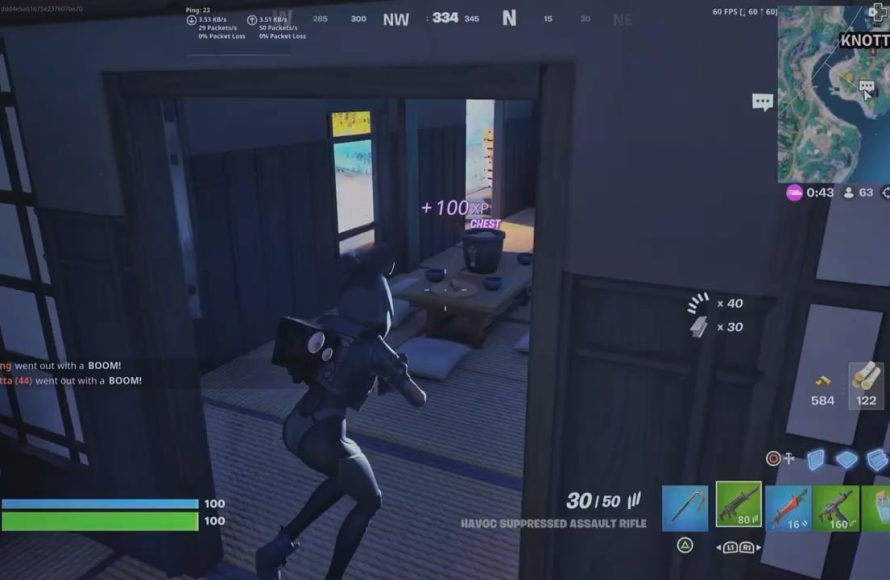
Game stuttering primarily results from inconsistent frame delivery, which stems from either your hardware struggling to keep up with the game’s demands or software issues creating bottlenecks in performance.
That frustrating hitch in your favorite game, where the action freezes for a split second? We’ve all been there, wondering what causes game stuttering. It’s more than just a minor annoyance.
The problem often lies in the complex dance between your computer’s components and the game itself. When one aspect can’t keep pace, you get that annoying stutter.
Understanding these underlying issues can often be helpful, and we will explore those very reasons.

What Causes Game Stuttering?
Have you ever been in the middle of an awesome game, only for it to suddenly start jumping and freezing? That’s game stuttering, and it can be super annoying. It’s like your game is having hiccups! But why does this happen? It’s not just random; there are usually specific reasons behind it. Let’s explore the common culprits that cause your games to stutter and learn how you can potentially fix them. We’ll dive into everything from your computer’s hardware to the game’s own settings, and even your internet connection, if you’re playing online.
The Usual Suspects: Hardware Issues
Your computer’s hardware is like the engine of your gaming experience. If any part of it isn’t working well, it can cause your game to stutter. Think of it like a car trying to go fast with a weak engine – it’s going to sputter and struggle.
The Graphics Card (GPU)
The Graphics Processing Unit, or GPU, is super important for gaming. It’s responsible for showing you all the cool visuals you see in your game. If your GPU isn’t strong enough for the game, or if it’s overheating, it can cause really bad stuttering. Imagine trying to draw a very detailed picture, but your hand is tired and shaky – that’s what a struggling GPU feels like.
- Not Powerful Enough: Some games need a really powerful GPU to run smoothly. If your GPU is old or just not very strong, it might not be able to keep up.
- Overheating: GPUs get hot when they work hard. If they get too hot, they will slow down to protect themselves, which can cause stuttering. Make sure your computer has good cooling with fans or even liquid cooling systems.
- Outdated Drivers: The drivers are like instructions for your GPU. If they’re old or broken, your GPU might not work as well as it should. Keeping your drivers updated is essential for a smooth experience.
- Memory Issues: The VRAM (Video Random Access Memory) of your GPU is another key factor. If a game needs more VRAM than your graphics card has, it will cause stuttering.
The Central Processing Unit (CPU)
The CPU, or Central Processing Unit, is like the brain of your computer. It handles all the calculations and instructions needed to run your game. A weak CPU or one that’s too busy can definitely cause stuttering.
- Bottlenecking: Sometimes your CPU can’t keep up with your GPU. This is called a bottleneck. When this happens, your GPU has to wait for your CPU, and your game starts to stutter.
- Too Many Background Tasks: If you have a lot of other programs running while you’re gaming (like web browsers or other apps), your CPU can become overloaded. This can cause stuttering. Close unnecessary programs before starting the game.
- Overheating: Similar to GPUs, CPUs also need good cooling and can stutter if overheating.
Random Access Memory (RAM)
RAM, or Random Access Memory, is like your computer’s short-term memory. It’s where your computer stores data that it needs to access quickly. If you don’t have enough RAM, your game might stutter while your computer tries to move data back and forth between the hard drive and the RAM. Games also have system requirements for how much ram is needed. If you do not meet this, it could lead to performance issues.
- Not Enough RAM: Most modern games need at least 8 GB of RAM, and some even require 16 GB or more. If you don’t have enough RAM, your computer will start using your hard drive (which is much slower), causing the game to stutter.
- Memory Leaks: Some software or games can have bugs that cause them to use up more RAM than they should. This can lead to stuttering and other performance problems over time.
Storage Devices (Hard Drive or SSD)
Your computer’s storage, like the hard drive (HDD) or solid-state drive (SSD), is where your game is stored. The speed at which your game can load data from storage can impact performance.
- Slow Hard Drive (HDD): HDDs are slower than SSDs. Games load much faster from SSDs, which leads to better performance. If your game is installed on an HDD, it can stutter, especially during loading screens or when new textures need to load.
- Full Storage: If your hard drive or SSD is almost full, your computer will struggle to find space to move temporary files. This can cause stuttering and slow performance overall.
Software and Game-Related Causes
It’s not just about hardware; the game itself and the software you’re running can also play a significant role in stuttering.
Game Settings
The settings you choose within the game can have a major impact on performance. If the settings are too high for your computer, it might cause stuttering.
- High Graphics Settings: Things like texture quality, shadow detail, and anti-aliasing can really tax your system. If you turn them up too high, your computer might not be able to keep up, causing it to stutter.
- Resolution: Higher resolution means more pixels, and more pixels mean more work for your computer. Lowering the resolution can sometimes fix stuttering issues.
- V-Sync: V-Sync tries to match the game’s frame rate with your monitor’s refresh rate. Sometimes, this can cause stuttering if your computer can’t maintain a stable frame rate. Experiment with it on and off to see what works best.
Driver Issues
We mentioned outdated drivers above, but sometimes drivers can have other issues that cause problems.
- Buggy Drivers: Occasionally, new drivers can have bugs that cause problems with certain games. If a game started stuttering after you updated your drivers, try going back to an older version.
- Conflicting Drivers: Sometimes, drivers for different hardware components can conflict with each other. This can be hard to diagnose but is worth considering if other solutions don’t work.
Game Bugs and Optimization
Some games are simply not well-optimized or have bugs that can cause stuttering. This is particularly common with new releases. Even if you have great hardware, a poorly optimized game can still stutter. Developers will often release patches to fix these problems, so check for game updates.
- Lack of Optimization: If a game is not properly optimized, it can put unnecessary strain on your computer. This can result in stuttering even if your system is generally powerful.
- Game Bugs: Some games have bugs that can cause stuttering. These bugs are usually fixed by developers in patches or updates.
Operating System Issues
Your operating system is also crucial. If it’s not running well, it can cause game stuttering. Older operating systems or even newer ones not properly updated can have compatibility issues with some games.
- Outdated Operating System: An older version of Windows might not have all the optimizations or drivers for the latest games. Make sure your system is up-to-date.
- Background Processes: Your operating system runs many processes in the background. Some of these can use resources that your game needs, causing stuttering. Cleaning your computer by removing unwanted processes is recommended.
Other Potential Causes
Sometimes, the cause of stuttering isn’t directly related to your computer or game. Let’s explore a few other culprits.
Internet Connection Issues (For Online Games)
If you’re playing online games, a bad internet connection can cause stuttering, also often referred to as lag. This isn’t exactly like the stuttering that happens with hardware problems, but it feels similar.
- High Ping: Ping is how long it takes for data to travel from your computer to the game server and back. High ping can cause the game to freeze or jump as it tries to sync with the server.
- Packet Loss: Packet loss means data gets lost on its way. This can also cause the game to stutter, as it tries to fill in the missing data.
- Unstable Connection: An unstable connection with frequent drop outs can cause game stutter.
Overlays and Other Software
Overlays from programs like Discord, Steam, or other game utilities can sometimes interfere with games. These overlays, which show in-game notifications, messages, and more, can use resources that your game needs.
- Resource Intensive Overlays: Some overlays are more resource-intensive than others. Try disabling them temporarily to see if they help with stuttering.
- Compatibility Issues: Certain overlays may conflict with specific games or cause compatibility issues.
Temperature Issues
As we’ve mentioned, overheating is a common cause of stuttering, not just in the GPU or CPU but also with other components, especially in laptops where heat management can be a real issue.
- Poor Cooling Systems: If your computer’s cooling system isn’t working well, it can cause your components to overheat, leading to performance throttling and stuttering.
- Dust Buildup: Dust can block cooling vents, which can cause your computer to get too hot. Regularly clean your computer to ensure good airflow.
How to Identify What’s Causing Stuttering?
Finding out the root cause of your game stuttering can be tricky, but here are some steps you can take to narrow it down:
- Monitor System Performance: Use the Windows Task Manager or other system monitoring tools to check your CPU, GPU, and RAM usage while you’re playing the game. If one of them is consistently at 100%, it could be the cause of your problem.
- Test Different Graphics Settings: Lower your graphics settings to see if the game stutters less. If it does, it likely means your computer is having trouble handling the higher graphics.
- Try a Different Game: If you have stuttering in a certain game, try playing other titles to see if the issue is game-specific or more general.
- Check your System Temperatures: Monitor your CPU and GPU temperatures. If they are too high, overheating might be a problem.
- Update Everything: Make sure that all your drivers, your operating system and the game itself are updated to the latest version.
Game stuttering is a common problem, but thankfully there is usually a way to fix it. By understanding the many potential causes, you’ll be better prepared to pinpoint the issue and get your games running smoothly.
Fix Games Stuttering In 15 Seconds
Final Thoughts
Game stuttering arises from several issues. Insufficient processing power in the CPU or GPU is a major culprit. Bottlenecks in RAM or storage access contribute as well. Driver problems or software conflicts can also create these interruptions.
Poor optimization within the game itself also plays a role. High graphics settings that exceed hardware limits can certainly cause stutter. Ultimately, what causes game stuttering boils down to a system’s inability to process the game’s data smoothly.

