
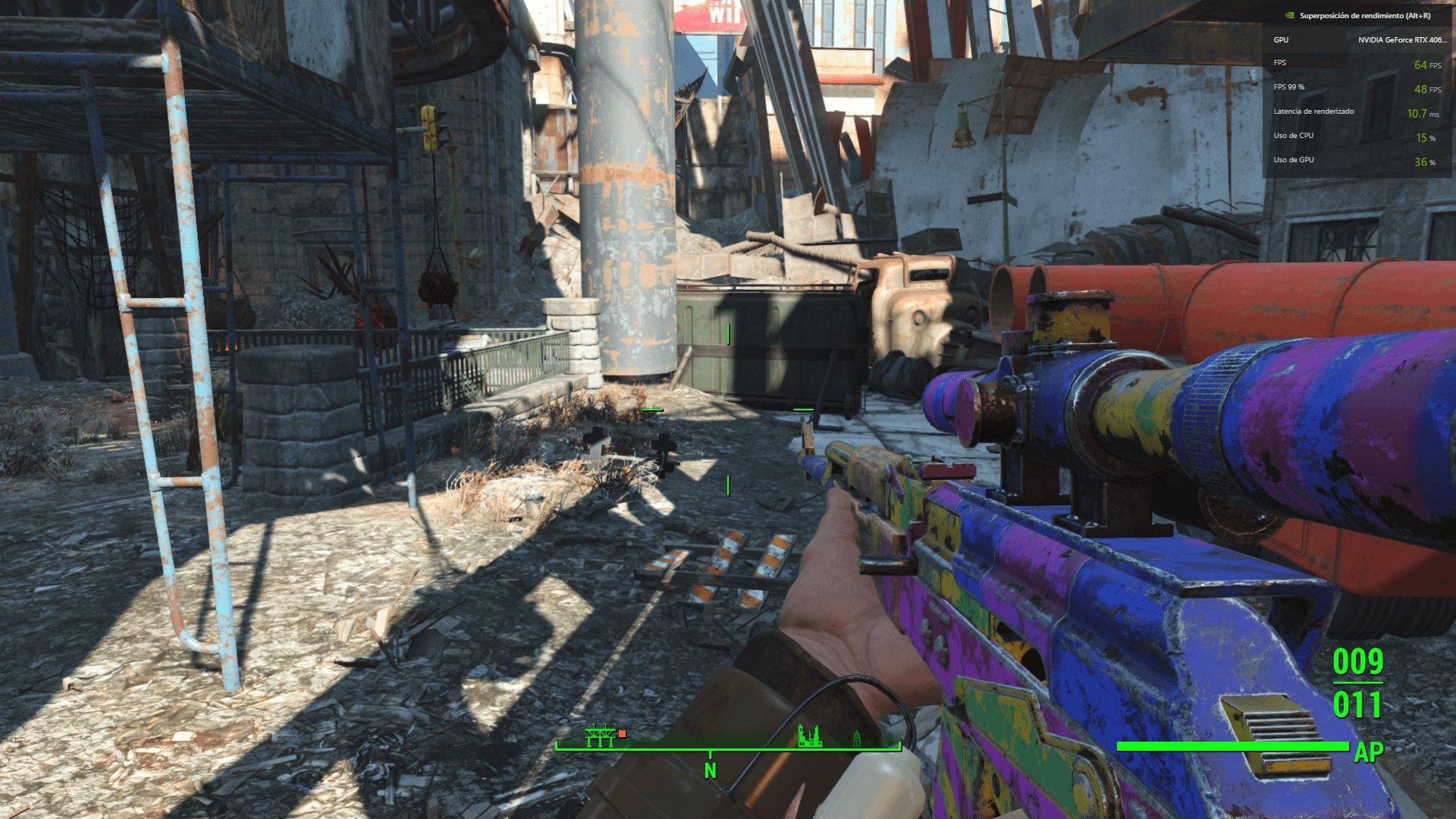
Your game’s FPS depends heavily on your specific hardware and the game’s settings; you need to test it directly to know what fps your game run will be.
Figuring out performance can feel like solving a mystery, especially when you’re asking, “what fps would my game run?” So many factors influence your frame rate, from your graphics card to your processor. It’s not a simple one-size-fits-all answer.
Every game has different demands on your system. You might see high frames in one title, but struggle in another even with similar settings. Testing your specific setup is the best way to find out the exact fps.

What FPS Would My Game Run?
Figuring out how smoothly your favorite game will run can feel like solving a puzzle! We’re talking about frames per second, or FPS. It’s like flipping through the pages of a flipbook – the more pages you flip quickly, the smoother the picture looks. In video games, higher FPS means smoother gameplay, and that’s what everyone wants. But what determines if your game will run at a super-smooth 60 FPS, or if it will be a bit choppy at 30 FPS or lower? Let’s dive in and find out!
Understanding Frames Per Second (FPS)
Before we get into the nitty-gritty of predicting your game’s FPS, let’s make sure we all understand what FPS actually means. As we said, FPS stands for frames per second. Think of each frame as a single picture in a movie. When these pictures are shown quickly one after another, it creates the illusion of movement. The faster these pictures are displayed, the smoother and more fluid the motion appears. That’s what FPS is all about.
Why Does FPS Matter?
You might be thinking, “So what? As long as the game works, it’s fine.” Well, not quite. FPS directly impacts your gaming experience. Here’s why it’s super important:
- Smooth Gameplay: Higher FPS means the game looks and feels smoother. Actions and movements are more fluid and responsive, making it easier to play and enjoy the game.
- Competitive Edge: In fast-paced games, like shooters, even a slight stutter can mean the difference between winning and losing. Higher FPS allows you to react quicker and make more precise movements.
- Reduced Motion Blur: Lower FPS can lead to motion blur, where things on screen seem fuzzy when moving quickly. This can be distracting and make it difficult to see what’s going on. Higher FPS reduces this blur, offering a clearer picture.
- Overall Enjoyment: Simply put, a smooth game is more enjoyable to play. Imagine watching a movie that keeps skipping – it wouldn’t be fun. The same goes for games.
So, ideally, you want a higher FPS. But how do we get there?
The Key Players: Hardware Components
The FPS your game achieves isn’t random. Several computer parts, called hardware, work together to make your game run. Here are some of the most important ones:
The Graphics Card (GPU)
The Graphics Processing Unit, or GPU, is the star of the show when it comes to gaming. It’s like the artist of your computer, responsible for drawing everything you see on the screen. The more powerful the GPU, the more detailed images it can create and the faster it can create them, leading to higher FPS.
Think of it like a car engine. A more powerful engine will allow the car to go faster. Similarly, a stronger GPU lets your game render more complex graphics at higher frame rates. Some big names you might hear in the GPU world are NVIDIA (GeForce) and AMD (Radeon). They both make different types of GPUs, each with varying power. Make sure that you check the performance of your specific GPU to see if it is enough for your game.
The Processor (CPU)
The Central Processing Unit, or CPU, is like the brain of your computer. It does a lot of the thinking, like handling game logic, character movements, and other calculations. While the GPU handles the graphics, the CPU is responsible for keeping everything else running smoothly. A more powerful CPU can feed your GPU the information it needs more quickly, which helps with higher FPS.
If the CPU is slow, it can create a “bottleneck,” where the GPU has to wait for information. This can mean your game doesn’t run as fast as it could, even with a powerful GPU. Just like you need a great road for your fast car, you need a great CPU for your GPU to reach its full potential.
RAM (Random Access Memory)
RAM, or Random Access Memory, is like your computer’s short-term memory. It holds the information that your CPU and GPU are actively using. Having enough RAM ensures that your computer doesn’t have to constantly access the slower hard drive or SSD for information, which would slow everything down. When games run, they usually load several levels, characters, and other elements which uses the RAM. If you don’t have enough RAM, your game can feel slow or you might notice frequent stutters in the game.
Most modern games work best with at least 8GB of RAM, while many newer games will work best with 16GB or more, especially if you are also running other apps simultaneously. It’s like having enough desk space; if your desk is too small, you cannot work efficiently.
Storage (SSD vs HDD)
While the hard drive or Solid State Drive doesn’t directly control your game’s FPS as much as the CPU, GPU, and RAM do, it does play a vital role in loading times and overall system responsiveness. A Solid State Drive (SSD) is like a super-fast filing cabinet. It helps your computer access files (like game files) much faster than a traditional hard drive (HDD). While an HDD will run your game, using an SSD will load your game much faster, and reduce load stuttering that is caused when the computer is taking time to load the game’s data.
Having a game installed on an SSD can sometimes mean the difference between a quick seamless experience and slow and stuttering one. Games usually load things during gameplay as well, so using a faster storage system is great for smoother loading during play.
Game Settings and Their Impact
The quality of the game itself also impacts FPS. Game developers design games with different graphics settings that can affect the FPS. Here’s a breakdown of some of the key settings:
Resolution
Resolution is how many pixels your screen displays. More pixels mean a more detailed image, but this also requires more work from your GPU. Common resolutions include 1920×1080 (1080p), 2560×1440 (1440p), and 3840×2160 (4K). Running a game at a higher resolution will usually reduce FPS. Therefore, if you are finding it difficult to achieve a target FPS, you might want to reduce the game’s resolution.
Graphics Quality
Graphics Quality settings control different aspects of how the game looks, such as textures, shadows, and lighting effects. You’ll often see options like “Low,” “Medium,” “High,” and “Ultra.” Generally, higher settings look more beautiful, but they also require more processing power, leading to lower FPS.
- Textures: Higher quality textures add more detail to surfaces in the game.
- Shadows: Shadows add depth and realism, but high-quality shadows need more processing power.
- Lighting Effects: Things like reflections and dynamic lighting can look spectacular but can also take a toll on your FPS.
- Anti-Aliasing: Helps to make edges of objects smoother.
- View Distance: How far the computer loads the world, such as in open-world games, like Grand Theft Auto.
Frame Rate Limiters and V-Sync
Many games allow you to limit the maximum FPS. While this can feel like an odd option, it actually has a lot of great usage. Limiting the FPS can also help to reduce overheating on your system. V-Sync, or Vertical Synchronization, is a setting that forces your game to only display frames at the same rate as your monitor. This can reduce screen tearing, where parts of different frames appear on the screen at once. V-Sync can, however, reduce FPS in some situations.
How to Predict Your Game’s FPS
Now that you know the key factors affecting FPS, how do you actually figure out what FPS your game will run at? Unfortunately, there’s no single magic answer, but here’s what you can do:
Check System Requirements
Most games list their minimum and recommended system requirements. These lists will usually have the minimum specifications of components needed to run the game. But to get a target FPS that is stable, you’d want to meet or exceed the recommended specifications. While these specifications can be an approximation, and might not be perfect, it’s a good starting point.
Here’s what a typical system requirement list might look like:
| Component | Minimum | Recommended |
|---|---|---|
| CPU | Intel Core i5-4460 | Intel Core i7-7700 |
| GPU | NVIDIA GeForce GTX 960 | NVIDIA GeForce GTX 1060 |
| RAM | 8 GB | 16 GB |
| Storage | HDD | SSD |
Compare your computer components to these specifications. If your parts are close to the “minimum” specs, expect to play the game with low graphic settings at about 30 FPS. If your components are closer to, or exceed, the recommended specs, you will likely get at least 60 FPS at medium settings. If they are far better than the recommended specifications, you may even get 120 FPS or more, depending on your monitor’s refresh rate.
Benchmark Tests and Tools
Many websites and online tools can help you estimate what FPS a game might run on your system. These tools often include user-submitted data, which helps to provide more accurate results. Benchmarks tests give you an FPS score based on running the game with specific settings, which can help you find out the average FPS you would get in specific graphic settings.
YouTube and Online Communities
A great place to learn about FPS is the vast resource of YouTube, as well as online communities and forums. There are likely plenty of gamers who have the same, or similar computer parts as you do. You can search for videos or forum posts with titles like “[Your Game] FPS on [Your CPU and GPU]”. This will show you real-world examples of people who have already tested the game on the type of computer system you have, or similar system configurations.
Experimenting with Game Settings
The best way to know what FPS your game will run is to simply try it out! Start with low to medium settings, and then increase the quality step by step until you are not getting your target FPS. If you notice the performance decreasing, simply lower the quality to the previous one, until you find a sweet spot between visual quality and performance. This is the best method to find the perfect mix of game visual quality and high FPS.
Target FPS for different situations
Different FPS levels can be better in different situations. While higher FPS is generally better, there might be scenarios where lowering your settings and aiming for a specific FPS is the best idea. Here is a breakdown of common FPS targets:
- 30 FPS: This is generally considered the minimum for playable experience. While it might not be super smooth, many console games tend to target this FPS.
- 60 FPS: This is generally considered ideal for most games. Many gamers agree that 60 FPS provides a smooth and comfortable playing experience.
- 120 FPS and Above: This is usually desired for competitive gamers. The extra frames can allow for better reaction time, and reduces screen tearing.
Troubleshooting Low FPS Issues
Sometimes, even with a decent computer system, you might experience low FPS. Here are some troubleshooting tips:
- Update your drivers: Make sure your GPU drivers are up to date. These updates often include optimizations that improve game performance.
- Close unnecessary background programs: Too many programs running in the background can use your CPU and RAM. Close anything you don’t need.
- Check for overheating: If your computer is overheating, it might lower its performance to prevent damage.
- Adjust game settings: Lowering graphics settings can make a big difference in FPS.
- Monitor Resources: Use a tool to see how hard the CPU and GPU are working, and adjust your settings accordingly.
Remember, finding the perfect FPS for your game is a balance between hardware, game settings, and your preferences. It might take a bit of experimenting, but by knowing how each part works and affects your experience, you will be well on your way to achieving the target FPS you want. With the right hardware and settings, you can enjoy smooth and immersive gameplay!
FPS VS Refresh Rate
Final Thoughts
Ultimately, predicting exact frames per second (fps) remains complex due to numerous factors. Your specific hardware setup and game settings greatly impact performance. Consider testing different graphics options to find your ideal balance.
The best way to know what fps would my game run is through experimentation. Lowering resolution or details often boosts fps. Remember, optimal performance is a personal experience.

