
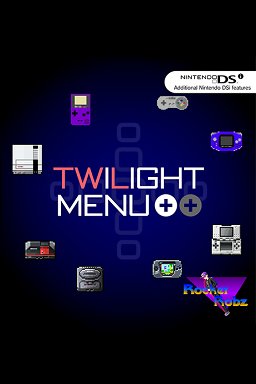
Twilight Menu can play Nintendo DS games, homebrew applications, and some emulated console games.
Ever wondered what games can twilight menu play? It’s a common question for anyone diving into the world of Nintendo DS homebrew. This handy piece of software opens up a lot of possibilities beyond just the standard DS library.
With twilight menu, you gain access to a wide selection of DS games. It also allows you to play some games made by the community or play emulated classics. Think of it as your gateway to extra gaming fun.

What Games Can Twilight Menu Play?
So, you’ve heard about the Twilight Menu, and you’re probably wondering, “What exactly can this thing play?” Well, you’ve come to the right place! The Twilight Menu isn’t a game itself; it’s actually a special piece of software, kind of like a super cool app launcher for your Nintendo DS, DSi, or 3DS. Think of it as a key that opens doors to play lots of different kinds of games that you wouldn’t normally be able to play on your device.
DS and DSi Games: The Bread and Butter
The Twilight Menu’s main job is to let you play Nintendo DS (NDS) and Nintendo DSi (DSi) games. These are the classic games you remember from those systems – the ones you might have on cartridges. But with Twilight Menu, you don’t need the cartridges anymore! You can load game files (we call them ROMs) onto an SD card and then use Twilight Menu to choose which one you want to play. It’s like having all your game cartridges in one place! It supports virtually every DS and DSi game out there, including:
- Super Mario Bros.
- The Legend of Zelda: Phantom Hourglass
- Pokemon Diamond and Pearl, Platinum, HeartGold, SoulSilver
- Animal Crossing: Wild World
- Mario Kart DS
- New Super Mario Bros.
- Brain Age
- And countless more titles!
It’s important to remember that downloading and playing ROMs you don’t own is not okay. You should only play games that you have the original cartridge for. The Twilight Menu makes it easier to play the games you legally own by using game ROMs from your original cartridges. Think of it as a way to have all your games organized in one place, rather than having piles of game cartridges to keep track of.
Homebrew Games and Applications: Beyond the Official
This is where things get really exciting. Besides official Nintendo games, the Twilight Menu can also play something called “homebrew” games and applications. These are programs created by regular people, not big companies. They can be anything from completely new games to cool tools that can do all sorts of things on your DS, DSi, or 3DS.
What are Homebrew Games?
Imagine people making their own video games in their spare time – that’s what homebrew games are. They might be inspired by classic games, or be completely original. Some are simple, like puzzle games, and some are quite complex, like platformers or role-playing games. There is a vast variety of games from very simple to very complex. Here are some examples of the types you might find:
- Simple arcade-style games
- Puzzle games
- Platformers
- RPG-style games
- Tools for managing your files
- Drawing applications
These games are often free to download and play. Because they’re created by the community, they can be very experimental and creative. Homebrew adds a whole new dimension of fun and possibilities to your device.
Homebrew Applications: More than Just Games
Homebrew isn’t just about games, though. There are also many useful applications created by the community. These can provide features that your system normally wouldn’t have. Think about things like:
- Media players, which lets you play music and videos on your DS, DSi or 3DS.
- File explorers, which let you manage the files on your SD card.
- Emulators, which we’ll talk about more later
- Text editors and other utilities.
These homebrew applications make your device a lot more useful. They extend the functionality and let you personalize your device. It adds a lot of extra value.
Emulators: Playing Games from Other Consoles
This is where the Twilight Menu becomes even more powerful. It allows you to run emulators. What’s an emulator, you ask? An emulator is like a computer program that pretends to be a completely different game system. This way, your Nintendo DS, DSi, or 3DS can play games that were originally made for other systems! This includes things like:
Game Boy and Game Boy Color Games
The Game Boy and Game Boy Color were the older siblings to the DS. Many people have fond memories of these classic handhelds, and with the Twilight Menu you can play all these classics again. Emulators on the DS or DSi can run these very well. Some classic Game Boy and Game Boy Color titles include:
- Pokemon Red, Blue, Yellow (Game Boy)
- The Legend of Zelda: Link’s Awakening (Game Boy)
- Pokemon Gold, Silver, Crystal (Game Boy Color)
- Super Mario Land (Game Boy)
- Wario Land (Game Boy)
- Metroid II: Return of Samus (Game Boy)
Nintendo Entertainment System (NES) Games
The NES is where classic games like Super Mario Bros and the Legend of Zelda originated, and with an emulator, you can play many of these games on your Nintendo DS or DSi. You can revisit all the classic platforming and adventures.
- Super Mario Bros
- The Legend of Zelda
- Metroid
- Castlevania
- Mega Man
- Contra
Sega Master System Games
Another competitor to the NES in the 1980s was the Sega Master System, which had its own set of classics. The Twilight Menu allows you to enjoy these as well:
- Sonic the Hedgehog
- Alex Kidd in Miracle World
- Phantasy Star
- Wonder Boy
- Golden Axe Warrior
- Shinobi
Other Possible Systems
While the systems mentioned above are the most common, some emulators might allow you to play games from other older consoles and handhelds as well. This will depend on the capability of the emulator and your system. The homebrew community is constantly developing new things, so new options can appear.
It’s very important to understand that emulation on the DS, DSi or 3DS will have limitations. These systems are not as powerful as modern computers, so some games might not run perfectly, or may have issues like slow down. However, many games play well enough to be enjoyable and allow you to play a great range of retro games.
How to Get Games Working
So, how do you get all of these games to work with Twilight Menu? It’s a bit more technical than just popping a cartridge in, but don’t worry; it’s manageable with a little guidance.
1. Getting Game Files
First, you need to have the game files themselves. These files are usually in a format called ROMs for DS, DSi, Gameboy or NES games, and are obtained by backing up a legitimate game cart. The files you get from these backups are generally the ROM file that the emulator needs.
Remember: Downloading ROMs of games you do not own is not legal. You need to own the original game to have a legal right to the ROM backup. Obtaining ROMs for games you do not own can have consequences, so it is important to only use the files you get from your own games.
2. Getting an SD Card
Next, you need an SD card. This card will act as a storage for all your games and the Twilight Menu. Make sure the SD card is correctly formatted to the right format of FAT32. This will depend on the type of device you are using (DS, DSi, or 3DS). You will need an SD card that has a decent amount of space so it can hold all the ROMs that you would like to keep on your system.
3. Installing the Twilight Menu
Then, you need to install the Twilight Menu on your DS, DSi, or 3DS. This process varies depending on what device you have, so you will have to follow instructions that are specific for your device. There are many guides online that you can follow, usually from the community itself. Be careful to follow a guide from a reputable source.
4. Adding Games to your SD Card
Once you have the Twilight Menu installed, you can add the ROM files you got to your SD card, usually in a folder created for ROMs. Then, put the SD card into your DS, DSi, or 3DS. Then, launch the Twilight Menu and you will be able to browse through the games you have added.
5. Launching and Playing
Finally, you can select the game you would like to play and launch it. The Twilight Menu will then work its magic and get you playing the game that you selected! The games will run from the SD card through the Twilight Menu, meaning you will be able to play almost anything you like.
Important Considerations
Before you get started, there are some important things you should know:
- Legality: As we mentioned before, downloading ROMs for games that you don’t own is not permitted. Stick to making backups of the games that you have in your possession.
- System Limitations: The DS, DSi, and 3DS are not the most powerful devices. Certain emulators or games might run poorly or not at all. It is best to stick to emulators for the original Game Boy, Game Boy Color, NES, and Sega Master System, as those systems play generally well.
- Battery Life: Running emulators and games through an SD card might use more battery power than playing an original game card, so make sure you always keep your device charged.
- Finding Reliable Information: Make sure you use reputable sources when following guides to install the Twilight Menu and when downloading homebrew. This will protect your device and help you avoid issues.
The Twilight Menu is a wonderful tool that can bring a new life to your Nintendo DS, DSi or 3DS systems. Not only does it allow you to back up your own legally purchased games onto an SD card, it also allows you to play a wide range of homebrew games, emulators, and other tools made by the community. You will find that there is much to play and do with this powerful piece of software.
Playing DS games on your modded 3ds with twilightmenu ++ #handheldgameconsole
Final Thoughts
Twilight Menu plays a vast collection of Nintendo DS games, including titles from various genres. It also supports homebrew applications and ROM hacks. Users can enjoy many classic favorites easily.
This incredible utility expands DS capabilities. Therefore, what games can twilight menu play truly extends beyond the typical console limitations. The menu supports compatibility with a wide variety of formats.

