
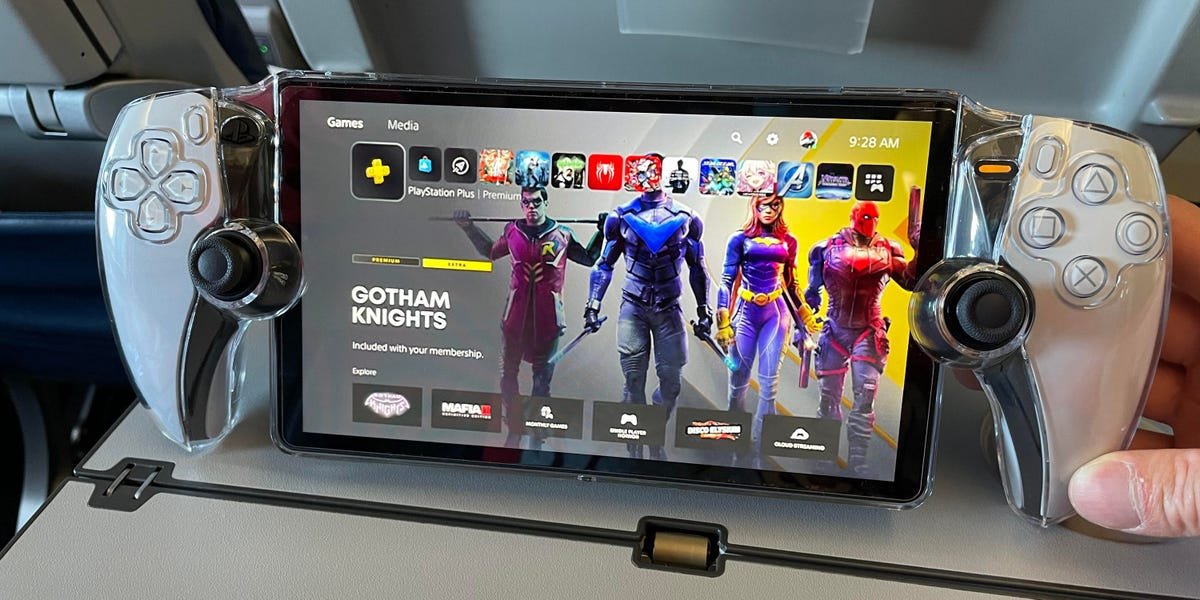
You can play any game that is installed on your PlayStation 5 through the PS Portal using Remote Play.
Ever wondered, what games can you play on ps portal? It’s a common question for anyone considering picking up this device. The magic of the PS Portal lies in its ability to access your home console.
Essentially, the device mirrors your PlayStation 5 games. So, any titles already loaded on your console are playable via the PS Portal using Remote Play functionality. Think of it as bringing your PS5 library with you anywhere in your house.

What Games Can You Play on PS Portal?
Okay, so you’re excited about the PlayStation Portal, right? It’s like having your PS5 games in your hands, ready to play wherever you have Wi-Fi. But what exactly can you play? Let’s break it down, because it’s not every PS5 game, and that’s important to know.
PS5 Games via Remote Play: The Main Attraction
The PlayStation Portal is designed to work with the Remote Play feature of your PlayStation 5. This means you are essentially streaming games from your PS5 to the Portal. Think of it like watching a movie on your tablet that is actually playing on your TV. So, any game that you can play on your PS5 is potentially playable on the Portal. The key thing here is your PS5 has to be doing all the heavy lifting. The Portal is just showing you the game and sending your button presses back to the console.
How Remote Play Works
Here’s a simple way to understand how it functions:
- Your PS5 runs the game.
- Your PS5 sends the video and audio to your PlayStation Portal over your Wi-Fi network.
- You use the Portal’s controls to play the game.
- Your Portal sends your button presses back to your PS5.
It’s like a really long game controller cable, but over the internet! That means a good internet connection, and more importantly, a good local Wi-Fi setup is a must for the best experience.
Games That Play Perfectly on PS Portal
Many PS5 games work very well through Remote Play on the Portal. Here are some examples of game categories that usually provide a great play experience:
- Single-Player Adventures: Games like Spider-Man 2, God of War Ragnarök, and Horizon Forbidden West play beautifully. Exploring big open worlds or getting sucked into a good story works super well on the Portal screen. You can continue your epic adventure even when you’re not in front of the TV!
- Action-Packed Games: Fast-paced titles such as Devil May Cry 5 Special Edition or Returnal work great as well, provided your internet connection is stable. The responsiveness of the controls feels just like playing on your TV.
- Puzzle and Strategy Games: If you enjoy games that make you think, like The Witness or Disco Elysium, these also translate fantastically to the Portal’s screen. You can solve puzzles from the comfort of your couch or even your bed!
- Platformers: Titles like Astro’s Playroom or Crash Bandicoot 4: It’s About Time are a ton of fun on the Portal. Jumping and platforming is responsive and accurate with the Portal’s controls.
- Sports Games: Play your favorite sports games like NBA 2K24 or Madden NFL 24 on the go. Just make sure the Wi-Fi signal is strong enough to avoid lag during critical gameplay moments.
Remember, the game has to be on your PS5 and in your library to play. You can’t buy games directly on the Portal. You still need to use your console or the PlayStation app for that.
Games That Might Be Tricky on PS Portal
While many games work well on the Portal, there are a few cases where you might not have the best experience. Here are some examples:
Games Requiring Precision Timing
Very fast-paced, competitive, multiplayer games that require super-precise timing might not always be perfect. If your Wi-Fi isn’t the best, you may notice a bit of lag. This can make things like twitch shooters a bit harder. Games like Call of Duty or Fortnite, while playable, might not be ideal for serious competitive matches.
Games That Need a Perfect Connection
The Portal depends on your internet speed and the strength of your home Wi-Fi. If your Wi-Fi signal is weak, you could see stuttering, lag, or even lose connection. This means that games where a solid connection is super important may not give you the greatest performance. Even single-player games that are very demanding can suffer if your connection is not stable. Also, if anyone else in your household is using a lot of the internet at the same time, your game may lag.
Games That Demand the Full Console Power
Some games can be so demanding that they push your PS5 to its limits. When these games are streamed over Remote Play, they might experience some performance issues, especially if you’re pushing the limits of your home network, or have a PS5 that is really working hard for your game. Examples of these titles can include games like Cyberpunk 2077, or the latest AAA titles with very high graphics settings running.
Games That Aren’t On Your PS5
This may sound like a no-brainer but, if the game isn’t installed on your PS5, you can’t play it through the portal, so you need to make sure that your game library is up to date on your console. So, no, you cannot play God of War 2 if it is not installed on your PS5. This is important because as we explained previously, the PS Portal works as a second screen for your PS5 console, and you are not playing the games directly from the console itself.
Games That are Incompatible with PS Portal
Here are a few categories of games you cannot play on the PS Portal, and it’s important to know these limitations:
PS3, PS2, and PS1 Games via Streaming
Unfortunately, you cannot stream PS3, PS2, or PS1 games through PlayStation Plus Premium with the PlayStation Portal. The Portal is specifically built for playing PS5 games using the Remote Play feature. Therefore, these old-gen games are unavailable.
PlayStation VR and PSVR2 Games
PSVR and PSVR2 games need the headset connected to your PlayStation console. The Portal won’t show these games as it doesn’t support VR gaming. Therefore, you need your TV and the headset for these experiences.
Local Multiplayer Games
Local multiplayer games played directly on your PS5 are not going to work via Remote Play. Games where you need multiple players on the same console are not going to work as the portal streams the games directly from your PS5, so you are playing a single-player experience streamed via Remote Play.
Optimizing Your Setup for the Best Experience
To get the most out of the PlayStation Portal, here are some tips to make your gaming session smooth and enjoyable:
Check Your Wi-Fi
A strong and stable Wi-Fi connection is very important. Use a 5 GHz Wi-Fi network, which is often faster and less likely to have interference than 2.4 GHz. You should also be close to your Wi-Fi router. If you have trouble with your home’s Wi-Fi signal in the area you are using the Portal, you may need to get a better router or a Wi-Fi extender to make sure your Portal can connect reliably to your network.
Wired Connection for Your PS5
Make sure your PlayStation 5 is connected to your internet using an Ethernet cable instead of Wi-Fi. A wired connection is usually much more stable and has a faster connection, leading to better performance on the Portal. This also helps reduce the strain on your home Wi-Fi.
Close Other Apps on Your PS5
Close any other games or apps that are running on your PS5 before playing with the Portal. This helps give more processing power to the game you are playing and minimizes any potential lagging. The less that the PS5 is having to do the better the Remote Play will run, especially if you are not using a wired connection for your PS5.
Adjust Your Remote Play Settings
In your PlayStation 5 settings, you can fine-tune Remote Play settings. You can reduce the resolution or frame rate to help improve performance on slower networks. Experimenting with different settings can help you find the right balance between visual quality and performance. Start with the recommended settings and then adjust as needed for your home network and Wi-Fi setup.
Keep Your Software Updated
Make sure both your PS5 and your PlayStation Portal are using the latest software. Updates can include performance improvements that make the gameplay experience much better.
Can you use the PS Portal outside your home?
Yes, you can use your PlayStation Portal outside your home if you have a solid Wi-Fi connection. It will still work just like at home, connecting through the Remote Play feature. The quality of the experience will depend on your connection at both locations, your home’s upload speed, and the connection speed where you are using the Portal.
The Future of Gaming With PS Portal
The PlayStation Portal is an exciting piece of technology that lets you play your favorite PS5 games in a more flexible way. While there are a few things to consider to get the best experience, it offers a lot of potential for playing your favourite games at any time and any place. With a great internet setup and understanding what games work best, you’ll enjoy everything that the PS Portal can offer. As technology and networks improve, hopefully, streaming capabilities will continue to grow and improve.
The PlayStation Portal opens a world of possibilities for gamers who want to take their gaming on the go. Understanding what works, and how to optimize your connection, is key to having a great experience. With the right setup, you’ll be enjoying your favorite PS5 games wherever you are.
Top 10 Best Games For PS Portal | PlayStation 5
Final Thoughts
PS Portal lets you play any PS5 game installed on your console. This includes the amazing single-player titles and intense multiplayer experiences you already own. You can easily jump into your favorite games without needing the TV.
Therefore, what games can you play on ps portal? The answer is that you can play any PlayStation 5 games that you have on your console. This makes the device a convenient way to enjoy your collection. The device must be connected through a good internet connection.

