
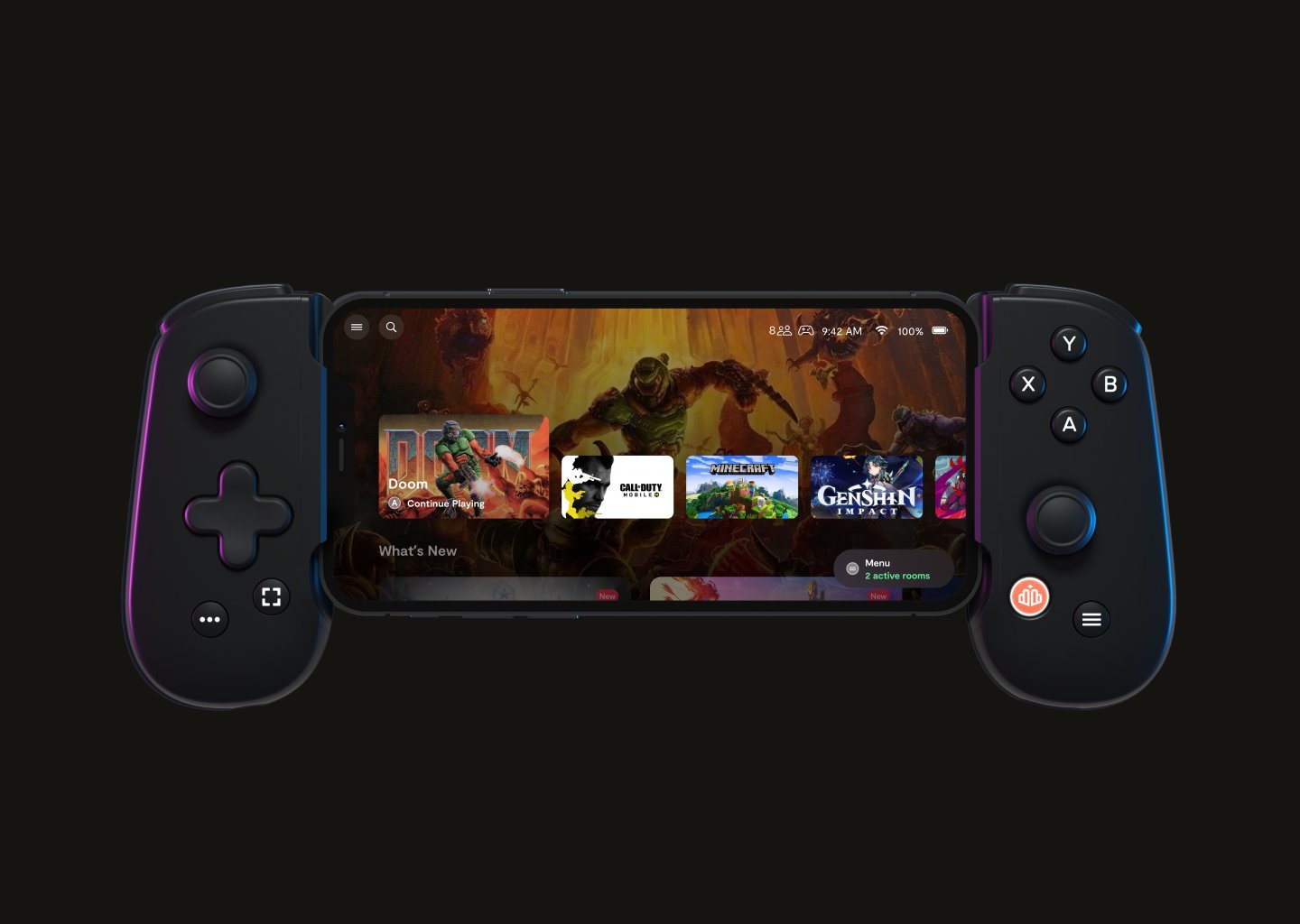
Games that you can play with the Backbone include mobile games that are compatible with its controller setup, like Call of Duty Mobile, Minecraft, and various titles from Apple Arcade and the Google Play Store.
Ever wondered what games you can play with the Backbone? It’s a common question for anyone getting into mobile gaming with a dedicated controller. The Backbone turns your phone into a portable console.
It opens up a world of experiences beyond just tapping the screen. Think of fast-paced action games and immersive adventures, all controlled precisely with real buttons. This device really changes how we play.

What Games Can You Play with the Backbone?
So, you’ve got a Backbone controller, huh? Awesome! It’s not just a fancy phone grip; it’s your ticket to a whole new world of gaming. Forget about clunky touch controls; the Backbone gives you real buttons and joysticks. But, the big question is: what can you actually play with it? Well, grab your phone and get ready, because we’re diving into a bunch of games that work perfectly with your Backbone, and some ways you can find even more!
Mobile Games Made for Controllers
The best place to start is with games specifically made to use controllers. These aren’t just touch screen games awkwardly forced to work with buttons; they’re designed from the ground up to feel great in your hands. Think of it like playing on a console, but right on your phone! You’ll find lots of titles that truly shine with a controller, adding a layer of comfort and precision that touch controls simply can’t match.
Action Adventures and RPGs
Many action-packed adventure and role-playing games (RPGs) really benefit from the precision of a controller. Imagine guiding your character through a sprawling fantasy world, battling monsters, and discovering hidden treasures, all with the satisfying click of real buttons. Games like the following work great:
- Genshin Impact: Explore a huge open world with fast-paced combat. A controller makes movement and skill aiming much easier. It’s a gorgeous game that really comes alive when you’re not fumbling with on-screen controls.
- Pascal’s Wager: This action RPG has a very deep combat system that’s designed for controller input. It requires precise timing for dodges and attacks, and it feels very similar to console games.
- Oceanhorn 2: Knights of the Lost Realm: This game looks and plays very similar to Zelda. The controller makes exploring the world and using tools really smooth.
Fast-Paced Racing and Sports Games
If you’re looking for high-speed thrills, a controller is essential for racing games and sports games. Trying to steer a car with your thumbs on a screen is never as good as having analog sticks. Here are some great examples:
- Asphalt 9: Legends: Drifting around corners and boosting to victory just feels so much better with a controller.
- GRID Autosport: This is a proper racing simulator, and a controller is vital for precise handling on challenging tracks.
- NBA 2K Mobile: Dribble, pass, and shoot with much better control than you can ever get with just touch screen.
- Rocket League Sideswipe: Playing fast-paced car soccer feels much easier with a controller. The precision is key for pulls and flicks.
Fighting Games
Fighting games demand precise timing and button combinations. Trying to perform a combo on a touch screen is a real exercise in frustration. With a controller, however, you can unleash your fighting skills like never before. Some titles include:
- Brawlhalla: A fun, platform fighting game that feels smooth and responsive with the controller.
- Street Fighter IV Champion Edition: Pull off those iconic hadokens and shoryukens with pinpoint accuracy.
Platformers and Indie Gems
Many well made platformers and quirky indie games really shine when played with a controller. Here are a few examples that feel great on the Backbone:
- Dead Cells: The fast-paced combat of this roguelike platformer feels perfect with a controller. The precision needed for dodges and attacks is greatly increased.
- Terraria: Explore, craft, and battle in this 2D sandbox game. The controller makes movement and menu navigation much better than touch controls.
- Stardew Valley: While it is a relaxing farming sim, a controller makes actions like tilling the land and fishing much more enjoyable.
Cloud Gaming: Expanding Your Game Library
One of the coolest features of the Backbone is its ability to work with cloud gaming services. These services let you stream games directly to your phone, meaning you’re not limited to what you can download. You’re accessing powerful servers that can run demanding games, while your phone serves as the screen and controller interface. This expands your gaming possibilities considerably!
Xbox Cloud Gaming
Xbox Cloud Gaming gives you access to a large library of Xbox games you can play on your phone. If you have an Xbox Game Pass Ultimate subscription, you can instantly play a wide variety of titles, all with the Backbone as your controller.
- Halo Infinite: Play the latest Halo adventure anywhere you go. The controller provides the precise aiming you need.
- Sea of Thieves: Sail the open seas, battle other pirates, and seek out treasure. A controller is important to manage the inventory and navigate through the world.
- Minecraft: Build and explore worlds with smooth controller controls.
NVIDIA GeForce NOW
GeForce NOW lets you play PC games through cloud streaming. This is great because it lets you play games you might not be able to run on your own computer. You can link it to your Steam, Epic, and other PC game libraries.
- Cyberpunk 2077: Explore Night City with a controller just like you would on a PC or console.
- The Witcher 3: Roam the Continent with Geralt, slaying monsters and completing quests.
- Fortnite: Build, battle, and be the last one standing, all with the responsive controls.
PlayStation Remote Play
If you own a PlayStation console, you can use PlayStation Remote Play to stream games to your phone and play them using your Backbone. You get to enjoy the full console experience anywhere you have an internet connection.
- Spider-Man Remastered/Miles Morales: Swing through New York City with the web-slinging action feeling perfect with the controller.
- God of War Ragnarök: Experience epic battles and compelling storytelling on the go with the controller.
- The Last of Us Part I/Part II: Survive the zombie apocalypse with smooth and satisfying controller gameplay.
Emulators: Stepping Back in Time
For those who like classic games, emulators are a great way to play retro titles. Emulators allow you to play old video game console titles on your phone. When paired with a Backbone controller, you can truly experience classic games with an authentic feel.
Finding Emulators
Finding an emulator is usually very easy. There are many good emulators on both android and iOS app stores. Once you have the emulator you will need game files. You can find the game files online, but be sure you check the copyright laws in your area.
Supported Consoles
You can emulate a bunch of different consoles with an emulator including:
- Nintendo Entertainment System (NES): Play classic 8-bit titles like Super Mario Bros. and The Legend of Zelda.
- Super Nintendo Entertainment System (SNES): Play classics like Super Metroid and The Legend of Zelda: A Link to the Past.
- Nintendo 64 (N64): Experience the 3D magic of games like Super Mario 64 and The Legend of Zelda: Ocarina of Time.
- Game Boy/Game Boy Color/Game Boy Advance: Play portable classics like Pokémon and Metroid Fusion.
App Store and Play Store Game Exploration
Finding new games that work well with your Backbone can be fun! Both the Apple App Store and Google Play Store offer tons of controller-compatible games. Sometimes, you’ll even stumble on a free game that ends up being amazing to play. Here are some tips to find those hidden gems:
Utilizing Search Filters
When browsing through the app stores, use the search filters to narrow your search. Look for categories like “Controller Support,” “Gamepad,” or similar options. This helps filter out games that only use touch controls.
- Apple App Store: Search using terms like “Controller Support,” and look for the “Controller” Icon on game pages.
- Google Play Store: Search using “Gamepad,” “Controller,” and check the “About this game” section for controller support.
Reading Reviews and Game Descriptions
Always read user reviews before downloading games. See what other players say about the controller support. Some game descriptions also mention whether they work well with external controllers.
Exploring Game Lists on Online Forums
Online gaming forums, such as Reddit, are great for finding recommendations. Search for threads about controller-compatible mobile games. Many community members will share their own experiences and list the games they like to play.
Using the Backbone App for Game Discovery
The Backbone app itself is very useful for finding games. It will directly help you find games that work well with the controller. The app is designed to be a hub for all your gaming activity, and it makes it very easy to find new games to play, and to launch them quickly.
Featured Games
The app features games it thinks you would enjoy. Check the featured sections regularly to find new titles that the Backbone team has hand-picked for you.
Social Features
The Backbone app has social features that let you share game clips with friends. Seeing what your friends are playing, as well as what games they are clipping can be very helpful when you’re trying to find new things to play.
Troubleshooting Controller Issues
Sometimes, games might not work as expected with the Backbone controller. Here are some common problems and how to solve them:
Game Does Not Recognize the Controller
If a game doesn’t seem to be working with the controller, try closing the game and restarting it. Check if the game has its own in-game setting for controller support that needs to be activated. Sometimes, you might also need to update either the game or the Backbone app.
Buttons Not Responding Correctly
If buttons are mapped incorrectly, look for a controller mapping settings within the game itself. If you still have issues, reach out to the game developers’ support pages to see if there are known issues.
Controller Not Connecting
Make sure the Backbone is securely connected to your phone. If the controller still will not connect, make sure the controller is charged. Sometimes restarting your phone can fix connectivity issues.
The world of gaming on your phone with the Backbone controller is wide open. From fast paced action games to classic retro gems, and from cloud streaming to native app store titles, there are tons of options to choose from. With a little exploration and the right information, your Backbone will quickly become the controller you can’t play without. So, what are you waiting for? Go find your next favorite game!
Backbone One is Incredible with Xbox Game Pass
Final Thoughts
The Backbone lets you enjoy a wide variety of mobile games. You can play titles from Apple Arcade and Google Play. Some popular games include Call of Duty Mobile and Minecraft.
What games can you play with the backbone? Many games support controller input, giving you console-like experience. This device is perfect for on-the-go gaming, offering comfortable play. You will find its compatibility incredibly versatile for any gamer.

