
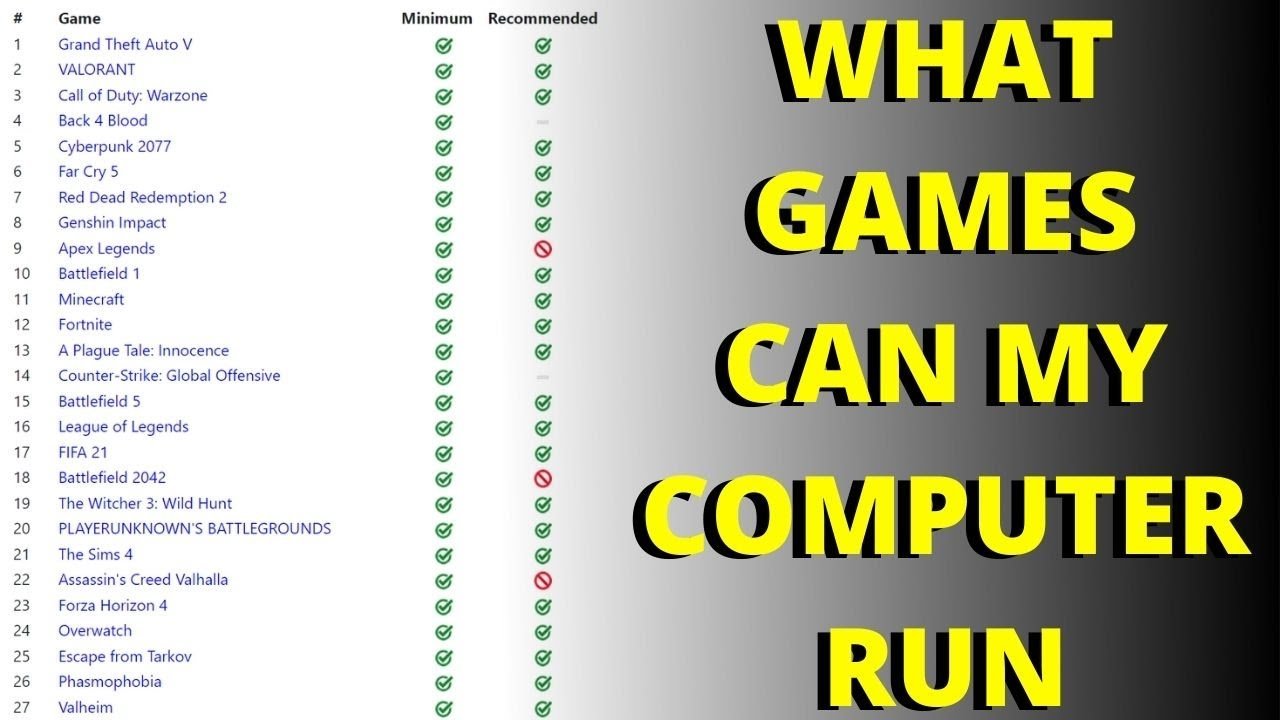
The specific games your PC can run depend on its components, such as the graphics card and processor.
Ever wondered, “what games will my pc run?” It’s a question every gamer asks when they’re excited about playing the latest titles. Knowing your hardware is crucial for a smooth gaming experience.
Different games have varying requirements; a powerful machine will handle demanding games better than an older one. We will explore how to find out which games will actually work well on your system.

What Games Will My PC Run?
Figuring out what games your computer can play can feel like a puzzle, right? You might be looking at a super cool new game and wonder, “Will my computer be able to handle it?” It’s a common question, and thankfully, we can break it down. It’s not about having the most expensive or powerful machine. It’s about understanding what your computer has inside and matching that with what the game needs.
Understanding Your PC’s Parts
Before we dive into specific games, let’s talk about the main parts of your computer that matter for gaming. Think of them like the different players on a sports team – they all have important jobs.
The Brain: CPU (Central Processing Unit)
The CPU is like the brain of your computer. It does most of the thinking, like following instructions, doing math, and figuring out what needs to happen next in the game. If your CPU is a little slow, the game might lag, stutter, or not run at all. Different games need different levels of brainpower from your CPU. Games with lots of characters on screen, or that require complex calculations, often need a more powerful CPU.
Some popular CPU brands are Intel and AMD. Each brand has different series and models, with some being faster and more capable than others. Think of it like cars: a small, fuel-efficient car might be great for everyday driving, but a sports car would be much better for racing.
The Eyes: GPU (Graphics Processing Unit)
The GPU is like the artist of your computer. It’s responsible for creating all the pretty pictures you see on the screen. If your GPU isn’t strong enough, the game might look blocky, blurry, or not very smooth. You might see low frame rates, meaning the action on screen will appear choppy. A strong GPU is super important for games with detailed graphics. It also impacts resolution – how clear and detailed your screen looks.
Common GPU brands are NVIDIA and AMD. Just like CPUs, they come in many different models, each with different power. A simple game might run perfectly fine with a basic GPU, but a cutting-edge title might need a high-end GPU to run well.
When looking at GPUs, you will encounter terms like VRAM (Video Random Access Memory) which is like short-term memory for your GPU. More VRAM is usually better, especially when playing at higher resolutions and settings.
The Memory: RAM (Random Access Memory)
RAM is like your computer’s short-term memory. It’s where your computer keeps track of the things it’s currently working on. When you are playing a game your computer uses the RAM to keep things organized. The RAM is important for the speed and efficiency when playing. If you don’t have enough RAM, your game might slow down or even crash. The amount of RAM required depends on the game and your usage. Games will often list minimum and recommended ram.
Think of your RAM as a desk; a small desk (low RAM) can only hold a small number of items. While bigger desk (high RAM) can hold many things. More RAM allows your computer to handle lots of information at the same time, resulting in smooth gameplay.
The Storage: Hard Drive or SSD
This is where the game files, including the program itself, are stored. Hard Drives (HDD) are the older type, they are generally cheaper but slower. Solid State Drives (SSD) are the modern type, they are faster but generally more expensive. A fast storage means your game will load quicker. While you don’t need a SSD to play most games, using one can greatly reduce load times, making your gaming experience more enjoyable.
Finding Game Requirements
So, how do you know what parts your computer needs to play a specific game? Every game has something called “system requirements.” These are listed by the game’s makers and they tell you what kind of computer hardware is needed to run the game.
Minimum Requirements
The minimum requirements are the very least your computer needs to even start the game. If your computer just meets the minimum requirements, you might have to play with the settings turned down low, like low graphics quality. You might also experience lower frame rates.
Recommended Requirements
The recommended requirements are what the game makers suggest for the best experience. If your computer meets or exceeds the recommended requirements, you should be able to play the game with good graphics, good frame rate and be a lot more fun to play.
Where to Find System Requirements
You can usually find system requirements:
- On the game’s store page (like Steam, Epic Games Store, or GOG).
- On the game’s official website.
- On websites that specialize in game information.
For example, a game might list requirements like this:
Minimum Requirements:
- CPU: Intel Core i5-4460 or AMD FX-6300
- GPU: NVIDIA GeForce GTX 760 or AMD Radeon R7 260X
- RAM: 8 GB
- Storage: 50 GB
Recommended Requirements:
- CPU: Intel Core i7-4770 or AMD Ryzen 5 1500X
- GPU: NVIDIA GeForce GTX 1060 or AMD Radeon RX 580
- RAM: 16 GB
- Storage: 50 GB (SSD)
This tells you that to just play the game, you need at least an Intel i5-4460 or AMD FX-6300 CPU, and at least a NVIDIA GeForce GTX 760 or AMD Radeon R7 260X GPU, and at least 8 GB of RAM. For a much better and smoother experience, the game recommends something like an Intel Core i7-4770 or AMD Ryzen 5 1500X CPU and NVIDIA GeForce GTX 1060 or AMD Radeon RX 580 GPU and 16 GB of RAM.
Checking Your PC Specs
Now that we know about system requirements, it’s time to see what your own computer has. You can find this information pretty easily.
Using System Information (Windows)
Windows has a tool that shows you all your computer specs:
- Type “System Information” in the Windows search bar and select it.
- Look for items like “Processor” (for your CPU), “Installed Physical Memory (RAM)” (for your RAM), and under “Display,” find information about your graphics card.
Using DirectX Diagnostic Tool (Windows)
- Press the Windows key + R.
- Type “dxdiag” and hit enter.
- The DirectX Diagnostic Tool window will appear, it shows all computer specification.
- You can find information about your CPU, RAM, and GPU in the “System” and “Display” tabs.
Using System Profiler (macOS)
- Click on the Apple menu.
- Select “About This Mac”.
- Click on “System Report”.
- You will find hardware specifications under the “Hardware” section.
Using Third-Party Tools
There are also websites and apps that can help you see your PC’s parts. They often tell you how well your computer can run a specific game too. Some popular options include:
- Can You RUN It: This website checks your system specs and compares them to game requirements, telling you if your PC can run a particular game, along with expected performance.
- Speccy: This app gives detailed info about all your PC’s components.
- CPU-Z & GPU-Z: These are useful for information on CPUs and GPUs, very specifically.
Matching Your PC to Games: Examples
Let’s look at some examples. It’s helpful to know the types of games you are interested in to better understand your needs.
Simple Games
If you enjoy games like puzzles, old-school platformers, or certain casual games, you usually don’t need a powerful computer. A computer with an integrated graphics card, 8GB of RAM, and an older processor can run these games fine. They’re usually not very demanding.
Mid-Level Games
Games like popular strategy games, many online multiplayer games, and recent indie titles usually need a bit more power. A computer with a dedicated graphics card (like an NVIDIA GeForce GTX 1050 or AMD Radeon RX 560), 16GB of RAM, and a mid-range CPU (like an Intel i5 or AMD Ryzen 5) is usually a good fit. These games will have detailed graphics, and might need to use complex mechanics. So they require stronger hardware to perform their task smoothly.
High-End Games
The newest, graphically intense games often need a high-end computer to run well. To enjoy them at the highest settings, you typically need a powerful dedicated graphics card (like an NVIDIA GeForce RTX 3060 or AMD Radeon RX 6700 XT), 16GB or even 32GB of RAM, and a newer, high-end CPU (like an Intel i7 or AMD Ryzen 7). These kinds of games usually have the most realistic and detailed graphics. So require top hardware to run flawlessly.
Here’s a table to help you get a better idea:
| Game Type | Typical GPU | Typical CPU | Typical RAM |
|---|---|---|---|
| Simple Games | Integrated or Basic Dedicated GPU | Basic CPU (Older i3 or AMD Athlon) | 8 GB |
| Mid-Level Games | NVIDIA GTX 1050 or AMD RX 560 | Mid-Range CPU (i5 or Ryzen 5) | 16 GB |
| High-End Games | NVIDIA RTX 3060 or AMD RX 6700 XT | High-End CPU (i7 or Ryzen 7) | 16-32 GB |
What If My PC Isn’t Good Enough?
Sometimes, your PC might not meet the requirements for a game you want to play. Don’t worry! There are options.
Lowering Graphics Settings
Most games let you change the graphics settings. By turning down settings like texture quality, shadows, and resolution, you can make the game run smoother on a less powerful computer. This might make the game look a little less amazing, but it can make it playable.
Upgrading Parts
If you are good with tools, you can upgrade some of your computer parts. A new graphics card is often the biggest improvement you can make. Adding more RAM can help too, as well as a new and more powerful CPU. Upgrading your computer can be costly, so make sure to research all your options. It is important to check the compatibility of new hardware, with your current computer.
Cloud Gaming
Cloud gaming services allow you to play games on a remote computer, and stream it to your screen. This means you don’t need a powerful PC. It’s a great option if your computer isn’t strong enough to run modern games, but it requires a very fast and stable internet connection.
Playing Older Games
There are tons of really cool older games that don’t require a lot of computer power. Don’t forget about games from the past! It can be fun to play some classics!
So, now you have a better idea of how to figure out what games your computer can play. Remember to check the system requirements, know your computer’s parts, and be ready to adjust settings if needed. With a little bit of understanding, you can find many games to enjoy!
How To Find Out If Your PC Can Run A Specific Game [Simple]
Final Thoughts
In short, your PC’s capabilities dictate the games you can play. Older or lower-spec machines will handle indie titles, or less demanding games. Newer, more powerful PCs will play visually intensive, modern games easily.
To know definitively what games will my pc run, check the game’s minimum and recommended specifications. Compare these requirements with your own computer’s components such as the CPU and GPU to assess performance. This method provides an accurate answer.

