
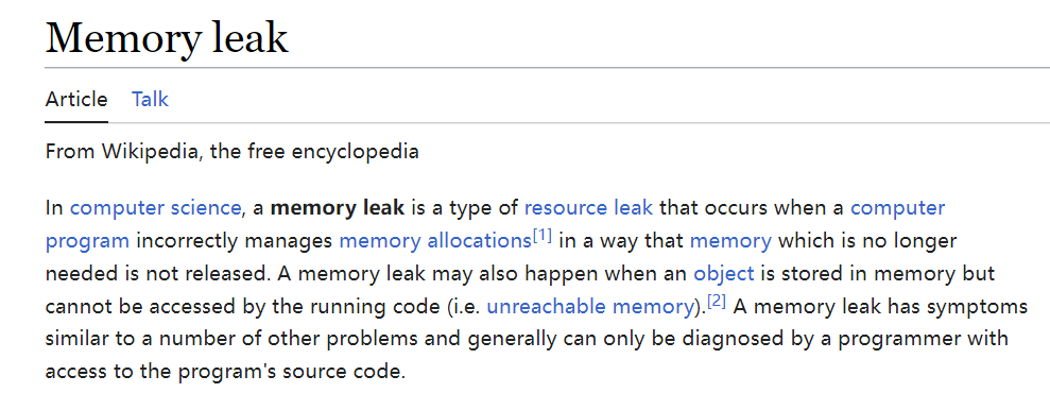
A memory leak in games occurs when the game fails to release allocated memory after it’s no longer needed, gradually consuming system resources and potentially causing crashes.
Ever experienced a game slowing to a crawl, or crashing unexpectedly? Often, that’s a result of a problem lurking beneath the surface, something called a memory leak. So, what is a memory leak in games exactly? It’s when a game holds onto system memory it no longer requires.
This issue is similar to leaving the lights on in every room; unused resources get consumed. The game keeps adding to the pile of allocated memory, but forgets to clean up.
Over time, this build-up causes problems. Performance decreases and the game struggles, potentially crashing due to a lack of available resources.

What is a Memory Leak in Games?
Imagine your game is a big, bouncy house. When people (or in our case, the game’s data) go inside, they need space. Now, imagine that some of those people never leave, even when they’re done playing. That’s kind of like a memory leak in a video game. The game keeps holding onto information it doesn’t need anymore, using up space that could be used for new stuff. Over time, this unused space piles up, making the bouncy house crowded and slow, and eventually, it might even collapse! Let’s dive into how this happens and what it means for your favorite games.
The Basics of Memory and Computer Games
Before we go further, it’s important to understand how a game uses memory. Think of computer memory (RAM) as your desk. You use it to keep all the things you’re currently working on—like your pencils, paper, and books—handy. A game does something similar. It uses memory to store things like the characters, the level design, the sound effects, and even your score. When you stop playing or move to another area, the game should clean up and remove any of that data from the memory to make room for the new things. This process of cleaning up is crucial.
What Exactly is Memory?
In the context of gaming, memory (RAM – Random Access Memory) is a temporary storage area where the computer keeps all the information that the game needs right now. It’s like short-term memory for your computer. When you launch a game, it loads parts of itself into the RAM so it can access them quickly. This includes:
- Textures (how things look)
- Models (the shapes of objects)
- Audio (sounds and music)
- Game logic (rules of the game)
- Character positions
How Memory is Used
Games are very dynamic; they are constantly using, changing, and updating the data in RAM. Imagine walking through a forest in a game.
- As you walk, the game loads new textures for the trees and ground around you.
- It loads models for the new types of plants and rocks you come across.
- It also calculates how the light falls on them.
- If a character is present, the game might track their position and animation as well.
When you move to a new area, that old forest data isn’t needed anymore, and the game should clear it out of memory. That’s where a memory leak becomes a problem.
How Memory Leaks Happen
A memory leak happens when a program (like a game) fails to release memory that it no longer needs. It’s like forgetting to put your tools back after using them. Instead of clearing the old data from memory and freeing up space, the game keeps holding onto it. This is often due to a programming mistake, commonly when programmers forget to tell the game to get rid of data when it’s done with it. Let’s look at some specific examples of common coding errors that can result in memory leaks:
Unreleased Objects
One of the most common causes of memory leaks is the failure to release objects in the program’s memory. In game development, objects might represent different characters, items, or special effects. When the object is no longer needed (for example, when a character dies or a special effect ends), the memory allocated for that object should be freed up. However, if a programmer forgets to add the code to do this, that memory block stays occupied, and slowly it can eat up the game’s available memory.
Here’s an example:
        // Example of a leaky code
        void createEffect() {
          Effect myEffect = new Effect(); // Create a new effect in memory

          //... use the effect ...
        }
        // The effect is not deleted after it is used, leading to memory leak

        // Correct code
        void createEffect() {
          Effect myEffect = new Effect(); // Create a new effect in memory

         //... use the effect ...

          delete myEffect; // Remove the effect from the memory
          myEffect = nullptr;
        }
As you can see from the example code, when the function createEffect() is called, it creates a new Effect object and stores it in memory. In the first example, the code doesn’t release the object, causing a leak. In the second example, the code removes the object from memory and also sets the pointer to null, which prevents accidental access to it.
Circular References
Sometimes, objects can refer to each other, creating a circle. If the game uses a technique that requires that all objects have a specific object linked to them, but then those linked objects also have objects that are linked to the first one, this can cause a loop. The problem arises if these circular links are not removed when the objects are no longer needed. The system might think that these objects are still in use because they refer to each other, so their memory isn’t freed up. This results in a memory leak over time. Here is the example to understand this more better:
         // Assume that we have two class A and B
         class ClassA;
          class ClassB;

          class ClassA{
            public:
                ClassB b;
          };

           class ClassB{
            public:
                ClassA a;
           };

           void createCircularReference() {
            ClassA a = new ClassA();
            ClassB b = new ClassB();

            a->b = b;
            b->a = a;

            //... use these objects
           }
           // The objects A and B are linked, even if they are not used any more,
           // the system still things it is being used
           // The solution is to manually remove the links and free the memory
           void createCircularReference() {
            ClassA a = new ClassA();
            ClassB b = new ClassB();

            a->b = b;
            b->a = a;

            //... use these objects
             delete a->b; // remove the link and delete object
             delete b->a; // remove the link and delete object
             a->b = nullptr;
             b->a = nullptr;
             delete a;  // delete a
             delete b;  // delete b
             a = nullptr;
             b = nullptr;
           }
In this example, two classes, A and B, create a circular link. If these objects are not properly released, it would lead to memory leak. In the correct implementation, we manually remove the links between the objects and then we delete the objects. Also, we assign the pointers to null.
Improper Resource Management
Games often use resources like audio files, images, and various libraries. When the game loads these resources, it allocates memory for them. If the game doesn’t properly release this memory when the resources are no longer needed, it creates a memory leak. For instance, an audio file used during a cut scene should be removed from the memory when the cut scene ends. If this removal doesn’t happen, the game continues to hold onto the memory.
For Example:
         // Example of improper resource management
          void playMusic(){
            AudioClip music = loadAudioClip("background.mp3");
            playAudio(music);
            // the audionClip is not released, causing a memory leak
          }

          // Correct implementation
          void playMusic(){
            AudioClip music = loadAudioClip("background.mp3");
            playAudio(music);
            unloadAudioClip(music); // Free the audio from memory
          }
As the code snippet shows, the function playMusic() loads a music file into memory, but in the incorrect version, we didn’t unload the music file, which caused the memory leak. While in the correct version, the function releases the allocated memory after use.
The Impact of Memory Leaks
So, why are memory leaks a big deal for games? They can have a major negative impact on a user’s experience. Let’s break down some of the common issues:
Performance Degradation
The most obvious problem with memory leaks is that they cause the game to slow down. As the game leaks memory, the computer has less and less RAM to work with. Imagine trying to do your homework on a desk overflowing with old papers. Eventually, it’s going to take much longer to find what you need and finish your work. In games, this leads to:
- Frame Rate Drops: The game struggles to render each frame smoothly, making the game look choppy.
- Slow Loading Times: Loading screens take longer, and the game might even freeze.
- Lag: The game’s response time to player actions slows, making it difficult to play.
- Stuttering: Games might pause or skip frames unexpectedly.
Game Crashes
If the game leaks enough memory, it could completely run out of space. When that happens, the game might crash and shut down unexpectedly. This can be incredibly frustrating for players, especially if they haven’t saved their progress. It’s like the bouncy house collapsing when there are too many people inside.
System Instability
In extreme cases, severe memory leaks can cause issues not just for the game, but for the entire system. It can affect the performance of other applications running on the computer and might even result in system errors, ultimately leading to the “blue screen of death.”
Unpredictable Behavior
Memory leaks can sometimes cause unusual and unpredictable game behavior. This can include glitches, visual artifacts, and other oddities that can ruin the experience for the player.
Debugging and Fixing Memory Leaks
Finding and fixing memory leaks is an important job for game developers. It can be tricky, like being a detective, and involves using special tools to detect and locate where exactly the game is leaking memory. Here are some steps that developers take:
Profiling Tools
Game developers often use profiling tools that help them watch how much memory the game is using at different times. These tools can pinpoint the areas of the game where memory consumption is increasing rapidly, which often means there might be a leak. These tools are also helpful for tracking how often certain functions are called and how much memory they use.
Memory Allocation Tracking
Another key technique involves keeping track of where and how memory is being used. This technique is often done through using special allocation libraries. It helps developers locate parts of the game where memory is allocated but not released properly. The aim is to make sure that each part of the memory allocated is accounted for.
Code Reviews
Sometimes the best way to find bugs is to have another set of eyes look at the code. Developers conduct code reviews, where other developers go through the code to catch any mistakes that may have been missed. This process helps in catching potential memory leaks and other programming errors. Here, multiple people carefully read the code and look for the potential memory leaks.
Automated Testing
Automated tests run the game and perform a wide variety of tests to see if any issues arise. These tests can automatically detect any memory leak, by checking the memory utilization of the game over a long period. It is especially helpful in finding the memory leaks that appear after a long time of the game playing.
Regular Updates and Patches
Once the developers have found the memory leak and fixed it, they release an update that patches the game. By downloading and installing these updates, players can get rid of the problems caused by the memory leaks.
Why Memory Leaks Can Be Hard to Find
Memory leaks are not always easy to detect because:
- They’re Gradual: Memory leaks often don’t cause issues right away. They build up slowly over time, making them hard to notice during short playtests. It’s like a small hole in a bucket; you might not notice it until a lot of water has leaked out.
- They can be Specific: Some memory leaks might only happen under specific conditions or situations within a game. This can make them challenging to recreate and fix.
- Complex Code: Modern games are built with millions of lines of code. The sheer size and complexity of the code makes it hard to find the exact location of the leak.
How to Avoid Memory Leaks (For Game Developers)
As we have seen, finding and fixing a memory leak can be tedious. It’s better to avoid them entirely. Here are some of the strategies developers might use:
Use Smart Pointers
Smart pointers are special kinds of pointers that can automatically manage the memory. When you create an object with smart pointers, it will automatically deallocate the memory once it’s no longer needed. This prevents the memory leak by ensuring that the memory that we allocate gets released. It’s like having a self-cleaning function in a system.
Implement Resource Management
It is important to develop a systematic way of managing resources, making sure that whenever a resource is loaded, it’s released properly when not needed. It should always follow the rule of “what we allocate, we deallocate.” For example, make sure that the textures, audio files, models, or anything that uses memory is released whenever it is not needed.
Use Memory Allocation Tools
Use memory tools like heap analyzers for finding memory that was allocated but not released. These tools are important to ensure that we don’t forget to release the allocated memory.
Follow Coding Guidelines
Following well-structured and organized coding guidelines can greatly reduce errors, leading to much fewer memory leaks. This includes making the code readable, with proper comments. It will help in understanding the flow of the code which can prevent memory leaks.
Test Thoroughly
Always test the code continuously and frequently. Testing can help you detect memory leaks early so that they can be resolved before the final release.
How Players Can Spot a Memory Leak
While players can’t fix memory leaks, they can spot them by looking for certain signs:
- Decreasing Performance: If your game starts running slowly over time, it might be due to a memory leak.
- Long Loading Times: If you notice that load screens are getting longer, it could be a sign of memory issues.
- Frequent Crashes: Crashes that keep happening, especially after playing for a while, could indicate a memory leak.
- Stuttering and Freezing: If your game repeatedly pauses or freezes, especially if it gets worse as you play, it’s another symptom.
If you observe these issues, make sure to report it to the game developers so they can investigate the problem.
Memory leaks in games can be frustrating for players and troublesome for developers. By understanding what they are, how they occur, and their impacts, we can appreciate the technical challenges of creating smooth and stable game experiences. With careful coding practices and proper debugging techniques, developers can keep their virtual bouncy houses from collapsing, providing players with hours of uninterrupted fun.
Memory Leakage as Fast As Possible
Final Thoughts
Essentially, what is a memory leak in games? It’s when a game fails to release allocated memory, causing it to grow over time. This results in performance issues like slowdowns and crashes.
Over time, these leaks consume valuable resources. The game might become unresponsive or unstable, impacting user experience severely. Game developers must carefully manage memory to prevent leaks.
Proper coding practices help greatly reduce these issues. They make sure resources are released when not needed. Thus preventing what is a memory leak in games and ensuring smooth gameplay.

