
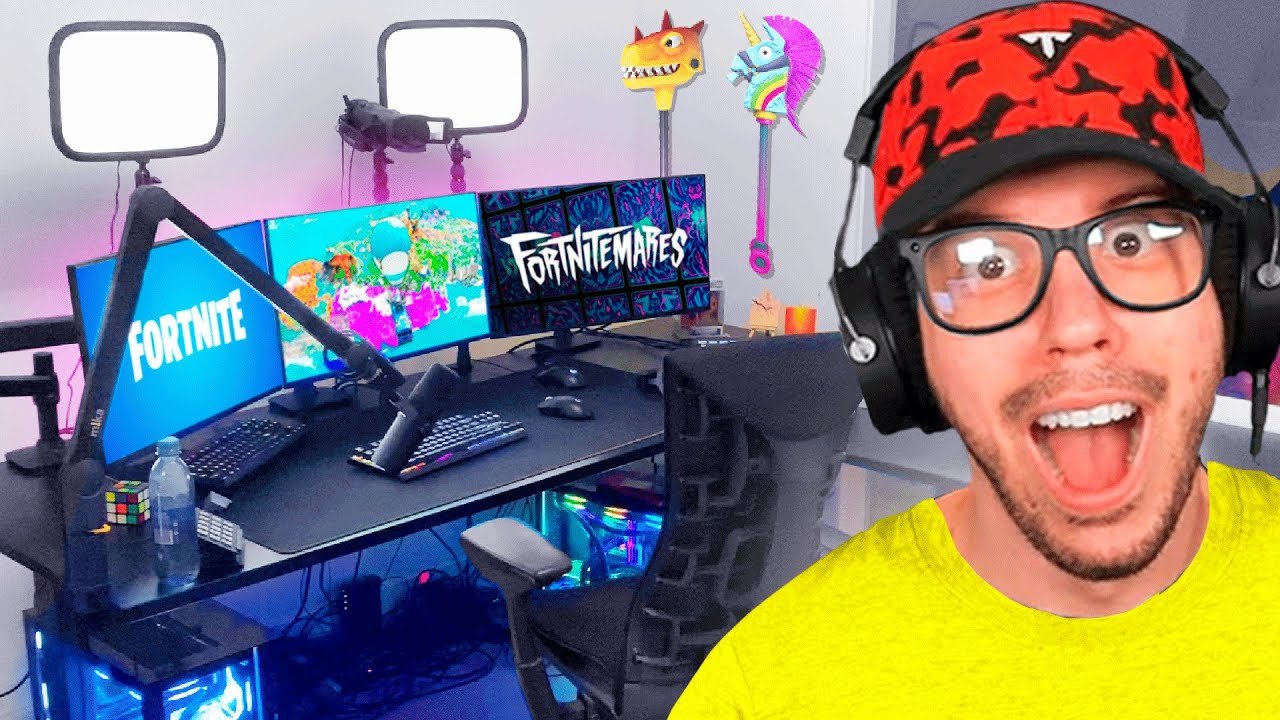
A typical gamer uses a PC with a mid-range dedicated graphics card, a multi-core processor, at least 16GB of RAM, and a solid-state drive for storage.
Wondering what pc does typical gamer use? It’s a common question for those entering the world of PC gaming, or even for those looking to upgrade. Understanding what constitutes the average gaming machine can help you make informed decisions.
Most gamers aren’t using top-of-the-line, ridiculously expensive rigs. They aim for balance, something capable of playing current games at good settings and frame rates without breaking the bank. It’s about smart component choices rather than all-out power.

What PC Does a Typical Gamer Use?
So, you’re curious about what kind of computer a typical gamer uses? It’s a great question, because the world of gaming PCs can seem a little confusing! It’s not as simple as grabbing any old computer. Gaming PCs need specific parts to run games smoothly and make them look awesome. Let’s dive into the different parts and what a gamer might choose.
Understanding the Core Components
Think of a gaming PC like a race car. It needs all the right parts working together to perform well. Here are the key parts that make up a gaming rig:
The Central Processing Unit (CPU)
The CPU is the brain of the computer. It does all the calculations. For gaming, you need a CPU that can think fast. The two main companies that make CPUs are Intel and AMD. A typical gamer would likely use a mid-range processor. This means they aren’t buying the absolute fastest, but they’re not getting the slowest either. A good example would be an Intel Core i5 or an AMD Ryzen 5. These chips can handle most games without slowing down.
- Intel Core i5: Good for smooth gameplay in most titles. Offers a good balance of price and performance.
- AMD Ryzen 5: A popular choice offering great value and multi-core performance, ideal for games and other tasks.
The Graphics Processing Unit (GPU)
The GPU is what creates the images on your screen. It’s extremely important for gaming. A powerful GPU makes games look detailed and run smoothly. You’ll often hear about Nvidia and AMD when talking about GPUs. A typical gamer would likely have a mid-range to high-end GPU. This is where a good chunk of your money goes, because it has the biggest impact on your gaming experience. Some examples might be an NVIDIA GeForce RTX 3060 or an AMD Radeon RX 6700. These cards allow for gaming at 1080p or even 1440p resolution with decent frame rates.
When considering a GPU, also check the amount of VRAM (Video Random Access Memory). This is the memory dedicated to the graphics card and important for high-resolution gaming and texture details. A card with 8GB of VRAM would be a good target for most modern titles.
- NVIDIA GeForce RTX 3060: A very popular card that offers great performance at 1080p and even 1440p gaming.
- AMD Radeon RX 6700: A strong competitor that also gives great performance in similar resolutions and with modern games.
Random Access Memory (RAM)
RAM is the computer’s short-term memory. It lets the computer quickly access the information it needs while running programs. For gaming, you need at least 16GB of RAM. It’s a sweet spot for today’s games, allowing your PC to keep up without any stutter. Some gamers may even opt for 32GB if they are doing lots of streaming or running resource-intensive programs in the background while gaming. RAM speed also matters. Faster RAM can sometimes improve performance, so look for RAM kits with speeds around 3200 MHz or higher. Look for DDR4 or DDR5. DDR5 is newer and faster, but costs more.
- 16GB of RAM: The sweet spot for most gamers and current games.
- 32GB of RAM: For gamers who want extra headroom for other tasks, such as streaming or intensive multitasking.
Storage: Hard Drive and Solid State Drive (SSD)
Storage is where all your games, files, and operating system live. There are two main types: hard drives (HDDs) and solid state drives (SSDs). HDDs are cheaper and hold a lot of data, but they are slower. SSDs are much faster, meaning that games and your computer boot up quickly. A typical gamer will have a combination of both. They’ll use an SSD for the operating system and games they play often, and use an HDD to store less-used games, videos, and other files.
An SSD of 500GB to 1TB should be sufficient to store the operating system, and important applications. For the secondary storage, most gamers will go for 1-2TB Hard Disk, to store all the other games.
- SSD (500GB-1TB): Essential for faster boot times and loading games quickly.
- HDD (1-2TB): For storing more games, videos, and other files that don’t need the fastest loading times.
The Motherboard
The motherboard is like the backbone of your PC. It connects all the different parts. A typical gamer will choose a motherboard that’s compatible with their CPU. It’s important to research and make sure the CPU socket type is correct. The motherboard also determines how much RAM you can put in, how many expansion slots you have for graphics cards or other things and other features. A popular motherboard series is typically the B series or X series, but it will again depend on your specific CPU
Power Supply Unit (PSU)
The PSU gives all the parts of your computer the power they need to run. It is very important to get the proper PSU which will not only supply all the required power but will also have a safety margin as well. A good PSU not only lasts longer but also ensures the overall life of all the other components.
A typical gamer should look for a 650W or 750W PSU, but it depends on the exact GPU being used. The more powerful GPU you have the more power will be needed. A PSU with 80+ Gold rating, is a standard practice.
Computer Case
The computer case is not just for looks, although it can really show off your personality! It protects all the internal parts. Cases come in different sizes, so make sure to choose one that fits all your parts. It is important to choose a case which has good airflow, so that your PC runs cool, and it prevents any component from overheating. Most gamers will have a mid-tower case. It offers a good balance of space and size.
Peripherals: What a Gamer Uses to Play
Now that we’ve looked at the computer parts, let’s talk about the things you use to actually play the games.
Monitor
The monitor is what displays the game in front of you. A typical gamer will usually go with a monitor that is at least 1080p resolution, but 1440p is the new standard, and 4K is also becoming more popular. Refresh rates, which measure how often the image on the screen changes, are also important. A higher refresh rate, such as 144Hz or 165Hz, makes the gameplay look smoother. Many gamers also choose monitors with a low response time (around 1ms) to reduce blur.
- 1080p or 1440p Resolution: Provides clear images. 1440p has become the new standard for gamers.
- Refresh Rate: 144Hz or 165Hz for smoother gameplay.
- Response Time: Around 1ms to reduce blur.
Keyboard
The keyboard is how you control the character or vehicle in a game. Most gamers have mechanical keyboards, because they have quicker responses and feel good to type on. Mechanical keyboards also have various key switches, which offer different tactile feedback and response feel, based on your liking. Gamers also prefer wired keyboards to avoid any lag which can happen with the wireless keyboards.
- Mechanical Keyboard: Quick responses and satisfying to use.
- Wired Keyboard: For consistent input without any delay.
Mouse
The mouse is also used to control the game and make selections. A gaming mouse usually has more buttons and a more precise sensor. The sensor is measured in DPI (dots per inch). A good gaming mouse will have an adjustable DPI. Most gamers like a comfortable shape and size that feels good in their hand. Also, wired mice are more popular for gaming because there is no input lag.
- Gaming Mouse: Accurate and more buttons for functions.
- Adjustable DPI: Can be changed based on the player’s preference.
- Wired Mouse: More consistent input with better precision.
Headset
A headset is how gamers hear sounds and talk to other people online. A gaming headset usually has a microphone and comfortable earcups that cover the whole ear for better noise isolation. This allows the gamer to immerse into the game. Also, it helps them to communicate and coordinate with other players in online games.
- Headset with Microphone: For communication and in-game sound.
- Comfortable Earcups: Isolates noise to immerse in the game.
What About Pre-built vs. Building a PC?
Many gamers wonder if they should buy a pre-built computer or build one themselves. Let’s discuss both options:
Pre-built PCs
A pre-built PC is one that is assembled by someone else and ready to use as soon as you take it out of the box. It’s a great option if you don’t know how to build a PC or just want the convenience of buying a complete system. They are available online or in physical retail stores. There are multiple benefits to buying pre-built pcs, such as warranty support, and convenience. They can be slightly costlier, but you have the peace of mind that if something goes wrong, they will assist you. Many popular companies such as Asus, MSI, HP, Dell and Alienware make great pre-built pcs, that are very reliable.
Building Your Own PC
Building a PC means choosing all the parts yourself and putting them together. It can be a very rewarding experience! Building a PC allows you to have full control over what parts are inside your computer and usually can be cheaper. It can be a learning experience, but also can be a bit time consuming. If you are interested in learning about the hardware, or want to customize your setup, then building your PC is the way to go. You need to have good knowledge of the components to ensure everything is compatible. Also you need to handle each component with care during installation.
| Feature | Pre-built PC | Build Your Own PC |
|---|---|---|
| Ease of Use | Ready to use out of the box | Requires assembly |
| Cost | Slightly more expensive, due to assembly and warranty | Potentially cheaper if you choose parts wisely |
| Customization | Limited customization | Full control over parts and customization |
| Warranty and Support | Support available from the manufacturer | You are responsible for troubleshooting issues |
Budget Considerations
A typical gaming PC can range in price quite a bit, depending on the parts you pick. You can find budget-friendly options, but for good gaming performance, it’s important to invest in the right parts. Let’s look at some approximate budget categories:
Budget Gaming PCs
A budget gaming PC can cost around $700-$1000, and can run most games at 1080p resolution and will give a solid gaming experience. At this price point, you might be looking at an AMD Ryzen 5 CPU or an Intel i5 CPU, with a graphics card such as AMD Radeon RX 6600 or NVIDIA Geforce RTX 3050, along with 16 GB of RAM, an SSD and a Hard Drive, and other standard accessories. This system will run most games but with some settings turned down.
Mid-Range Gaming PCs
A mid-range PC will give a good balance of price and performance. These PCs usually cost around $1200-$1800. They come with higher quality components, so that they run at 1440p with smoother frame rates. Components such as Intel Core i5 or AMD Ryzen 5 series CPU along with graphics cards like AMD Radeon RX 6700 or NVIDIA Geforce RTX 3060 will be found in this range. Most gamers are using this type of setup and can run most modern games very well.
High-End Gaming PCs
If you want the best gaming experience, then a high-end gaming PC is for you. These cost upwards of $2000 or more. They have the best CPU, most powerful GPU and high amounts of RAM. With this kind of setup, you can play any game at 4K with high refresh rates and with the highest settings. You’ll see high-end CPUs from Intel and AMD, paired with GPUs such as NVIDIA Geforce RTX 4080 or AMD Radeon RX 7900.
Software Considerations
Beyond the hardware, software also matters for a gaming PC. The operating system (OS) is the most important software. Most gamers use Windows, which is the most popular and has a large game library. Here are a few things related to software that you should consider.
Operating System
Windows is the most common operating system for PC gaming, because of its compatibility with most games. It has support for DirectX, which is needed for many gaming titles. There are many different versions of Windows, such as Windows 10 and Windows 11, with Windows 11 being the latest version.
Drivers
Drivers are software that helps the hardware components communicate with each other and with the operating system. It is very important to have the latest drivers installed, especially for the graphics card, so that your games run smoothly and are compatible with all the latest settings. Nvidia and AMD websites offer new drivers as soon as they are released.
Gaming Platforms
There are various online stores and platforms for buying and downloading games. Some of the most popular platforms include Steam, Epic Games Store, GOG, and Origin. Each platform has its own library of games, and you might need to install a platform to play a specific game. You can also purchase games via their online stores. Each platform is very secure and offers a seamless and easy to use interface.
So, a typical gamer’s PC is a well-thought-out system with mid-range to high-end components. It also includes a good monitor, keyboard, mouse and headset for the best gaming experience. Whether you buy a pre-built or build your own, it’s important to have the right components. Understanding each component can make a big difference for smooth and immersive gameplay.
My $25,000 GAMING SETUP! (Typical Gamer 2021)
Final Thoughts
A typical gamer often uses a mid-range PC. This setup usually includes an AMD Ryzen 5 or Intel Core i5 processor. Graphics cards like the Nvidia RTX 3060 or AMD RX 6600 are common.
They also include 16GB of RAM and a 1TB SSD. These components offer a good balance of performance and affordability. This answers what pc does typical gamer use.

