
To find out which NFL games will be televised in your area, consult your local TV listings, or use an online TV guide specific to your location.
Figuring out which NFL games will be televised in your area can sometimes feel like a complicated puzzle. Thankfully, finding this information is actually quite straightforward. You don’t need special skills or complicated methods.
Many websites and apps offer detailed guides, telling you exactly which games are available on your local channels. You can access these resources from your computer, phone or tablet.

Which NFL Games Will Be Televised in My Area?
Figuring out which NFL games you can watch on TV in your area can sometimes feel like trying to solve a tricky puzzle. There are so many games happening each week, and it’s not always clear which ones will be shown on your local channels. But don’t worry, it’s not as complicated as it seems! Let’s break down all the different ways you can find out what NFL games are playing near you.
Understanding NFL Broadcasting Rights
Before we dive into specific ways to find out which games are on, it’s good to know a little bit about how the NFL decides who gets to show each game. The NFL has agreements with several big television networks, and these agreements determine which games will be on which channels. These main networks include:
- CBS: CBS often shows games featuring teams from the American Football Conference (AFC).
- FOX: FOX typically broadcasts games featuring teams from the National Football Conference (NFC).
- NBC: NBC is famous for its Sunday Night Football broadcasts, which showcase some of the best matchups of the week.
- ESPN: ESPN airs Monday Night Football, and also has some other select games throughout the season.
- NFL Network: The NFL Network also shows a variety of games each week, including Thursday Night Football.
- Amazon Prime Video: Amazon Prime Video now broadcasts Thursday Night Football.
The specific games shown on these networks vary based on the schedule and other factors such as national interest. That means the game you see on FOX in one city may not be the same game you see on FOX in another city.
How to Find Your Local NFL Game Schedule
Now for the good stuff! Here are several easy ways to figure out what football games will be on TV in your area:
Using Your TV Guide
One of the simplest methods is to check your local TV guide. You can usually find this through your cable provider or satellite box. Just go to the guide and scroll through the channels for the day or time when the NFL games are on (usually Sundays, Mondays, and Thursday evenings). Your guide will show you which games are airing on each channel at those times. You can also often find listings online through the cable or satellite provider’s website. Check for words like “NFL,” “football,” or team names.
Online TV Listings
Many websites offer up-to-date TV listings. Here are some great resources you can use:
- TV Guide Websites: Websites like TVGuide.com allow you to enter your zip code and see a custom schedule of what is playing on different channels in your specific area.
- Sports Websites: Major sports websites like ESPN.com, CBSsports.com, and NFL.com often have a television schedule for the week. You can filter by network and date.
- Cable Provider Websites: As mentioned before, most cable and satellite providers like Xfinity, Spectrum, DirecTV, and Dish have online schedules that are super useful. You can log in to your account and quickly see what is on your local channels.
NFL Schedule on the Official NFL Website
The official NFL website is another good place to check. They often provide the full broadcast schedule. The schedule usually lists what games are on each network, and sometimes even which game is available in your area. While the NFL website may not show what is on your local channels specifically, it can help you figure out which games might be available, and it links to network websites so you can check your area.
Using Sports Apps
Sports apps on your phone or tablet can be really helpful too. Here are a few you can try:
- ESPN App: The ESPN app lets you see the broadcast schedule and can even send notifications for games you want to watch.
- NFL App: The official NFL app will often show game schedules for national broadcasts, and might include local broadcast information for your area.
- Other Sports Apps: Apps from sports news organizations like Bleacher Report, or even your cable/satellite provider, often have listings for sports broadcasts as well.
Local News Websites
Your local news websites, such as those associated with TV channels like ABC, CBS, FOX, and NBC, can be very useful. They often post local TV schedules for the week which will include NFL games that are in your market. They also sometimes post on social media channels like Twitter and Facebook, so it’s worth following their accounts for updates.
Using a DVR or Streaming Device
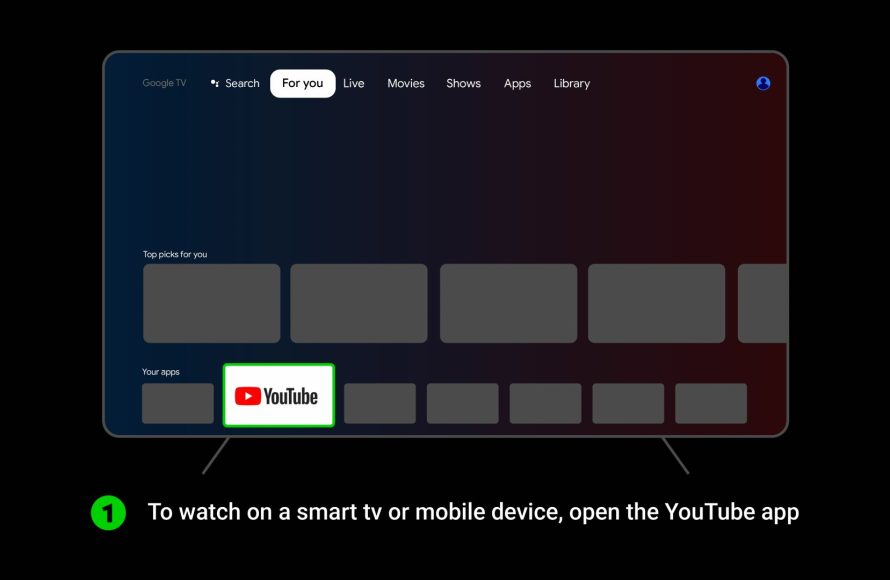
Many modern TVs and streaming devices have a built-in guide. Using your remote, you can easily see what is coming up on each channel. If you have a DVR, you can also set it to record games. This way, you can catch the games even if you’re not available to watch them live. If you use a streaming device like Roku or Amazon Fire TV, often times, you can find channel guides within each device.
Understanding Blackouts
Sometimes, you might find that a game you expected to be on TV isn’t available. This is often due to something called a “blackout.” Blackouts happen when not enough tickets are sold for a game, or due to network-specific agreements. It’s rare in the NFL these days, but understanding how it works is helpful.
What are Blackouts?
A blackout means that a local TV station is not allowed to show a certain game within a specific geographic area. Historically, NFL blackouts were meant to encourage people to attend the games. The idea was that if you couldn’t watch the game on TV, you would be more likely to buy a ticket and go to the stadium.
While these are less common now, if your local area has an NFL team, it’s important to know why it could happen.
How to Find Out If a Game is Blacked Out
If you are concerned about a potential blackout, it is best to check with your local TV provider, or check online listings. Most online schedules will indicate if a game will be blacked out in your area. The best way to make sure is to confirm what is playing on the actual local channel on the day of the game. If the game isn’t showing, a local affiliate will usually show a different game from the same network. If both games are unavailable, it is likely that a blackout is in effect.
Regional Variations and Out-of-Market Games
One of the tricky parts about watching NFL games is that which game you see on TV can depend on where you live. The networks usually show games that are relevant to the local audience. This means you will usually see the games for the team in your area, or games that are considered nationally important.
Why Games Differ by Region
The NFL’s TV contracts with CBS and FOX are set up to prioritize the local teams in each market. This ensures that fans can easily watch their home teams play. Games are usually selected by CBS and FOX to be broadcasted to regions where the respective teams have a fan base. Also, there are times when some games are given more national importance, and therefore will be broadcast nationally instead of locally.
Out-of-Market Games
If you live far away from your favorite team, you might find it difficult to watch their games. These games are called “out-of-market” games, because they are outside of the primary viewing area of that team. However, there are ways to watch them!
- NFL Sunday Ticket: If you are a subscriber to DirecTV, they offer something called NFL Sunday Ticket. This service allows you to watch almost every out-of-market game, each week.
- NFL+ : NFL+ is the NFL’s own streaming service, and they offer live local and primetime games on phones and tablets, and offer replays of all games. They offer a few different options for subscribing based on your needs.
- Other Streaming Services: Some streaming services may offer access to games that aren’t on your local channels, or they may have the games available on demand. Checking the specific content of various services is always a good idea.
Staying Up-to-Date Throughout the Season
The NFL schedule can change. Sometimes the time slots for games are swapped, or a game might move to a different day, so staying updated is key. Here are a few ways to make sure you don’t miss any changes.
- Check TV Listings Regularly: Checking TV guides and online listings at the beginning of each week can help you avoid surprises.
- Follow News Sources: Follow sports news websites and social media accounts that post NFL schedules and game information.
- Use Alerts and Notifications: Most sports apps allow you to set up alerts for specific teams or games, ensuring you get notified of any changes or updates.
Following these tips will help you find what you’re looking for and enjoy the game. So, get ready to enjoy some great football, knowing exactly which games you can watch in your area!
Finding the right NFL games to watch on TV doesn’t need to feel complicated. With a little know-how and the right resources, you can quickly find the broadcast schedule that fits your area. Keep exploring TV guides, sports websites, apps, and even your local news sites for the most current and accurate info. This way, you’ll be ready to enjoy all of the action the NFL has to offer, week after week. Happy watching!
How to stream NFL games without cable on Roku devices
Final Thoughts
To find out which nfl games will be televised in my area, check your local listings. Usually, CBS, FOX, and NBC broadcast the games. Also, ESPN and NFL Network often show matchups.
Your cable provider or a reliable TV guide will have the most accurate details. These resources display the broadcast channels.
Use those guides. They are key to know which nfl games you can see this week. They show the channels available in your specific viewing area.

