
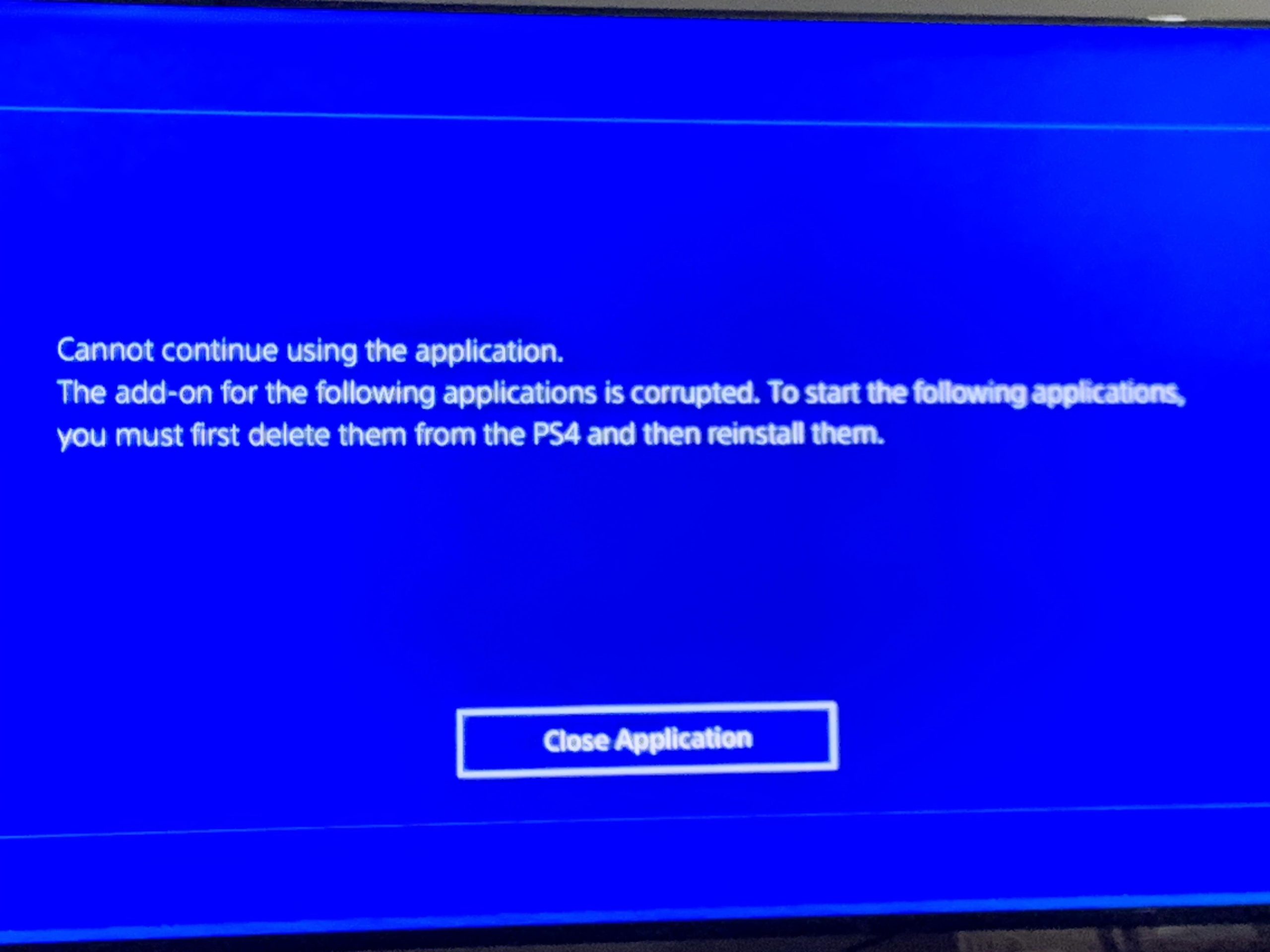
The primary reasons your games are corrupted on PS4 include hard drive issues, software glitches, or failed updates.
It’s incredibly frustrating when you settle in for a gaming session, only to find out all your games are corrupted. Suddenly, you’re staring at error messages rather than immersed in your favorite world. This situation begs the question, why are all my games corrupted ps4?
Figuring out the cause involves a bit of detective work. Bad sectors on your hard drive, glitches within the system software, and sometimes simply interrupted game update downloads can lead to data corruption. Let’s get into the specifics and see how to get your console back on track.

Why Are All My Games Corrupted on PS4?
It’s super frustrating when you try to play your favorite PlayStation 4 game, and instead of fun, you get a dreaded “corrupted data” error. Seeing all your games corrupted can feel like a console nightmare! Don’t worry, you’re not alone. Many gamers experience this, and there are several reasons why it happens. Let’s dive into what might be causing this problem and how to fix it.
Hard Drive Problems: The Main Culprit
One of the most common reasons for game corruption on a PS4 is an issue with your console’s hard drive. Think of the hard drive like a big filing cabinet where all your games and game data are stored. If something goes wrong with the cabinet, it can mess up all the files inside. Here’s how:
Physical Damage
Just like anything else, your hard drive can get damaged. This could be from dropping your console, moving it while it’s running, or even just from age. When a hard drive is physically damaged, it struggles to read and write data correctly, leading to corrupted game files. Imagine trying to read a book that has torn and crumpled pages – it would be very hard to understand the story, that’s like what happens with damaged hard drives. It’s best to handle the PS4 with care to avoid these kinds of issues.
Bad Sectors
Every hard drive is made up of many tiny places, called sectors, where data is saved. Sometimes, some of these sectors can go bad. It’s like having small holes in your filing cabinet. When the PS4 tries to use these bad sectors, it can’t read or write the data properly, which can cause game data to become corrupt. This is a natural occurrence over time with any hard drive. Unfortunately, the PS4’s built-in hard drive is a mechanical one, and therefore subject to wear and tear. These bad sectors often lead to the dreaded corrupted data message.
Hard Drive Failing
Just like any piece of technology, hard drives can fail over time. As your PS4’s hard drive gets older, it might not work as well as it used to. When a hard drive is on its last legs, it can have problems reading, writing, and accessing data. This can result in errors when playing your games, and sometimes all your games will appear corrupted. It’s a bit like having a car that’s starting to break down – it might still run, but not very well.
Software Glitches: When Things Go Wrong Inside
Sometimes, the problem isn’t the physical hardware, but rather, issues within the PS4’s software. Just like your computer needs software to work properly, the PS4 also relies on its system software. If the software isn’t working correctly, it can cause game corruption.
Corrupted System Software
The PS4’s system software is like the brain of the console. It controls everything. If the system software becomes corrupted for any reason, it can lead to problems with how games are loaded and saved. Sometimes, a faulty update process can result in corrupted system software. Think of it like a puzzle where some of the pieces don’t fit quite right, making it impossible to finish the picture. When this happens, your games are likely to get corrupted.
Interrupted Updates
Whenever a game or the system software updates, it’s essential that the process is not interrupted. If you turn off your PS4 during an update or if there is a power outage, it can corrupt the files being updated. It’s like trying to build a tower with blocks and then suddenly removing some of the blocks in the middle – the whole thing might fall apart and the files can become corrupt. Always let updates finish without any interruptions.
Game-Specific Problems: When the Game Itself is the Issue
Sometimes, the problem isn’t your PS4 at all, but the game itself. Here are some ways a specific game can cause a “corrupted data” message:
Bad Download or Installation
If your game download wasn’t successful, you might end up with corrupted files. This can happen if your internet connection is unstable or if there was an issue with the PlayStation Network server during the download. The game download might not have completed all its files. It’s like ordering a pizza, and then when it arrives, some of the toppings are missing or it’s a bit squished. This can cause the game to not work properly.
Buggy Game Data
Sometimes, game developers release games with bugs or errors that can lead to corruption. While it is rare for it to happen to all games, it is still possible. These are coding problems within the game itself that sometimes corrupt a small or large number of saved files or game assets. A developer might release a patch/update to solve these types of problems. It’s like having a toy with a broken part that needs to be fixed to work properly.
Data Corruption from Game
Certain games, particularly those with frequent saving, may experience file corruption. This can be more prevalent in older titles, which may not have had the same level of built-in protection against data loss as modern games. Think of it like a book with a weak binding that can easily fall apart. If a game is not optimized, it can cause data corruption during the saving process.
External Storage Issues
If you use an external hard drive with your PS4, that can also cause problems. Here are a few things to consider:
Incompatible Drive
Not every external hard drive is made to work with a PS4. If you use a drive that isn’t compatible, it may cause problems with how the data is stored, making games corrupted. Make sure the drive is formatted correctly for PS4 usage and meets the necessary USB standards. Always check the PS4 manual before using an external drive.
Loose Connections
Sometimes, if the USB cable connecting your external drive to your PS4 is loose, it can cause issues with data transfer. This can lead to files not being read or written correctly. Make sure the connection is secure. It’s similar to when you have a lamp plugged in, and it flickers because the plug is loose. Always check the external hard drive connection when you see game corruption errors.
External Drive Failure
Just like the internal drive, external hard drives can also fail. These drives also contain many components that are prone to failures, which will result in data corruption. If your external drive is having issues, it can corrupt the games installed on that drive. A failing external drive needs to be replaced with a new one to restore your games.
Other Potential Causes
There are a few other less common reasons why you might see corrupted games:
Overheating
If your PS4 gets too hot, it can cause problems with the console’s hardware, including the hard drive. This can lead to game corruption. Make sure your PS4 has proper ventilation so that it can stay cool while in use. Don’t put your console in a cabinet or enclosed space without proper ventilation. It’s like running a car engine for too long without oil, it gets too hot and starts to damage parts. If your PS4 gets too hot to the touch or the fan runs at full speed, this can be a cause for concern.
Power Issues
Problems with your home’s power supply can also cause game corruption. If the power goes out or your PS4 experiences fluctuations in voltage, data can be lost or corrupted during saving or transferring data. Always use a surge protector to prevent power issues.
Troubleshooting Steps
Now that you know what can cause game corruption, let’s talk about what you can do to fix it. These are good steps to go through when you see errors for all your PS4 games.
Restart Your PS4
The first thing you should always do is try restarting your console. This will sometimes solve small temporary issues. It’s like when your phone is acting strange, restarting it can fix many things. Here’s how to restart:
- Press and hold the PlayStation button on your controller.
- Select the power option, then choose restart.
Rebuild the Database
Rebuilding the database is like reorganizing the files in your filing cabinet. It can help your PS4 run better and sometimes fix game corruption issues. Here’s how:
- Completely turn off your PS4. Make sure the light on the console is off.
- Press and hold the power button until you hear a second beep. This will put your PS4 in safe mode.
- Connect your controller via USB cable.
- Select option 5: Rebuild Database.
- Wait for the process to complete, this may take a while depending on how much data is on your PS4.
Check for System Updates
Make sure your PS4 system software is up to date. System updates fix known bugs and issues. Here’s how to check:
- Go to Settings.
- Select System Software Update.
- If an update is available, follow the prompts to install it.
Reinstall Corrupted Games
If only some of your games are corrupted, try deleting and reinstalling them. Make sure to back up your saved game data first so you don’t lose your progress. Here’s what to do:
- Go to Settings, then select Storage.
- Choose Applications.
- Select the corrupted game, and choose Delete.
- Go to your PlayStation Library and redownload or reinstall from disc.
- After reinstalling, import your save data.
Initialize Your PS4
If nothing else works, initializing your PS4 can sometimes be the last resort. It will erase all data on your console so make sure that you backup all your save data to an external drive or to cloud storage, if available. This will make your PS4 factory new. Here is what to do:
- Go to Settings.
- Select Initialization.
- Choose Initialize PS4.
- Select Full to make sure all data is deleted.
Replace the Hard Drive
If your PS4 hard drive is failing, replacing it can help. You can replace the hard drive with another one but this is an advanced procedure and you should follow instruction on the PS4 official website. If you do not know how to, you should find a local reputable repair service. If you still experience problems after trying all the steps, it’s possible that your console requires service.
Having all your games corrupted on a PS4 is a real headache, but it’s often solvable. By carefully going through the steps, you can bring your gaming back to life. Remember to always keep your console updated, handle it with care, and back up your saves. Happy gaming!
How To Fix Corrupted Data On PS4 – Full Guide
Final Thoughts
Ultimately, corrupted game data on your PS4 usually stems from storage problems or interrupted updates. Faulty hard drives, power issues during saves, and improper shutdowns can all cause this frustrating problem. “Why are all my games corrupted ps4” is a question often linked to these factors.
Consider checking your hard drive’s health and ensuring consistent power. Rebuilding the database might also help. Proper maintenance minimizes the chance of future corruption issues.

