
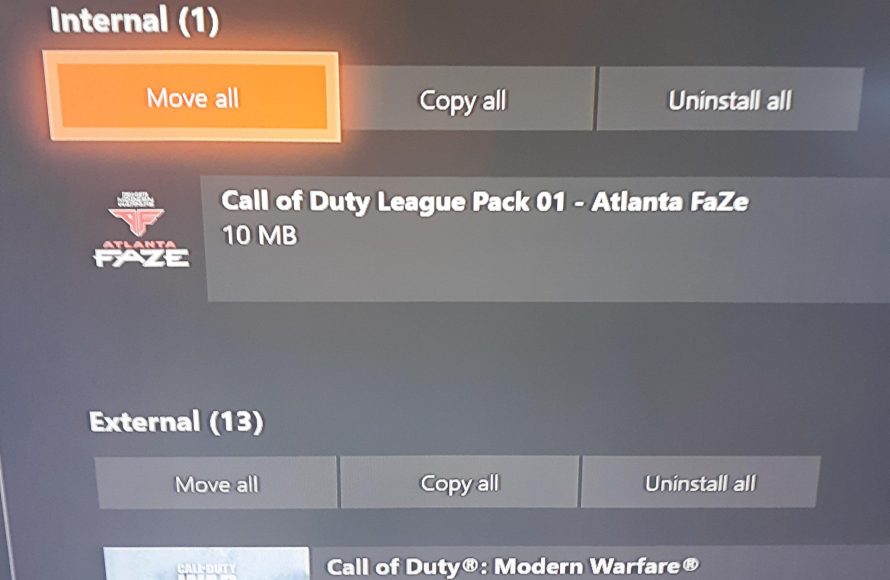
The large size of Call of Duty games stems from their high-fidelity textures, detailed environments, numerous game modes, and extensive content like maps and weapons that contribute to a significant file size.
Ever wondered why are cod games so big? It’s a common question that many gamers ponder while waiting for those lengthy downloads. These games come packed with a lot of content.
The detailed graphics and expansive worlds alone contribute significantly to their large file sizes. Plus, with so many modes, weapons, and maps, it’s no wonder they take up so much space on our hard drives.

Why Are COD Games So Big?
Ever wondered why your Call of Duty game takes up so much space on your gaming device? You’re not alone! It seems like with every new release, the size of COD games keeps growing. Let’s dive into the reasons why these games are so huge, exploring all the different elements that contribute to their massive file sizes.
High-Definition Graphics: A Visual Feast
One of the biggest reasons for the large file sizes of COD games is the incredible quality of their graphics. Modern games, like the recent Call of Duty titles, boast highly detailed environments, character models, and weapon designs. These are not simple images; they are complex 3D models with tons of textures and effects.
Detailed Textures and Models
Think about a single soldier in a COD game. Their uniform has intricate patterns, their weapons have realistic wear and tear, and their faces even have individual pores and wrinkles. All of this requires a lot of data. Textures, the images that wrap around the 3D models, are incredibly detailed. Each piece of clothing, each brick in a wall, and each leaf on a tree is carefully crafted with high-resolution textures. These textures can take up a significant chunk of storage space.
Advanced Visual Effects
Beyond just the textures and models, the visual effects also play a major role. When you see an explosion, the smoke billowing, the shrapnel flying, and the lights flickering, all of these are effects that require lots of data. The more realistic they are, the more storage space they need. Lighting, shadows, and particle effects like dust and rain also add to the overall size.
Massive, Immersive Game Worlds
COD isn’t just about close-quarters combat anymore. Many games in the series offer sprawling maps and different play modes that greatly add to the size requirements.
Extensive Multiplayer Maps
COD’s multiplayer mode is a big draw for many players, and these maps are not small. They feature diverse locations, from war-torn cityscapes to dense forests, requiring a huge amount of detail and space. Think about how many different buildings, obstacles, and hiding spots you find in just one multiplayer map. Each object and every detail takes up storage.
Large-Scale Warzone Experiences
Then, there’s Warzone, the large-scale battle royale mode. Warzone maps are even larger than regular multiplayer maps, supporting up to 150 players. These enormous areas are filled with numerous buildings, vehicles, and terrain features, each contributing to the overall game size. Having such large maps loaded with assets requires more storage space than smaller maps.
Single-Player Campaigns and Story Content
While multiplayer is popular, COD games usually feature a detailed single-player campaign. These campaigns come with their own unique locations, characters, and cutscenes. Each cinematic cutscene is like a short movie, requiring a lot of video and audio data. All this story content adds a considerable amount to the overall file size.
Audio Content: A Symphony of War
Sound is a vital part of a COD experience. From the intense gunfire and explosions to the subtle footsteps and character dialogue, quality audio is essential for creating an immersive environment.
High-Quality Sound Effects
The realistic sounds in COD are crucial. The boom of a grenade, the crackle of gunfire, and the rumble of a tank all come from high-fidelity audio files. These aren’t just simple noises; they are meticulously recorded and edited sound effects. Each weapon and action has multiple unique sounds, all of which need space. The more detailed and realistic the audio, the larger the files.
Extensive Voice Acting
COD games often have complex stories and many characters, which means a significant amount of voice acting. The actors record extensive lines of dialogue for the campaign, the multiplayer matches, and even for character customizations. This dialogue is recorded in multiple languages, further adding to the audio data that needs to be stored.
Ambient Sound and Music
Beyond the specific sound effects and voices, COD also features ambient sounds like wind, birds, and city noise, as well as a musical score that adds to the mood and intensity. All these different types of audio contribute to the file size, creating a richer, more engrossing experience.
Frequent Content Updates: Expanding the Game
COD games don’t just stay the same after release. Developers regularly add new content through updates, which, while exciting, contribute to increased file size.
New Maps and Game Modes
After a game launches, developers often release new maps for multiplayer and new modes of play. Each map and new game mode comes with its own sets of graphics, sounds, and gameplay logic. When new content keeps getting added, the game’s overall size goes up.
Weapon and Character Customization
COD allows players to customize their weapons and characters with new skins, attachments, and cosmetics. Each of these items comes with its own textures, models, and effects. These customization options add to the game’s overall appeal but also increase its size, as each new item must be stored.
Seasonal Content and Events
Games frequently feature seasonal events with limited-time content. These events often come with unique maps, game modes, and cosmetic items, all requiring storage space. After the event ends, these assets often stay in the game, adding to its size. Each new season brings new content, continuously growing the game size.
Uncompressed Assets: Prioritizing Quality
Game developers often choose to use uncompressed or minimally compressed assets to achieve the highest possible quality. This choice directly affects the game size.
Minimizing Compression Artifacts
Compressed files take up less space but sometimes result in a loss of visual or audio quality. Games that favor quality often use less compression, which means they need more storage. Developers sometimes opt for larger files to avoid any artifacts like blurry textures or poor audio that can come with aggressive compression methods. This trade-off between file size and quality impacts the overall storage requirement.
Faster Loading Times
Uncompressed assets can often load faster into the game, resulting in a smoother experience for the player. Less compression may mean larger files, but that can lead to faster gameplay. This helps gamers to get into the action without excessive loading time. That is another reason why COD games do not compress files more than what is necessary.
Cross-Platform Compatibility: Supporting Multiple Systems
Today’s COD games are often available on multiple platforms like PC, PlayStation, and Xbox. Developers need to optimize the game for each platform, which adds to its size.
Different Textures and Resolutions
Each gaming platform has different hardware capabilities, so the game needs different textures and resolutions. For example, a PC version may have higher-resolution textures than a console version. This makes the game larger than a game that’s just for a single platform. Each platform needs its own specific files, creating an increase in the overall size.
Optimized Code for Different Platforms
Beyond just the textures and models, each platform also needs its own version of the game’s code. This code is optimized for each system’s unique architecture and helps performance. Creating and maintaining these different versions increases the overall development effort and the final size of the game.
Why Do Game Sizes Keep Increasing?
As technology gets better, the graphics, sounds, and overall detail in games continue to improve. This means file sizes will likely keep growing. Gamers expect better and more realistic experiences, and this pushes developers to create bigger and more detailed games. Storage solutions are always improving, but games seem to be growing even faster.
In short, the massive size of COD games is a result of combining top-tier graphics, huge maps, lots of audio, frequent updates, and uncompressed assets to give the player the best gaming experience. Each component and detail contributes, resulting in games that take up a considerable amount of storage space. While large downloads may be inconvenient, the immersive and action-packed experience that COD provides makes it clear why these games demand a lot of space on your system. We have explored all these details so that you can better understand why COD games are so large. This knowledge will help you manage your storage and understand what’s happening behind the scenes of your favorite game.
Why are Games so BIG now?
Final Thoughts
Large file sizes in Call of Duty games result from high-resolution textures, detailed environments, and numerous audio files. These elements contribute to the immersive experience, but they also require significant storage. Developers constantly add new content, further increasing the game’s footprint.
Why are COD games so big? The combination of these factors means sizable game downloads, sometimes requiring over 100 gigabytes of storage. This trend continues as graphics and gameplay elements improve.

