
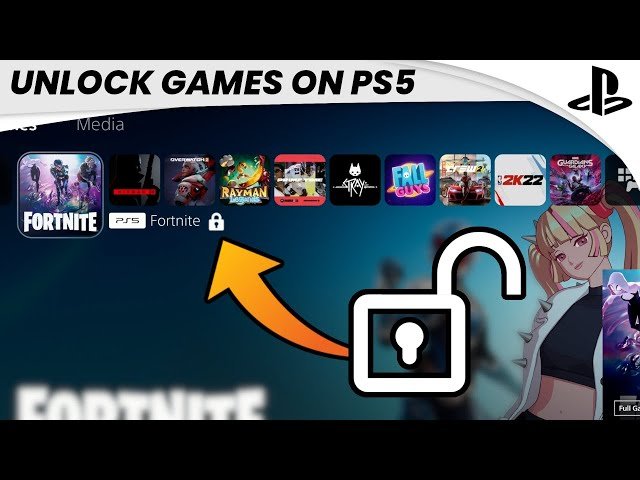
Your games are likely locked on your PS5 due to license issues, either from a failed purchase validation, or if the account that owns the game is not set as primary on that console.
Have you ever sat down, ready for some gaming, only to find a padlock icon staring back at you? It’s incredibly frustrating when you ask yourself, ‘why are my games locked on ps5’? This can happen to anyone. It often stems from a simple misunderstanding of how digital licenses work. Let’s explore the common reasons this happens and how you can get back to playing. We will cover some simple things you can check right away.

Why Are My Games Locked on PS5?
It’s super frustrating when you’re ready to play your favorite PlayStation 5 game, but instead of jumping into action, you’re met with a little lock icon. It’s like a tiny digital gatekeeper saying, “Nope, not today!” You’re probably wondering, “Why are my games locked on PS5?” Don’t worry, you’re not alone! Lots of players experience this, and it usually comes down to a few common reasons. Let’s dive into the different causes and how you can get back to gaming.
Understanding the Digital Lock
First, let’s be clear: the lock symbol on your PS5 game doesn’t always mean the game is broken or faulty. It’s more like a signal from your console letting you know something needs your attention. Think of it like a special security system for your games, ensuring that everything is in place before you start playing. These locks are there for various reasons and once you understand them, the troubleshooting becomes much easier.
Account and Licensing Issues
Primary Account Problems
One of the main reasons you might see that lock symbol is related to the account on your PS5. Each game you buy is linked to a specific PlayStation Network (PSN) account. This system works like a digital key. If the account that bought the game isn’t set as the “primary” account on that particular PS5, your games may become inaccessible.
When you first set up a PS5, you’re usually asked to set one of the accounts as the primary account for the console. This lets that account’s games be played on any other account on that same console. So, if someone else bought the game on a different account, they need to have their account set as the primary account for your console, for you to be able to play them.
Here is how you can check and activate the primary account on your PS5:
- Go to Settings.
- Select “Users and Accounts.”
- Choose “Other.”
- Select “Console Sharing and Offline Play.”
- Ensure that “Console Sharing and Offline Play” are set to “Enabled.”
If “Console Sharing and Offline Play” is disabled, other accounts on the same console won’t be able to play your games that you purchased with the primary account. So, make sure it’s enabled to resolve a lot of locking problems.
Family Sharing Complications
If you use family sharing, like when games are shared between family members on different PS5 consoles, make sure everything is set up correctly. If the primary account isn’t set up properly on the console where the game is trying to be played, it may appear locked. Every once in a while, there might be a hiccup in the family-sharing system, and the game will look locked on other people’s PS5s, so you need to double-check all account settings.
Subscription Services and Their Quirks
PlayStation Plus Issues
PlayStation Plus is amazing for getting free monthly games, but they come with some rules. If you claimed a game through PlayStation Plus, the game is linked to your membership. If you let your subscription lapse or if PlayStation Plus isn’t active for your account, these games will be locked. It’s like the key to the game is tied to your active membership. You need an active PlayStation Plus account to keep playing the games you claimed through the service. Renew your subscription and the lock should disappear.
PlayStation Now/Premium Games
The same rule applies to games that are available as part of PlayStation Premium. If your PlayStation Premium or Extra subscription ends you won’t be able to play those games until you renew your subscription, so make sure that your subscription is active.
Expired Trial Periods
Sometimes, you might find yourself playing a game as part of a free trial. If the trial period ends, the game becomes locked until you purchase the full game. That’s a normal thing and you will see the locked symbol on games that you don’t own.
Digital Game Download and Installation
Incomplete Downloads
Sometimes, the game download might not have been fully completed, and that can cause the game to be locked. The console might say the game is ready to play, but some files may still be in the process of getting downloaded. This could be due to a slow internet connection or maybe the PlayStation Network was experiencing some issues. Wait a bit longer for the entire game to download completely. You can check the downloads area of your console, to see the download progress.
Installation Errors
Sometimes the game file has been downloaded but there is some issues with the installation process. Sometimes, the installation process may be interrupted, or some files might be corrupted, that can make the game unable to play and that can result in the game showing up with a lock symbol on it. You might need to delete the game and download it again.
Corrupted Game Files
Sometimes game data becomes corrupted due to a power issue or some software glitches. When this happens, your console might not recognize all the game files and display that lock. In this situation, delete and redownload the game from your purchased or library area of your PlayStation account. This will refresh the game files and get them working properly.
Physical Game Disc Issues
Disc Is Not in the Drive
This one might sound obvious, but if you bought the physical copy of a game, you need to have the game disc inserted into the PS5 disc drive. Without the disc, the console will detect it as locked. This is just the way the PS5 works when using physical copies of games. Ensure that the disc is correctly in the PS5 and that there is no damage to the disc and console drive.
Damaged or Dirty Discs
If your disc has scratches, smudges, or any other damage, your PS5 might have trouble reading it. When the console can’t read the game properly, it might lock the game to prevent the player from starting a game that might crash or have glitches. Use a soft, clean cloth to wipe the disc from the center outwards. If it continues to have the same issue, then the disc might have some heavy damage and you may need to purchase a new copy of the game.
Region Locking (Rare)
PS5 games are not locked based on regions. However, sometimes, there can be issues where the game disc is not compatible with the console. For instance, a game from a different region might not work with your console. However this is very rare these days. Check the region code on your game disc and on your console to see if they match.
Hardware and Software Problems
PS5 Software Glitches
Just like any computer, your PS5 can sometimes experience software glitches. These can cause weird issues, including games appearing locked. Restarting the console is usually the best first step. Sometimes, a simple restart is all you need to fix the software issues. Make sure your console is always up to date with the latest software updates.
Console Storage Problems
If your PS5’s storage is almost full, it can cause problems with how the console accesses your games. Make sure you have enough space. When storage is low, the console can’t function properly and may result in games not opening and showing the locked symbol. Free up some space by deleting games or files you don’t use anymore.
Hardware Issues
Although it is rare but sometimes, there might be some issues with the hardware of your PS5, and this might cause your games to be locked. This is more likely if you have the disc version of the console and the disc drive is not working properly. If you are still having the issue after trying all other steps, it’s best to contact PlayStation Support to help you troubleshoot your console.
Troubleshooting Tips
Check Your Internet Connection
A stable internet connection is really essential for downloading games and verifying licenses. Issues with your connection can lead to games locking up. Make sure your WiFi is working and is stable.
Restart Your PS5
Restarting your console is often the easiest fix for many problems. This process can clear any software glitches and get your games working smoothly.
Check for System Updates
Make sure your PS5 has the latest software updates. These updates contain fixes for different issues, including locking problems.
Verify Licenses
Sometimes, licenses need to be refreshed. Go to your account settings, look for “Restore Licenses,” and do this. It might help when games become locked.
Contact Support
If all else fails, contacting PlayStation Support is a great idea. They can help you troubleshoot more difficult issues and figure out why your games are locked.
Seeing the lock symbol on your PS5 games is definitely annoying, but it’s usually a fixable problem. By understanding the reasons behind it, you can get your games back up and running. Hopefully, this guide has helped you get back to playing.
How to UNLOCK Games on PS5 (EASY) (2022) | SCG
Final Thoughts
Games lock on your PS5 for a few main reasons. The most common include account issues, subscription lapses, or digital license problems. You must verify your PSN account and active subscriptions first.
Another culprit is PlayStation’s game-sharing feature, if you are not on the primary console. Ensure the primary console setting is correct for your games.
Ultimately, ‘why are my games locked on ps5’ can usually be resolved through these steps, requiring a little troubleshooting on your end. Check your license and account status.

