
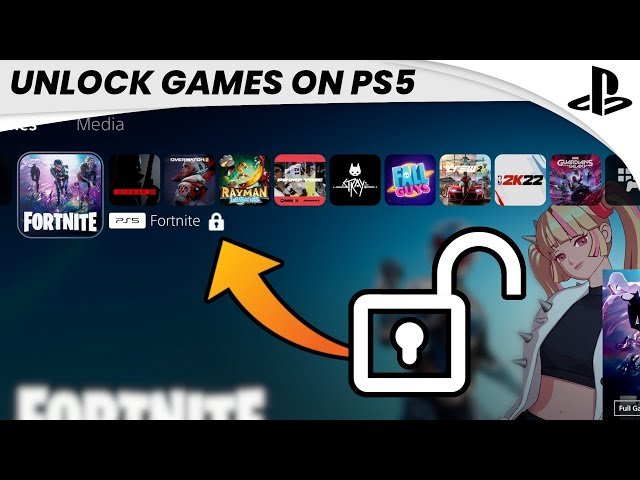
Some games are locked on PS5 due to licensing restrictions, regional limitations, or the specific edition of the game purchased.
Ever fired up your PlayStation 5, eager to jump into a new adventure, only to find a game inexplicably locked? It’s a frustrating experience, and many gamers wonder why are some games locked on ps5. This can happen for a few different reasons that relate to how games are distributed.
These locks often stem from digital rights management which ensures only authorized individuals can play. Sometimes, the physical version of a game may even have such restrictions. It’s important to understand these constraints before you get ready to play a new game.

Why Are Some Games Locked on PS5?
Ever tried to play a new game on your PlayStation 5, only to find it’s “locked” or you can’t play it yet? It can be super frustrating! It feels like getting a cool new toy but not being allowed to play with it right away. There are actually several good reasons why this happens. It’s not just to annoy us gamers! Let’s explore some of the main causes and why these locks are actually important.
Digital vs. Physical Copies
One of the biggest reasons why games are locked has to do with how you bought them – digitally or physically. Think of it like this: if you have a book, you can just open it and read it. But if you bought the book on a tablet, you might need to wait for it to download. Games work in a similar way.
Physical Discs
If you buy a game on a physical disc, the game data is actually stored on the disc itself. It’s like having a mini-computer game right in your hands. However, the PS5 still needs to do some things to make it playable. The disc acts as a key to access the game, but it still needs to install parts of the game onto the system’s hard drive.
- Installation Process: When you put in a disc, the PS5 will start the installation process, copying the game files onto your console. This is necessary because the PS5 needs the speed of its own storage to run the game smoothly, not just relying on the disc itself. Sometimes, the game won’t be playable until this process is fully completed.
- Day One Patches: Also, games usually get a “day one patch.” It is like an update that makes the game better. Even if you have the disc, you may need to download this patch. This can cause a delay in playing the game. These patches fix any bugs or issues the developers found right before release.
- Region Locking: Older console generations used to have region-locking where a game bought in one region might not work in another region. Although the PS5 is mostly region-free, there are some specific cases where certain editions are region-locked or have region-based downloadable content (DLC) restrictions.
Digital Downloads
Digital games, bought from the PlayStation Store, are a bit different. You’re essentially purchasing a license to play the game. You don’t receive a physical object, but rather access to download the game files.
- Pre-loading: Often, with digital purchases, you have the ability to “pre-load” the game. This means you can download all the game files to your PS5 before the release date. However, the game remains locked until the official launch time set by the publisher.
- Launch Time Restrictions: This is a major reason why games can be locked. Publishers set a specific time for the game to become available to play. This global release time ensures everyone starts playing at the same time, regardless of their location. So, even if your game is fully downloaded, you’ll still have to wait until it’s officially “unlocked.”
- Digital Rights Management (DRM): This technology helps to prevent piracy. It ensures you have a legitimate copy of the game and helps prevent sharing. When you buy a game digitally, it’s linked to your account. This is part of why you need to be signed into your account to play these games.
Licensing and Timing
Beyond the physical vs. digital aspect, the way games are licensed and timed also play big roles in game locking.
Global Release Dates
Game companies set a worldwide release date. This means no one gets to play the game before that set day. This allows everyone to enjoy the game at the same time. It also helps with the buzz around the game launch, creating a fun shared experience. Think of it like a movie premiere – everyone gets to see the movie on the same day, building the excitement.
Time Zones
Because the world is divided into time zones, a game that releases on the same “day” might come out at different times for different people. This could mean if the game is releasing at midnight EST, players in other time zones might have to wait longer or get to play earlier. Publishers often choose a single time zone for the release and adjust for other areas based on that time. This ensures a level playing field for all, irrespective of location, and it adds to the anticipation.
Pre-Order Bonuses
Sometimes, pre-ordering a game can give you a head start with pre-loading. However, pre-load doesn’t mean you get to play early. It just means you get to install it early, which could save you time on launch day. The game will still be locked until the official release time.
Server Activation
Many modern games, especially those with online multiplayer or required online connections, use servers to activate the game and its features. Even if the game is downloaded and unlocked locally, the game will likely not be fully playable without the publisher’s servers going live, which happens during the official launch time.
Account and System Issues
Sometimes, the issue isn’t the game itself, but problems with your PS5 account or system. These issues can also make a game seem “locked.”
PlayStation Network (PSN) Issues
The PlayStation Network is the heart of playing games on your PS5, especially for digital titles. Sometimes, PSN can have problems. If PSN is experiencing outages or maintenance, the game won’t be able to connect and may appear locked. This might cause errors and prevent you from playing. Always check the PlayStation Network status page if you’re facing issues. This helps to figure out if the problem is with your console or with the network.
System Updates
Keeping your PS5 system software up to date is important. System software updates usually contain necessary fixes for bugs and errors that can cause issues with games. If you haven’t updated your console, some games may be locked or experience problems.
Account Verification Problems
If there’s an issue with your PlayStation account or if your game license isn’t properly registered with your PSN account, you might encounter lockouts. Ensure your PSN account is in good standing and that you’re using the correct account that made the purchase. Also, it’s worth checking that you’re connected to PSN while trying to launch the game.
Game Specific Reasons
Beyond the general reasons, there are also situations that are unique to certain types of games or game features.
Beta and Demo Versions
Sometimes you might be playing a beta (trial) or demo version of the game. These test versions are meant to provide a preview of the game and are often time-limited or only have access to certain parts of the game. Once the trial period or the testing phase is over, the game will be locked and unplayable until the actual release.
Add-Ons & DLC
Downloadable content, or DLC, expands a game with extra features like maps, characters, or stories. However, DLC is treated like a separate item, it needs to be downloaded and installed to be accessed. If you haven’t purchased the DLC and are trying to access it, the area will be locked, prompting you to buy the additional content.
Early Access Periods
Some games offer “early access” to players before the official launch. This is usually for people who pre-ordered or purchased a special edition. But these early access periods still have a specific start time, so even if you have early access, you will not be able to play until the set early access time. Once the early access period ends, everyone, whether they pre-ordered or not, gets the ability to play the game.
Cross-gen Play
If a game has versions for both the PS4 and PS5, you need to ensure you’re playing the correct version. If you’re trying to play the PS5 version on a PS4 or vice-versa, it won’t work. The game’s license is tied to the specific platform. Always double-check that the version is compatible with the console you’re playing on.
Common Error Codes & Troubleshooting
It’s not uncommon to encounter error codes or issues when trying to play a game. Here’s how to approach common issues:
Error Codes
PlayStation usually gives error codes when problems happen. If you get an error code, try to search for it online. The PlayStation support website can provide steps to fix that particular problem. For instance, error codes relating to licensing or network connection issues often have clear resolutions outlined on the support pages.
Basic Troubleshooting Steps
- Restart your PS5: Sometimes simply turning your system off and back on can solve many issues.
- Check your internet connection: Make sure you have a stable internet connection, especially if you’re trying to play an online game or a digital title.
- Verify game ownership: Ensure you’re signed into the correct PSN account where you purchased the game.
- Check for system updates: Go to your console’s settings and see if there are any system software updates available.
- Check PSN status: Visit the PlayStation Network status page to ensure that there are no network outages or maintenance happening.
- Reinstall the game: If all else fails, uninstalling and reinstalling the game can fix corrupted files.
Game locks on PS5 can feel inconvenient, but they usually exist for good reasons. They help ensure that everyone can experience new releases simultaneously and without errors. By understanding the different situations and knowing what steps to take, you can minimize the frustration and enjoy your games to the fullest.
How to UNLOCK Games on PS5 (EASY) (2022) | SCG
Final Thoughts
Game publishers use region locking to control sales and distribution. This tactic limits where you can play specific game versions. Digital licenses further bind games to accounts and regions.
Sometimes game content restrictions lead to unavailable features. This can mean some versions won’t work on your specific console. The core reason why are some games locked on ps5 lies in these business and content strategies.

