
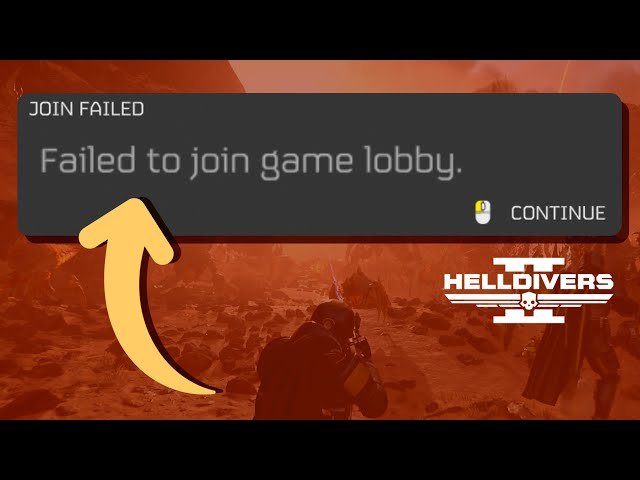
The inability to join games in Helldivers 2 often stems from server issues, full lobbies, or network connection problems.
Frustration mounts when you’re eager to spread managed democracy, but constantly face the roadblock of ‘why cant i join games in helldivers 2’. It’s a common issue many players encounter, and we understand the annoyance it causes. The good news is, it is not always a player error.
Several factors contribute to this problem. Server capacity often struggles to keep up with the demand, resulting in connection failures. Also, your own internet stability can play a part.

Why Can’t I Join Games in Helldivers 2?
So, you’re ready to spread some managed democracy and blast bugs and bots into oblivion, but you keep hitting a wall: you just can’t seem to join a game in Helldivers 2. It’s frustrating, we get it! This isn’t an uncommon problem, and thankfully, there are a bunch of reasons why this might be happening. Let’s dive into the common culprits and how you can get back into the action.
Server Issues and Overload
One of the most frequent reasons for connection problems in Helldivers 2 is server trouble. Imagine the game servers as a giant highway; when lots of players try to get on at once, it can get really jammed up. This is especially true right after a big update or when the game is experiencing a surge in popularity. When servers are overloaded, you might face:
- Difficulty finding available games
- Being kicked out of games
- Long wait times when trying to join
- Straight-up error messages
How to Check Server Status
The first thing you should do when facing connection problems is to check the server status. Usually, the game’s official social media channels (like X/Twitter or Discord) will have updates about server maintenance or outages. You can also visit community forums or websites that track the game’s server health. Knowing if the problem is on their end, not yours, can save you a lot of time troubleshooting.
Sometimes, patience is the best solution. If the servers are overloaded, you may need to wait a bit and try again later when the traffic dies down. You can also try joining games with fewer players to see if that helps.
Your Internet Connection
A shaky or slow internet connection is another common reason why joining games can be tricky. Think of it like this: if your internet is a leaky pipe, your game data might not be flowing smoothly. If you have a weak Wi-Fi signal or poor internet service, it can cause issues with connecting to servers, downloading game data and joining multiplayer sessions.
Tips to Improve Your Connection
- Check your Wi-Fi signal: If you are using Wi-Fi, make sure you are close to your router and there are no major obstructions (like thick walls) between you and the router.
- Try a wired connection: If possible, connect your gaming device directly to your router using an ethernet cable. This is usually much more reliable than Wi-Fi.
- Restart your modem and router: Sometimes, just rebooting your network equipment can fix simple connection problems. Unplug both for about 30 seconds and then plug them back in.
- Close other applications: When other devices on your network are using a lot of bandwidth at the same time, your game connection can struggle. Consider having less devices on the same network to free up resources or stop large downloads during gaming.
- Run a speed test: Check your internet speed to make sure that it meets the minimum requirements for playing Helldivers 2. If the speed is low you might want to contact your internet provider.
Crossplay Complications
Helldivers 2 allows crossplay, meaning players on PlayStation 5 and PC can play together. This feature is amazing for those of us with friends on different platforms. However, it can sometimes create connection issues. If the game struggles to connect to users across different platforms or has incompatibilities it can create connection problems.
Troubleshooting Crossplay Issues
- Check Crossplay settings: If you want to play with friends on another platform, make sure crossplay is enabled in the game’s settings. If it’s enabled and you have issues try disabling it to see if it helps with your connection and joining problems.
- Be aware of different patch versions: It’s possible that you and your friend might be on different versions of the game, which may create compatibility issues. Make sure your game is up to date.
- Communicate with your friend: Sometimes, the easiest way to fix a crossplay issue is to restart the game and try joining again or to start a new lobby.
Game Bugs and Glitches
Like all video games, Helldivers 2 may have a few bugs and glitches that can affect your ability to connect to matches. Sometimes, these issues may be caused by problems with the game itself. These can be difficult to pinpoint, because they can occur randomly and may be unique to your specific situation.
What to Do if You Suspect a Bug
- Keep your game updated: Always make sure you are running the latest version of the game as the developers regularly release fixes for these bugs and issues.
- Report bugs to the developers: If you run into a bug that is stopping you from playing, report it to the developers on their website or on their social media pages.
- Check forums for known bugs: Look around the official Helldivers 2 forums to see if anyone else is experiencing the same issue. There might be workarounds.
- Restart your game or device: Often, a simple restart can clear out any temporary glitches that might be impacting your connection.
Firewall and Router Restrictions
Sometimes, your firewall or router settings can block the game from connecting to servers. Firewalls act like gatekeepers that control what information enters and leaves your network. If your firewall is configured too strictly, it might think the game is a threat and block its connections. Certain routers can also be set up in a way that limits connections to some servers.
Adjusting Your Firewall and Router Settings
- Check your firewall settings: Make sure that Helldivers 2 is allowed through your firewall. You might need to create an exception for the game.
- Router port forwarding: Some games require you to open specific ports on your router. Check the Helldivers 2 website for recommended ports and how to set this up.
- UPnP (Universal Plug and Play): Enabling UPnP on your router can automatically allow game connections, making your life easier. However, some security experts advise disabling UPnP. If you have trouble enabling or disabling, consider looking up specific guides or contacting your internet service provider.
- Restart devices: After making changes to your router or firewall, make sure you restart your devices. This will make the changes take effect.
NAT Type Issues
NAT (Network Address Translation) type can impact how easily you connect with other players. It is a system that your router uses to manage network traffic. There are different NAT types, and some are more restrictive than others. If you have a restrictive NAT type, it may cause problems joining games with other players.
Understanding NAT Types
- Open NAT: This is the best type of NAT to use when playing online games. You can connect with anyone and host games easily.
- Moderate NAT: This type of NAT is moderately restrictive. It can sometimes cause you to have trouble connecting with others, but is not a major problem.
- Strict NAT: This is the most restrictive NAT type. It can cause issues with joining games and connecting to others. You will probably need to change your NAT type to play online games easily.
How to Improve Your NAT Type
Changing your NAT type often requires some work with your router’s settings. However, it’s often a key fix for connection issues.
- Router settings: Log into your router’s settings, and search for the options to set your NAT type. If you don’t know how to find your router settings, contact your internet provider or refer to your router’s manual.
- Port forwarding: As mentioned above, forwarding ports can improve your NAT type by enabling more connections.
- Contact your internet provider: If you are having trouble changing your NAT type, contact your internet provider and ask for help. They can often help you with these problems.
Game Settings and Preferences
Your in-game settings can also play a part in whether you’re able to join games. If the wrong settings are chosen you can have problems connecting to matches. It can also cause problems when the settings are not configured for online play.
Adjusting In-Game Settings
- Privacy Settings: Make sure your privacy settings allow people to find you and invite you to games. If your settings are set to private you will have difficulty joining games.
- Matchmaking Preferences: Check your matchmaking settings. If your settings are too restrictive you might not be able to find as many games. Try broadening your search parameters.
- Region settings: Make sure you are connected to the right region so you have an easier time finding games. Sometimes when you are in the wrong region you will have an increased latency that will kick you out of games, or make it difficult to find a game at all.
Hardware Issues
Less common, but still possible, your game device might be the cause of connectivity issues. If your computer or console is old, or has outdated drivers, it may experience problems with connecting to the game.
Troubleshooting Hardware Problems
- Check hardware: Make sure that your hardware meets the minimum requirements for running Helldivers 2. Check the official website to confirm these requirements.
- Update drivers: If you are using a PC make sure that your graphics card, and other hardware drivers are up to date.
- Restart Device: Sometimes just restarting your device can fix any temporary issues it might be experiencing.
In short, many things can cause you to have problems joining games in Helldivers 2. From server overloads to internet issues and game bugs, it can be frustrating. However, it is important to take your time, go step by step, and make sure that you are using the recommended settings for playing the game. Sometimes the only fix is to wait for a patch, or for the servers to become less busy. The developers will fix issues as soon as they are made aware of them. By patiently working through these troubleshooting steps, you should be able to get back into the fight for democracy and take back the galaxy!
🚨 FIX "TIME OUT" ISSUES IN HELLDIVERS 2 – How to Connect to Friends & Games! 🚨
Final Thoughts
Persistent connection issues, server overload, and mismatched game versions often contribute to “why cant i join games in helldivers 2.” These factors create frustrating roadblocks for players wanting to team up. Player population spikes create significant server load, impacting the matchmaking process.
Sometimes, outdated game files cause incompatibility, preventing you from connecting with others. Regular updates are important for improving your chances of finding matches. Network problems on your end also cause connectivity disruptions, requiring troubleshooting.

