
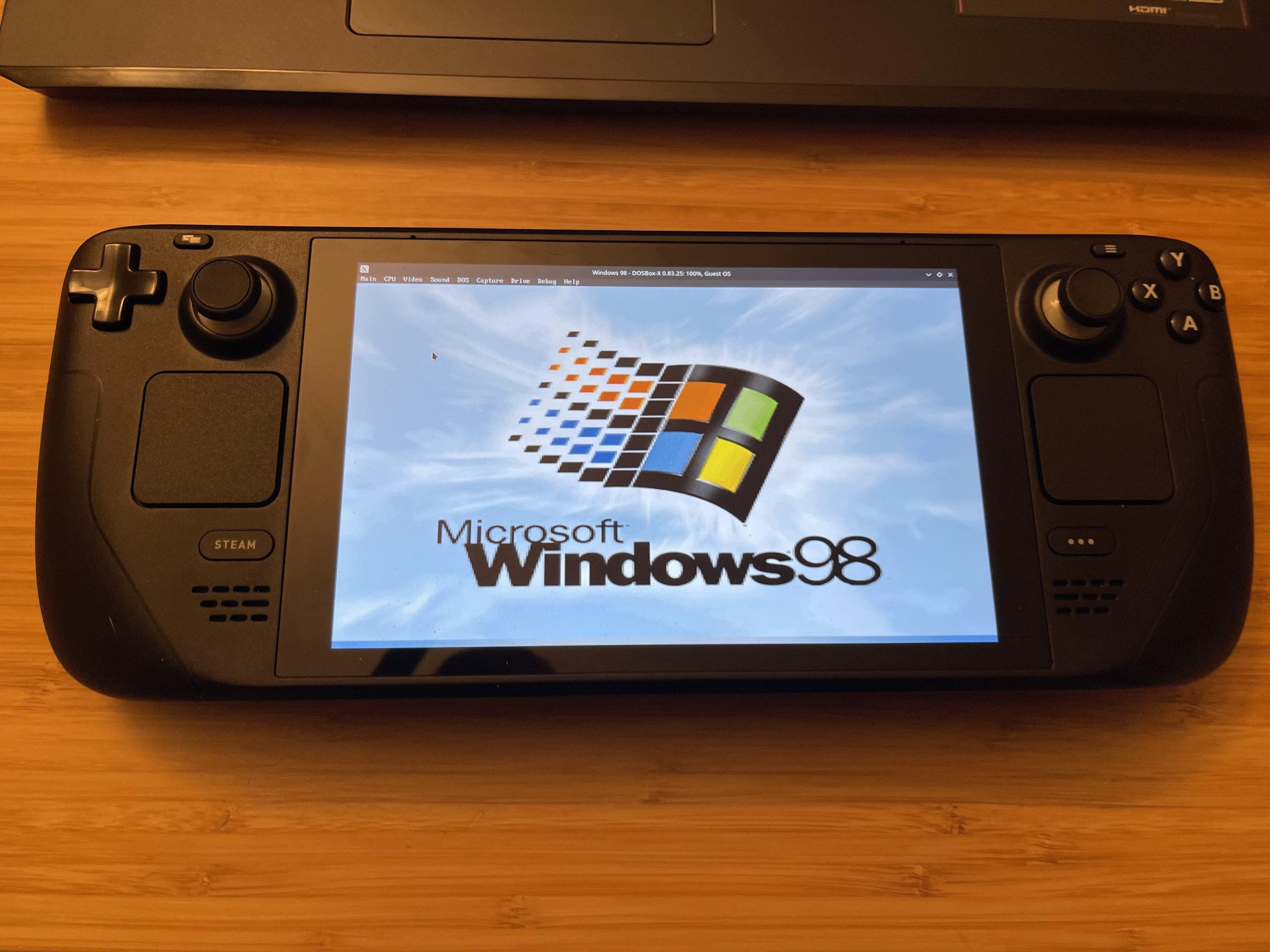
Steam Deck can play Windows games because it uses a modified version of Linux called SteamOS, which includes a compatibility layer called Proton. This Proton layer translates Windows API calls into Linux equivalents, enabling many Windows games to run smoothly.
Ever wondered why your Steam Deck can play those beloved Windows games? It’s quite fascinating how this handheld console manages it. The secret lies in clever software engineering.
The system is designed to bridge the gap between different operating systems, making the idea of “why could steam deck play windows games” easily answerable. Valve has invested a lot in this technology.

Why Could Steam Deck Play Windows Games?
The Steam Deck, a handheld gaming PC, has captured the attention of gamers everywhere. One big reason is its ability to play many of the same games you’d find on a regular Windows computer. But how is this possible? It’s not just magic; it’s a clever combination of hardware, software, and a lot of smart engineering. Let’s explore the fascinating reasons why your Steam Deck can run those beloved Windows games.
The Power of the Underlying Operating System: SteamOS
While it feels like the Steam Deck runs Windows games directly, it actually uses a special operating system called SteamOS. This isn’t a Windows system. Instead, it is built upon Linux, a different type of operating system. So, how does this work? The key is that SteamOS includes a compatibility layer known as Proton. Proton is like a translator, it takes the instructions that Windows games use and converts them into instructions that SteamOS and the Steam Deck’s hardware can understand. This clever workaround allows the Steam Deck to play games designed for a system that’s very different at its core.
Proton: The Translator for Games
Proton is developed by Valve, the same company that created the Steam Deck and the Steam gaming platform. It is an open-source project, which means that many people can contribute to making it better. Think of Proton as a sophisticated interpreter. When a Windows game tries to do something, like draw a picture on the screen, Proton intercepts this request. It figures out what the game wants and translates it into a format that SteamOS and the Deck’s graphics processor can process. This process of interpretation happens very quickly and seamlessly, letting players enjoy their Windows games without knowing all the complex translation going on behind the scenes. The development of Proton is an ongoing process, so some games run better than others. Valve and the community are always working to improve Proton’s ability to handle all kinds of Windows games.
Why Not Windows Directly?
You might wonder, “Why not just put Windows on the Steam Deck?” While that’s possible, and some users do it, there are good reasons why Valve chose Linux and Proton for the base system. Firstly, Linux is a very lightweight operating system. This means it uses less of the Deck’s resources, leaving more available for games. Windows, on the other hand, is often resource-heavy. Secondly, Linux can be customized and made very efficient for the specific task of gaming on the Steam Deck. This customization lets Valve optimize the system for better performance and battery life. Finally, Windows requires license fee. by using Linux, they can avoid the extra cost, meaning that the final price of the Steam Deck can be lower for the consumer.
The Hardware Powering the Steam Deck
Of course, even with clever software tricks, the Steam Deck needs the hardware to back it up. Let’s take a look at the components that enable the Deck to play games meant for desktop computers.
The Custom APU: Heart of the System
The Steam Deck is powered by a custom-designed Accelerated Processing Unit (APU) made by AMD. An APU combines the functions of a central processing unit (CPU) and a graphics processing unit (GPU) onto a single chip. This custom APU is not only efficient in its design but also powerful. It’s designed to handle gaming at a reasonable resolution and frame rate. The performance of this custom APU is key to why the Steam Deck runs so many games well, this means that the game runs smoothly with minimal lags. It is important to understand that this custom APU is not just a regular mobile chip, it’s specifically built for gaming in mind, and is capable of handling relatively demanding games.
Memory and Storage: Essential for Performance
Beyond the APU, the Steam Deck includes a good amount of RAM (Random Access Memory), which is very important for smooth operation. RAM allows the system to quickly access data that’s needed for games, making sure that everything runs smoothly. The Deck also comes with a solid-state drive (SSD) for storage. SSDs are much faster than traditional hard drives, which means games load faster and run more efficiently. This fast loading speed also reduces wait times when opening the game menus or switching scenes. Different configurations of the Steam Deck come with different storage amounts to let users choose based on their preferences and budget.
The Screen: Displaying Games Clearly
The Steam Deck’s screen is another key element that helps enhance the gaming experience. The screen is bright and clear, with a comfortable resolution for handheld gaming, meaning that the game appears visually appealing on the handheld device. The quality of the screen ensures that players can enjoy the visual detail that the games offer. Having a quality display is crucial, since it is the player’s main way of interacting with the game.
Battery: Powering On-The-Go Gaming
The Steam Deck has a rechargeable battery that provides hours of gaming on a single charge. Of course, the battery life depends on how demanding the game is, a graphically intense game will drain the battery faster than a less demanding one. The battery is powerful enough to keep you gaming on the go, making it a true handheld console. The ability of the device to function without being constantly plugged into a power source increases the appeal of the device.
The Steam Ecosystem and Compatibility
Valve’s Steam gaming platform is a key part of the Steam Deck’s success. The Steam ecosystem is built from the ground up for playing games, which makes it more accessible on the handheld device.
Steam Play and Compatibility Layer
The integration of the Steam Play feature and the Proton compatibility layer on Steam makes it easy to download and play Windows-based games. Steam Play enables the user to purchase a game once, and play on any platform that they own, such as Linux or Windows. Proton makes most of the games compatible with Linux, this combination makes it easy to start a game on your desktop and continue on the Steam Deck seamlessly. The Steam library, built around the Windows gaming environment, has been opened to make more games compatible with the Linux-based Steam Deck, with the help of Steam Play and Proton.
Verification Process and Game Library
Valve is constantly working to verify games that run well on the Steam Deck. This means they test games and label them based on how they perform, with ratings like “Verified”, “Playable”, or “Unsupported”. The “Verified” label means a game runs flawlessly on the Steam Deck, without any issues, while “Playable” means the game runs but may need some tweaks from the user to make it work smoothly, and “Unsupported” means the game cannot run properly on the Steam Deck. This process gives users an idea of the kind of gaming experience to expect before downloading and running a game. It also encourages game developers to make their game more compatible to the Steam Deck. The Steam library also makes it easy for users to see the compatibility rating of their games, so users can choose the appropriate game they want to play on the Steam Deck.
Game Optimization and User Experience
While Proton does most of the translation work, developers of the game often make adjustments to optimize the game’s performance on the Steam Deck.
Game-Specific Tweaks
Some game developers will do extra work to make sure their games work well on the Steam Deck, by making sure that the user interface, controls, and performance all work as expected. They might change the default settings, or offer specific Steam Deck settings to ensure the best experience on the handheld device. By doing so, they can ensure that players can play the game with a consistent, well-performing experience on the smaller screen of the Steam Deck.
Community Support and User Modifications
The Steam Deck community plays a vital role in improving the experience. Players often share tips and tricks, as well as community modifications. These mods can address compatibility issues, improve performance, and add new features to make games work even better on the Steam Deck. The community often fixes issues that even game developers and Valve cannot identify. The community also create tools to help players find and apply mods, so it makes the process of improving a game’s performance easy and accessible to non-technical players. This collaborative spirit makes the Steam Deck experience more exciting, with the constant innovation happening every day.
Emulation: Expanding Game Possibilities
Beyond Windows games, the Steam Deck can also run many older console games using emulators. This is another key factor to it’s popularity.
Running Old Console Games
Emulators are programs that allow the Steam Deck to mimic the hardware of old game consoles, like Nintendo or Playstation. These emulators let players run old games on the device, expanding the range of games that can be played on the Deck. This helps users rediscover retro classics, that they may have never played before. Running emulators takes careful setup and some technical knowledge, however, many guides are made by the community. The flexibility to play different types of games is another big reason why the Steam Deck is popular.
Legal and Ethical Considerations
It’s important to note that while emulation itself is legal, downloading or using copyrighted games that you don’t own is against the law. It’s essential to only play games that you own legally on any device, including the Steam Deck. With that being said, if you own the games and are just playing them with emulation, it is not considered illegal, as you are using your own data.
Future of the Steam Deck and Compatibility
The Steam Deck is continually evolving, which also means more games will become compatible and run better on the device.
Constant Improvements
Valve is dedicated to making the Steam Deck a great handheld gaming device. The company often releases updates to SteamOS, Proton and the Steam Deck’s firmware, all of which lead to performance improvements and compatibility fixes for many games. The Steam Deck community is also always working on making improvements to game compatibility. Because of these continuous efforts, the Steam Deck gaming experience is constantly improving over time. This continuous update and improvements will lead to greater capability and more compatibility with current and future Windows games.
Expanding the Game Library
The efforts of Valve, game developers, and the community are constantly expanding the number of Windows games that are playable on the Steam Deck. In the future, we should expect even more games to be verified and optimized for the device, making it an even better platform for playing games on the go. The list of playable games is always increasing, which opens more opportunity for users to play their favorite games on the go. With each passing day, more and more games are being added to the library, which greatly increases the library of the games that can be played on the Steam Deck.
The ability of the Steam Deck to play Windows games isn’t a simple process, but it’s the result of smart engineering, powerful hardware, and the hard work of many people. By using Proton to translate instructions, having a custom APU to run games smoothly, and the constant support from Valve, developers, and the community, the Steam Deck makes a huge range of Windows games accessible to many players. This innovative system combines all these elements to create a unique and amazing experience. This lets users enjoy the game they love on a portable, handheld device, and it is what makes the Steam Deck such a wonderful device.
Steam Deck: How to run Windows exe games/applications in SteamOS
Final Thoughts
Steam Deck plays Windows games because it uses Proton. Proton is a compatibility layer based on Wine. It translates Windows’ DirectX graphics calls into Linux-compatible Vulkan commands. This makes game running possible.
Proton is the key. It allows many Windows games to function correctly on Steam Deck’s Linux-based operating system. Thus, the answer to why could steam deck play windows games, largely comes down to Valve’s clever implementation of this compatibility tool.

