
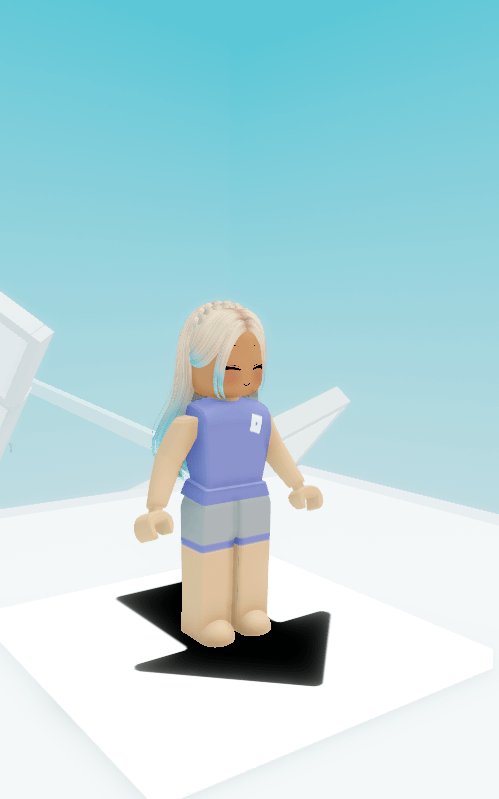
Your Roblox clothes likely disappear in games due to network issues, game glitches, or problems with the Roblox platform itself loading your assets.
Ever find yourself in a game, perfectly styled, only to have your carefully chosen avatar clothes vanish into thin air? It’s frustrating, we know. It’s a common issue among Roblox players, leaving many wondering, ‘why do my roblox clothes keep disappearing in games?’
This disappearing act can ruin the gaming experience. Sometimes it’s a fleeting moment; other times, your character remains sadly undressed. The reasons behind this issue can be varied and often confusing to players.

Why Do My Roblox Clothes Keep Disappearing In Games?
It’s super frustrating when you spend your precious Robux on cool clothes for your Roblox avatar, only to have them vanish when you jump into a game! You’re not alone; many players experience this. Let’s dive deep into why your awesome threads might be playing hide-and-seek and how you can hopefully make them stick around.
The Basics: How Roblox Clothes Work
Before we get into the disappearing act, it’s important to understand how Roblox handles clothing. Think of it like this: your avatar has a closet, and when you buy clothes, they’re added to that closet. However, when you enter a game, the game has to load the clothes from your closet onto your avatar. Several things can go wrong during this loading process, causing your clothes to not appear.
Common Culprits: Why Your Clothes Vanish
Okay, so why do those perfectly good clothes vanish? Here are some of the most frequent reasons:
- Game Glitches: Sometimes the game itself has a bug or error. Think of it like a digital hiccup. These glitches can prevent your clothes from loading correctly. Some games are older or have not received updates and cannot fully process all the newer clothing types.
- Internet Connection Problems: A weak or unstable internet connection can disrupt the loading process. Your clothes might get lost in the data transfer if your connection is spotty. Just like how a video might buffer, your clothing can fail to load.
- Roblox Server Issues: Roblox servers sometimes experience temporary problems. These servers are like the giant warehouses that hold all the game information. When they’re having trouble, it can impact how clothes load.
- Avatar Complexity: If your avatar has too many accessories or intricate clothing items, it might take longer to load, or it might not load fully, especially in games not designed for complex avatars. Think of it like trying to fit too much into a small box.
- Incorrect Avatar Settings: Sometimes, your avatar’s settings might be configured in a way that prevents certain types of clothing from loading. We will explore this further below.
- Game-Specific Restrictions: Some game creators might intentionally restrict certain clothing or accessory types for gameplay reasons or to maintain a specific style. For example, a game set in the ancient past might not allow modern clothing.
- Clothing Conflicts: Certain combinations of clothing can sometimes conflict with each other, which is a rare but possible cause for disappearance.
Diving Deeper: Specific Problems & Solutions
Let’s break down some of the more specific issues and what you can do about them.
Game Glitches: Dealing with Buggy Games
When a game has glitches, it’s usually something the game developers need to fix. There isn’t much you can do directly except report the problem. Here’s what you can try:
- Report the Bug: Most games have a way to report issues. Look for a report button, a chat feature with the developers, or a comments section and let them know your clothes are disappearing.
- Try Different Games: If your clothes disappear in one game but appear in others, the problem is most likely with that specific game. Try playing different games to check if the issue persists.
- Check for Game Updates: Developers often release updates to fix bugs. Make sure you are playing the most recent version of the game.
Remember, game glitches happen. Be patient and communicate with the developers if you can!
Internet Woes: Checking Your Connection
A bad internet connection can cause all sorts of problems. Here’s how to check yours:
- Test Your Speed: There are many online speed test tools. Run one and make sure your connection speed is good enough for playing online games.
- Restart Your Router: Sometimes your router needs a refresh. Turn it off, wait about a minute, then turn it back on.
- Move Closer to Router: If you’re using WiFi, try moving closer to your router. Obstacles like walls can weaken the signal.
- Use Wired Connection: If possible, using a wired internet connection (Ethernet cable) can provide a more stable signal than WiFi.
A strong and stable internet connection will make a big difference in making sure your clothes load smoothly.
Roblox Server Problems: When It’s Not Your Fault
Roblox servers can get overloaded or encounter technical issues from time to time. You can usually tell it’s a server issue if many other players report the same problems. Here is what you can do when Roblox servers are having problem:
- Check Roblox Status Page: The Roblox website has a page where they announce any server issues. Check it to see if there’s a problem on their end. You can find the page on the official roblox website.
- Be Patient: If there’s a server issue, there is not much you can do other than wait for Roblox to fix the problem. They’re usually pretty quick to respond to these issues.
- Try again later: If it’s just server issue, try playing again after few minutes or hours, as the server will be up and running normally after they fix it.
Server issues are out of your control, so patience is key.
Avatar Complexity: Simplifying Your Look
If your avatar has a bunch of clothing and accessories, it can be too much for some games. Here is what you can do:
- Reduce Accessories: Take off some of the extra accessories like hats, wings, and backpacks, and see if that helps your clothing load.
- Use Simpler Clothing: Try using outfits with fewer layers and fewer small details, like ones that are just a single shirt and a single pair of pants.
- Test Outfit Combinations: Try on your different combinations of outfits and check to see if there is a pattern for which clothes disappear and which clothes load.
Sometimes, less is more when it comes to ensuring your avatar looks right in all games.
Avatar Settings: Customizing for Success
Sometimes, your avatar settings can be a part of the problem. It might not be that your clothes are gone; rather, they aren’t set to display correctly. Here is what you can check:
- Check Avatar Type: Sometimes, if you have your character set to the older R6 type, some of the newer layered clothing may not load correctly. Try setting your character to the R15 type.
- Check Scaling: Sometimes the scaling on an avatar will not match that of the clothing and will cause it to display improperly. Try resetting the scaling of your avatar to its default setting.
Game-Specific Restrictions: Respecting the Rules
Some games intentionally restrict certain clothing and accessory items. It is a part of the creative vision the developers have for their games.
- Read Game Descriptions: Many game descriptions mention if they have limitations on avatar items. Make sure you read the game description before jumping in to see if it mentions specific clothing restrictions.
- Check Game Forums: Sometimes, other players will discuss game restrictions in the forums. Check to see if they are talking about your particular issue.
- Play By the Rules: If a game intentionally restricts clothing, it is best to follow those rules to maintain the game’s experience as the developers intended.
Clothing Conflicts: A Rare but Possible Issue
Certain layered clothing might have a conflict with one another. These can be rare, but there are some clothing that have issues with certain types of layering or other clothes:
- Try Different Combinations: To diagnose if it is a clothing issue, try wearing the clothes alone or with other clothes until you find the one that is causing the conflict.
- Check Clothing Comments: Sometimes, other players will talk about clothing conflicts in the comments of the clothing item’s page in the Avatar Shop.
Clothing conflicts are unusual, but sometimes you can find the issue if you try to diagnose the specific problem.
Other Things to Consider
Here are some additional things to keep in mind:
- Update Roblox: Make sure you are using the latest version of the Roblox app. Often updates include fixes that resolve problems with avatar items.
- Try a Different Device: If you are having a problem on one device, try a different one to see if it persists. If the issue only occurs on one device, it is possible that the problem may be with that device, not with Roblox or its servers.
- Clean Your Cache: Sometimes, old data can mess things up. Clearing your Roblox cache can help.
These are things you can try in addition to the main causes, to help you solve the issue.
Having your Roblox clothes disappear can be annoying, but by understanding the reasons behind it, you’ll be better equipped to find a solution. Always remember to double-check your connection, game details, and avatar settings. Keep experimenting and reporting problems, and you will be able to find a fix. And of course, patience is important, as technology sometimes has hiccups.
When Layered Clothing Disappears | Roblox Short Memes
Final Thoughts
In summary, temporary glitches, slow internet, or server issues often cause clothes to disappear. Sometimes, a game’s specific settings or even outdated Roblox versions can also be culprits. The frustrating “why do my roblox clothes keep disappearing in games” problem usually stems from these common technical hiccups.
Try restarting the game, checking your internet, and updating Roblox. These simple fixes frequently resolve the disappearing clothes issue. Remember, the game’s creators may also need to resolve bugs on their end.

