
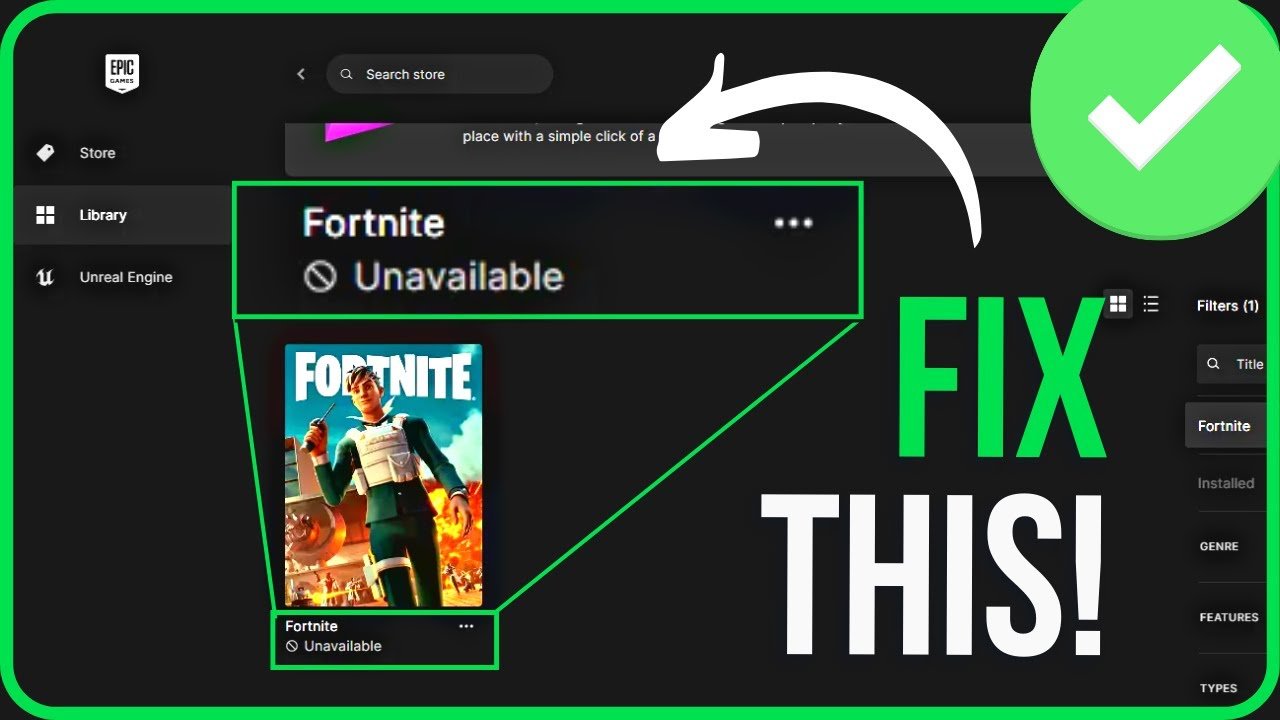
Fortnite saying unavailable on Epic Games usually means the game is undergoing scheduled maintenance, a server outage occurred, or there is a region-specific restriction.
Seeing that frustrating “unavailable” message when you try to launch Fortnite through Epic Games is definitely annoying. You’re ready to jump into a match, and suddenly, nothing. Why does Fortnite say unavailable on Epic Games anyway? It’s not just you, this happens to many players.
There are a few primary reasons for this issue, ranging from routine updates to unexpected server problems. It could be Epic Games servers are down or perhaps they’re doing some necessary behind the scenes work. This article will get into the various reasons why this might occur.

Why Does Fortnite Say Unavailable on Epic Games?
It can be super frustrating when you’re ready to jump into a Fortnite match and the game says “Unavailable” on the Epic Games Launcher. You’re not alone! Many players run into this issue, and thankfully, there are several reasons why it might be happening and, more importantly, ways to fix it. Let’s dive into the different reasons why Fortnite might be showing as unavailable on the Epic Games Launcher and what you can do to get back to playing.
Understanding Server Issues
One of the most common reasons for Fortnite to be unavailable is server problems. Think of the game servers like big online playgrounds. If too many kids try to play at once, or if there’s something wrong with the playground equipment (servers), it can get crowded or even shut down temporarily. That’s what can happen to the Fortnite servers.
Scheduled Maintenance
Just like your house needs cleaning, Fortnite’s servers need maintenance too. Epic Games, the company that makes Fortnite, often has scheduled downtime to make updates, fix problems, or add new features to the game. When this happens, the game will be unavailable.
- Look for announcements on the official Fortnite social media accounts (like Twitter/X, Facebook), the Epic Games website, or even within the Epic Games Launcher itself. These usually give you a heads-up about planned maintenance.
- Usually, maintenance is scheduled outside peak playing hours to bother fewer players. You might find that the servers are down early in the morning, during the mid-day when fewer people play, or in the late night
Unplanned Outages
Sometimes, the servers can have unexpected hiccups. These unexpected issues can cause the game to become unavailable, maybe from too many players playing at same time, or some other technical issue. It can be frustrating when it happens out of the blue, but there are reasons for these events.
- High Player Traffic: If a big event or a new season has just started, millions of players might try to play all at once. This can overwhelm the servers, leading to outages. It’s like everyone trying to use a small door at the same time.
- Technical Issues: Sometimes, things go wrong with the server hardware or software. Just like a computer can have problems, the servers that run Fortnite can also experience errors. When this happens, Epic Games has to work quickly to fix things.
When there’s an unplanned outage, it’s best to be patient. Epic Games will usually post updates on their social media accounts, so keep an eye out for information about when the servers are expected to be back up.
Problems With Your Internet Connection
Your internet connection plays a big role in being able to play Fortnite. If your connection is slow or unstable, the Epic Games Launcher might show that Fortnite is unavailable, even if the servers are running smoothly.
Checking Your Internet Speed
Imagine trying to build a Lego castle with only a few bricks coming in every so often. That’s kind of how it feels to play Fortnite with a slow connection. The game needs to send and receive a lot of information to keep everything running smoothly. If your internet is not fast enough, the game might struggle to connect.
- You can run an internet speed test by visiting websites like speedtest.net to see what your internet speed is.
- Compare this to what your internet company promised. If you aren’t getting the speed you’re paying for, consider contacting them for help.
Wifi vs. Ethernet
It’s often the case that if your playing on wifi connection your game experience will be a little bit slow and unstable than compared to Ethernet.
- Wifi is convenient because you can move around without wires, but it can be less stable, especially if there are walls or other electronic devices interfering with the signal.
- Ethernet uses a cable to connect your device directly to your modem, providing a more stable and faster connection. This is best for gaming.
Try using an Ethernet cable if you are having trouble and playing on wifi.
Restart Your Modem and Router
Sometimes, your modem and router can also have problems. It’s like they need a little rest every now and then. Restarting them can solve a lot of problems.
- Unplug your modem and router from the power outlet.
- Wait for about 30 seconds.
- Plug the modem back in, wait for it to power up and then plug your router in.
This can help reset your internet connection and might solve your Fortnite “unavailable” problem.
Issues With the Epic Games Launcher
The Epic Games Launcher is the app you use to download and play Fortnite. Like any other app, it can sometimes have issues that can cause problems with starting the game.
Outdated Launcher
If you don’t update your Epic Games Launcher to the latest version, it may start having problems. An outdated launcher can have bugs or compatibility issues that stop Fortnite from being available.
- The Epic Games Launcher usually updates automatically when you open it, but sometimes it might not.
- Check for any pending updates. You can usually find a notification about updates in the launcher’s interface or in the settings menu.
Corrupted Files
Sometimes, files in the Epic Games Launcher can get corrupted (broken). This can happen if there was a problem while updating or if your computer had an issue. These corrupted files can cause the launcher and, thus, Fortnite to not work correctly.
- You can use the “Verify” option in the Epic Games Launcher to check for these corrupted files. It will scan all the game and launcher files and repair any problems it finds.
- To verify your files, go to your game library, find Fortnite, click the three dots beside it, and choose “Verify.” This process can take a few minutes.
Restart the Launcher
Just like restarting your modem, restarting the Epic Games Launcher is sometimes all it takes to fix issues. When you restart the launcher, it can reload all its files and resolve any minor problems.
- Close the Epic Games Launcher completely, making sure it’s not running in the background in the taskbar.
- Reopen the launcher and try launching Fortnite again.
Game-Related Problems
Sometimes, the issue isn’t with the servers, your internet, or the launcher, but with the game itself.
Game Updates
Fortnite gets updated often with new content, bug fixes, or performance improvements. If your game is not updated to the latest version, it will become unavailable. The game will not allow you to play if your game is not up to date.
- The Epic Games Launcher usually downloads game updates automatically, but if for some reason it does not, you may have to manually check for updates.
- Open the Epic Games Launcher, go to your library, find Fortnite, and see if there are any updates available. You should see a download icon or something indicating the game needs to be updated
Installation Issues
If the game did not install correctly, it can also cause the “Unavailable” error. This can happen if there was a problem while downloading the game or during the installation process.
- Try uninstalling the game, and then reinstall the game, this can make sure that the game is properly installed on your computer.
- To uninstall the game, you can go to your games library, click on three dots next to Fortnite and select “Uninstall”.
- Then try reinstalling the game by going into your games library, click on Fortnite and select “Install”.
Your Computer or Device
The device that your are playing on, PC, Console or Mobile, can also be the cause of the problems with Fortnite availability.
System Requirements
Fortnite has certain system requirements that your computer needs to meet in order to play the game correctly. If your computer does not meet the minimum requirements, the game may not run correctly, or even not launch at all.
Here are the minimum and recommended system requirements for Fortnite on PC:
Minimum PC Requirements
- Operating System: Windows 7/8/10 64-bit
- Processor: Core i3 2.4 Ghz
- Memory: 4 GB RAM
- Graphics: Intel HD 4000
Recommended PC Requirements
- Operating System: Windows 10 64-bit
- Processor: Core i5 2.8 Ghz
- Memory: 8 GB RAM
- Graphics: Nvidia GTX 660 or AMD Radeon HD 7870 or equivalent DX11 GPU
Make sure to check if your computer meets the minimum or recommended requirements to play Fortnite. If not, you may have to upgrade your PC to play the game properly.
Background Applications
When you have too many other programs open while you are trying to play Fortnite, it can also cause problems because they are using up your computer resources like your RAM and CPU.
- Close any unnecessary programs before you open the game. This can free up resources for Fortnite and might solve the availability issue.
- For example, close the web browsers, music player, other game launchers that may be running in the background.
Drivers
Video card drivers help to make sure that the game runs correctly. Outdated video card drivers can cause the game to have issues or not launch at all. Make sure that you always update to the latest drivers to ensure that you have the best experience.
- Check for updates to your video card driver, you can visit the manufacturer’s website (Nvidia, AMD, Intel) to find and download the latest drivers for your card.
- Keep the drivers up to date so that your computer has the newest support and is compatible with Fortnite.
Firewall and Antivirus
Sometimes your computer’s security software can mistake Fortnite for a threat and block it from connecting to the servers.
Firewall Settings
Your firewall is like a gatekeeper that controls what can and cannot connect to your computer. If your firewall is blocking Fortnite, the game might be unavailable.
- Check your firewall settings and make sure that both Epic Games Launcher and Fortnite are allowed to connect to the internet.
- You may need to add an exception for Fortnite in your firewall.
Antivirus Software
Antivirus software is there to protect your computer from harmful things. But sometimes it can mistakenly identify Fortnite as a threat.
- Check your antivirus software to see if it’s blocking Fortnite. You might need to add an exception for the game or temporarily disable your antivirus software to see if that fixes the problem. Remember to turn it back on afterwards.
Geographic Restrictions
In rare cases, your location could cause Fortnite to be unavailable.
Server Location
Sometimes, the game servers may not be available in certain regions. Although rare, this could happen due to technical or legal issues. If the game does not have servers near your location, you could have issues.
Check if there are any announcements on the Fortnite official pages about any restrictions in certain regions.
VPNs
Using a VPN might sometimes be helpful, but sometimes it could be the problem. If you are using a VPN while playing Fortnite, try turning it off and seeing if it solves your problem.
Dealing with Fortnite being unavailable on the Epic Games Launcher can be frustrating, but with the right information and a little patience, you can often get back in the game. Always remember to check your internet connection, keep the launcher and game updated, and see if any computer issues are occurring. Epic Games also is always working on solving the server issue as soon as possible. By using the tips above, you will be back to playing in no time!
Fix Fortnite Unavailable on Epic Games Launcher – Full Guide 2024
Final Thoughts
Fortnite displays ‘unavailable’ on Epic Games mainly because of server issues or scheduled maintenance. Epic Games might also disable access temporarily for updates or critical fixes. This unavailability is usually brief, resolving once necessary work completes.
A regional restriction could also cause the “why does fortnite say unavailable on epic games” message. Checking your internet connection and Epic Games status page helps confirm the actual issue. Wait patiently as it will become available soon.

