
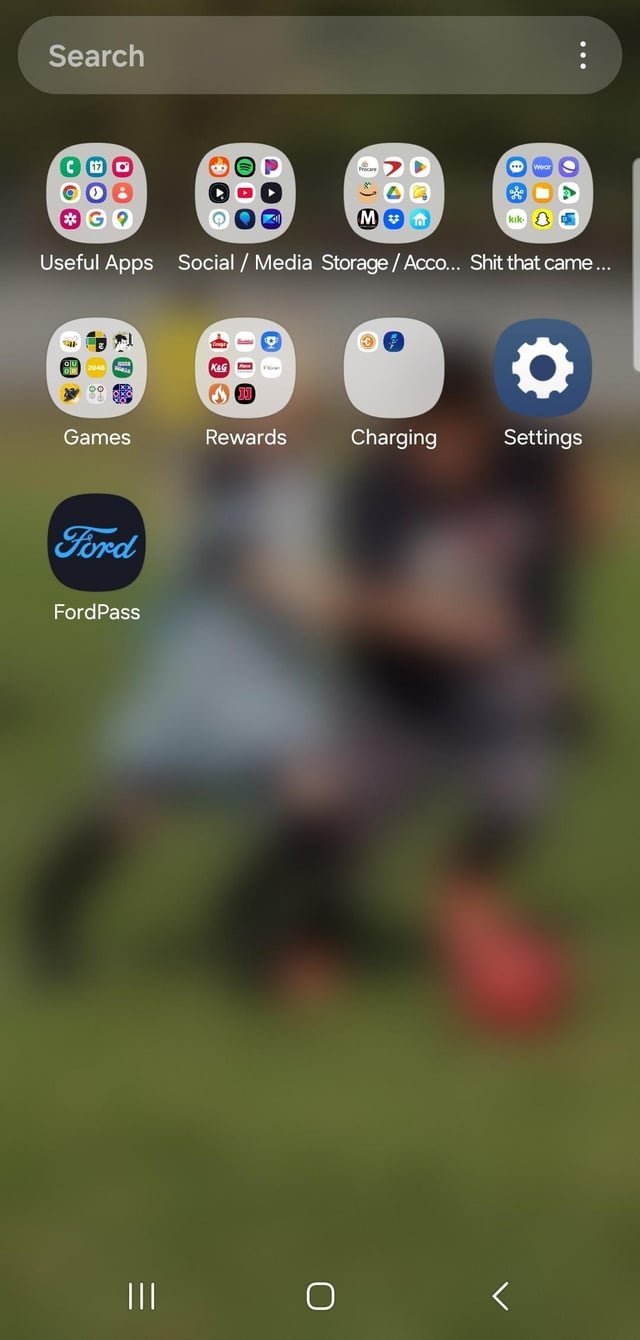
Samsung pre-installs games after updates as part of marketing partnerships or promotional agreements with game developers.
Have you ever noticed new games popping up on your Samsung phone after a software update? It’s a common experience, and many users wonder why does samsung install games after update. It can feel a bit intrusive, especially if you’re not a gamer.
These pre-installed games often come as a result of deals between Samsung and game companies. It’s a way for developers to get their games in front of more people, and for Samsung, it may provide a small revenue stream or other marketing benefits.

Why Does Samsung Install Games After Update?
Ever noticed how, after a Samsung phone update, some new games seem to magically appear on your device? It can feel a bit like an uninvited guest at a party! You didn’t ask for them, but there they are, taking up space and maybe even tempting you to play. Let’s dive deep into why this happens, looking at the reasons behind Samsung’s decisions and what you can do about it.
Understanding the Basics: Pre-installed Apps
Before we jump into the specifics of games showing up after updates, it’s important to understand pre-installed apps, also known as bloatware. These are apps that come already loaded onto your phone when you first buy it. Samsung, like many other phone manufacturers, includes its own apps, along with some from other companies. Think of it like getting a new toy that comes with a few other smaller toys inside the box. Some of these are useful, like the calculator or clock, while others, like games, might not be what you’d pick yourself.
The Role of Partnerships
Samsung has deals with different app developers and game companies. These agreements help Samsung include certain apps and games on your phone. By adding these, developers hope you’ll try their product and keep using it. It’s a way for them to get their apps in front of a lot of people at once. These partnerships are common in the mobile tech world, and they can benefit both companies.
Updates as Opportunities for New Installs
Now, let’s talk about updates. When Samsung pushes out a new software update, it’s not just about fixing bugs or adding new features. It can also be a chance for them to introduce new apps or games. This is because updates can sometimes change the way your phone’s software handles these pre-installed apps. A new update might include a change that allows Samsung to add more apps or even “suggest” ones they think you’ll like. Sometimes, these appear as if they were included with the update itself.
The Potential Benefits for Samsung
- Monetization: Samsung makes money from these deals. They get paid by developers to pre-install or suggest their apps on devices. It’s another way for them to earn revenue.
- Ecosystem: Samsung hopes to keep you using their products and services. Having a variety of apps and games pre-installed might keep you more engaged with your phone.
- User Engagement: They believe that providing various options for apps and games will enhance user engagement. They also think it’ll help you find stuff you like.
Why Games Specifically?
You might wonder, why games in particular? Games are popular! They can be very engaging and are a great way to keep you busy and entertained. Also, game developers are often willing to pay for their games to get in front of more people. So, it benefits Samsung to include them on your phone. It’s a mutually beneficial arrangement for both the company and developers.
Types of Games That Are Usually Installed
The types of games that often appear after updates usually fall into these categories:
- Casual Games: These are simple games that are easy to pick up and play. Think of puzzle games or quick arcade-style titles.
- Popular Titles: Sometimes Samsung includes games that are already quite popular, hoping you’ll recognize the name and be interested.
- Promotional Games: Some games are installed as part of a promotion. Maybe a developer has a new release they really want you to see.
The User Perspective: Why It Feels Frustrating
While Samsung has its reasons, it’s easy to see why users feel annoyed about these surprise game installs. Here’s a breakdown of the main frustrations:
Storage Space Concerns
One of the biggest problems is that these games take up valuable space on your phone. Even if the games aren’t very big, they can still add up if your phone is already full of photos, videos, and other apps. This can lead to performance problems or the need to delete something else to make space. It’s very frustrating to have to delete something you want just to make room for something you did not want in the first place.
Unwanted Apps
Many users simply don’t want these games. They might not have any interest in gaming, or they might already have their favorite games. Having unwanted apps taking up space and cluttering the app drawer feels like an imposition. It’s also about having control over your own device. You want to choose which apps are on your phone, not have them forced on you.
Data Consumption
Games, even when not being played, can sometimes use data in the background. This can use up your internet data allowance or even drain your battery. Especially if you do not have a very high data plan, this can be an unnecessary use of your data.
How to Manage and Remove These Games
The good news is that you don’t have to keep these unwanted games on your phone. There are ways to manage and remove them. Here’s what you can do:
Uninstalling Apps
The easiest method is to simply uninstall the games like any other app. Here’s how to do it:
- Go to your phone’s Settings.
- Tap on “Apps” or “Applications”.
- Find the game you want to remove from the list of apps.
- Tap on the game and select “Uninstall”.
This will remove the game from your phone, freeing up space.
Disabling Apps
Sometimes, some apps may not allow you to uninstall them. In such cases, you can disable the app, which will prevent it from running. To disable an app:
- Go to your phone’s Settings.
- Tap on “Apps” or “Applications”.
- Find the game you want to disable from the list of apps.
- Tap on the game and select “Disable”.
Disabling an app won’t remove it from your phone, but it will stop it from taking up resources and from showing up in your app drawer.
Using Package Disablers (Advanced)
There are third-party apps, known as “package disablers”, that can help remove or disable stubborn apps or packages that are not supposed to be removed. Keep in mind that these apps are for advanced users and might cause issues if not used correctly. You need to be careful while using such apps and must ensure that you are only removing or disabling the apps that you know to be the ones that you do not want to keep on your phone. Be sure to research the app well before trying to use it.
Preventative Measures: Reducing New Installs
While you can’t entirely stop Samsung from including new games with updates, here are a few tips that may help reduce the occurrence:
- Review Update Details: When you get an update notification, read the description. Sometimes, it will mention if new apps or services will be installed.
- Regularly Clean Your Phone: Check your app list every so often and remove any apps you don’t use. This will help keep your phone tidy and less cluttered.
- Use a Custom Launcher: Some custom launchers give you greater control over your apps and might help manage pre-installed apps better.
The Broader Trend of Pre-Installed Apps
It’s important to know that Samsung isn’t the only company that does this. Many phone makers include pre-installed apps as part of their business model. It’s a common trend in the tech world, driven by the desire to monetize devices and promote specific services. While it’s convenient to have certain things ready to use on your phone, it often comes with some extra apps that users don’t necessarily want.
Why is it So Common?
The reality is that it can be expensive to make phones. Including pre-installed apps and games is one way companies can make up for that cost. It’s a business decision that helps them keep prices lower and generate revenue from partnerships. It might not be the best thing for the user experience, but it is a part of the bigger picture for phone companies.
Future of Pre-installed Apps
As people become more aware of these practices, there may be increased pressure on companies to give users more choices and control. Some users prefer a more streamlined experience with only the apps they choose. In the future, we might see phone makers providing options to not have these extra apps or allowing a simpler, cleaner installation. There could be a shift towards more customizable options and less “bloat” on devices.
So, while the mystery of the games appearing after updates might be a little frustrating, hopefully, this helps explain why it happens and what you can do about it. It’s all about managing your phone to keep it working the way you want. By staying informed and taking action, you can keep your device clean and functioning optimally.
how to fix Installed apps not showing on Home screen android samsung | apps not showing home screen
Final Thoughts
Samsung likely installs games after updates through pre-loaded partnerships. This increases app usage and generates potential revenue for them. It’s a common practice, though it bothers some users.
The practice of adding bloatware games after updates, explains why does samsung install games after update. Ultimately, Samsung aims to drive engagement within its ecosystem.

