
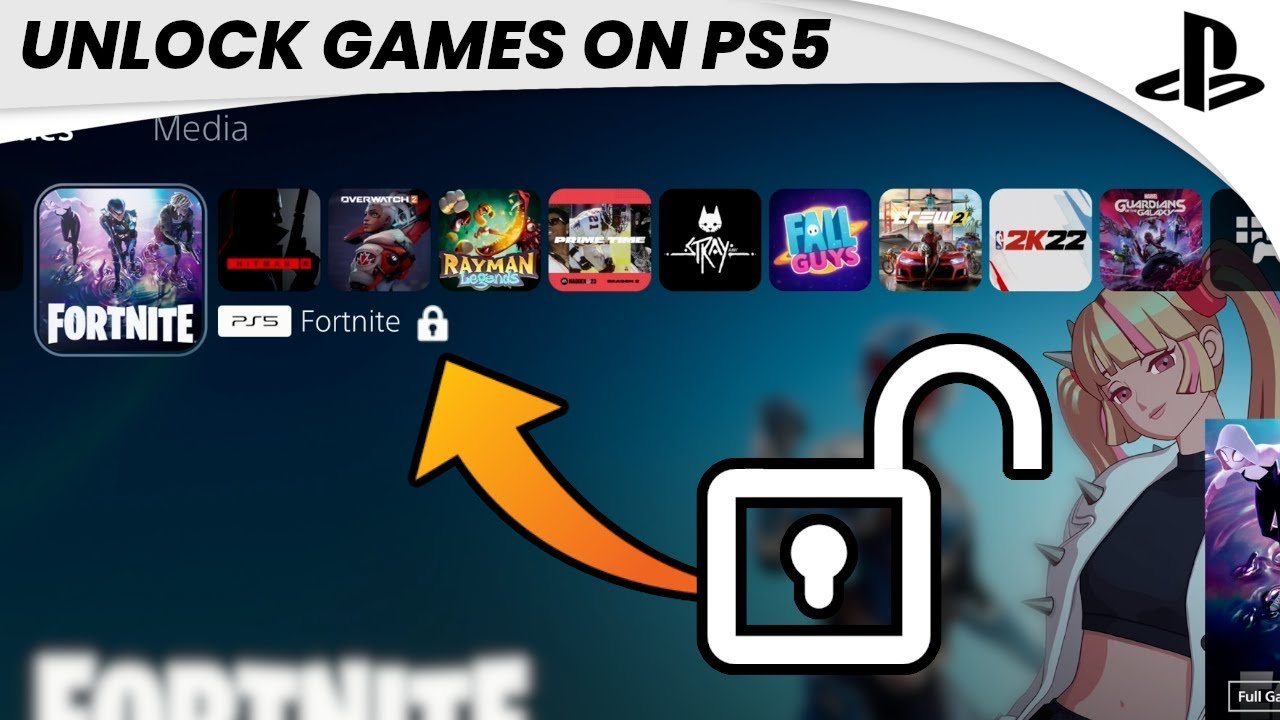
The game is locked on PS5 because it either requires a digital license associated with the account, a disc is not inserted, or PlayStation Network verification is needed.
Ever stared at your PS5 screen, ready to play, only to find a game stubbornly locked? It’s a frustrating experience. The question, ‘why is a game locked on ps5’, often pops into mind. This can happen for a few different reasons. Let’s explore the main culprits behind this gaming barrier.
It could be due to needing the specific digital entitlement linked to the Playstation account. Another reason is because you might not have inserted the physical game disc. Furthermore, PSN sometimes require online checks for certain games.

Why is a Game Locked on PS5?
Ever gotten super excited to play a new game on your PlayStation 5, only to find it’s…locked? It’s like having a delicious cookie right in front of you, but not being able to eat it! This can be really frustrating, but there are lots of reasons why this happens. Let’s explore why a game might be locked on your PS5 and what you can do about it. It’s not magic, just some common situations that we can easily understand.
Digital Game Locks: The Most Common Culprit
Most of the time, when a game is locked on your PS5, it’s a digital game issue. This means you bought the game online through the PlayStation Store. There are a few key reasons why digital games might be locked, so let’s go through them one by one. We will cover purchase issues, licensing problems, and user-related problems.
Purchase Problems: Did You Actually Buy It?
Sometimes, the lock isn’t a technical problem at all – it’s about payment. It’s like when you try to buy a toy, but your parent’s card doesn’t work, or there isn’t enough money in their account! The same thing can happen when you purchase a digital game:
- Pending Transactions: If your payment is still processing, Sony won’t give you access to the game. It’s like when you order something online, and you have to wait until the store gets your money before they send it to you. Give it some time, and check your account.
- Payment Failures: If your credit card or PayPal information is out of date, the payment won’t go through. Sony will not give you the game without proper payment. Make sure the payment method you’re using is up-to-date. Double-check the card number and expiration date.
- Insufficient Funds: This one’s simple: no money, no game. If you don’t have enough money in your account, the game will not be purchased. Check if there are enough funds in your bank account to cover the cost of the game.
Licensing Issues: Why It’s Like Borrowing a Library Book
Think of buying a digital game like borrowing a book from the library. You don’t actually “own” the book (or game), you have permission to use it. That’s the license. If there’s a problem with your license, you can’t play the game. Here’s a breakdown:
- Primary Console Activation: Every digital game is linked to a primary console. If your PS5 is not set as your primary console, the system might think you’re trying to play the game on a secondary device, and deny access. This is like when your book is checked out to someone else at the library. Make sure that your PS5 is activated as your primary console for your account.
- License Synchronization Issues: Sometimes, the license information between your PS5 and Sony’s servers gets out of sync. This is like a librarian having a hard time finding the record for your borrowed book. Your console is unable to verify you have the rights to play that game. Usually, a simple system restore will fix this issue.
- Account Sharing Problems: Sharing games with friends or family using different accounts on different consoles can sometimes cause license conflicts. This is like when you and your friend try to check out the same library book. Each person needs their own license to play a game on their console.
User-Related Issues: Sometimes, It’s Just Us!
Sometimes the problem isn’t with Sony, but with how we are using our accounts. Let’s explore a few user-related problems:
- Wrong Account Login: If you have multiple PlayStation accounts, you might be logged into the wrong one. If you have bought the game with one specific account and you are using another, it won’t work. Make sure that you are logged into the correct PSN account that you have purchased the game with.
- Family Sharing Settings: If you are part of a family on PlayStation, the parental controls might be preventing the game from being played. Check if your account is affected by any parental control restrictions.
- Restricted Account Type: Some game licenses are limited to particular account types. if you have an adult account and a children account. If you are logging in on the children’s account which doesn’t have the right to access that game, it will not be accessible. Always use the primary account to play all games.
Physical Game Locks: When the Disc Is the Problem
Sometimes, the game that’s locked is on a disc instead of being a digital download. This usually involves issues related to the game disc itself or to the console’s ability to read the disc.
Disc Damage: Scratches and Other Issues
Just like a CD can get scratched, so can a game disc. A disc could have minor scratches that might not be visible or they may be pretty significant. Here’s how that can lead to a locked game:
- Minor Scratches: Small scratches can make it hard for the PS5 to read the disc properly. If the laser in the disc drive can’t read the disc, it won’t work. Always ensure that your disc is cleaned from any visible particles.
- Major Damage: Big scratches, cracks, or other damage can completely stop the PS5 from reading the disc. The disc could be completely unreadable in this case. It may not be worth repairing in such a case.
- Smudges and Dirt: Sometimes, the problem is just a dirty disc. Fingerprints, dust, or other grime can prevent the console from reading the disc. Try cleaning the disc with a clean, soft cloth to remove any smudges.
Console Hardware Problems: When It’s Not the Disc’s Fault
If your game disc is perfectly clean, then the issue might lie with the console itself. A hardware issue can stop the game from working normally.
- Disc Drive Issues: The PS5’s disc drive uses a laser to read the game disc. If this laser malfunctions or if the drive is broken, it may not be able to read the disc at all. This problem might be harder to fix, and you might need to contact support.
- Software Glitches: Sometimes, glitches in the console’s software can cause problems. This could be an issue with the system software itself. Try to check for any pending updates to make sure your system is functioning normally.
Region Locks: Playing Games From Around the World
While region locks are not as common as they used to be, especially on the PS5, they can still be a cause of game locks in some situations. It’s like trying to use a TV remote that only works in one country. Let’s discuss region-specific problems.
What are Region Locks?
Region locks are limitations set by game publishers to control where a game can be played. This means a game bought in one country might not work on a console from a different country. Here’s a quick explanation:
- Different Regions: Video game consoles and games are often divided into regions (like North America, Europe, and Asia). These regions help publishers to manage distribution and pricing.
- Compatibility Issues: When you import a game from a different region, it might be locked because the console sees it’s not meant to be played in that specific region. While the PS5 is mostly region-free, certain exceptions still exist.
- DLC Mismatches: If you download a game from a specific region, your DLC must come from the same region. If there is a mismatch of DLC regions, your game might not work properly. Always check the game and DLC regions.
Other Potential Causes of Game Locks
Besides the above-mentioned cases, there are few other potential causes for locked games, let’s look at these potential issues:
Game Update Issues
Games often get updates or patches to fix bugs or to add new features. If the game is not up to date, the game could be locked.
- Incomplete Downloads: If a game update does not fully download, it can cause problems. Check your download section to see if the update is in progress.
- Corrupted Game Data: Sometimes, the update process might get disrupted, which leads to corrupted data. Try re-installing the game if the update has been affected.
Console Errors and System Software
Sometimes the issues might come from the console itself. Here’s an explanation:
- System Software Problems: If your console’s system software has bugs, then that might lead to problems with games. Keep your system updated with the latest software.
- Hardware Malfunctions: Occasionally a console may suffer from a hardware issue that can’t be fixed with software updates. This type of problem would need to be addressed by professionals.
Network Problems
Network connection issues can affect digital game access.
- Internet Connectivity: A poor internet connection can interfere with your game access. Make sure that you have a stable internet connection.
- PlayStation Network Outages: Sometimes the PlayStation Network itself experiences problems. You need to check the server status in these cases and wait for the server to get back online.
So, if your game is locked on the PS5, take a deep breath! It’s likely one of these common issues, and with a little troubleshooting, you’ll be back in the game in no time. Remember, checking your purchases, license, the condition of your disc, and your internet connection can all help. If you still can’t get it working, don’t hesitate to reach out to PlayStation Support. They can help you pinpoint the issue and get you back to playing.
How to UNLOCK Games on PS5 (EASY) (2022) | SCG
Final Thoughts
Game locks on PS5 usually stem from licensing issues, account mismatches, or incomplete downloads. A region-locked disc or a digital purchase tied to a different PSN account can prevent access. Sometimes, a failed download process might also cause a game to appear locked.
These situations often require account verification, purchasing the correct region version, or re-downloading the title. The question of “why is a game locked on ps5” commonly relates to these simple, yet frustrating causes. A digital download purchase must go through.

