
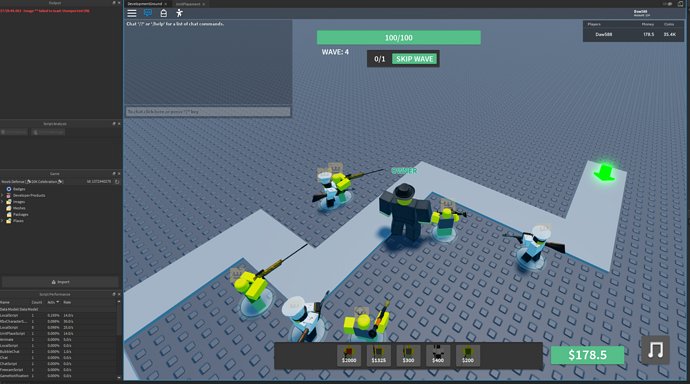
Your game is laggy primarily due to insufficient processing power from your computer or network issues causing data delays.
Frustration mounts when you experience stuttering gameplay. Many players frequently ask, “why is my game laggy?” It is common experience for many gamers.
Several factors contribute to poor gaming performance. Your computer’s hardware can struggle to keep up, or your internet connection might not be stable. Troubleshooting is the first step for improving gameplay.

Why is My Game Laggy?
Okay, so your game is acting like a slow snail, and it’s super frustrating, right? You’re not alone! Lagging games are a real buzzkill. Let’s dive into why this happens and what you can do about it. Think of it like being a detective for your computer game, finding all the clues that are making it slow. We’ll explore all sorts of things, from your computer itself to the internet connection.
The Power of Your Computer: Is It Strong Enough?
Your computer is like the engine of your game. If it’s not powerful enough, things are going to get sluggish. Games need a lot of “brain power,” called processing power, to run smoothly. This power comes from different parts inside your computer:
The CPU: The Brain of Your Computer
The CPU, or Central Processing Unit, is like the brain of your computer. It does all the thinking and calculating. If your CPU is old or not very strong, it might struggle to keep up with the demands of a new or complex game. Imagine trying to run a race with a toddler’s legs – it just won’t go very fast!
- What to look for: CPU models have names and numbers, kind of like cars. You can check your CPU in your computer settings. Older CPUs with lower numbers are usually less powerful. If your game lists specific CPU requirements and your CPU doesn’t meet them, that’s likely causing your lag.
The GPU: Graphics Power
The GPU, or Graphics Processing Unit, handles all the pictures you see on your screen. Games, with their fancy visuals, need a strong GPU to look smooth and not choppy. A weak GPU can really make games slow. Think of it like trying to paint a picture with a tiny, dry brush – the image won’t look very good and will be hard to do!
- What to look for: Like CPUs, GPUs have names and numbers. You can usually see it listed in your computer’s Device Manager. Look for the game’s recommended GPU. If your GPU is an older version, that can be a problem.
RAM: Short-Term Memory
RAM, or Random Access Memory, is like your computer’s short-term memory. It helps the computer quickly access information it needs right now. If you don’t have enough RAM, your computer will slow down. It’s like trying to juggle many balls with not enough hands – things get dropped and slowed. Games need a good amount of RAM to run without lag.
- How much is enough?: Most games will list their RAM needs. 8GB is very common, but some newer games need 16GB or even more. Check your computer’s system information to see how much RAM you have.
Storage Space: Is Your Hard Drive Full?
Even if your computer is powerful, if your hard drive or solid-state drive (SSD) is almost full, it can cause problems. When there isn’t enough space, your computer has to work harder to find and save files. This makes everything, including games, run slowly. It’s like trying to find your toys in a completely cluttered room – it takes longer, and it’s more work!
- What to do: Check your computer’s storage space. If it’s near full, try deleting files you don’t need or moving large files to an external hard drive.
The Internet Connection: The Lifeline for Online Gaming
If you’re playing online, your internet connection is a super important part of the game experience. Even if your computer is super powerful, a bad connection can make your game lag horribly.
Ping: How Fast Your Data Travels
Ping is the time it takes for data from your computer to reach the game server and back. Think of it like throwing a ball to a friend – ping is how quickly they catch it and throw it back. A low ping means a fast and responsive connection. A high ping means the data takes too long to travel, causing lag.
- What’s good? A ping of under 50 milliseconds (ms) is usually good for gaming. A ping over 100ms can cause noticeable lag. You can test your ping with online speed test tools.
Internet Speed: How Much Data Can Travel
Your internet speed, usually measured in megabits per second (Mbps), is like the size of the pipe for your internet data. A fast internet connection allows more data to travel quickly. If your internet speed is too slow, the game won’t be able to send and receive data fast enough, which causes lag.
- What speed do you need? Different games have different internet speed requirements. Check the game’s website to see what they suggest. A good rule of thumb is that the higher the speed, the better it is for gaming.
Wi-Fi vs. Ethernet: Which Connection is Better?
If possible, connect your computer to your router with an Ethernet cable. A wired Ethernet connection usually provides a more stable connection than Wi-Fi. It’s like comparing a sturdy bridge to a rope bridge – the bridge is a better connection. Wi-Fi can be affected by other devices in your home, walls, and distance from the router, all of which can cause slow speeds.
- Why use Ethernet?: Ethernet connections are generally more consistent and have less interference than Wi-Fi. This results in lower ping and less lag.
Other Devices Using Your Internet: Are They Slowing Things Down?
If other devices in your house are using the internet, that can slow down your game. Think of it like sharing a single straw with a big family – everyone gets a smaller share, and your game might not get enough.
- What to check: See if anyone else is watching videos, downloading files, or using the internet heavily. Try asking them to stop or pause their activities for a bit while you play.
Game Settings: Do You Need to Turn Things Down?
Sometimes, the game’s graphics settings are just too high for your computer to handle, even if your computer is pretty good. Lowering the graphics settings can make a huge difference and get rid of a lot of lag. It’s like choosing to run fast instead of walk carrying a bunch of weights.
Graphics Options: What to Adjust
- Resolution: This controls how many pixels (tiny dots) make up the image. A lower resolution makes the image less detailed but it is easier for your computer to render. Try lowering it to see if your game runs more smoothly.
- Texture Quality: Textures are the detailed images that cover surfaces in the game. High texture quality makes things look very realistic but can be too much for weaker GPUs. Try lowering the texture quality.
- Shadows: Shadows add depth and realism to the game, but they also put a lot of strain on your computer. Turning down or disabling shadows can improve performance.
- Anti-Aliasing: This setting makes lines and edges in the game look smoother. It’s nice to have but can take a lot of computer power. Try turning it off or setting it lower.
- Special Effects: This includes things like explosions and lighting effects. These things can be taxing on your computer. Lowering the level can significantly improve lag.
Game Updates and Patches: Are You Up to Date?
Game developers release updates and patches to fix bugs and improve performance. Make sure your game is updated to the latest version, as outdated versions might cause more lag. It’s like having the newest version of a tool to help you do your job better. Older ones might not work as well.
Other Things That Can Cause Lag: Let’s Look at Everything!
Sometimes, the problem is not so obvious, and some other things can cause lag. We need to think like detectives to figure them out.
Background Programs: What Else Is Running?
Your computer could be working on many things in the background while you’re gaming. Things like antivirus scans, downloads, and other programs can hog your computer’s resources and slow things down. It’s like trying to do your homework while doing other tasks at same time.
- How to check: You can open the Task Manager (Ctrl + Shift + Esc on Windows) and see what programs are using the most resources. Try closing programs you don’t need while you play games.
Overheating: Is Your Computer Too Hot?
Computers can overheat when they work too hard, especially laptops. When this happens, the computer will intentionally slow down to avoid any damage, and that can cause lag. It’s like your body slowing down if you get too hot from playing too hard.
- How to prevent it: Make sure your computer has enough ventilation. You can use a cooling pad for laptops. Clean the fans and vents of your computer regularly to get rid of dust.
Outdated Drivers: Are They Up to Date?
Drivers are small programs that tell your computer how to use its hardware, like your graphics card and sound card. If these drivers are outdated, they can cause all kinds of problems, including lag. It’s like using outdated instructions to build something – it won’t work very well.
- How to update: You can usually find the latest drivers on the websites of the manufacturers for your hardware, such as NVIDIA, AMD, or Intel.
Problems with the Game Server: Sometimes it’s Not Your Fault
Sometimes the problem is not on your end. The game server itself could be having issues that result in lag. This is out of your control, but it’s good to keep in mind. It’s like if the power goes out for your house, and there is nothing that you can do to turn them on.
- How to tell: Check the game’s official website or social media pages for server status information. Also, check forums and communities of the game and see if other players are also experiencing lag.
So, there you have it! A bunch of possible reasons why your game might be lagging. Remember, it’s like being a detective – you need to look at all the clues to find the culprit. Start with the easiest things, like checking your graphics settings or closing background programs, and then move to more complicated things like checking your hardware or network. Don’t get discouraged; with a little bit of detective work, you’ll likely find the reason and get your game running smoothly again.
Fix Games Stuttering In 15 Seconds
Final Thoughts
So, why is my game laggy? Several factors can contribute, including a weak internet connection, outdated graphics drivers, or insufficient hardware. High ping or low frame rates directly impact game performance.
Resource-heavy background applications compete with your game. Closing unnecessary programs helps. Ensure your computer meets the minimum specifications for the game you are playing.

